Christmas update
RiccardoThis is probably the biggest update since the introduction of the beta (August).
Many new features and commands are ready to be tested, I don't want to write a long and boring post so lets go straight to the point.
A brief list of the new features:
- A whitelist for your links: if links (or telegram.me links) are not allowed in your group, whitelisted links will be ignored by the bot (read more about the whitelist here)
- Moderators: moderators are normal users that can use some of the commands that are usually available only to the group administrators (read more about moderators here)
- You can now add one or more URL buttons to most of the configurable texts you can save with the bot (commands that support this feature: /setrules, /welcome, /extra, /pin) (read more about URL buttons here)
- If the rules, or the welcome message, or an extra command has a telegra.ph link in their body, the bot will not hide the link preview. So users from a mobile client will be able to open the Telegraph article through the new instant view feature.
- /cleanwarns: a new command to erase all the warnings received by all the users of the group. Will ask for confirmation.
- /snap and /import: /snap is an admins-reserved command that will let admins generate a backup of the group data. This command can be used only once every three days. The backup file will have .gbb extension, but is just a serialized JSON that you can open and read with your favorite text editor. The /import command, obviously, let you restore a previously generated backup. Just send the backup file in the group, and reply to it with /import.
- /kickme now works only with the ! and the # triggers: too many people were accidentally tapping on it.
- /leave: the bot will leave the group without deleting your group's data from the database (not really, your settings will be deleted anyway. But they are easy to set up again, just use the /config keyboard). Use it only if you are going to add the bot back to the group in the future.
- You can now add placeholders to the caption of a GIF used as welcome message.
We are going now to focus on the most important news this update is bringing.
The whitelist
As we said, the whitelist is a useful command if you don't want that people share links or telegram.me links in your group, but you still would like to let them share some special or useful links. For exmample, the link of the group.
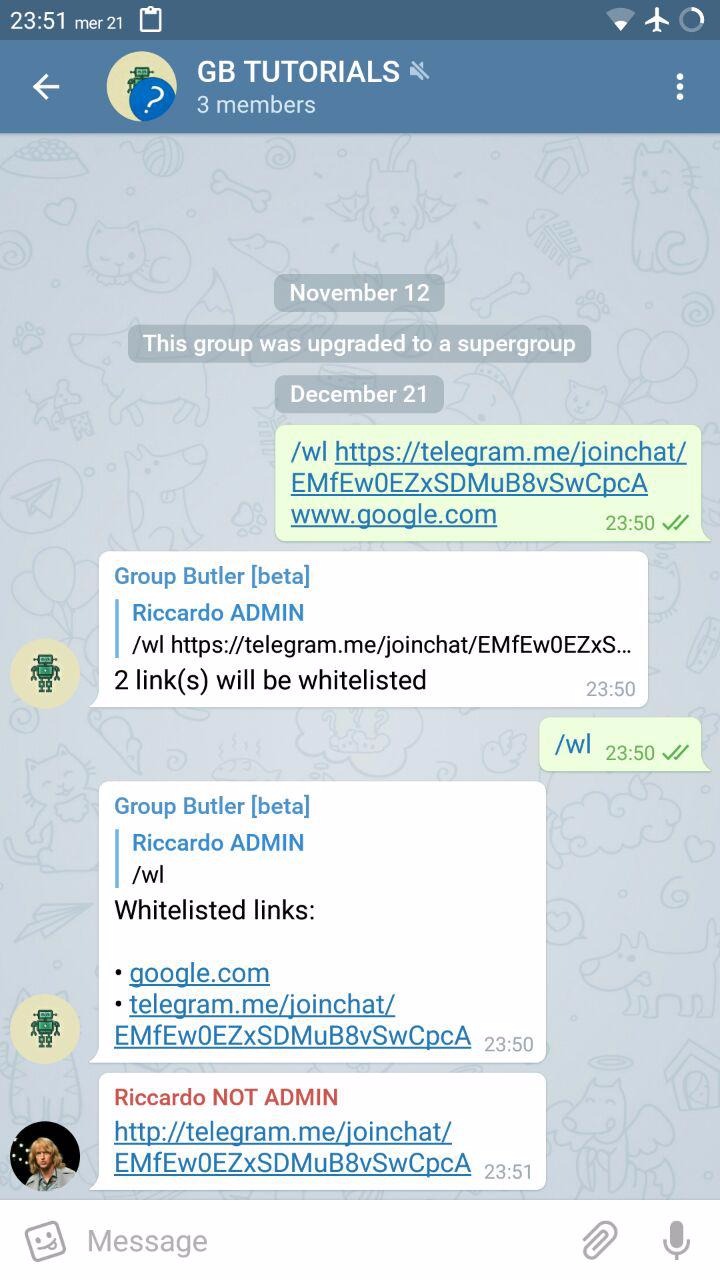
Whitelist commands:
/wl [link(s)]: add to the whitelist one or more links
/unwl [link(s)]: remove from the whitelist one or more links
/wl : show the whitelisted links
/whitelist and /unwhitelist are aliases for /wl and /unwl, but I bet everyone will use the short form.
The link of the group is automatically added to the whitelist when an admin saves it with the /setlink command.
The bot auto-removes https://, http:// and www from every link to reduce the possibility of having the same link saved twice.
Moderators
Moderators are normal users that can use some of the commands that are usually available only to the group administrators.
By default, moderators only have the banhammer (they can use /ban, /kick, /unban, /tempban, /warn, /nowarn, /sw, /cleanwarns, /user, /status).
But their powers can be expanded or restricted by the administrators: there is a button in the /config menu, called "Moderators", where the permissions of the moderators can be configured.
By default, every admin can promote a new moderator, or demote an user who is already a mod.
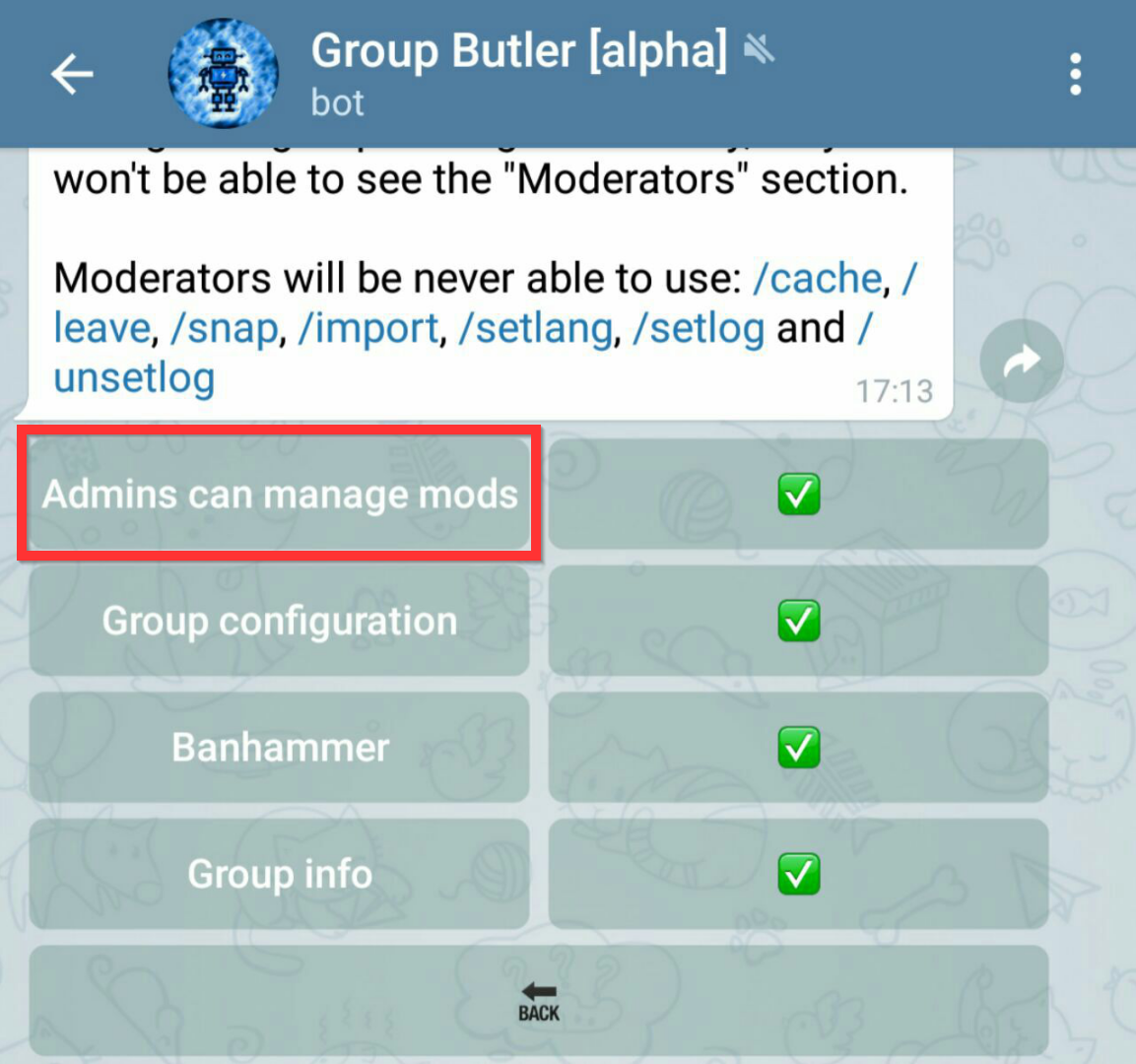
If you are the group owner, in the "Moderators" section of the configuration menu you will be able to find a switch called "Admins can manage mods".
When disabled, the group administrators can't promote or demote new moderators, and also they won't be allowed to access the "Moderators" section of the configuration menu (so they won't be able to change the moderators permissions).
Moderators permissions
There are three categories of permissions a moderator can have:
- Banhammer permissions: moderators will have the banhammer. This means they can use this set of commands: /ban, /kick, /unban, /tempban, /warn, /sw, /nowarn, /cleanwarns, /user, /status. Important: moderators receive user reports sent using the @admin command only if this permission is enabled.
- Group informations permissions: when this permission is enabled, moderators are able to edit the group informations. The commands involved are: /setrules, /extra, /link, /setlink, /pin, /welcome, /goodbye.
- Group configuration permissions: this permission makes moderators able to use the /config command, so they are allowed to change the group settings. Anyway, they won't see the "Moderators" button of the configuration menu.
This permissions can be managed from the /config menu, under the "Moderators" button.
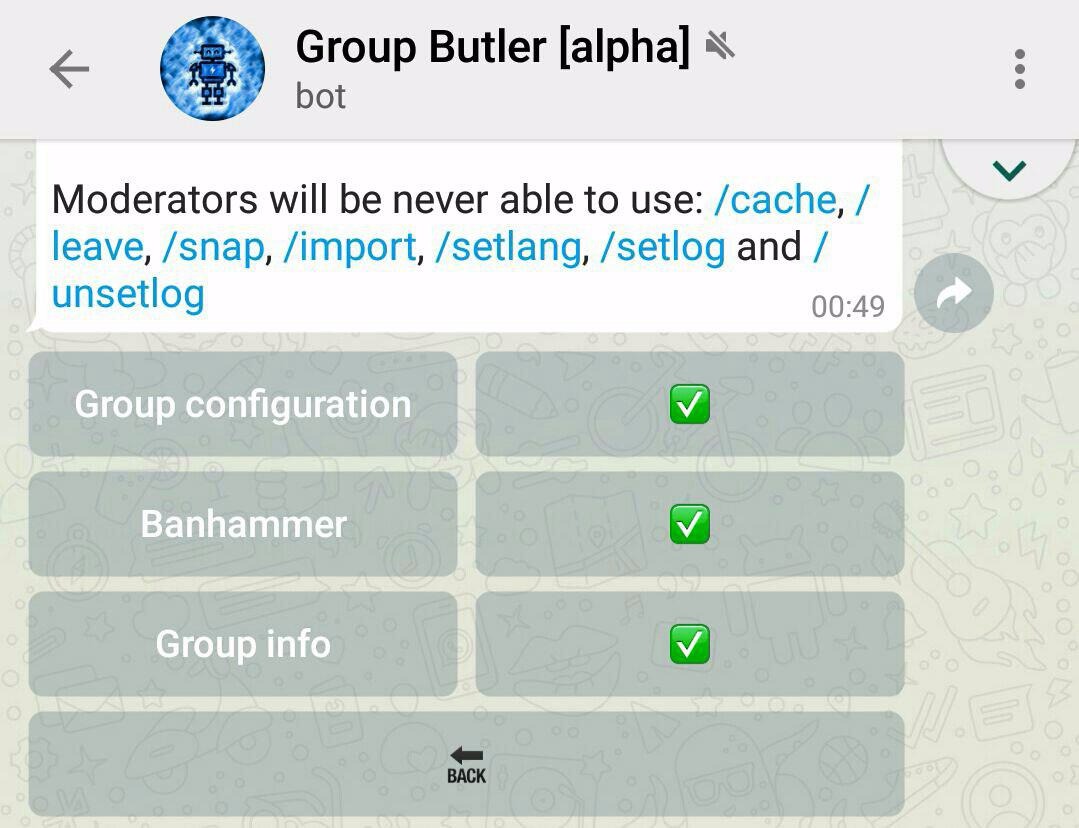
Another important detail is that moderators are on the same level of the administrators when commands as /rules, /adminlist, /modlist and every #extra command are used: the bot will answer in the group when they are triggered by a moderator.
Anyway, there are some commands that moderators are never allowed to use: /cache, /leave, /snap, /import, /setlang, /setlog, /unsetlog.
Admins powers over the moderators
By default, admins are allowed to promote and demote moderators, and to change their permissions from the configuration menu.
Anyway, sometimes the owner could want to be the only one who retains the full control over the moderation of the group. For this kind of owners, the bot has a special switch that only them can see.
This switch is placed in the configuration menu, under the "Moderation" button, and it's called "Admins can manage mods".
The switch is enabled by default, but once it's turned off, admins will no longer be allowed to promote, demote or change moderators' permissions.
Moderation-related commands:
/promote [by reply|username|text mention|id]: promote an user to moderator. If the user is already a moderator, his name in the modlist will be updated
/demote [by reply|username|text mention|id]: demote an user
/modlist: show the list of the moderators
URL buttons
I know a lot of people like the "read the rules" button that can be attached to the welcome message of your group, so I decided to work on a way to add your personal URL buttons under many of the messages generated by the bot.
The commands that already support custom buttons are: /setrules, /welcome, /extra, /pin.
How to define one or more URL buttons
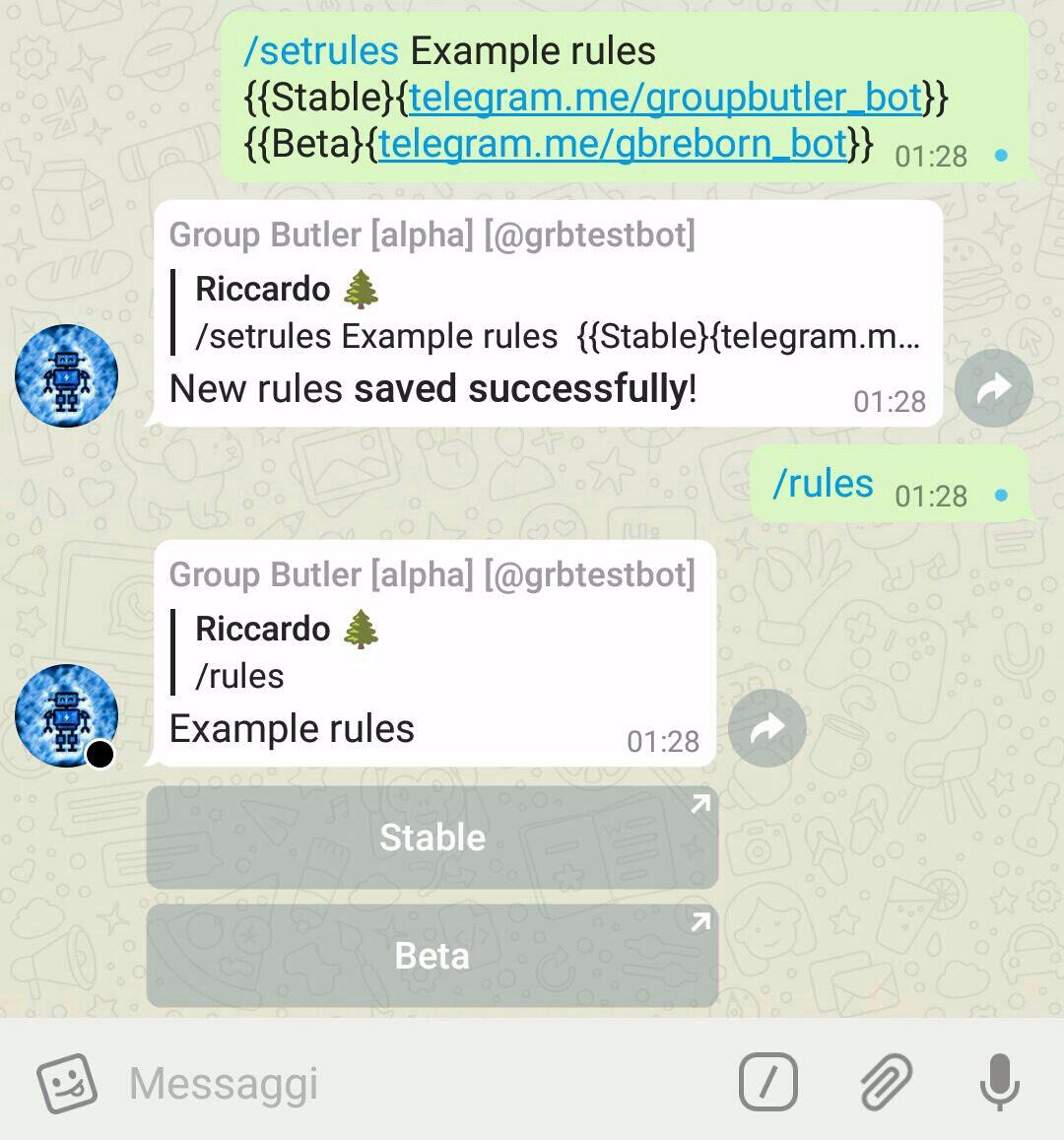
It's pretty easy: at the bottom of the text you are going to save, you can add a maximum of three buttons by passing the name of the URL and the URL you want to use wrapped within curly brachets. In this way:
/setrules Example text
{{Name of the button 1}{URL 1}}
{{Name of the button 2}{URL 2}}
Practical example:
end of the changelog