Capturing Crash Logs For Tale Stars iOS Version
@talemodsThis guide explains how to capture crash logs on iOS for debugging the error you are experiencing in Tale Stars. This will help us fix these issues more easily and provide you with a better experience.
Step-By-Step Guide
- Open Settings App
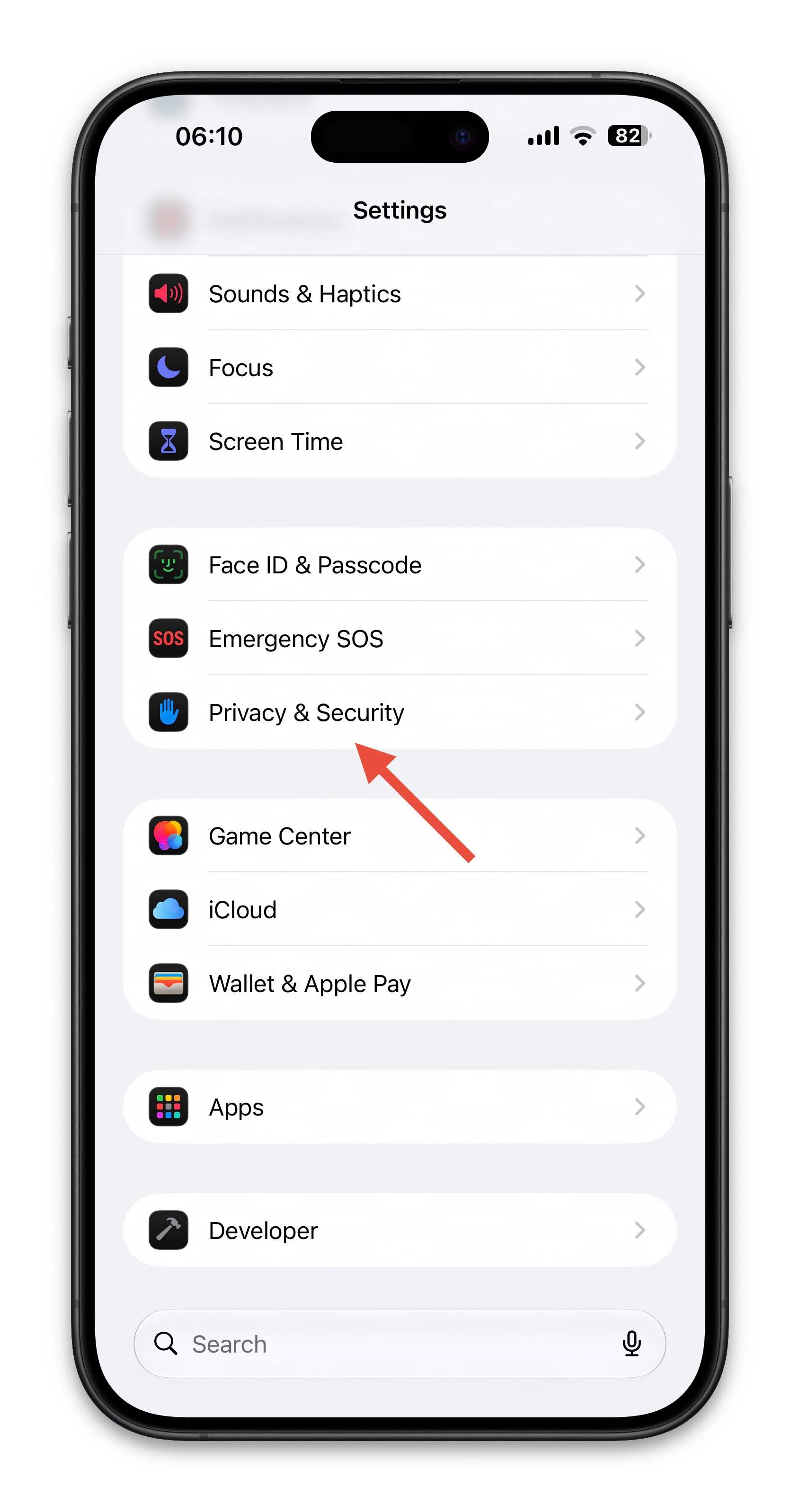
- Go to Privacy & Security
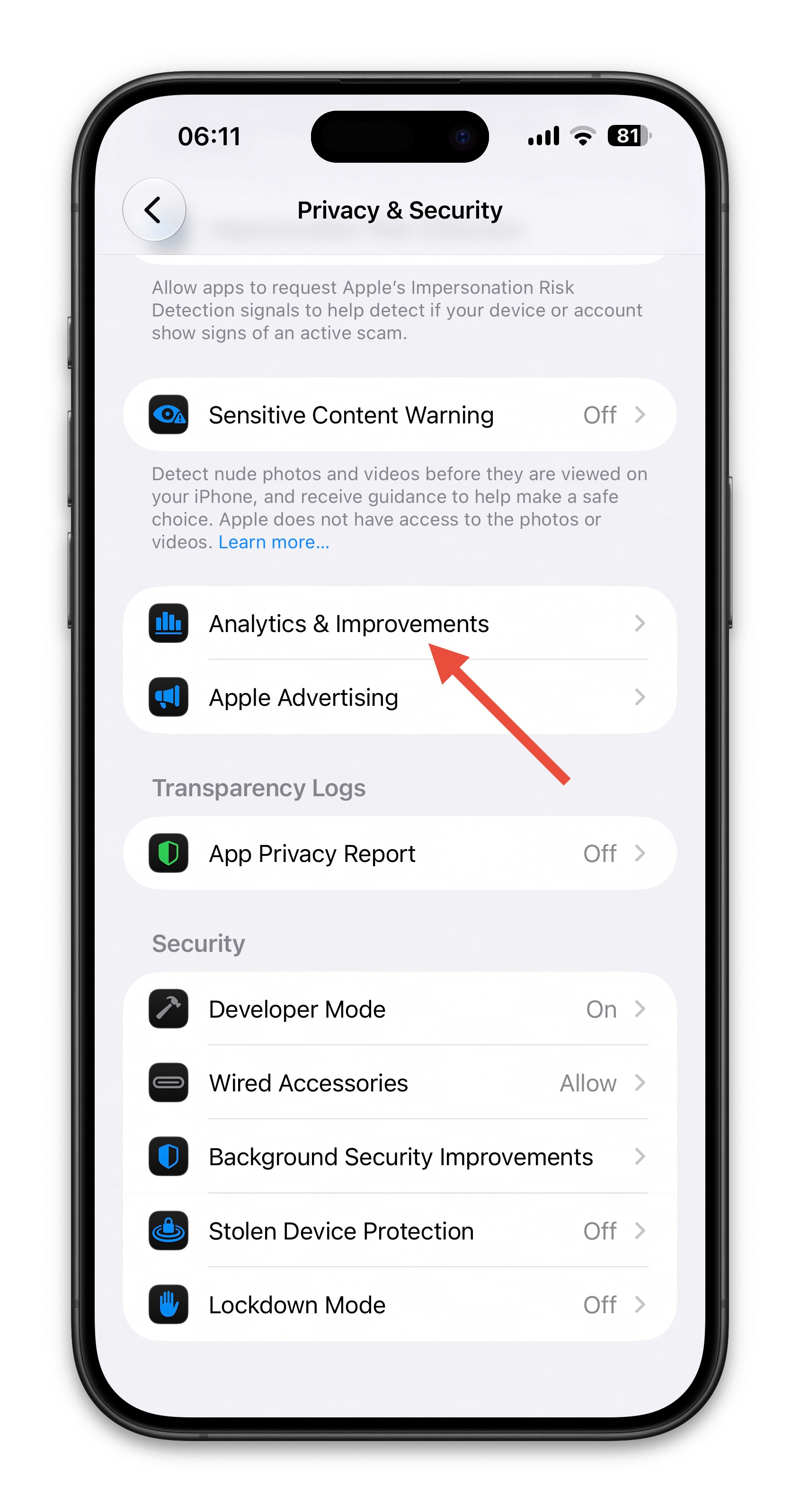
3. Go to Analytics & Improvements
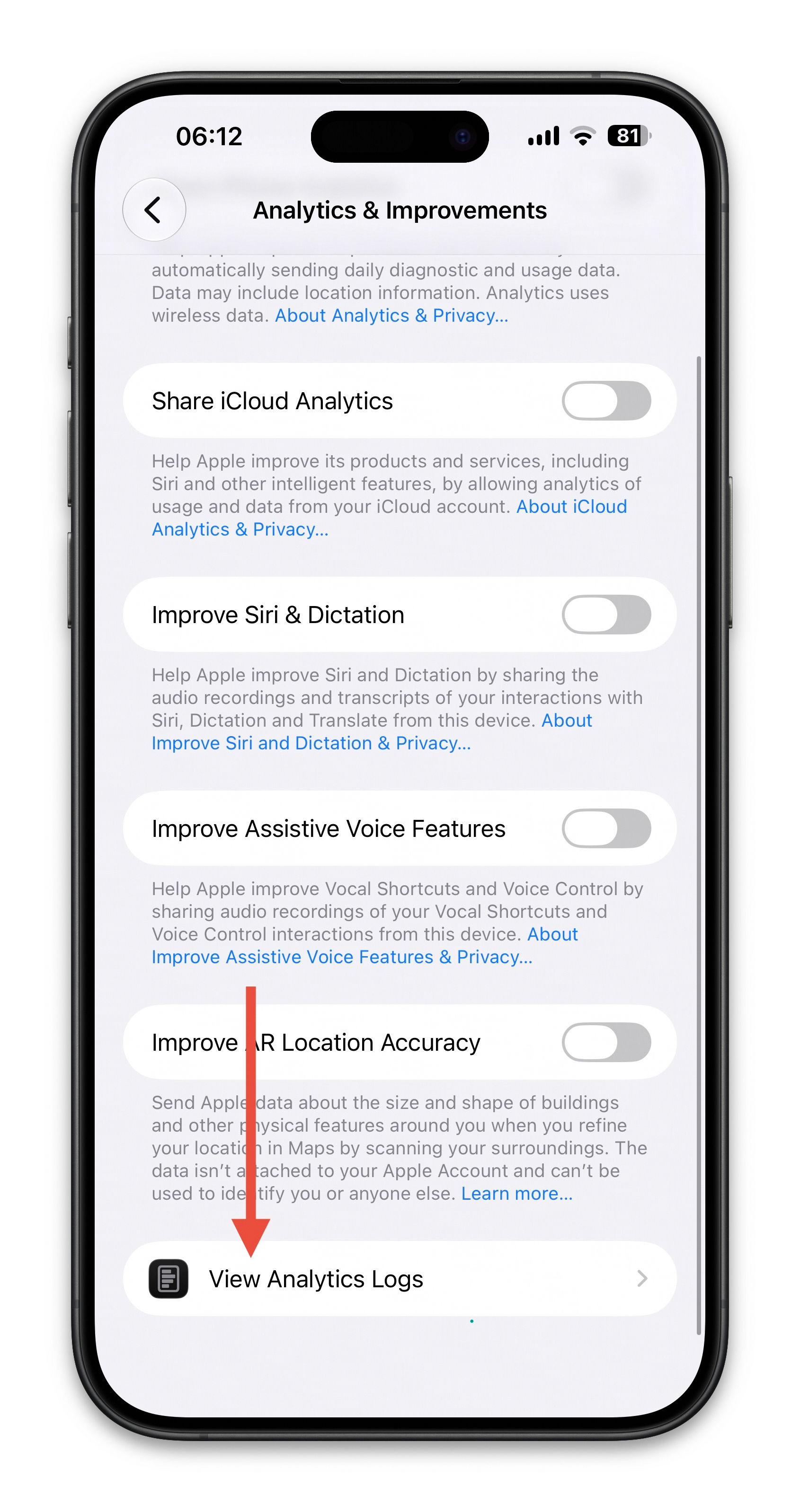
4. Press View Analytics Logs
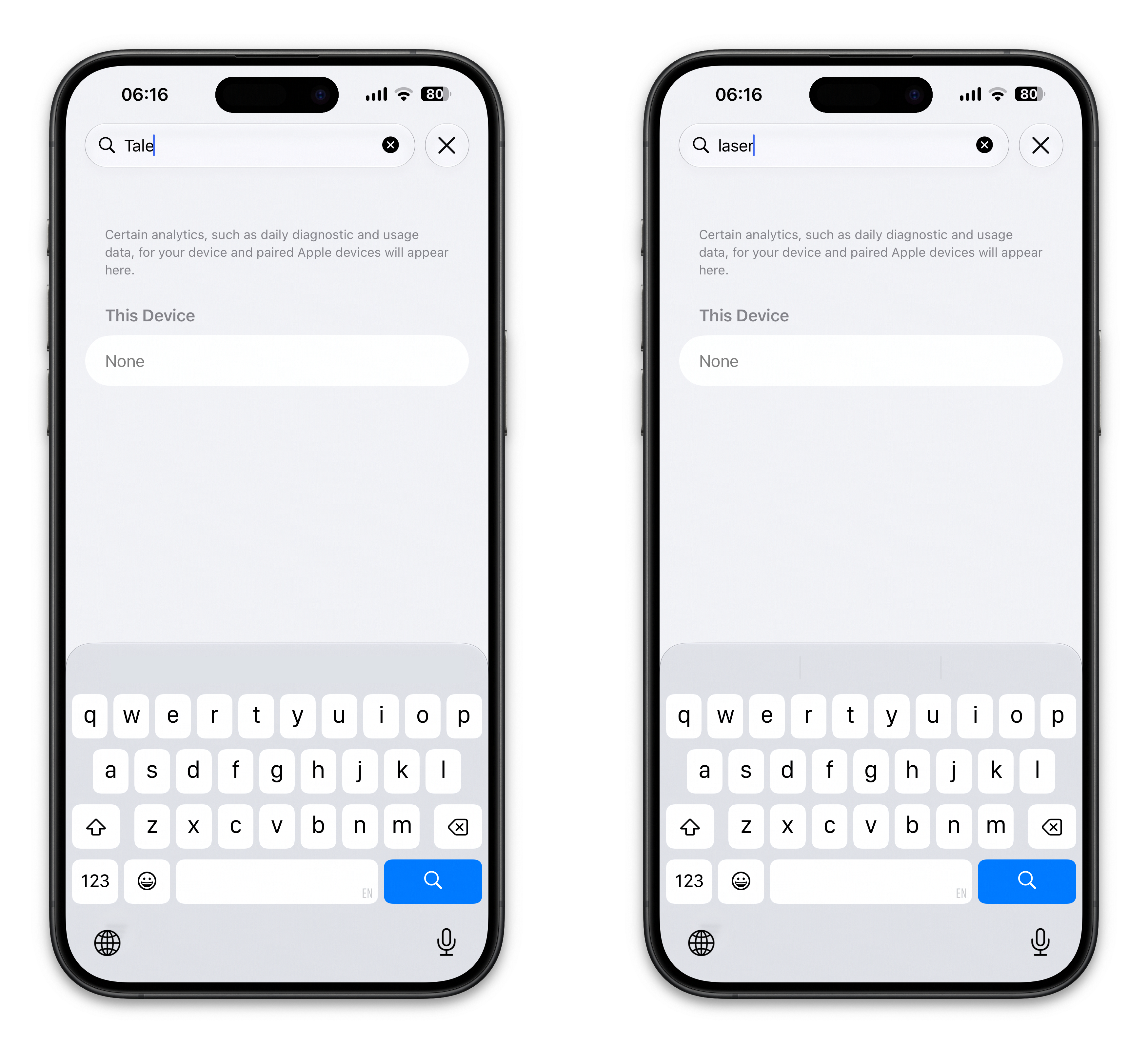
5. Search 'laser' and 'Tale', if there is a result, please send us the .ips file through Our Support Bot (@TaleSupportBot) or the Chat Channel