CCTV Camera For Office Tips
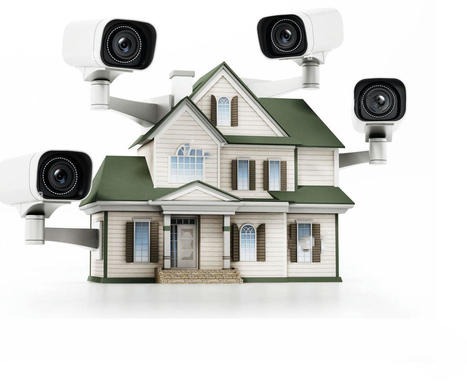
Setting up CCTV cameras in an office is a crucial step towards ensuring the security and safety of the premises. Here are some tips for choosing and installing CCTV cameras for your office:
Assess Security Needs:
Identify key areas that require surveillance, such as entrances, exits, parking lots, and important office spaces.
Consider the specific security concerns of your office, such as theft, vandalism, or unauthorized access.
Choose the Right Camera Types:
Select cameras based on their intended use. For example, use dome cameras for discreet indoor surveillance and bullet cameras for outdoor monitoring.
High-resolution cameras are essential for capturing clear and detailed images.
Consider Low Light and Night Vision:
If your office requires 24/7 surveillance, choose cameras with infrared (IR) capabilities for night vision.
Invest in low-light cameras for areas with poor lighting conditions.
Remote Monitoring and Accessibility:
Opt for CCTV systems that allow remote monitoring through smartphones, tablets, or computers.
Ensure that the system is secure and requires authentication to prevent unauthorized access.
Placement is Key:
Install cameras at strategic locations to cover all entry points and critical areas.
Avoid areas with direct sunlight, as it can affect image quality. Consider glare and reflections when positioning cameras.
Compliance with Privacy Regulations:
Be aware of privacy laws and regulations related to surveillance in your region.
Clearly communicate the presence of CCTV cameras through signage, especially in areas where privacy concerns may arise.
High-Quality DVR/NVR:
Invest in a high-quality Digital Video Recorder (DVR) or Network Video Recorder (NVR) to store and manage footage.
Ensure that the storage capacity is adequate for the number of cameras and the desired retention period.
Regular Maintenance:
Schedule regular maintenance checks to ensure all cameras are functioning correctly.
Clean camera lenses regularly to maintain image clarity.
User Training:
Train designated staff members on how to use the CCTV system effectively.
Ensure they know how to retrieve and save footage when necessary.
Integration with Other Security Systems:
Consider integrating CCTV systems with other security systems such as access control and alarms for a comprehensive security solution.
This integration can enhance overall security and streamline management.
Backup Power Supply:
Install backup power supplies, such as uninterruptible power supply (UPS) units, to ensure continuous surveillance during power outages.
Regularly Update Firmware:
Keep the firmware of your CCTV cameras and recording devices up to date to benefit from security patches and improved performance.
Remember, the effectiveness of your CCTV system depends not only on the quality of the equipment but also on its strategic placement and how well it is maintained and managed. Regularly review your security needs and update your system accordingly.