Buy $TWIF Directly From Binance Web3 Wallet Step-by-Step Guide
Ready to get your hands on $TWIF? Follow this simple step-by-step guide to buy $TWIF directly from your Binance Web3 Wallet!
1. Open Binance Web3 Wallet:
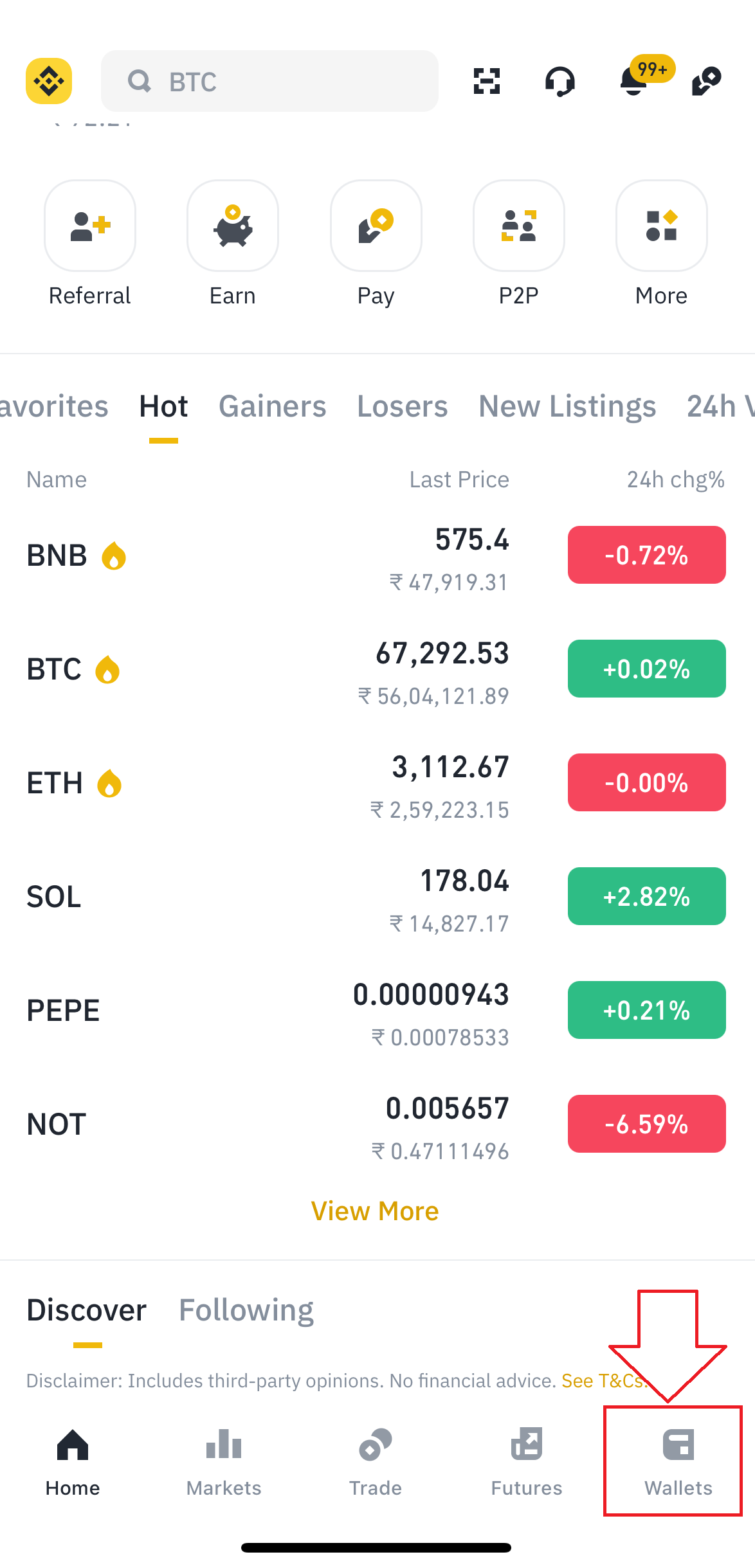
- If you haven't already, download and install the Binance
- Open Binance and click on the wallet section
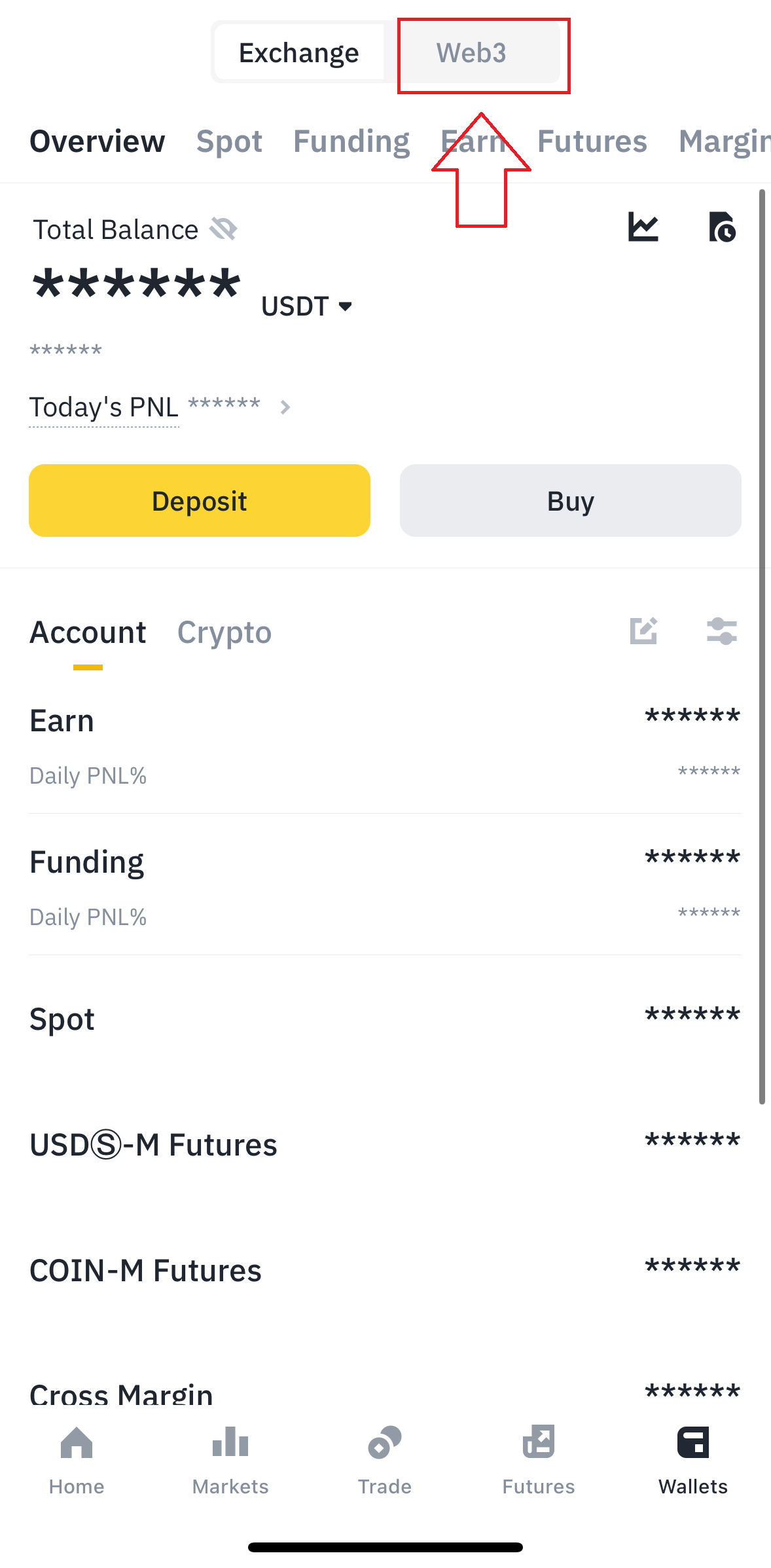
2. Click on Web3 :
- Click on the Web3 option in the wallet section
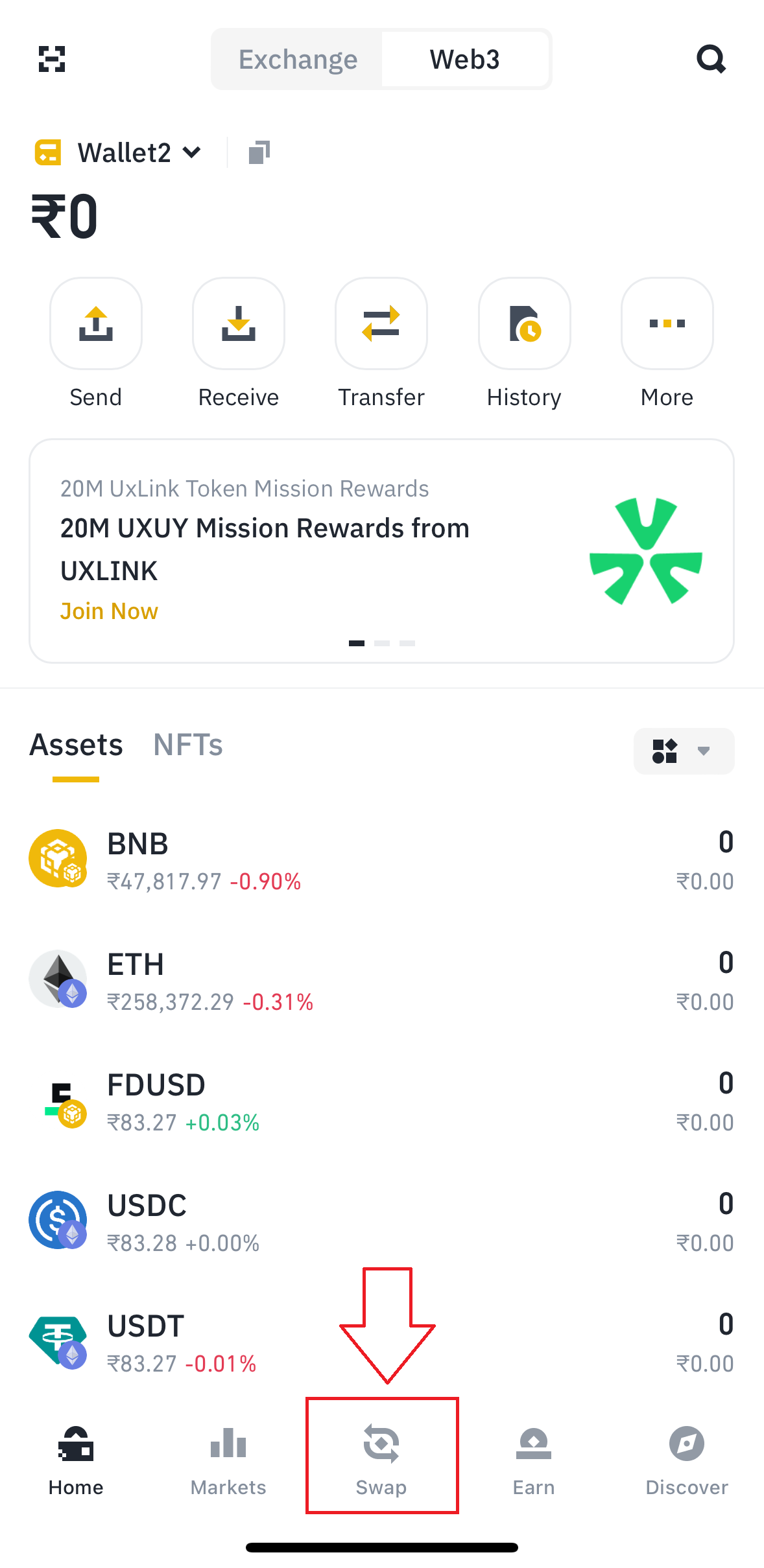
3. Click on the Swap Button:
- Now Click on the Swap Button as shown
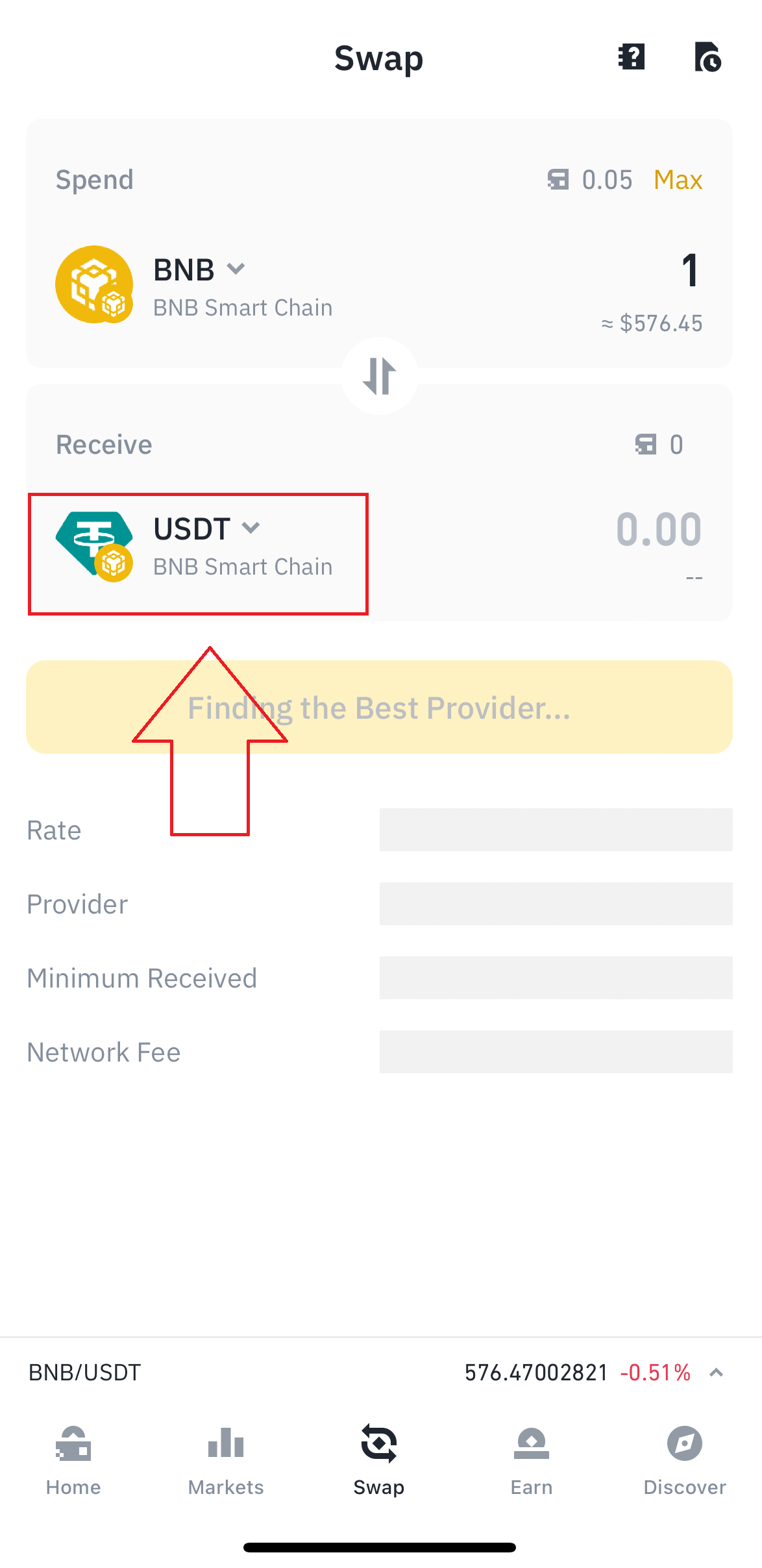
4. Choose assets to swap:
- Ensure your Binance Web3 Wallet is funded with BNB (Binance Coin) or USDT (Tether). You will need these to swap for $TWIF.
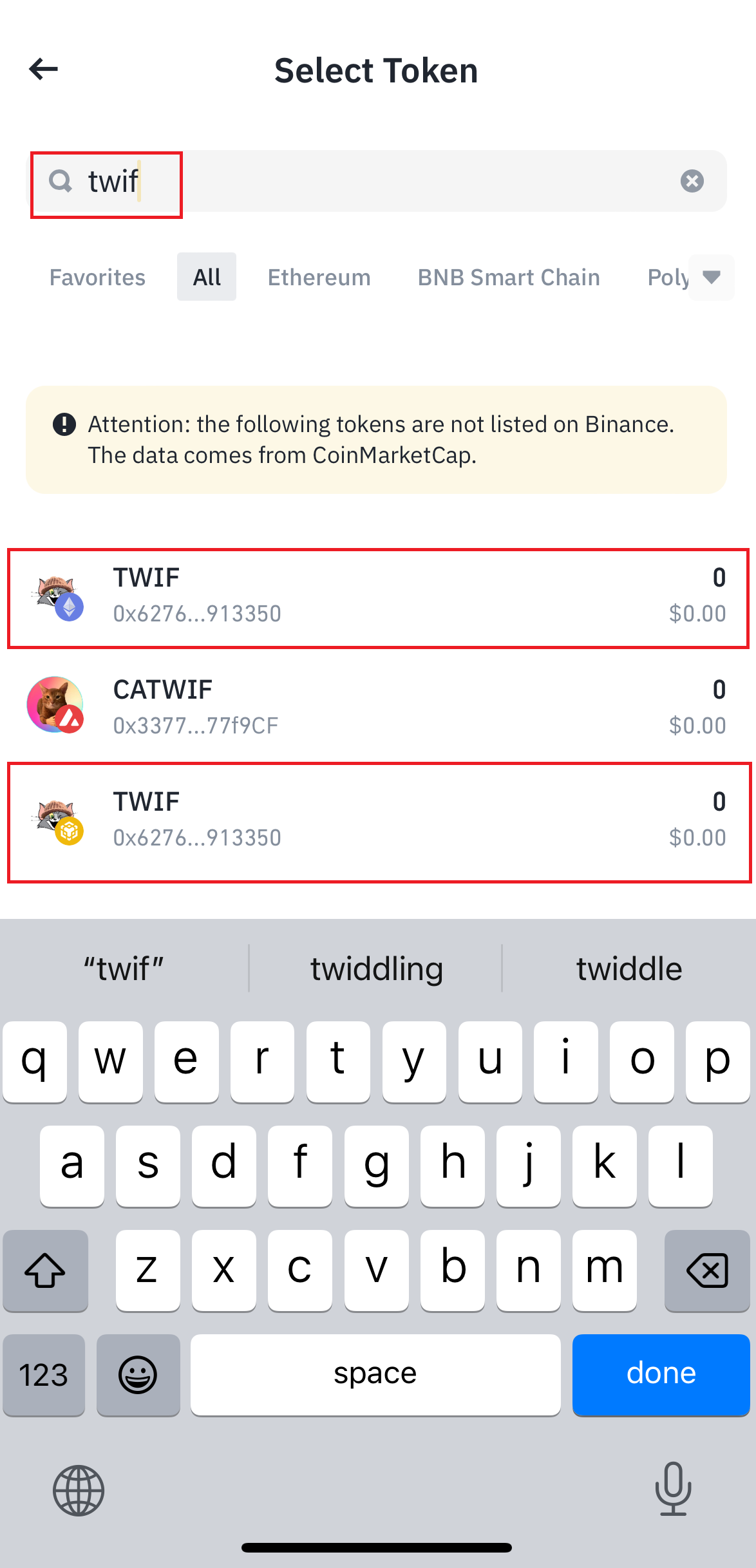
- Now click on the receive token to search $TWIF.
5. Search for $TWIF:
- Search $TWIF or paste the $TWIF contract address. Choose ERC20 or BSC chain.
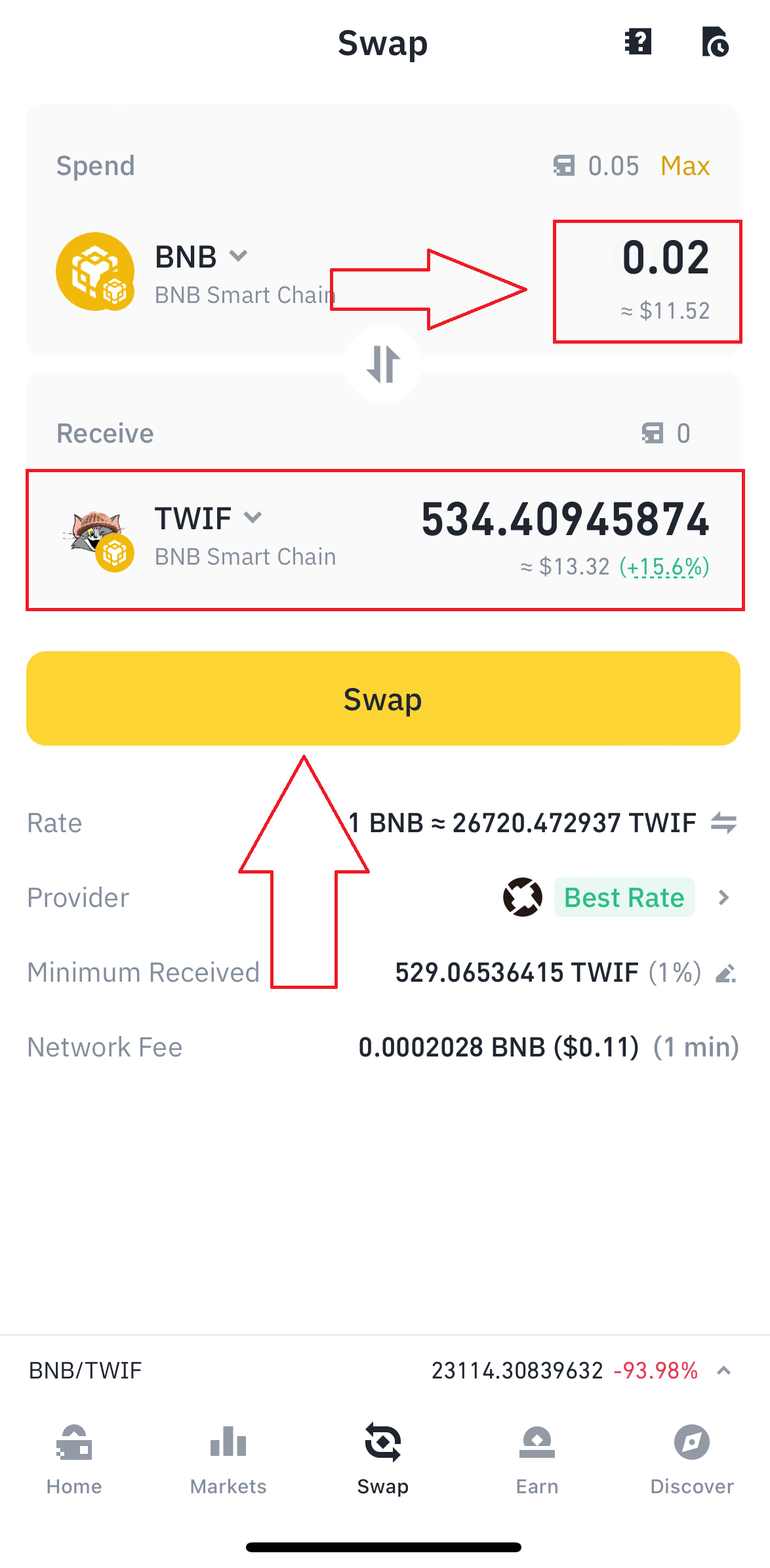
6. Swap BNB or USDT for $TWIF:
- Enter the amount you want to swap for $TWIF.
- Click "Swap" and confirm the transaction in your Binance Web3 Wallet.
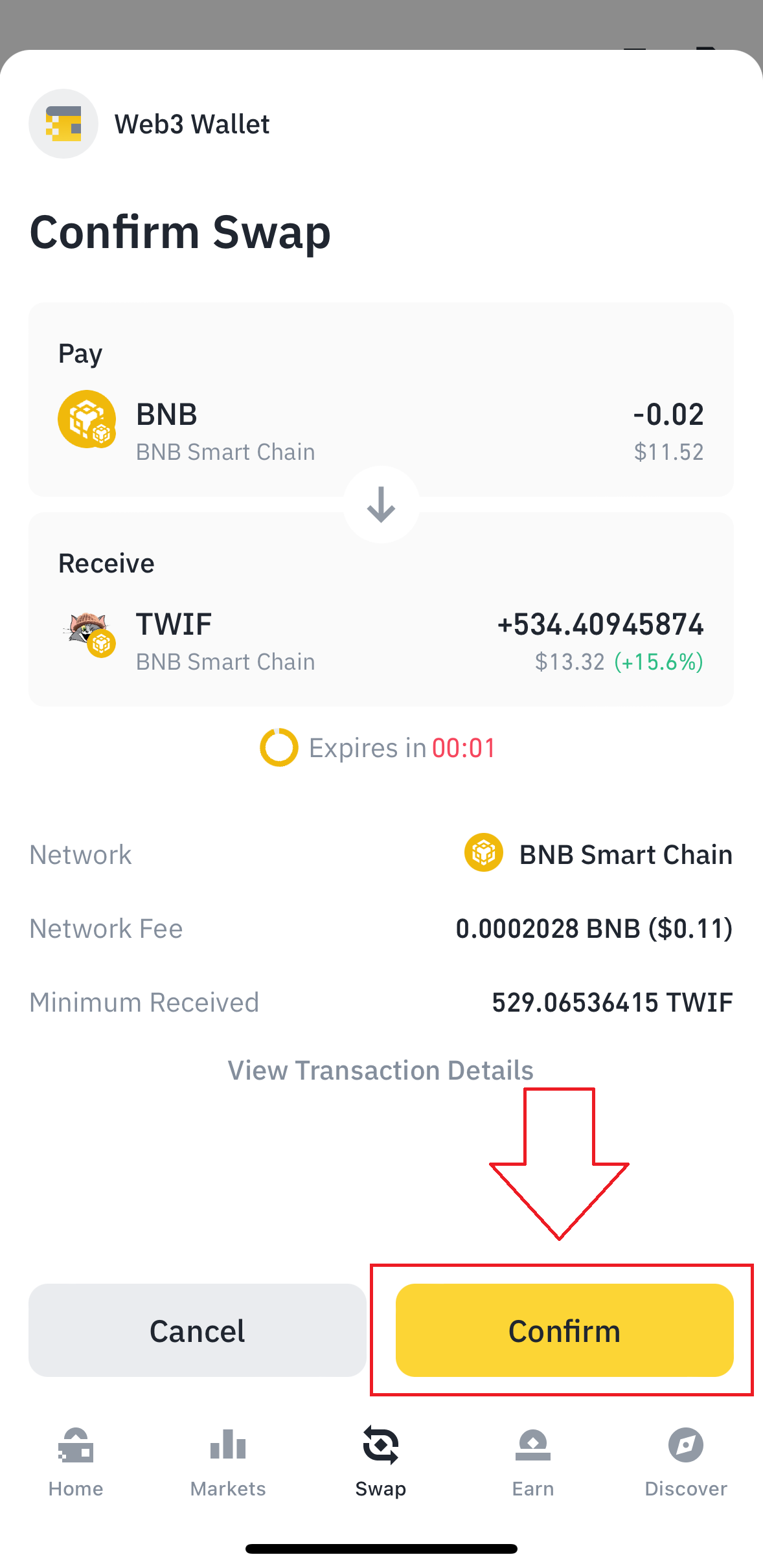
7. Confirm Transaction:
- Wait for the transaction to be confirmed on the Binance Smart Chain.
8. Successfully purchased $TWIF:
- Once confirmed, you will see your $TWIF balance in your Binance Web3 Wallet
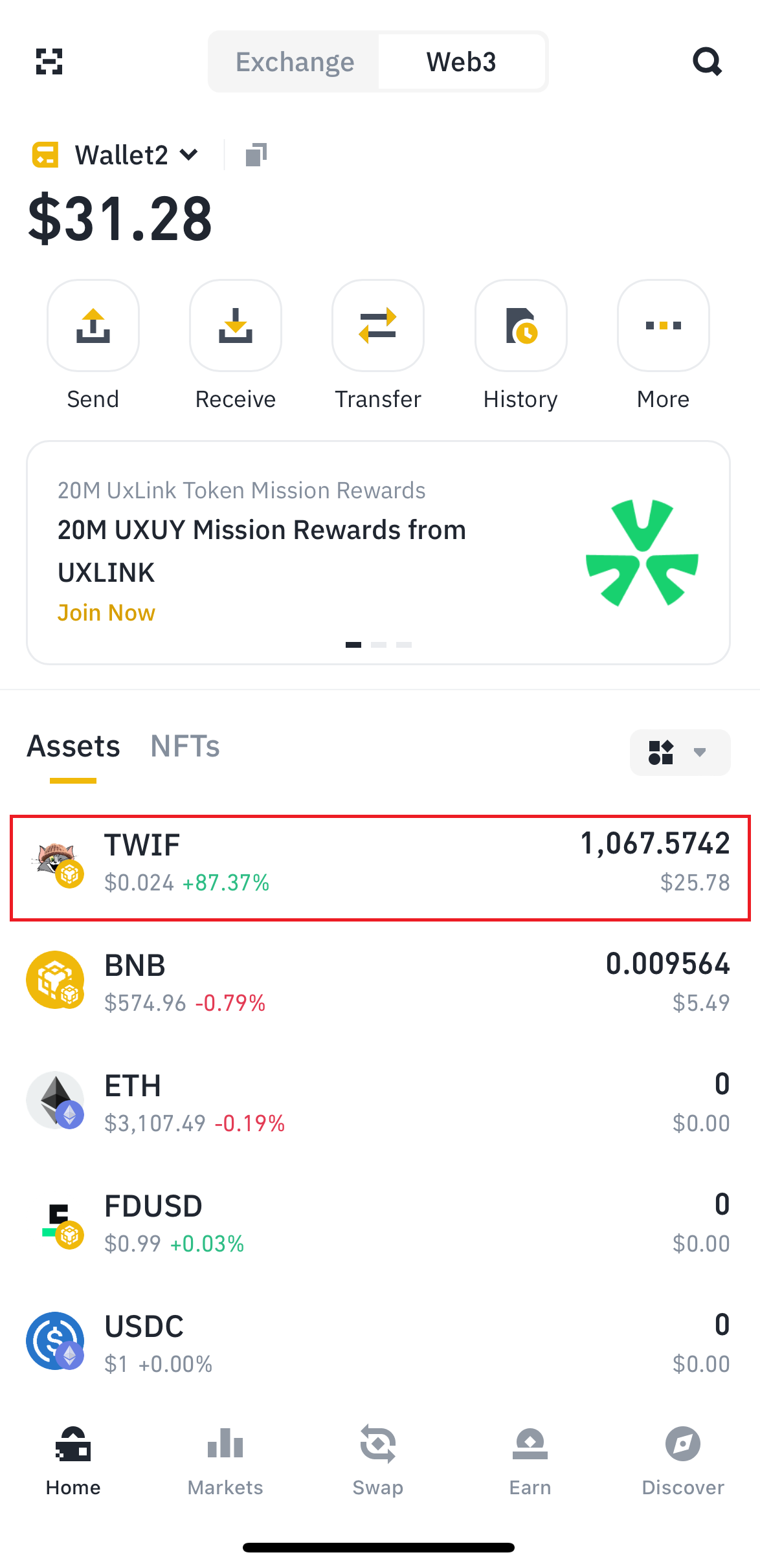
Congratulations! You now own $TWIF directly in your Binance Web3 Wallet. 🎉
For any further assistance, feel free to reach out to our community. Happy trading! 🚀