Where to Buy SOCKS5 Proxy Servers? Best Cheap Private Proxies
socks5 proxy buyBuy SOCKS5 proxy servers from WinGate and the same private IPv4 also work as a plain web proxy server, so one list covers browsers, scripts and desktop software.
Buy SOCKS5 proxy servers when your software sends more than web pages. SOCKS5 works at the transport level and forwards any TCP connection without reading it, so mail clients, SSH sessions, Telegram and custom sockets all pass through. WinGate sells it on one plan with HTTP and HTTPS, and a pool of 12,000 to 15,000 private IPv4 serves all three.
A buyer pastes a line into the program, the connection works, and the DNS queries still leave through the home connection because of one letter in the address.
What to look for before you buy SOCKS5 proxies
Seller pages tend to write SOCKS5 and leave it there. These details change how the proxy behaves in your software:
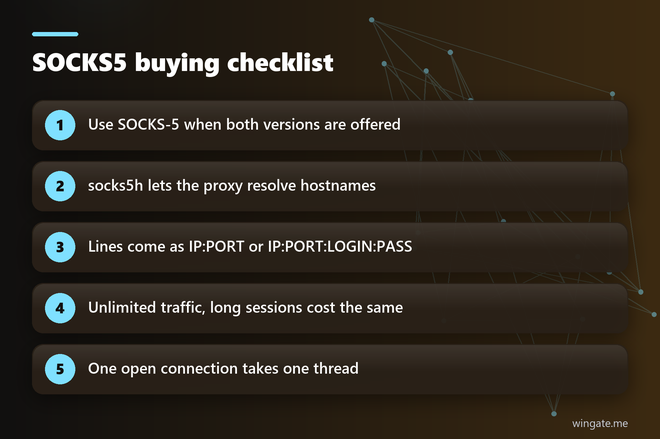
- SOCKS-5 carries login and password authentication and SOCKS-4 has no such option, so pick version 5 whenever both are offered.
- The service should work with socks5h://, the form where the proxy resolves hostnames.
- IP:PORT relies on access tied to your IP, and IP:PORT:LOGIN:PASS suits programs with those fields.
- Long sessions add up fast under per gigabyte pricing, since every byte that passes through goes on the bill.
- You should be able to run your own program through the proxy before you pay anything.
WinGate has both protocol versions on every plan, socks5h support, both line formats, unlimited traffic and a test before purchase. Access always runs through IP binding with up to 2 addresses, and the login and password format is an extra for software that asks for those fields.
Private SOCKS5 proxy or a free SOCKS5 proxy list?
A free socks5 proxy list is the first thing many people try. The addresses are public, so anybody can connect through them at the same moment, and a list collected this morning holds plenty of dead lines by evening. SOCKS5 often carries mail and logins, and sending those through an unknown public machine means trusting a stranger with them.
A limited number of clients use a private pool, addresses come from networks around the world, and fresh lines reach your dashboard list every 15 minutes. When one line stops answering, your program moves on to the next one and the job keeps its pace.
SOCKS5 proxy server line: socks5 or socks5h?
With socks5:// your machine resolves the hostname, so the query goes to your own provider and shows which domains you visit. With socks5h:// the proxy resolves it and the domain never touches your connection. Programs name this setting in different ways: curl has the --socks5-hostname flag, and browser profiles usually show a checkbox for resolving names on the proxy side.
# run from the machine whose IP is bound in the dashboard
export PROXY="IP:PORT from your list"

# curl: the proxy resolves the hostname
curl --socks5-hostname "$PROXY" https://api.ipify.org

# Python: pip install "requests[socks]"
python -c "import os, requests; p = 'socks5h://' + os.environ['PROXY']; print(requests.get('https://api.ipify.org', proxies={'https': p}, timeout=20).text)"

# SSH through the proxy with OpenBSD netcat
ssh -o ProxyCommand="nc -X 5 -x $PROXY %h %p" user@your-server
If the first two commands print an address from the pool, the line works and name resolution happens on the proxy side. The SSH line shows the part an HTTP-only service cannot do, a plain TCP session to your own server through the same address. Netcat flags differ between builds, so check them first if yours rejects the -X option.
Best SOCKS5 proxy setup: where it goes in your software
Every program asks for the same few fields: connection type, address and port, plus login and password when the format carries them. Once the IP is bound, the dashboard hands you your private proxies as a link or a file, and a script can pull a fresh copy from that link before each run.
- Browser profiles and antidetect browsers: choose SOCKS5 in the connection list of each profile and paste the line.
- Telegram Desktop: open Settings, Advanced, Connection type, then add a custom proxy and select SOCKS5.
- Thunderbird: open the connection settings, select manual configuration and fill in the SOCKS host and port.
- Python and curl: use the socks5h scheme from the block above.
A program without a SOCKS setting of its own can still go through the proxy with a local client that supports socks5h. Point the program at that client and let it pass the traffic on.
Bind the IP of the server when the program runs on a server, and your office IP when it runs on a desktop. Two bound addresses share one thread limit. Before real work starts, open a page that shows your IP in the browser profile, and for desktop software read the connection log or the login record on your own server.
SOCKS5 proxy buy: what the plans cost
The cheap way in is the 24 hour plan at $15 for up to 1,000 threads. A week on the same limit costs $75 and a month costs $190. The 3,000 thread limit runs $30, $180 and $600 for those terms.
Threads count open connections, and SOCKS5 jobs tend to hold them for longer than web scrapers do. A long SSH session keeps one thread busy for as long as it stays open, while a scraper with 800 workers takes 800. A desktop setup with a few programs and 30 connections sits well inside the smaller limit, even with a reporting script running next to it.
One plan covers IPv4 and SOCKS5 together, so you can change the protocol in your program without touching anything in the dashboard.
How to buy SOCKS5 proxy servers
Sign up in the dashboard first and enter the IP of the computer or server that will connect. Then request the free test of up to 2 hours and open a ticket, because an operator switches it on by hand. The test lets you run your actual program through the pool, and it is worth trying the program that gave you trouble with other services.
When the result suits you, choose the thread limit and term and pay in crypto. Access opens right after payment, and support answers in tickets seven days a week.
Run the curl line from this page first, then your own program, and compare the address each one reports.