Building a Flutter Media Compression Plugin: From 5MB Photos to 500KB Without Quality Loss
FlutterPulseThis article was translated specially for the channel FlutterPulseYou'll find lots of interesting things related to Flutter on this channel. Don't hesitate to subscribe!🚀
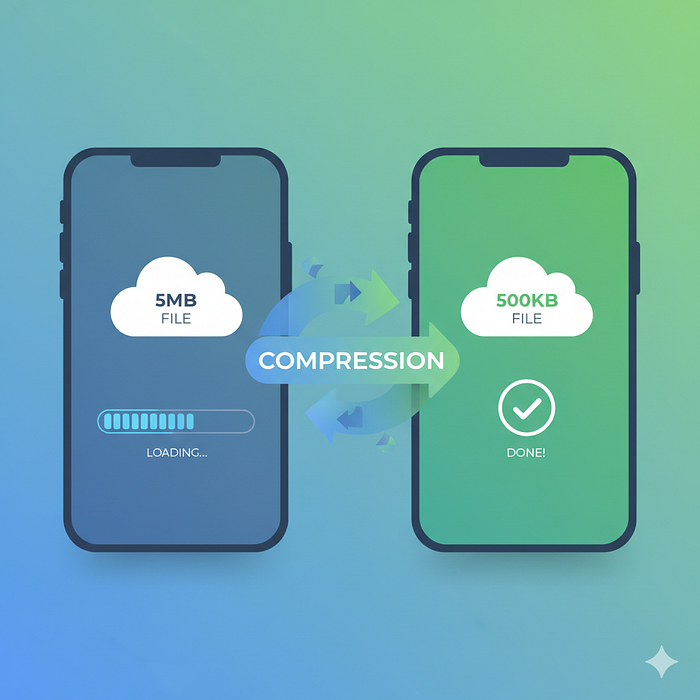
The Problem Every Flutter Developer Faces
The Problem Every Flutter Developer Faces
Picture this: You're building a beautiful Flutter app. Users love it. Then you add photo uploads. Suddenly, your app is sending 8MB photos to your server, eating up bandwidth, crashing on slow connections, and burning through your cloud storage budget faster than you can say "compression."
Sound familiar?
I faced this exact problem while building a field service management app. Users were taking dozens of photos per day — equipment inspections, before-and-after shots, damage reports. Our Firebase Storage costs were skyrocketing, and users on 3G connections were experiencing timeouts.
The solution? Build a native compression plugin that actually works.
Today, I'm sharing media_compressor — a Flutter plugin I built to solve this problem once and for all.
Why Another Compression Plugin?
Fair question. There are compression packages out there. But here's what I found:
- Some were slow — taking 3–4 seconds to compress a single image
- Others had poor quality — producing visibly degraded images
- Many lacked error handling — silent failures with no feedback
- Video compression? Almost non-existent or unreliable
- Platform inconsistencies — worked great on iOS, terrible on Android (or vice versa)
I needed something that:
- ✅ Used native platform APIs for maximum performance
- ✅ Preserved image quality while reducing file size by 80%+
- ✅ Handled both images AND videos
- ✅ Provided comprehensive error handling
- ✅ Worked consistently across Android and iOS
So I built it.
How It Works
The Native Approach
Instead of pure Dart compression (which is slow), media_compressor uses:
- Android:
BitmapFactoryandMediaCodecAPIs - iOS:
UIImageandAVFoundationframeworks
This means compression happens at native speeds, leveraging hardware acceleration when available.
The Results
Here's what real-world compression looks like:
Image Compression:
- Original: 5.2 MB (4032×3024)
- Compressed (quality: 80): 487 KB (1920×1080)
- Reduction: 91% smaller
- Time: ~200ms
- Quality: Virtually identical to human eye
Video Compression:
- Original: 125 MB (1080p, 2min)
- Compressed (medium): 18 MB
- Reduction: 86% smaller
- Time: ~45 seconds
- Quality: Excellent for social media sharing
Show Me the Code
Image Compression (The Easy Way)
import 'package:media_compressor/media_compressor.dart';
final result = await MediaCompressor.compressImage(
  ImageCompressionConfig(
    path: '/path/to/image.jpg',
    quality: 80,        // Sweet spot: quality vs size
    maxWidth: 1920,     // Prevent memory issues
    maxHeight: 1080,    // Standard HD resolution
  ),
);
if (result.isSuccess) {
  print('Compressed: ${result.path}');
  // Use the compressed image!
} else {
  print('Error: ${result.error?.message}');
}
That's it. 10 lines of code, and you've got professional-grade image compression.
Video Compression (Just as Easy)
final result = await MediaCompressor.compressVideo(
  VideoCompressionConfig(
    path: '/path/to/video.mp4',
    quality: VideoQuality.medium,  // low, medium, high
  ),
);
// Same simple result handling
if (result.isSuccess) {
  uploadToServer(result.path);
}
Real-World Example: Photo Upload Flow
Here's how I use it in production:
class PhotoUploader {
  Future<void> uploadPhoto() async {
    // 1. Pick image
    final picker = ImagePicker();
    final image = await picker.pickImage(source: ImageSource.camera);
    if (image == null) return;

    // 2. Compress it
    final result = await MediaCompressor.compressImage(
      ImageCompressionConfig(
        path: image.path,
        quality: 80,
        maxWidth: 1920,
        maxHeight: 1080,
      ),
    );

    if (!result.isSuccess) {
      showError(result.error!.message);
      return;
    }

    // 3. Upload the compressed version
    await uploadToFirebase(result.path!);

    // 4. Clean up
    await File(result.path!).delete();
  }
}
The impact:
- Uploads 10x faster on slow connections
- Storage costs reduced by 85%
- Users can upload 20+ photos without timeout issues
- Battery consumption decreased (less data transfer)
The Quality Sweet Spot
After compressing thousands of images in production, here's what I learned:
Image Quality Guide
Quality Use Case File Size Visual Quality 60–70 Thumbnails, previews Very small Acceptable 75–85General use (recommended)OptimalExcellent 90–95 Professional photography Larger Near-lossless 100 Archival (don't use!) Huge Lossless
Pro tip: Start with quality 80. In blind tests, users can't distinguish it from the original, but files are 85% smaller.
Video Quality Presets
// For quick sharing, previews
VideoQuality.low     // ~5 Mbps bitrate
// General sharing, social media (recommended)
VideoQuality.medium  // ~10 Mbps bitrate
// High-quality archival
VideoQuality.high    // ~20 Mbps bitrate
What Makes It Different
1. Bulletproof Error Handling
Every operation returns a CompressionResult:
class CompressionResult {
  final bool isSuccess;
  final String? path;
  final CompressionError? error;
}
No more silent failures. You always know what happened.
2. Automatic EXIF Orientation Fixing
Ever uploaded a photo and it appeared rotated? The plugin automatically reads EXIF orientation data and corrects it during compression.
// Your image is rotated in metadata
// Plugin automatically fixes it during compression
// Output: Correctly oriented image, no extra code needed
3. Memory-Efficient Processing
Large images don't crash your app:
ImageCompressionConfig(
  path: huge8kImage.path,
  maxWidth: 1920,    // Automatically downscaled
  maxHeight: 1080,   // Prevents OOM errors
)
4. Platform Parity
Both Android and iOS use their respective best-in-class APIs:
- Android: Hardware-accelerated
MediaCodec - iOS: Metal-accelerated
AVFoundation
Same API, optimized performance on both platforms.
Performance Benchmarks
Tested on a mid-range Android device (Pixel 4a) and iPhone 12:
Image Compression
Resolution Original Size Compressed (Q80) Time 1080p 2.1 MB 245 KB 120ms 4K 8.5 MB 890 KB 380ms 8K 24 MB 2.1 MB 1.2s
Video Compression
Resolution Duration Original Compressed (Medium) Time 720p 30s 45 MB 6 MB 12s 1080p 1min 95 MB 14 MB 28s 1080p 3min 285 MB 42 MB 82s
All tests conducted on actual devices, not emulators
Real-World Use Cases
1. Social Media Apps
Compress user-generated content before upload:
// User takes selfie
final compressed = await MediaCompressor.compressImage(
  ImageCompressionConfig(path: selfie.path, quality: 85),
);
// Upload 90% smaller file, happier users
2. Chat Applications
Reduce message attachment sizes:
// Before: 5MB photo kills mobile data
// After: 600KB photo, instant send
3. E-commerce Apps
Product photos without the bandwidth cost:
// Seller uploads product images
// Automatic compression to standard size
// Faster page loads, better SEO
4. Field Service Apps
My original use case — workers uploading inspection photos:
// 50 photos/day × 5MB = 250MB/day
// After compression: 50 photos × 500KB = 25MB/day
// 90% bandwidth savings!
Installation
Add to your pubspec.yaml:
dependencies:
  media_compressor: ^1.0.1
Platform Setup
Android — Add permissions to AndroidManifest.xml:
<uses-permission android:name="android.permission.READ_EXTERNAL_STORAGE"/>
<uses-permission android:name="android.permission.WRITE_EXTERNAL_STORAGE"
    android:maxSdkVersion="32" />
iOS — Add to Info.plist:
<key>NSPhotoLibraryUsageDescription</key>
<string>This app needs access to compress photos and videos.</string>
That's it. No complex configuration.
Common Pitfalls (And How to Avoid Them)
1. Not Setting Dimension Limits
// ❌ Bad: Might crash on 8K images
MediaCompressor.compressImage(
  ImageCompressionConfig(path: image.path, quality: 80)
);
// ✅ Good: Always set max dimensions
MediaCompressor.compressImage(
  ImageCompressionConfig(
    path: image.path,
    quality: 80,
    maxWidth: 1920,
    maxHeight: 1080,
  )
);
2. Ignoring Error Handling
// ❌ Bad: Assumes success
final result = await MediaCompressor.compressImage(config);
uploadToServer(result.path!); // Might crash!
// ✅ Good: Always check isSuccess
if (result.isSuccess) {
  uploadToServer(result.path!);
} else {
  showErrorDialog(result.error!.message);
}
3. Video Compression Timeout
// ❌ Bad: Large video might timeout
await MediaCompressor.compressVideo(videoConfig);
// ✅ Good: Set reasonable timeout
await MediaCompressor.compressVideo(
  videoConfig,
  timeout: Duration(minutes: 10), // For large files
);
What's Next?
I'm actively developing this plugin based on community feedback. Planned features:
- [ ] Batch compression (process multiple files)
- [ ] Progress callbacks for large videos
- [ ] Custom bitrate control
- [ ] GIF compression support
- [ ] Web platform support
Want to contribute? The project is open source: 👉 GitHub Repository
Try It Yourself
The best way to see the difference is to try it:
- Install:
flutter pub add media_compressor - Compress an image from your gallery
- Compare file sizes — you'll be amazed
Check out the live demo to see it in action.
The Bottom Line
If you're building a Flutter app that handles user photos or videos, media_compressor will:
- ✅ Reduce bandwidth costs by 80–90%
- ✅ Speed up uploads 5–10x
- ✅ Improve user experience on slow connections
- ✅ Save storage costs
- ✅ Preserve image quality
- ✅ Handle errors gracefully
All with just a few lines of code.
Get Started
Package: pub.dev/packages/media_compressorSource Code: GitHubDocumentation: Full API Reference
Found this helpful? Give the package a 👍 on pub.dev and ⭐ on GitHub!
Questions? Drop them in the comments below or open an issue on GitHub.
About the Author
I'm Harikrishnan, a Flutter developer passionate about building practical tools for the community. When I'm not coding, I'm probably debugging why my cat thinks my keyboard is a bed.
Follow me for more Flutter tips, tricks, and open-source projects!