Binance NFT Marketplace Guide
Earn With CryptoLooters
[Use In Desktop Mode In KIWI /Firefox/Yandex Browser For Best Experience]
Join Telegram: https://telegram.dog/Earn_With_Crypto_Looters
Custom RPC for Binance Smart Chain:
Network Name: BSC
New RPC URL: https://bsc-dataseed.binance.org
Chain ID: 56
Symbol: BNB
Block Explorer URL: https://bscscan.com
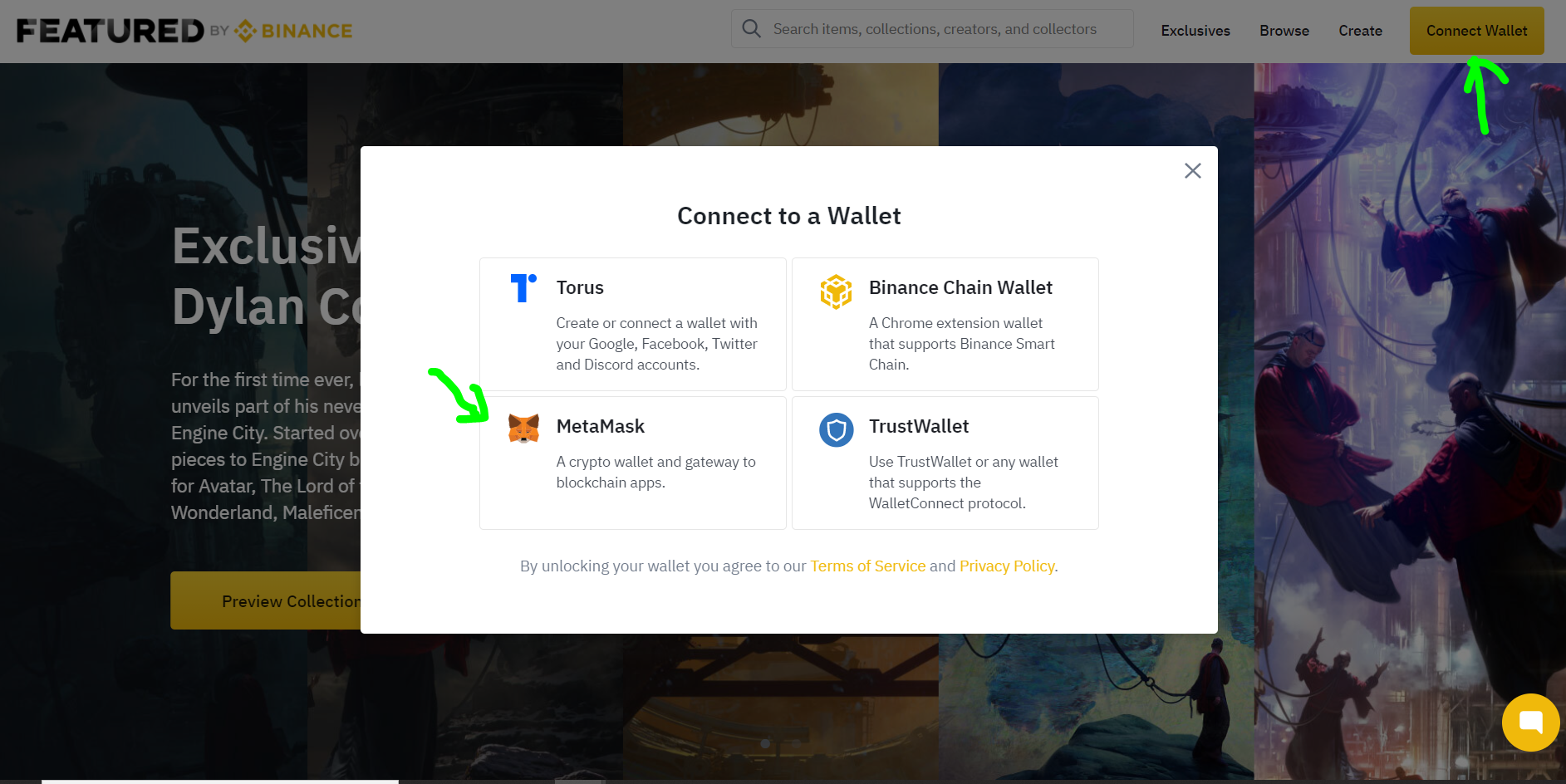
1) Open This Link In Your Trust Wallet Dapp Browser Or Kiwi/FireFox/Yandex:
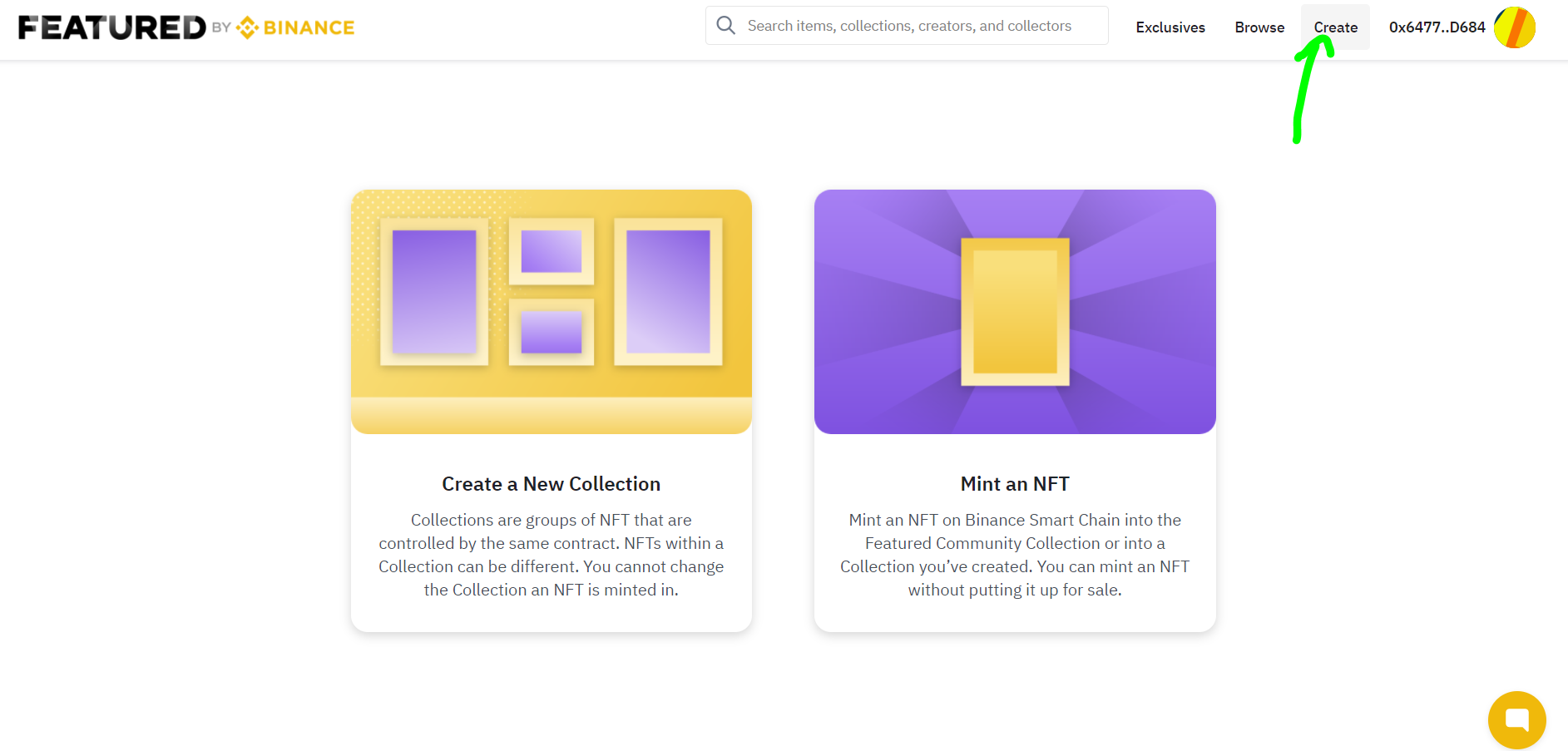
2) Click On Create And You Can See Two Options
- Create A New Collection: You can make a collection of different NFTs under a single contract.
eg. Your Collection Name is "EarnWithCryptoLooters", After Creating The Collection, You Can Add All Your NFTs You Have. Now The User Can See All Your NFTs In 1 Place 💸 (Just Like A Sellers Page At Any E-Commerce Website Where You Can See All The Items Sold By Them) - Mint An NFT: Here You Can Mint Your NFT Normally i.e. 1 NFT ON 1 Contract
👉For Every Step, To Mint A Collection Or NFT, You Have To Pay Some BNB Fees
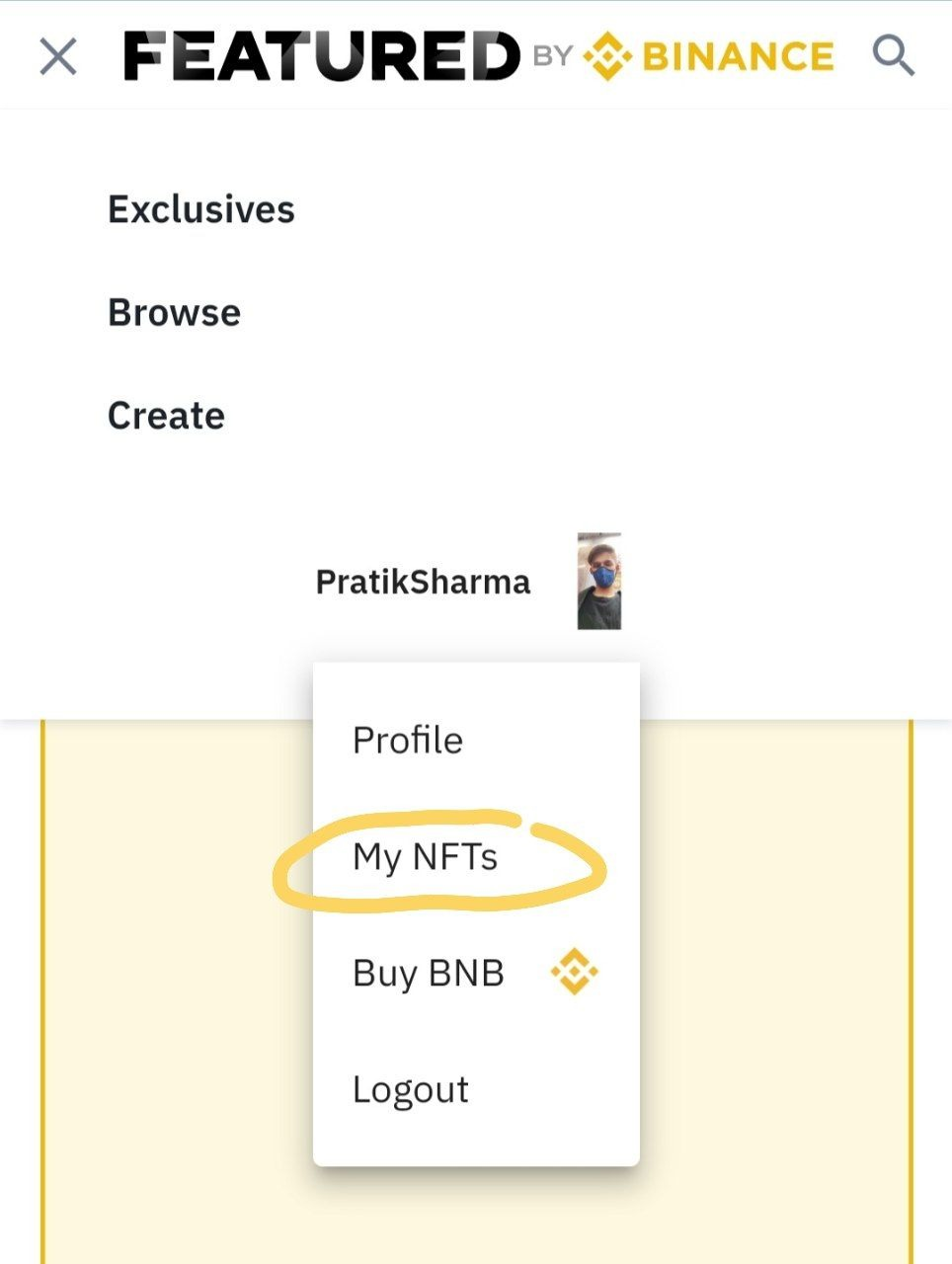
3) You Can See Your NFT On My NFT, You Can PUT Your NFT For Sale ( Auction Or Fixed Price )
Here Are Some Advantages Of Creating NFT (Not Guaranteed) (❁´◡`❁)
(1) Many New Platform Gives There Early Users Some Airdrop, Like Claiming NFT Or MarketPlace Token Launch
As We Can See Binance MarketPlace Is New So We Can (No Assurance) Expect Some Airdrop From Binance.
(2) Some New Platforms May Also Airdrop NFT Or Tokens To Early Adapters Of Binance Market Place.
👉Note: Don't Spend Money Blindly & No Guarantee About Airdrop 🥺
Join Telegram: https://telegram.dog/Earn_With_Crypto_Looters