Best WhatsApp Plugins for WordPress (Free and Paid)
A few days back, one of our users asked us which were the best WhatsApp plugins for WordPress. If you’re looking for the same thing, this post is for you. We all know that you can generate leads using pop-ups but nowadays there are more effective ways.
With more than 1.5 billion monthly active users, WhatsApp is the most popular messaging app in the world. So why don’t you integrate it with your store to talk with your users and generate more leads?
Improve customer service with WhatsApp Chat plugins
If you want your business to succeed, you need to generate leads to then convert them into clients. And the first step to convert those leads is to deliver outstanding customer service. When users want to buy online, sometimes they want to contact you and ask you something about the product or service.
If you’re smart, you can take that opportunity to save visitors’ email addresses and add them to your email list. Then you can offer them discount coupons, recommend blog posts, and so on. You can do this using pop-ups, or you can go a step further and use WhatsApp chat plugins to generate more leads and increase your sales.
Why use WhatsApp Plugins?
Nowadays, shoppers buy online because it’s fast and easy. And when they have questions, they want answers fast. They don’t want to fill in a contact form and wait hours or even days for a reply. It’s already hard to make visitors come to your site, so when they do you should make the most of that opportunity. That’s why it’s key to provide them with live chat customer support. That way, your visitors will get instant replies and you’ll increase your conversions.
So, if you want to improve your customer experience and boost your sales, WhatsApp chat plugins are your best choice! There are many good tools out there. But, in this post, we’ll show you the ones that are a step ahead of the rest.
The Best WhatsApp Plugins For WordPress
Now, let’s have a look at what each one of them has to offer.
1. WP Social Chat (WhatsApp Chat WP)
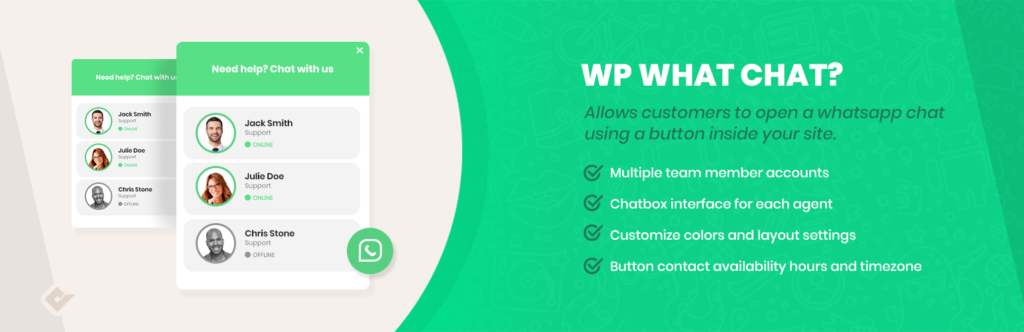
WP Social Chat, formerly known as WhatsApp Chat WP, is a freemium plugin created by QuadLayers, the same team that created the famous QuadMenu. To date, WP Social Chat has more than 100,000 active installations making it one of the most popular WhatsApp tools for WordPress.
This plugin allows your customers to open a conversation with you via WhatsApp directly from your website in one click. You can also add unlimited agent accounts and include a customized chatbox. WP Social Chat comes with an option to include a pre-set message to start the conversation with the users. Additionally, you can choose to display the chatbox on all or certain pages as well as show it to desktop and/or mobile users.
There are also many options to customize the chatbox and more than 40 icons to choose from.
Main features
- Multiple WhatsApp agent accounts
- Users can start a WhatsApp chat with you from your site
- Customized chatbox for each support agent
- Options to personalize the chatbox, chat button, and button placement
- Set the first user or agent message
- Chat availability depending on the timezone of your agents
- Available in English, Spanish, French, Portuguese, Swedish, Croatian, and Persian
Price
WP Social Chat has a free version and 3 premium plans. The free version covers the basic features and it’s a good option for small businesses. For more advanced functionalities, we recommend you check out the premium WhatsApp chat plugin that starts at 19 USD (one-time payment).
2. WordPress WhatsApp Support
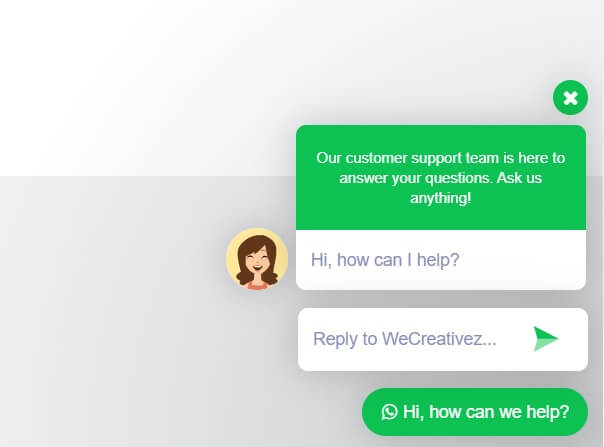
WordPress WhatsApp Support is a top WordPress plugin that focuses on making communication between visitors and your support agents easy. It’s highly customizable and it comes with pre-made templates. On top of that, you’ll be able to create custom templates from scratch.
This premium plugin includes both single and multi-person support, group invitation, and comes with multiple layouts. Apart from being fully responsive, WhatsApp Support allows you to customize the pop-up’s welcome message, schedule the support by days, and change the pop-up location.
Finally, WordPress WhatsApp Support is a multilingual plugin that comes in 10 different languages making it a good choice for stores with international clients.
Price
Finally, WordPress WhatsApp Support is available in CodeCanyon for 18 USD. If you want to see it in action, check out the demo version.
Main features
- Automatic pop-up
- Single and multi-person support
- Possibility to add a custom welcome message
- Change pop-up location for mobile and desktop
- Customizable chatbox
- Schedule by days
- Available in 10 different languages
Price
WordPress WhatsApp Support is an excellent tool that you can download from CodeCanyon for 17 USD.
3. WhatsApp Contact Chat
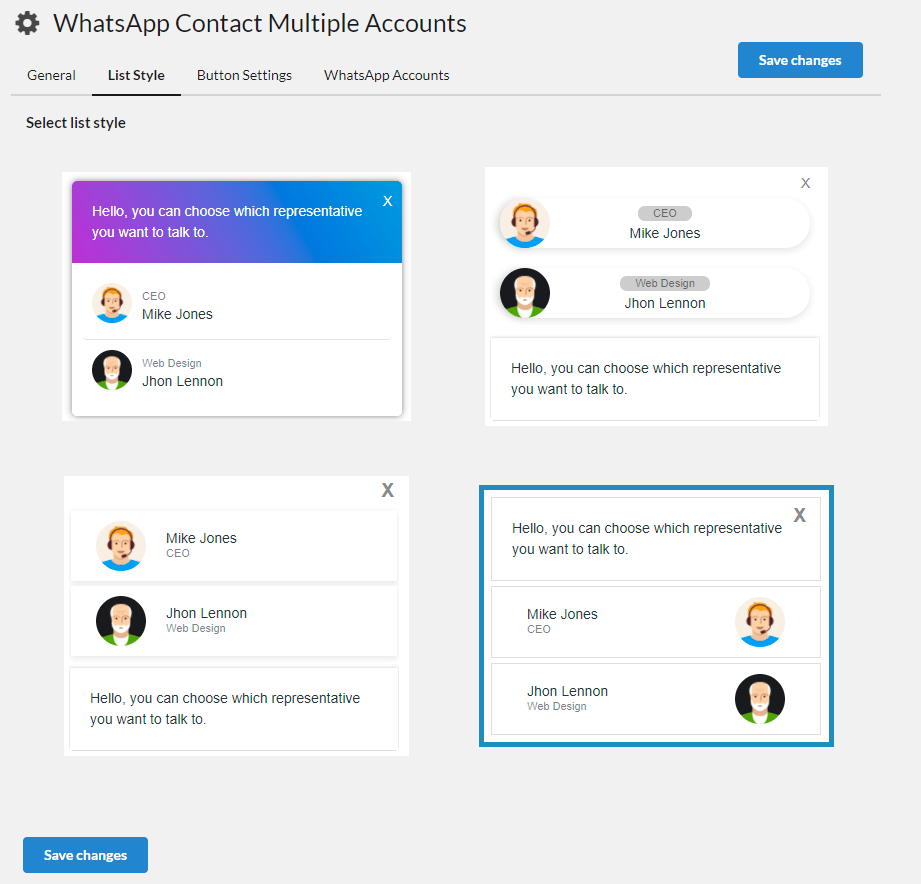
WhatsApp Contact Chat is one of the best WhatsApp plugins for WordPress. This add-on promises to deliver faster and easier communication with your users and comes with pre-made templates that will help you get started quickly. Besides, the settings are easy to use even for beginners.
This plugin lets you add multiple WhatsApp accounts, have complete control over the chatbox, and change the button and box of the chatbox without any additional CSS coding.
Main features
- Works with any theme and browsers
- Share content with your contacts
- Custom color button
- Multiple WhatsApp accounts
- 20 animations for the button and the icon
- Enable and disable based on device
Price
This WhatsApp plugin is available in CodeCanyon for 17 USD if you want a regular license, or for 67 USD if you’re looking for an extended license.
4. WP WhatsApp Button
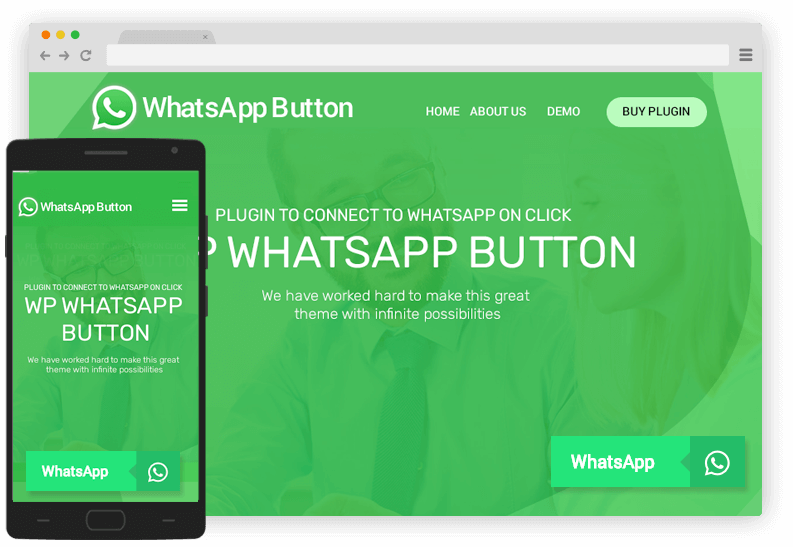
WP WhatsApp Button is another premium plugin for WordPress. This tool lets you easily add a WhatsApp button to your site and place the chatbox anywhere you want. Additionally, you can show a chatbox using shortcodes which makes the embedding very easy. For example, let’s say you want to add a chatbox in any of your widget areas. Simply add a text widget to your widget area and paste the shortcode.
Finally, the customization options are pretty simple to use and there are 8 different positions available.
Main features
- 18 button templates
- Multiple contacts
- 10 different hover animation in button templates
- Customize color of the button/text/icon/icon-background
- Sticky button
- Shortcode and widget
- Cross-browser support
Price
WP WhatsApp Button is a premium plugin that starts at 10 USD for a regular license.