Best Practices to Control Your Errors in JavaScript
Article Origin Source
It is important to keep in consideration the different scenarios in which errors could occur while writing your code. They play an integral part in your web application because you can avoid deadly scenarios (like your application crashing completely) that would otherwise not have been avoided if left unhandled.
This article will go over some best practices for controlling errors and handling them in JavaScript.
Extending the Error
It’s often useful to provide a more descriptive error inside your error handlers. And by this, I don’t just mean writing your error message clearer. What I’m referring to is to extend the Error class.
By doing this, you can customize the name and message property that will be useful for debugging as well as attach custom getters, setters, and methods that need it:
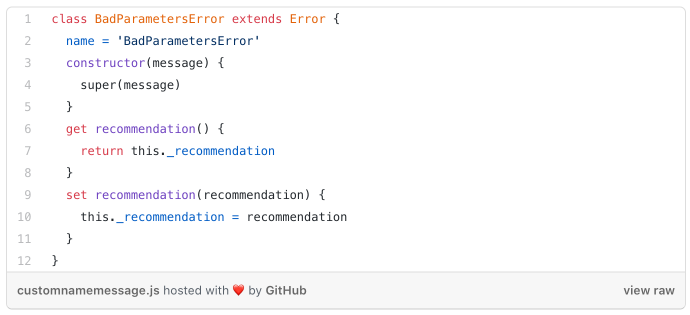
This can provide a smoother debugging experience — especially if you have multiple blocks of code that throw similarly. When multiple scenarios in your code can throw for the same reasons and need some additional context, it can become a little difficult to go back and find out exactly why it was thrown without a utility (depending on the kind of error it is, of course).
Let’s go over a scenario where this becomes useful.
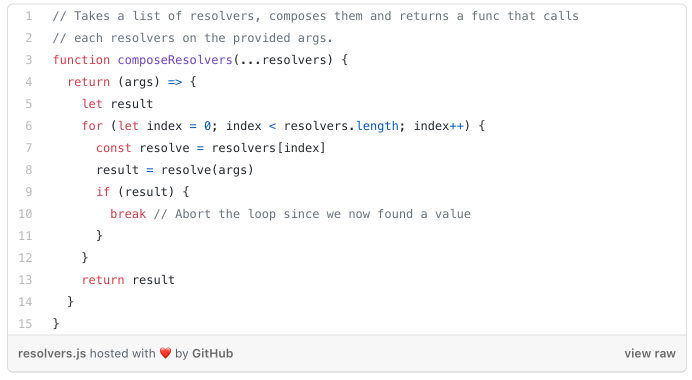
Let’s say you have a function that takes a list of resolver functions. The function takes an argument, and when it runs, it will loop through the resolvers and pass the argument to each function. If a function returns a result, then it stops the loop and returns the result:
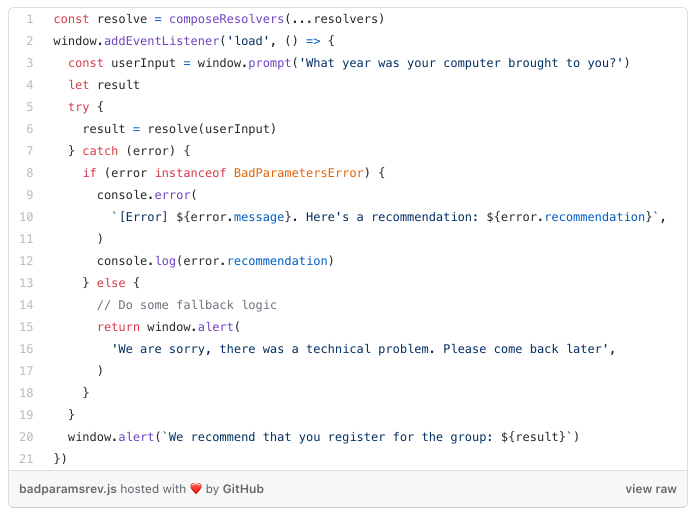
Now let’s pretend we are building a page that prompts a user to enter the year they were born before assigning them to some group based on their age:
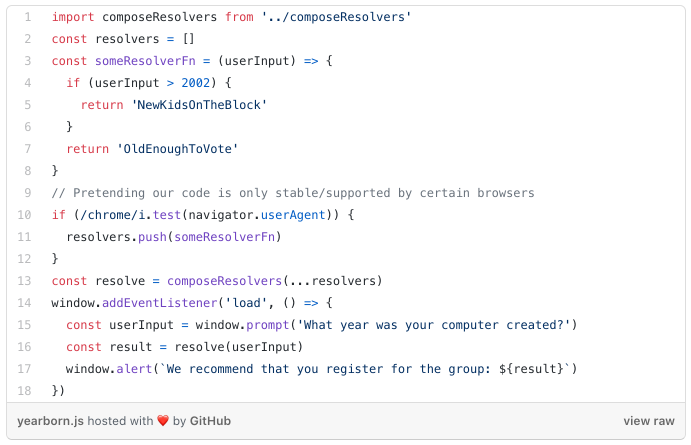
This code prompts the user, and when they click OK, their age gets assigned to userInput and gets sent as an argument to the function produced by composeResolvers:
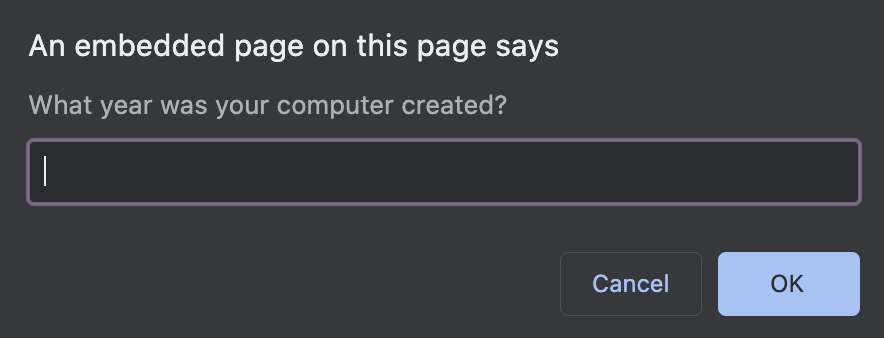
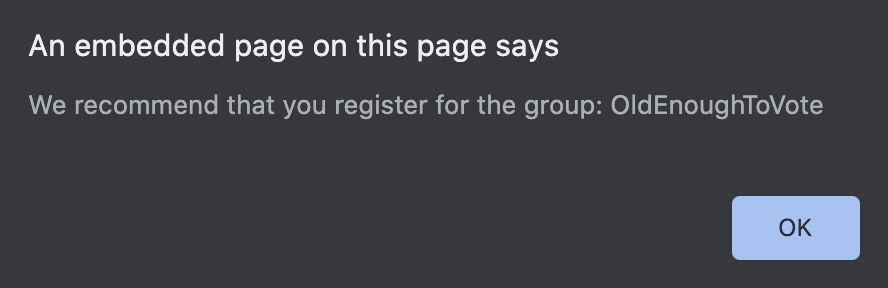
And when it finishes, it runs window.alert to show the user the computed group:
This is working fine, but what if the user wasn’t using the Chrome browser? That means this line wouldn’t run:
resolvers.push(someResolverFn)
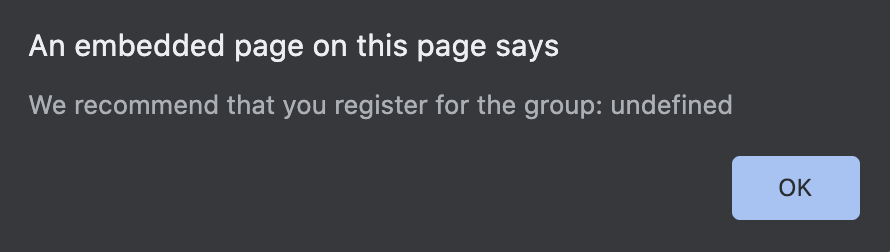
This generates an embarrassing unexpected result:
We can prevent unhandled errors like these by throwing a normal Error or we can use the more specific BadParametersError:
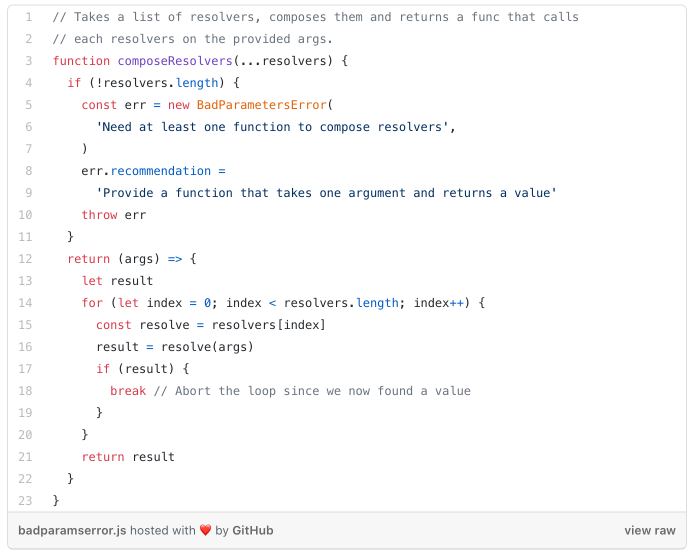
This way, the error has a much lower chance of getting to the user and it makes the developer fix the mistake:

If multiple functions use this strategy and are attached a property like recommended for example, the debugging experience becomes much easier.
Now it can be written to something like this, which is a better defence mechanism:
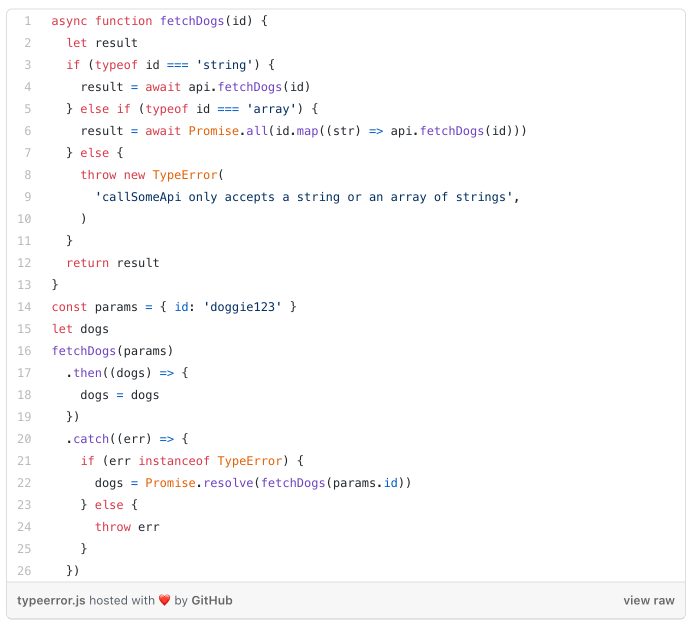
Use a TypeError
We often handle errors by throwing Error. But when built-in JavaScript errors are available to narrow the scenario when the opportunity arrives, it’s useful to just leverage them:
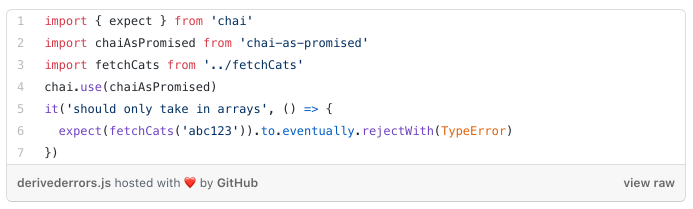
Testing
By leveraging derived Errors, testing becomes more robust, as you're able to directly use them to make your assertions:
Overdoing It
Knowing how useful it is, it also becomes tempting to just create a bunch of custom errors for every possible scenario you can think of — especially when you’re just beginning to learn JavaScript. So if you have a small to medium-size app and end up in a situation like this:
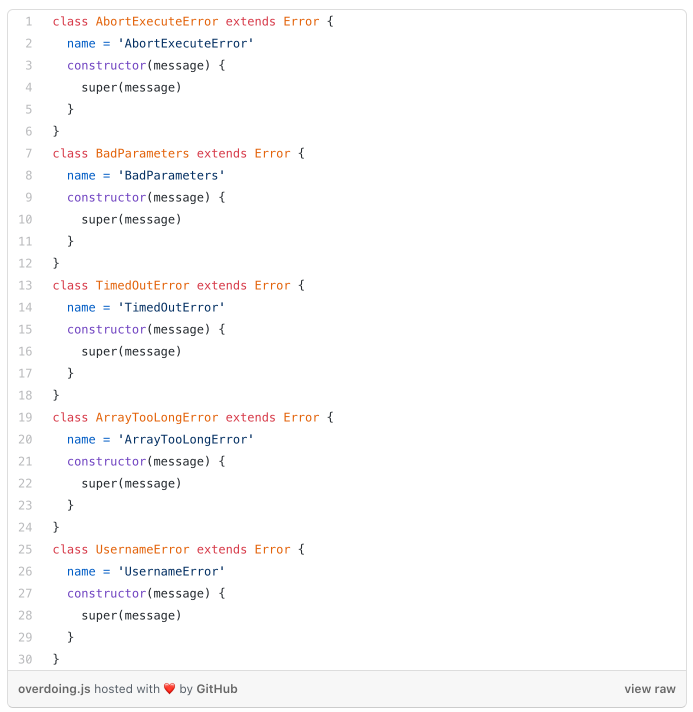
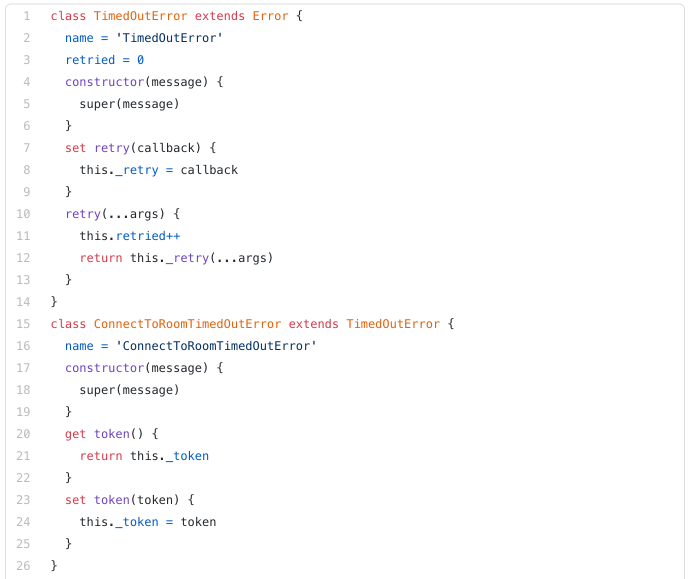
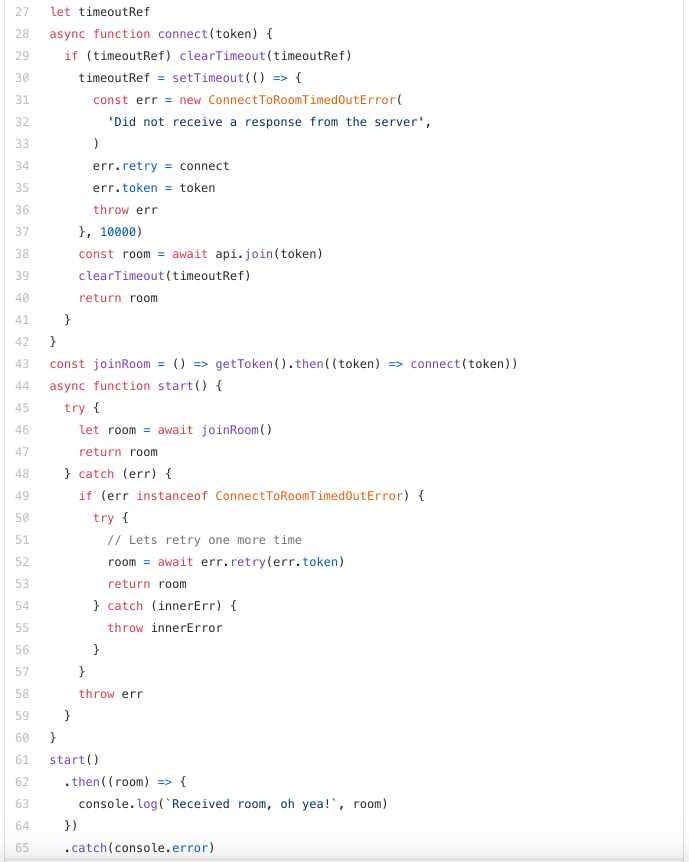
Then you might rethink this approach and determine if you really need to do this or not. Most of the time, it’s enough to provide a clearer error message. Making assertions about custom errors only provides maximum benefit when you need to add some extra context to it (e.g. a token to retry on a timed-out request):
Conclusion
Controlling your errors provides control over your app. It also saves you time and money.
This marks the end of the article. I hope you found it useful. Look out for more in the future!