Бесплатный VPN WireGuard
Использовать VPN для обхода блокировок/неполадок в сетиДля настройки WireGuard на Windows: скачайте установочный файл с официального сайта: WireGuard и установите его, следуя инструкциям на экране.
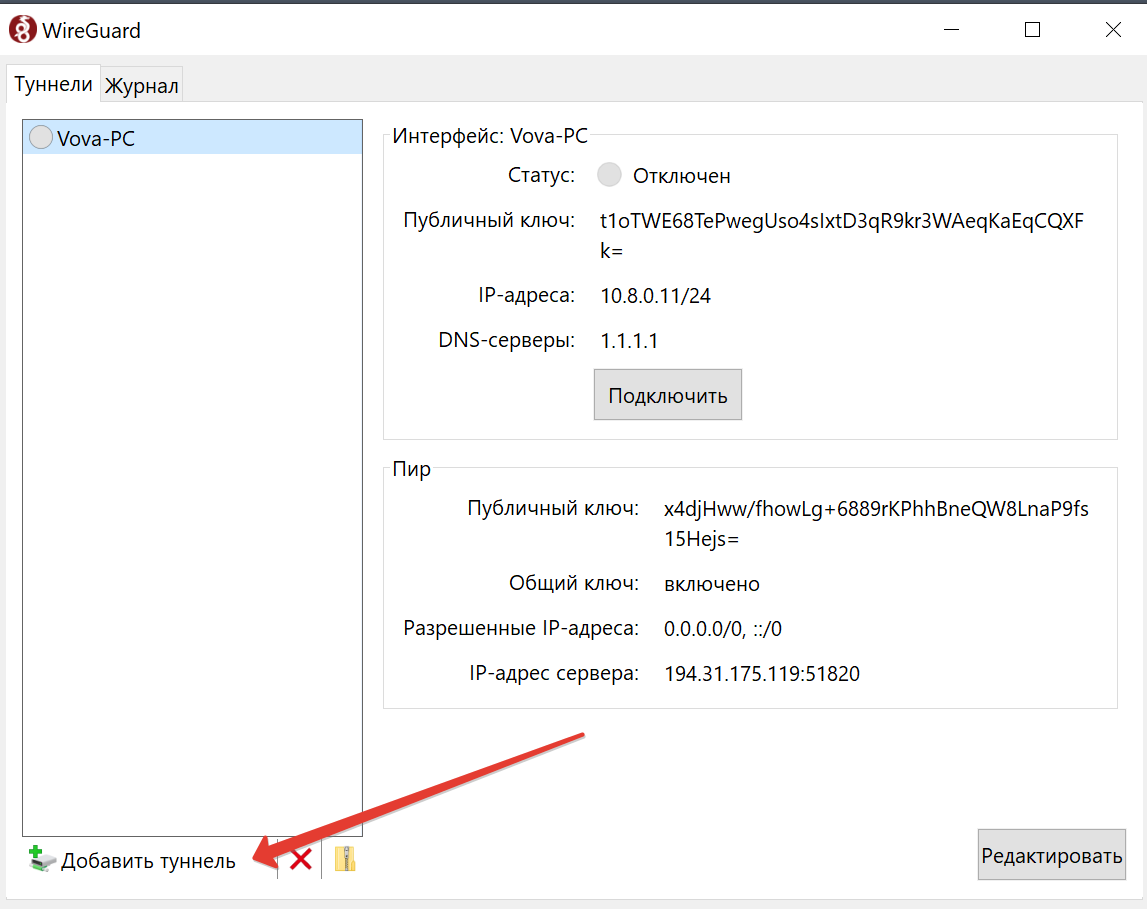
Откройте приложение WireGuard, нажмите "Import tunnel(s) from file..."(Добавить туннель), выберите предоставленный конфигурационный файл от нашей поддержки(прим. 123.conf), затем выберите туннель в списке и нажмите "Activate". Ваш VPN готов к использованию.
//////
To set up WireGuard on Windows: download the installation file from the official WireGuard website and install it by following the on-screen instructions.
Open the WireGuard application, click on 'Import tunnel(s) from file...', select the configuration file provided by our support team( exm. 123.conf), then choose the tunnel from the list and click 'Activate'. Your VPN is now ready for use.