BITPAY
IDWT - In Dollar We Trust
🏛 Company Information: BITPAY
⚡️Founded: 2011, United States
🌐 Website: https://bitpay.com/
🛎 Services: For Individual: Card, Wallet, Extension; For Business: Online Payments, Billing, BitPay Send
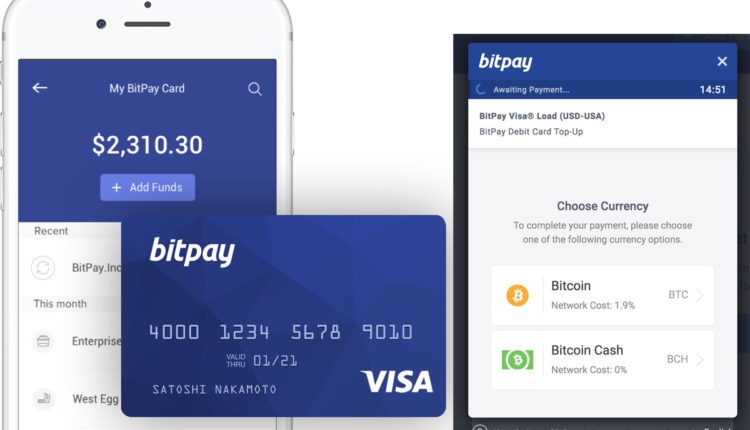
BitPay's Features
- Direct Bank Deposit
- Cryptographically Secure API
- Custom Transaction Speed Setting Options
- Best Bid Exchange Rates
- Two-Factor Authentication
- 11 Open Source Libraries and SDKs for Custom Integration
- National Currency Settlement
Payment Methods
ACH Credit, Bank Transfer, Bitcoin and Crypto
BitPay Pros
- The card is accepted worldwide.
- Domestic currency settlement..
- Supported via Desktop, Android and iOS.
BitPay Cons
- Available only for US citizens.
- You must have a home address (no PO boxes).
- Relatively high withdraw fees.
BitPay Card Review
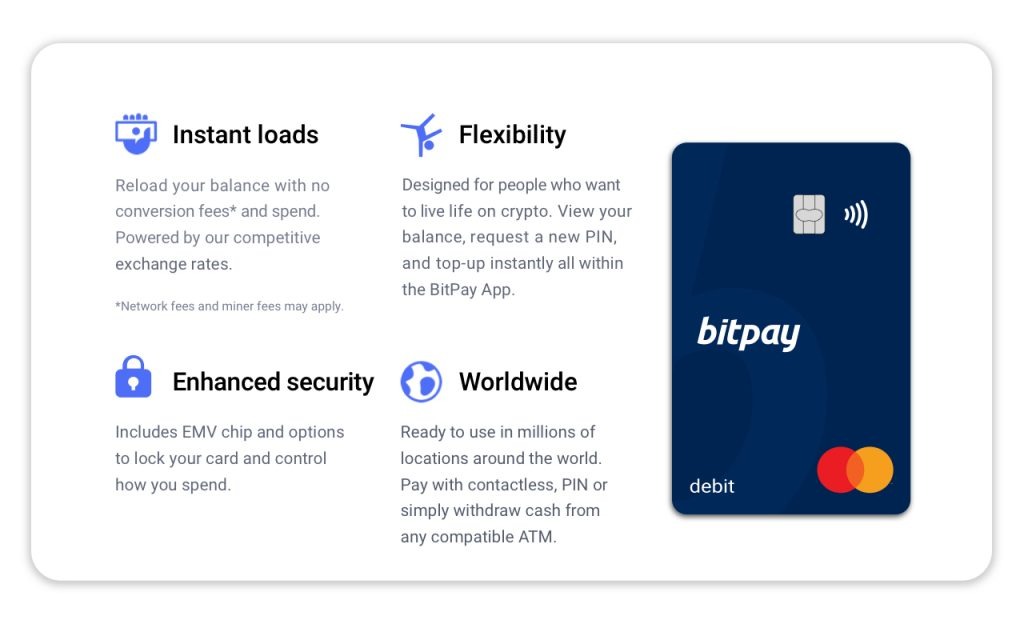
Bitpay Card primarily supports Bitcoin and Bitcoin Cash, but will most likely support even more cryptocurrencies in the future.
With respect to fiat currencies, Bitpay Card supports only USD.
MasterCard and ApplePay
Bitpay Card is a Mastercard, meaning that you can use the card at any point of payment that accepts Mastercard. This is of course a great advantage, seeing that Mastercard (and VISA) are the most accepted cards in the world.
On 13 February 2021, BitPay Card announced that it had added support for Apple Pay. US-based holders of the Bitpay Card can now connect it to the Apple Pay app and make payments with cryptos that will be converted into fiat money.
BitPay Card Fees and Limits
BitPay Card Fees
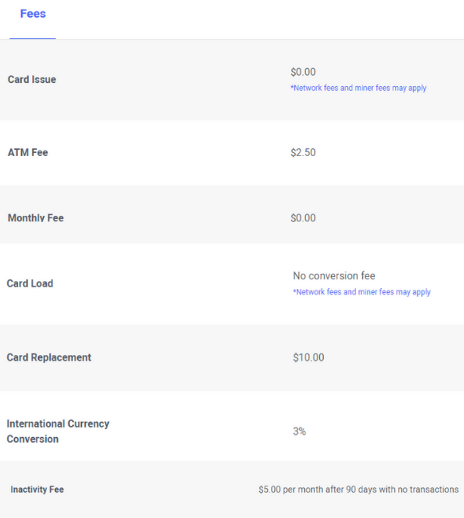
The first notable fee incurred when using the card is the issuance fee. When you are sent the BitPay card for the first time or a replacement card, you will need to pay a $10 issuance fee. This is more than most cards but is overall a small expense.
You will also be charged a minor $2 fee when you withdraw money from an ATM using the card. When spending outside of the USA, you will be charged a 3% currency conversion fee.
Loading cryptocurrency onto your card is fee and done through the BitPay app.
There is a $5 inactivity fee, charged per month after 90 days with no transactions.
BitPay Card Limits
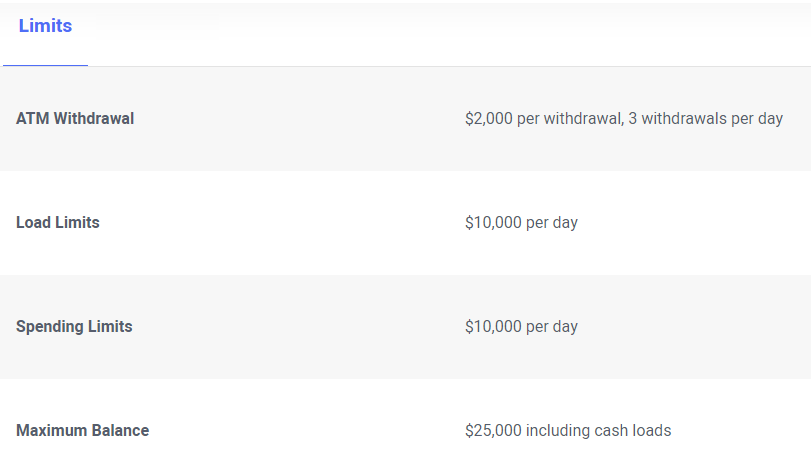
There are a few BitPay withdrawal limits you should be aware about with the BitPay card. They have an ATM withdrawal limit of $2,000, with a maximum of 3 ATM withdrawals per day.
Both the load and spending limits are set at $10,000. Both of these restrictions are on the higher end compared with other cryptocurrency card providers. It should be noted that you can have a maximum of $25,000 on the card which is also fairly high amount comparatively.
Card Activation
To activate your BitPay card once it arrives, simply select the card section on the app, you should then see an icon in the top right of the screen that reads “activate”.
Next, you will need to enter some information about the card you have received in order to verify your card. Lastly, you will need to create a pin code for your card.
Gift Cards via BitPay Card
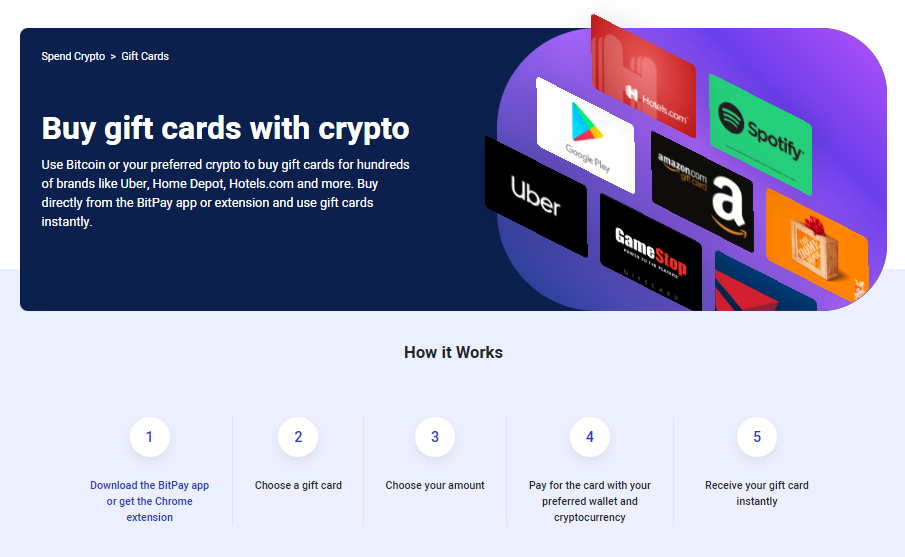
All Merchants: here
BitPay doesn’t mark up gift card purchases made with crypto. The price presented by the merchant is unchanged during the transaction. However, with all blockchain transactions, you will pay a small network fee. These fees don’t go to BitPay directly, but are used to move the funds. Network fees will vary by the coin/token used, network congestion and transaction amount.
Gift card purchases can be made with almost any wallet. BitPay supports the most popular crypto wallets including the BitPay Wallet, Coinbase, Trust Wallet, Exodus Wallet, Metamask, Electrum Wallet, Blockchain Wallet, Ledger Wallet, Bitcoin Core, OKCoin, BRD Wallet and plenty more.
BitPay’s gift cards are delivered instantly. You can use the gift card code immediately after your transaction has been processed. The codes will be stored within your BitPay app or extension.
FAQ
Q: What kinds of users and organization types does BitPay work with?
BitPay works with these users and organization types: Mid Size Business, Small Business, Enterprise, Freelance, Nonprofit, and Government.
Q: What languages does BitPay support in their product?
BitPay supports these languages: English.
Q: What other applications or services does BitPay integrate with?
BitPay integrates with: AJ MATRIX, Beds24.com, BitPay Card, Blesta, Clientexec, Drupal Commerce, Easy Digital Downloads, Foxy.io, Google Pay, Hedgehog, Hodl Hodl, InvoiceOcean, Magento, OpenCart, PrestaShop, 3dcart, SendOwl, Shopify, TokenTax, Ubercart, Uptix, WHMCS, WooCommerce, Zen Cart, and ZenLedger and more.
Q: How much does BitPay cost?
Pricing for BitPay starts at 1% of transaction.
BitPay Card FAQ
Q: What coins does the BitPay Card support?
BitPay accepts Bitcoin, major alt coins, tokens, and stable coins. We are constantly evaluating and adding new coins. Currently we accept: Bitcoin (BTC); Ethereum (ETH); Bitcoin Cash (BCH); Dogecoin (DOGE); Shiba Inu (SHIB); Litecoin (LTC); ApeCoin (APE); Dai (DAI), USD Coin (USDC), Binance USD (BUSD), Wrapped Bitcoin (WBTC), Pax Dollar (USDP), Gemini Dollar (GUSD), Euro Coin (EUROC)
Q: Is the BitPay Card a credit card or debit card?
The BitPay card is not a crypto credit card. The BitPay card is a prepaid debit card which customers can fund via their preferred wallet within the BitPay app. The BitPay Card is available as a virtual crypto card or physical plastic card.
Q: Where can I use the BitPay Card?
U.S. residents may use the BitPay Card online or in-store wherever Mastercard is accepted. It can also be used as an ATM card to instantly convert your Bitcoin or other cryptocurrencies into dollars. Use it to travel, entertain, buy gift cards, invest, treat yourself, and live on crypto! While residents outside of the U.S. are unable to sign up for the card at this moment, you may join the waitlist to sign up as soon as it becomes available in your country.
Q: How do I add funds or reload the card?
Funds can be added to the BitPay Card through the BitPay app or BitPay website. The BitPay Card can be loaded with crypto from the BitPay Wallet or your Coinbase account.