Automating AWS Tags Management with Consul-Terraform-Sync - HashiCorp Solutions Engineering Blog - Medium
HashiCorp Solutions Engineering Blog - MediumIn this post, I will explore something that came out recently with v0.4 of CTS: an integration with the Consul Key/Value store.
Consul can do a lot of things—service mesh, service discovery, network segmentation—but one of its most common use cases is for a simple key-value store. Key/Value stores are often used for metadata—and one of the most common metadata tools in the Cloud world is the AWStag.
I thought this article covered the use cases for AWS tags verywell.
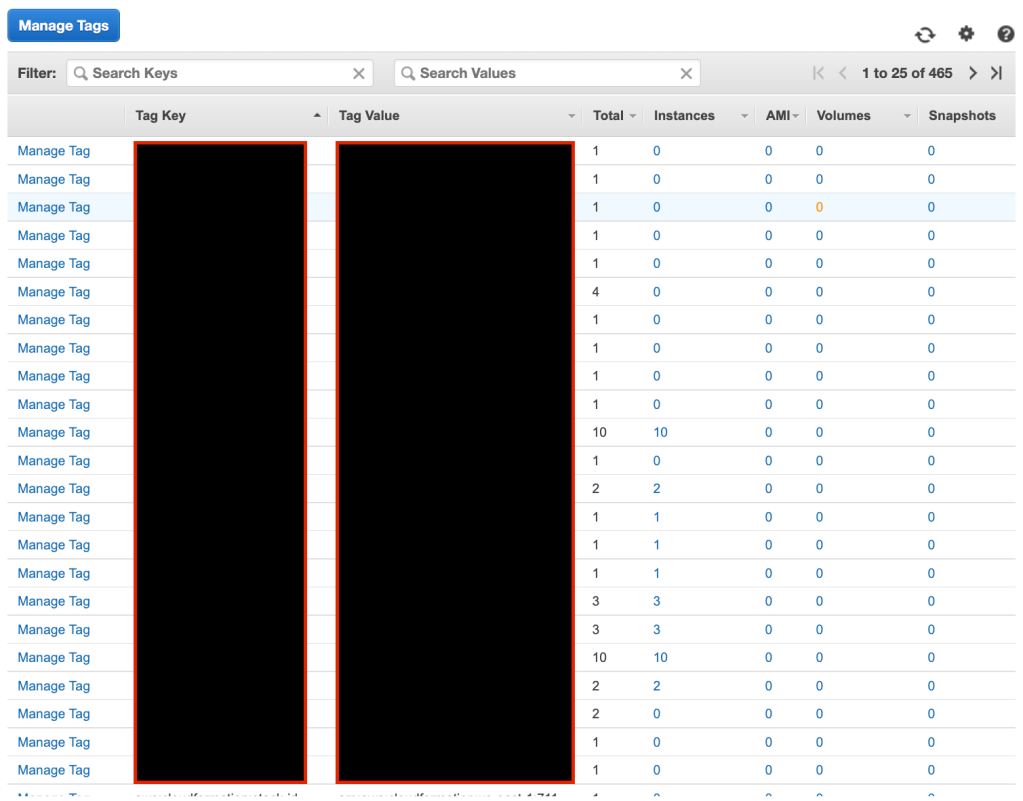
The problem with the AWS tags is that it becomes very quickly a nightmare to manage them and to keep track of. I may have over 465 tags in my demo AWS account. And that’s just for oneregion.
So when I started playing with CTS, I thought that this concept could be applied outside of networking. And managing AWS tags is a real pain that I thought could do with some automating.
Let’s have alook.
Consul K/V Configuration
To start with, the assumption is that we will be storing our AWS EC2 tags in the Consul Key/Value store. The format for each K/Vis:
aws_tags/ec2/instance_id/instance_tag_key: instance_tag_value
To apply an EC2 instance tag, you need the instance ID and obviously the values of the key/value pair.
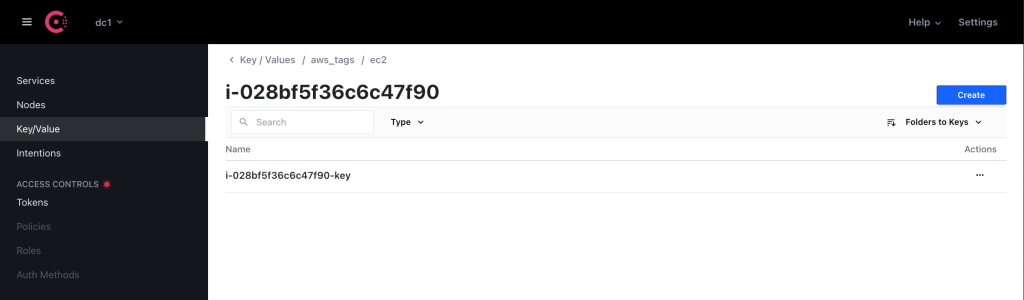
At scale, storing these tags would be done with the Consul APIs. This is how customers use Consul for the mostpart.
What I will be doing is automatically tagging my instance using CTS. By offloading the tagging process to Consul and by automating it through Terraform, I am hoping we can keep tags undercontrol.
If you register your services in Consul, then it makes sense to register metadata about these services in Consul. And therefore it makes sense to automatically configure these services through a tool likeCTS.
I admit this remains a working theory—happy to discuss on Twitter if you agree/disagree with theconcept.
CTS Configuration
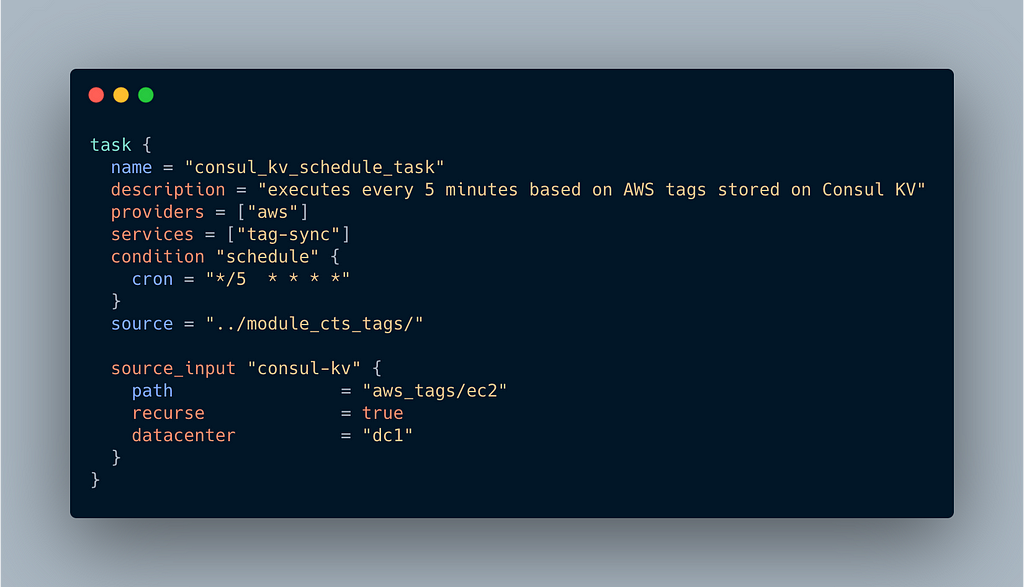
I went through the CTS Task Configuration in a previous post. Here we need to adapt our task block accordingly:
task {
  name = "consul_kv_schedule_task"
  description = "executes every 5 minutes based on AWS tags stored on Consul KV"
  providers = ["aws"]
  services = ["tag-sync"]
  condition "schedule" {
    cron = "*/5  * * * *"
  }
  source = "nvibert/aws-tag-nia/aws"
  // source = "../module_cts_tags/"

  source_input "consul-kv" {
    path                = "aws_tags/ec2"
    recurse             = true
    datacenter          = "dc1"
  }
}
What the above doesis:
- Leveraging the AWS provider and will execute the task if I have a service called “tag-sync” in Consul (I have created this service, with no data in it—it’s essentially used as a flag to enable the feature).
- Scheduling the task every 5 minutes using the standard crontool
- Use the module I published in the registry (the commented path is when I was testing the modulelocally)
- Pull data from the Consul K/V across the “dc1” datacenter, on the path “aws_tags/ec2” (the ‘recurse’ option is set to true to make sure we treat the path as a prefix and not as a literalmatch).
In other words, CTS will run a task every 5 minutes to pull data from the K/V store and use this data as input for themodule.
Module Configuration
My module might look extremely simple but it took me a few hours to work out how best to structure the data in Consul and to present the data out of it to Terraform.
terraform {
  required_providers {
    aws = {
      source  = "hashicorp/aws"
      version = ">=3.55"
    }
  }
}
provider "aws" {
region = "us-east-1"
}resource "aws_ec2_tag" "example" {
for_each = var.consul_kv
resource_id = split("/", each.key)[2]
key = split("/", each.key)[3]
value = each.value
}What CTS gets from the Consul K/V will be these variables (examples with a couple oftags):
consul_kv = {
"aws_tags/ec2/i-040ec3d7b2ac35ce3/i-040ec3d7b2ac35ce3-tag" = "i-040ec3d7b2ac35ce3-value"
"aws_tags/ec2/i-028bf5f36c6c47f90/i-028bf5f36c6c47f90-tag" = "i-028bf5f36c6c47f90-value"
}What we are doing with these few lines is simply iterating through the list of tags on the aws_tags/ec2 path and we take the third and fourth values in this long string separated by “/” and use them respectively as the resource_id that the tag is assigned to and as thekey.
resource "aws_ec2_tag" "example" {
  for_each = var.consul_kv
  resource_id = split("/", each.key)[2]
  key         = split("/", each.key)[3]
  value       = each.value
}When I run the CTS daemon, it will start preparing the Terraform files while listening to any changes to Consul services and key-values.

And then it will check every 5 min and execute Terraform accordingly. The tag on my AWS instance with the id i-040ec3d7b2ac35ce3 is automatically configured with the tag with the key/value pairbelow.
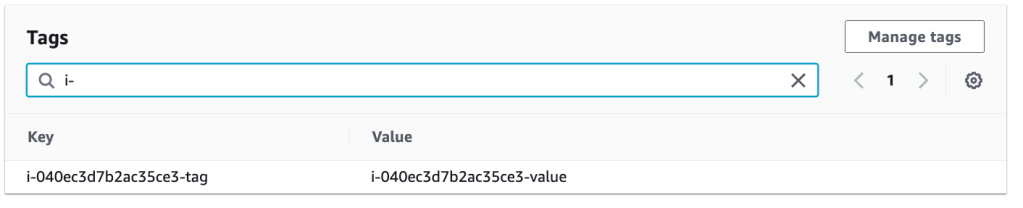
Cool, right? My tags are managed alongside my services in Consul and are automatically pushed to Consul. When I remove the Key/Value pair, the tag is removed from the instance.
This is a simple example only for EC2 instances but obviously you could, in principle, apply the same logic across all AWS services and drive your tag configuration fromConsul.
The module is now published here.
Thanks for reading. Find me on Twitter if you have any feedback.
Automating AWS Tags Management with Consul-Terraform-Sync was originally published in HashiCorp Solutions Engineering Blog on Medium, where people are continuing the conversation by highlighting and responding to this story.
本文章由 flowerss 抓取自RSS,版权归源站点所有。