Asus Adol MS(s?)012 Review
moriel5I have been testing out various budget mice, mainly wireless home/office mice, over the past few years.
After going through a Russian roulette⁽¹⁾ of different Chinese whitelabel mice under different brands (during this time, Rapoo⁽²⁾ was still obscure enough to rely on this, by the way), I decided that enough is enough, since I was nearing the end of my finances, and from the start I did not have much to spend in any case.
Instead I shifted my focus on mice (and later, also other products) from brand names, just with an interesting twist... products that are generally less known due to being meant for specific regions, such as the Lenovo ThinkLife WLM200⁽³⁾ or the Lenovo Thinkplus E3⁽⁴⁾ (I was, and still am open to other brands, as shown by this article, however there was simply not much that was compelling outside of Lenovo so far. I do still need to find the time and budget to review the apparently legendary "Jelly Comb" mouse).
Firstly, I decided that to be worthy of being used, a mouse needs, at the minimum, to have: 1. The standard Right and Left keys. 2. A scroll wheel that doubles as a middle button. 3. Back and Forward buttons 4. An On/Off toggle. 5. A user-removable battery (if wireless).
This already cuts down a significant portion of the market, rather surprisingly (especially from the larger brands, including Dell, Lenovo and Logitech).
So far, I have gotten mostly good results (the Lenovo ThinkLife WL600⁽⁵⁾ was particularly bad, despite feeling very nice and being better suited to my large hands, however it lacked an On/Off toggle, which caused me to add that to the requirements), however I never did a proper review, since I mostly told my findings to those around me.
Fast forward to today, I want to start spreading my finding farther out and be able to reach more people who could make use of them, so here I am putting my first proper review (I hope this will be informative and wont make people fall asleep).
As we are seeing a trend of mice (and other peripherals) switching over from 1.5V Alkaline/1.2V NiMH batteries over to 3.7V Li-Ion batteries (usually proprietary, at times soldered, and always out of reach of the user, making them imminent e-waste) and USB (microUSB, moving over to USB-C) charging (and usually without a way to use the device when the battery breathes it last breath, although thankfully manufacturers are finally starting to take note of that), I have been purposefully avoiding mice such as the 2022 refresh⁽⁶⁾ of the Lenovo Howard⁽⁷⁾ or the Lenovo Xiaoxin Plus⁽⁸⁾ when I saw the Asus MS012 (or is it Ms012? More on that later).
I usually don't really think of Asus when I think of competent mice at competitive prices (I no idea about their gaming mice however, as I do not game), since every time I saw an Asus mouse, it was far more basic than even the cheaper no-name mice on the market, while commanding prices that could not be called budget in any way, despite being obvious budget mice (for comparison, I have seen Dell and Lenovo mice that are on the same level for half the price), with the only thing that occasionally set them apart was their odd design choices, which were usually rather unwieldy (I forget the models, however one such design looks to have been possibly reused on the Asus MW203⁽⁹⁾, with such a wide angle that it makes it hard to keep your fingers wrapped around it).
But when I saw the MS012, I noticed something odd. Not only did it have all of the features I saw on other mice, but at a similar (if slightly, but barely, more expensive) price. Also, it had USB-C, with pictures showing it also being used with a cable, in addition to the 2.4Ghz dongle and Bluetooth modes.
Now you are probably asking me, why did the MS012 receive my attention, when every other mouse with a USB port is being shunned on account of their nonserviceable batteries?
Well, as it turns out, the dongle was what started the motion of events. The 2.4Ghz dongle was mentioned, and there was even a picture of it being connected to a laptop, however there was no obvious place where it could go into the mouse.
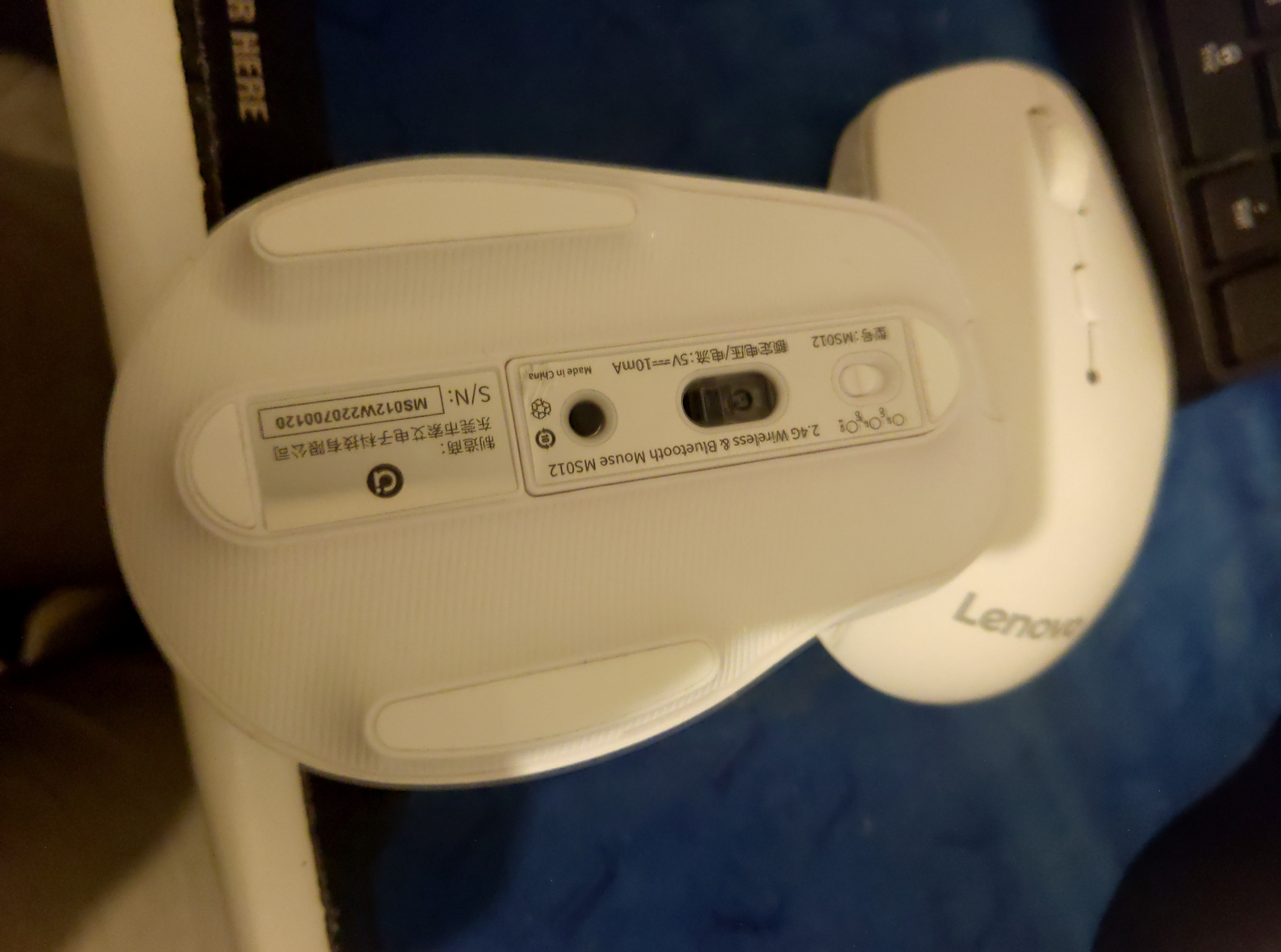
All this led me down a search, which brought me, via Baidu search (after searching with DuckDuckGo, and even Google when I could not find anything useful), to comments about the MS012 on JD.com (or it could have been Taobao, or both, I forget) where I saw what characters to use (via copy-paste) when searching for the mouse.
The led me to three short Billibilli video reviews⁽¹⁰⁾⁽¹¹⁾ (one which was mislabeled as MS102⁽¹²⁾) and a longer YouTube video review⁽¹³⁾ (I am not sure in which language that one is), where I saw that the bottom is mostly a cover (when testing it out, I saw that it also serves as feet, that holds an interesting thing itself), and when removed (how, I could not yet understand from the videos, for all I knew, it could be held in place with clips), and underneath I could visibly see the adapter.
Then the battery stuck out to me, despite no mentions of the battery anywhere (unless it was verbally mentioned in the videos? While I am bilingual and know a few words and sentences in additional languages, I could not understand anything said in these videos). It was obvious that it was removable, and was a cylindrical battery, with my approximation of the size of the mouse (another detail that was missing) based off the videos, that it probably had the dimensions of a AA battery.
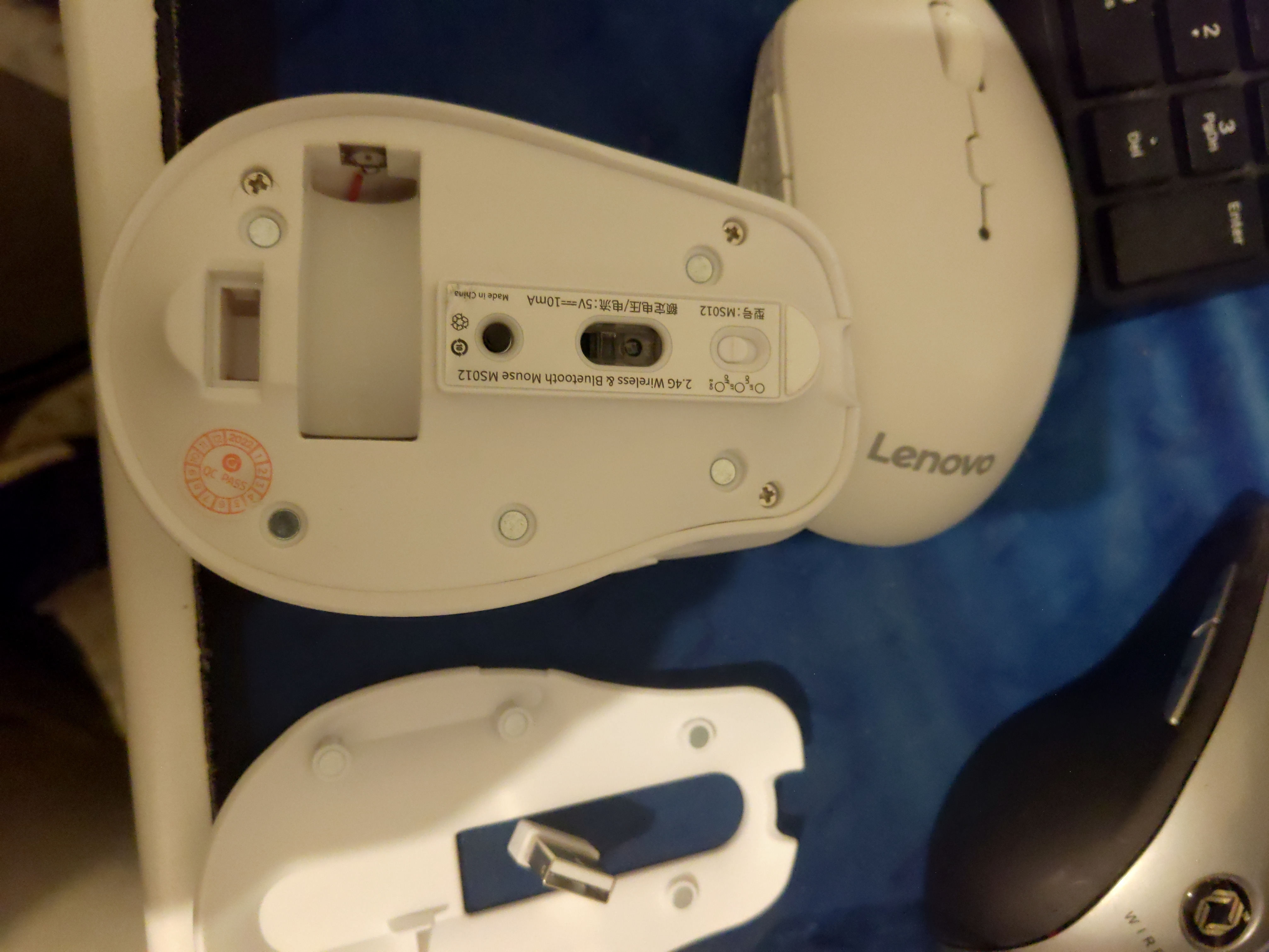
Unfortunately, that tells me nothing about what kind of battery it is, and with laws in place in my country that forbids individuals from importing batteries from abroad, as a reaction to the whole hoverboard fiasco from a few years ago, that means that ordering this mouse off AliExpress will require the seller to remove the original battery before shipping, which does not help me much.
Certainly not a nice situation.
In the end, after searching all I could, and opening threads on Reddit⁽¹⁴⁾ and BudgetLightForums (the latter was an archived link, since my account was deleted a few hours after creation and my email address banned, and to the time of writing this review, I received no answer as to why, and I failed to find any way to appeal this). From what I could gather, this is a common, if random, issue there, with even long-time users being required to create new accounts when their existing accounts get terminated with no reason or explanation) and sending an email to HKJ (lygte-info.dk) (this was also about the IKEA Stenkol charger, which will also see a review soon), I ordered the mouse.
Before ordering, I asked the seller to check what kind of battery (even a picture of the text on it would suffice) is the original when removing it. The answer, there are no marking, aside from a logo, but it is a AA battery (dimensions, check).
However, the seller also checked the battery with a multimeter, and it showed 3.7V, which means it is a 14500 Li-Ion cell. Confusingly, the battery compartment is marked as needing a 1.5V battery.
The mouse arrived very quickly, within a week, which is half the typical amount of time parcels from China generally take to arrive here via Cainiao (the courier company that AliExpress bought sometime in the past decade).
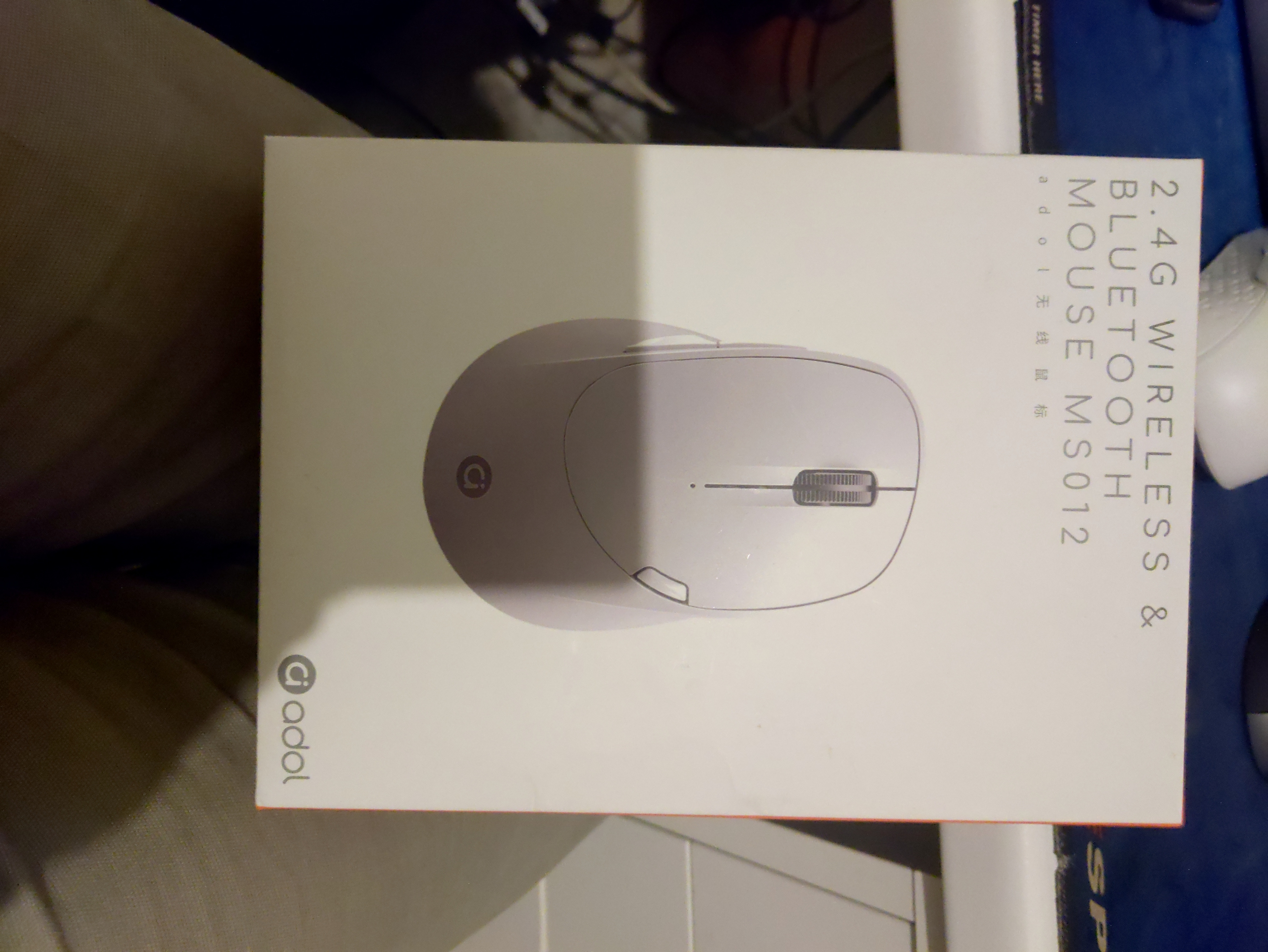
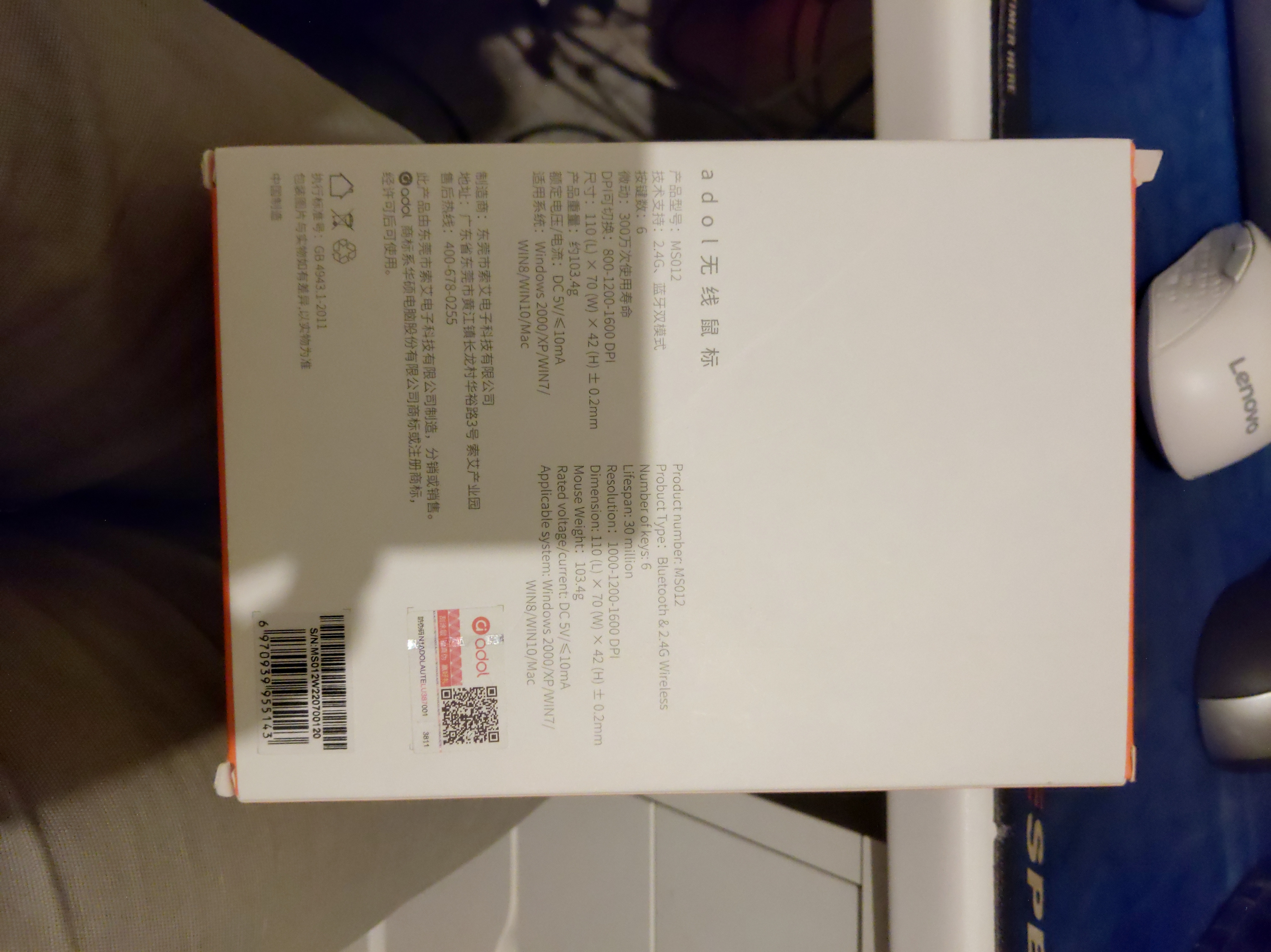
The packaging is nice, although I would have preferred it to be smaller, like the Lenovo Howard (original)'s packaging, or better yet, like the Lenovo Black Diamond2's⁽¹⁵⁾, since it is mostly plastic (and quite excessive, in my opinion).
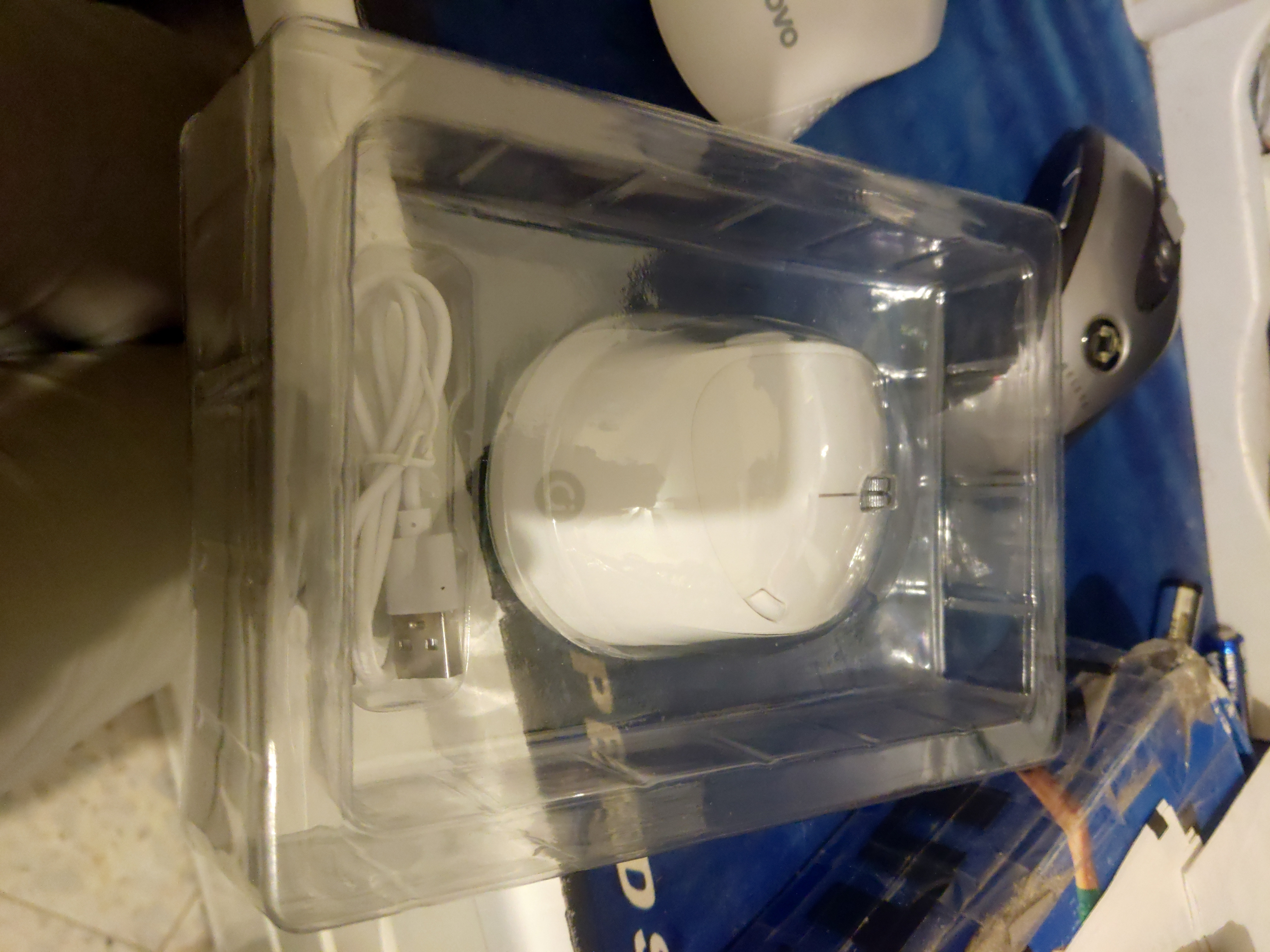
Now, let's take a look at the contents, shall we?
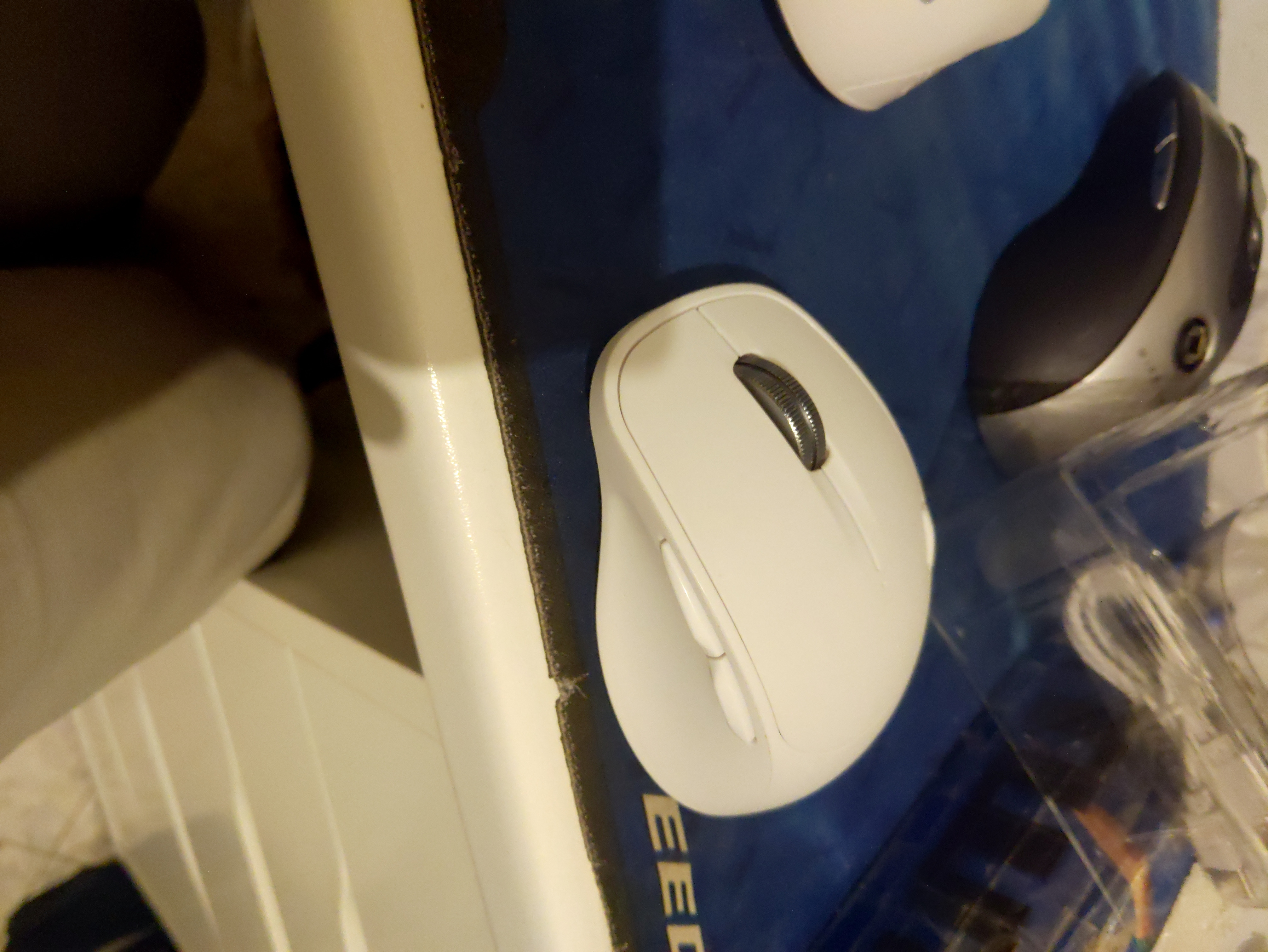
We have here the mouse, which is rather light (makes sense, there is no battery inside) and looks nice (prefer things to have light, but not necessarily popping, colors), a simple USB-C to USB-A cable (which will garner two disappointments), a warranty pamphlet (useless in this context, and only in Chinese) and a user manual (which is interestingly in both Chinese and English).
The English side of the manual is... a translation, and not a particularly good one at that, but mostly useful (there is some foreshadowing here). We find nice diagrams of the exterior of the mouse with the different points of interest numbered, and we finally have size and weight measurements (110(L) * 70(W) * 42(H) ± 0.2mm⁽¹⁶⁾, 103.4 Grams⁽¹⁷⁾), which I have verified as correct (at least the dimensions, I have yet to measure the weight), Voltage/Current at 5V/≤10mA (I have yet to measure this, however more foreshadowing here).
Also the DPI modes are 800/1200/1600. I only need 800 (for precision) and 1200 (for speed), and even then I am content with just 800 (like on my A4tech RBW-5⁽¹⁸⁾(archived link)).
The manual mentions putting in a battery, and that's it regarding the battery. No mention whatsoever what kind of battery or where to put it in.
Additionally, there are more oddities, so I'll just paraphrase the entire first step (the rest are rather self-explanatory, even with the bad translation):
"2.4G wireless connection: find the OFF or ON logo switch at the bottom of the mouse, insert the battery, and switch turn ON (the circular contact button at the bottom, short press to switch the mode, a total of three gears: 2.4G/blue the indicator light at the bottom of the tooth 4.0/5.1 mode flashes), takeout the receiver that comes with the device and connect it to the computer it can be used normally. (Different products correspond to different accessories, such as a charging pad and mouse it is equipped with a rechargeable battery, and the normal mouse is equipped with a normal battery).
Even ignoring some really weird linguistic things (what is the point of parentheses that are on a completely separate sentence, with nothing else there?) and ambiguity regarding the battery and receiver/dongle location, we already hit a snag. Is it a switch or a button? Which mode has blue flashing light (it certainly is not 2.4Ghz dongle mode)? What mode is Bluetooth (we surmise that is it) 4.0 and which is 5.1? And what does a charging pad have to do with this mouse, not to mention that there is no "normal" variant with a "normal" battery. This is the only variant that exists, from my research, unless Asus has rebranded a white-label mouse, which is certainly possible.
I will briefly touch upon step 3 (yes, oddly enough these are all "steps", despite being pairing instructions for different operating systems (Linux and the BSDs are obviously not mentioned, but we are already used to that)), since it instructs us to pair it in Windows in the traditional method (by opening the settings app), however mentions "quick pairing" (even more foreshadowing here).
The manual also mentions sleep modes, which is also very nice, and will tie to a later point in the review.
Finally, we have the obvious warnings, like not to disassemble the mouse, otherwise "it could explode or leak".
With that out of the way, let's test out the mouse.
"But wait!" You cry, "isn't this a wireless mouse that you lack a battery for?". Why yes, that is the case. However the pictures and reviews showed the mouse being used while being connected with a cable to a laptop, so it must have a wired mode. Let's use my old (no longer manufactured) Blitzwolf Ampcore Turbo USB-C to USB-A 3.0 cable (no USB-C on either my desktop or my laptop), since it is longer and of higher quality.
By the way, at this point I see how the bottom cover is pried off. It's held by magnets.
Good for you, Asus and your manufacturer. More OEMs should take note of this, although I would prefer the magnetic cover to be more akin to what is often found on Lenovo's mice, where the cover would slide back and out. Without giving up on the magnets, of course.
Also, it appears that the bottom cover also contains the legs on either side of the central "hub" containing the power/connectivity switch, the optical sensor and a button, which from my experience with the Lenovo Howard, would probably be a Bluetooth mode switch.
Where were we? Oh yeah.
Not so fast. The mouse received power, but would not work and nothing appears in dmesg (I am a Linux user) without turning it on and pairing it in one of the wireless modes (which is already something, given that there was no battery inside).
Hmm... Perhaps Asus or their mouse manufacturer locked down the capability to the original cable? It already is hard to connect anything on account of the narrow entrance leading to the USB-C port. But alas, the same happens with the original cable, so no true wired mode. At least we can use it at all without a battery.
Unfortunately, and understandably, testing the original cable to connect other devices yielded no support for data transfer at all, only charging capability.
Two days ago, I finally purchased a 14500 Li-Ion battery locally (it turns out that there are next to none in my country, and those that are available, are pretty much the worst options on the market, at twice the price of good 14500 Li-Ion batteries in other countries, I will need to risk importing several Nitecore NL1485 units), and I can verify, the MS012, despite having 1.5V written in it's battery compartment, does not turn on with 1.5V Alkalines or 1.2V NiMH (I also tried my Eneloops and my IKEA Laddas), but only with 3.7V Lithium-Ion cells, in this case, only one.
With that out of the way, we were supposed to be testing out the mouse, and so we are.
It works very well, and despite initially being slightly dismayed by it's rougher texture, it does not distract me while using it (I still prefer the textures on the RBW-5 and WLM200, however). Pairing on Solus (my Linux distro of choice) was a breeze in both Bluetooth modes (foreshadowing alert), and the dongle works just like that. Also the DPI switcher works as it should (1200DPI is the default, although it felt slightly too fast before cycling through the speeds).
For anyone who have not noticed this earlier, I mentioned Bluetooth 4.0/5.1, but nothing about Bluetooth LE (Low Energy). That was on purpose, I was reading the manual and it was not yet relevant to focus on this yet. I have no reason to doubt that this mouse supports Bluetooth LE, as that is what 5.x practically means with these mice. My Lenovo Howard supports Bluetooth 3.0 (classic connection) and 5.0 (LE), and shows as as Howard 3.0 and Howard 5.0 respectively. Let's put to the test which mode is which, shall we?
From the get-go, we can see that 2.4Ghz dongle mode (labeled as "2.4G") gets a green indicator light, flashing only when scanning, stable when connected, and off after a few seconds.
The Bluetooth modes are, confusingly, both labeled "BT", and one is red while the other is blue, with the same behaviour as the indicator light for the 2.4Ghz dongle mode.
No problem, we'll just check from the OS... wait a minute, both modes advertise the same exact name, "Ms012" (hence the question what is the model). So let's drop down to the command line.
"bluetoothctl" is completely unhelpful, so "hciconfig" is supposed to give us answers... not. Solus does not have it packaged in the Bluez package, since it was deprecated, and packaging Bluez myself with deprecated tools included revealed to me that hciconfig does not work at all with Bluetooth 5.x adapters (my desktop has an Intel AX200 in a Fenvi FV-102 adapter and my laptop has an Intel AX210, both have had their wireless networking upgraded a few times).
Okay. Checking Arch wiki tells me about Bluetuith, which is unhelpful as it is merely a TGUI (Terminal GUI⁽¹⁹⁾) for "bluetoothctl" and "btmgmt", which is hailed as a probable successor to "hciconfig". No dice, apparently it is not packaged on Solus either, due to it being disabled upstream with the pretext "it is not, and never was, an official Bluez tool" (if it wasn't an official tool, what in the world was it doing as a part of Bluez?).
Attempting to package it also failed, due to uncommented lines and possibly missing makefiles, as I found out when trying to just compile it without packaging it.
So I booted up a live (temporary) session of Ubuntu Budgie off a flash drive. It could not even find the mouse. So then I installed Ubuntu Budgie on a secondary hard drive which I put in my laptop, thinking that updates to the kernel and associated libraries may fix the issue. It didn't. I needed to pair it via the terminal with "bluetoothctl" before it would appear in the GUI.
No matter, it is paired and working, so let's check the Bluetooth version. Just as another test, I tried out "hciconfig" again, which predictably failed. I tried "btmgmt"... and it failed to provide any meaningful information...
At this point I was running out of options, since I could not find any Android apps that show the Bluetooth protocol supported by the companion device, or even the protocol version in use (the mouse worked well, however), so I turned to Windows by replacing the Ubuntu Budgie installation on the spare hard drive.
The results: Nothing relevant.
But not for nothing all this was, since I accidentally turned on a feature in Windows 10 that I had never heard of, Swift Pair⁽²⁰⁾, and it appears that the MS012 supports it, in both Bluetooth modes (this must have been the "quick pairing" mentioned in the manual, except that it was vague about it).
Now, it appears that Swift Pair requires Bluetooth LE, which while can be found with Bluetooth 4.0⁽²¹⁾ (which retroactively adopted Nokia's Wibree⁽²¹⁾ protocol as Bluetooth LE), was not really found on budget mice with removable batteries until they started supporting Bluetooth 5 (hence the "3.0" and "5.0" found on the Howard and countless other budget wireless mice), which leads me to speculate that the mouse might actually support the same protocol version (let's give Asus the benefit of the doubt, especially with the my latest findings regarding the MS012, and go with Bluetooth 5.1).
So far so good, can it get better? Well, apparently yes.
A few hours ago I did my teardown and (very basic) board analysis, and I have been very impressed, in more than one way (and generally on a positive note).
Taking out the first three Phillips screws was very easy, and they were all the same shape and size, including the caps. removing the uncovered bottom was not too hard, but I noticed that it did not really want to go out. It turns out that they had hidden the 4th screw under the warranty sticker, a practice I have not seen for a long time with budget mice meant for the Chinese market (Asus, you should know better). Thankfully, it was the same as the other three screws, and after taking it out, the whole bottom came out, complete with the battery and receiver dongle compartments, and a PCB.
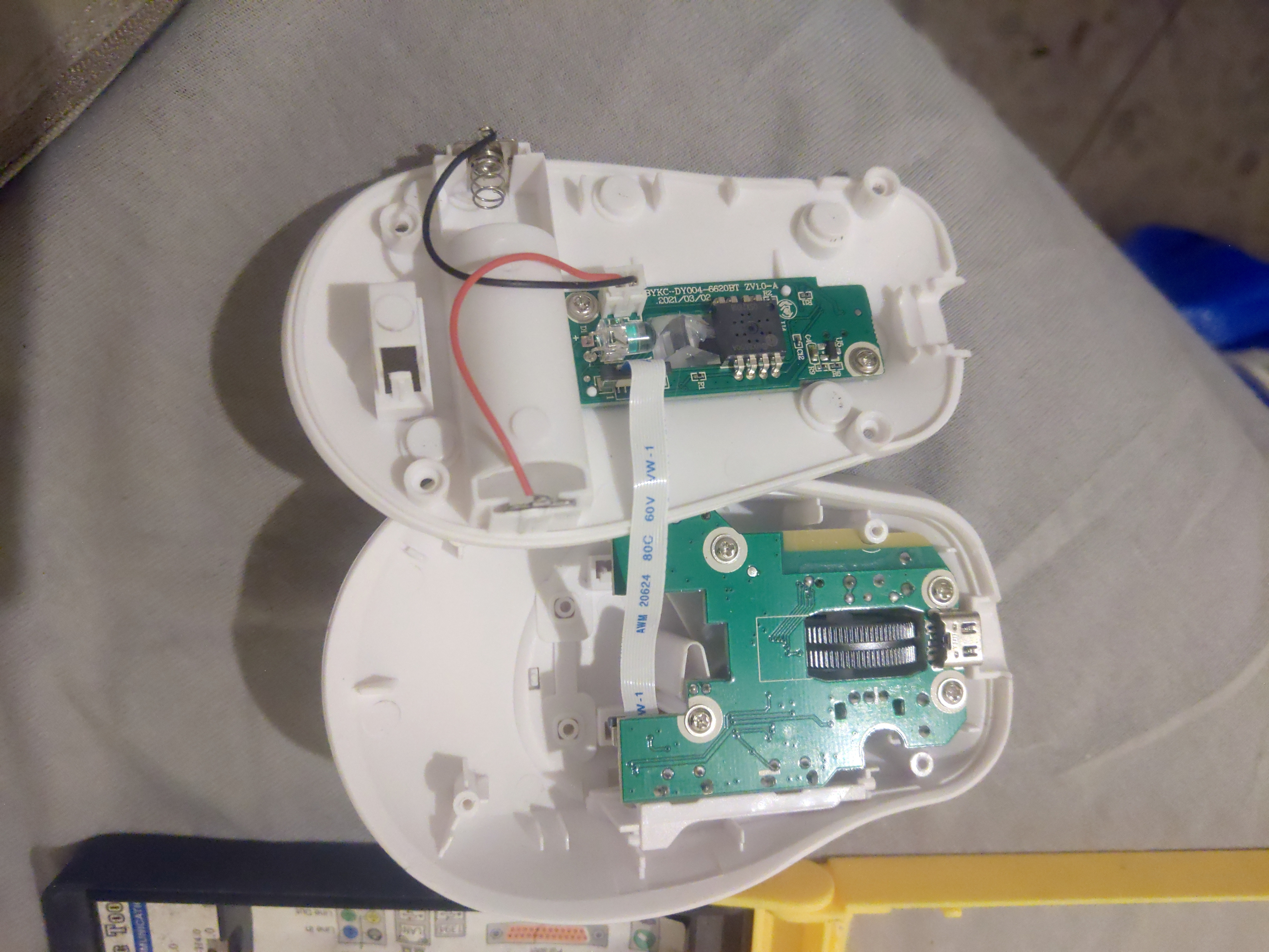
Wait, "a" PCB? Yes, it appears that the Asus has opted for a dual PCB design, and a very simple one at that.
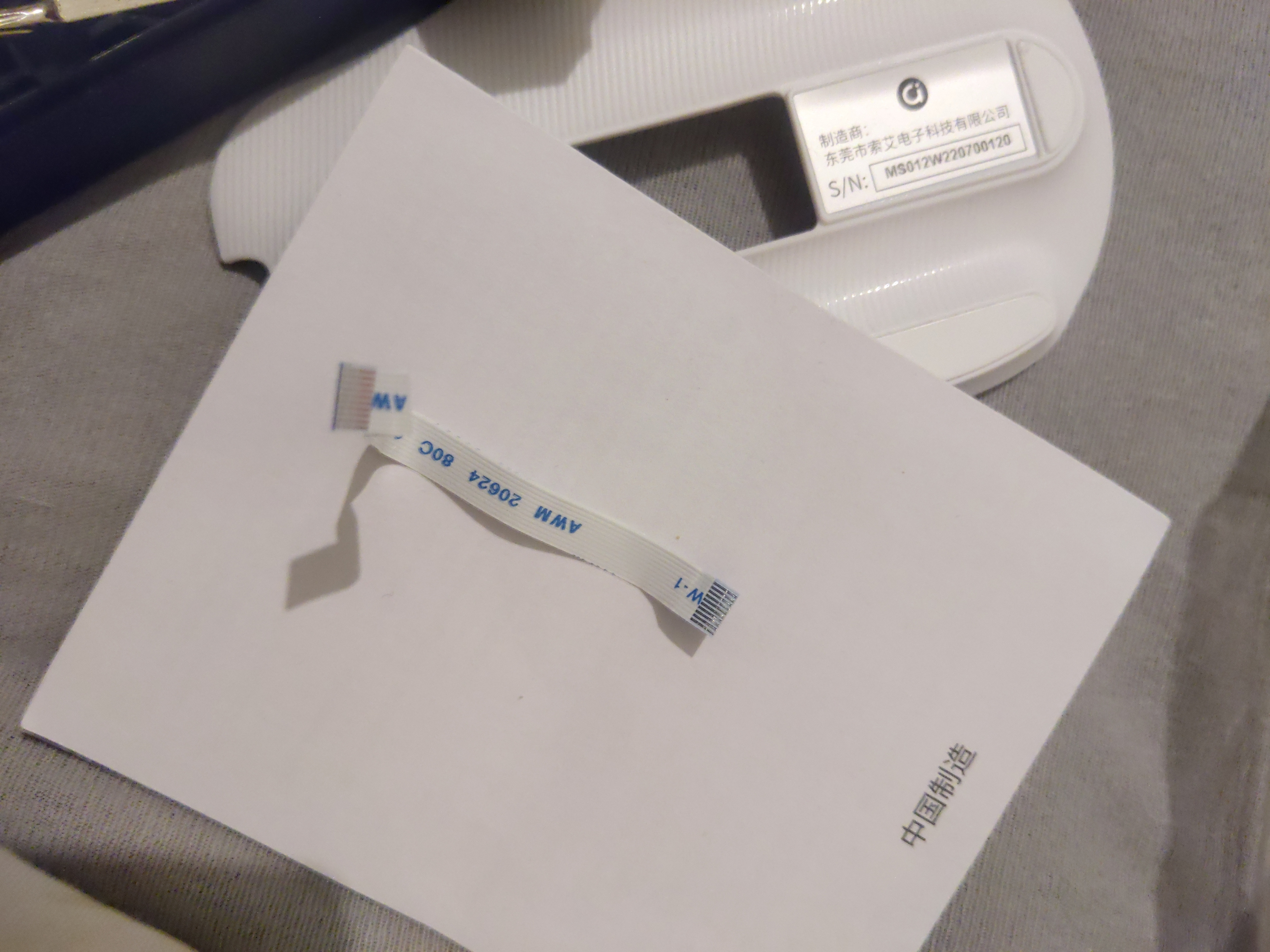
Taking out the screws proved that again, all the internal screws (6 of them, two for the power management PCB, which interestingly has no controller, more on that very soon, and four for the main PCB) are completely identical Phillips screws, which makes for very easy repair, and since these screws are commonly found (I believe that the internal screws are even commonly found with desktop PC cases), that makes it even easier. Also, both the battery contacts and the two PCBs are connected with socketed cables, which is how everything of this kind should be connected.
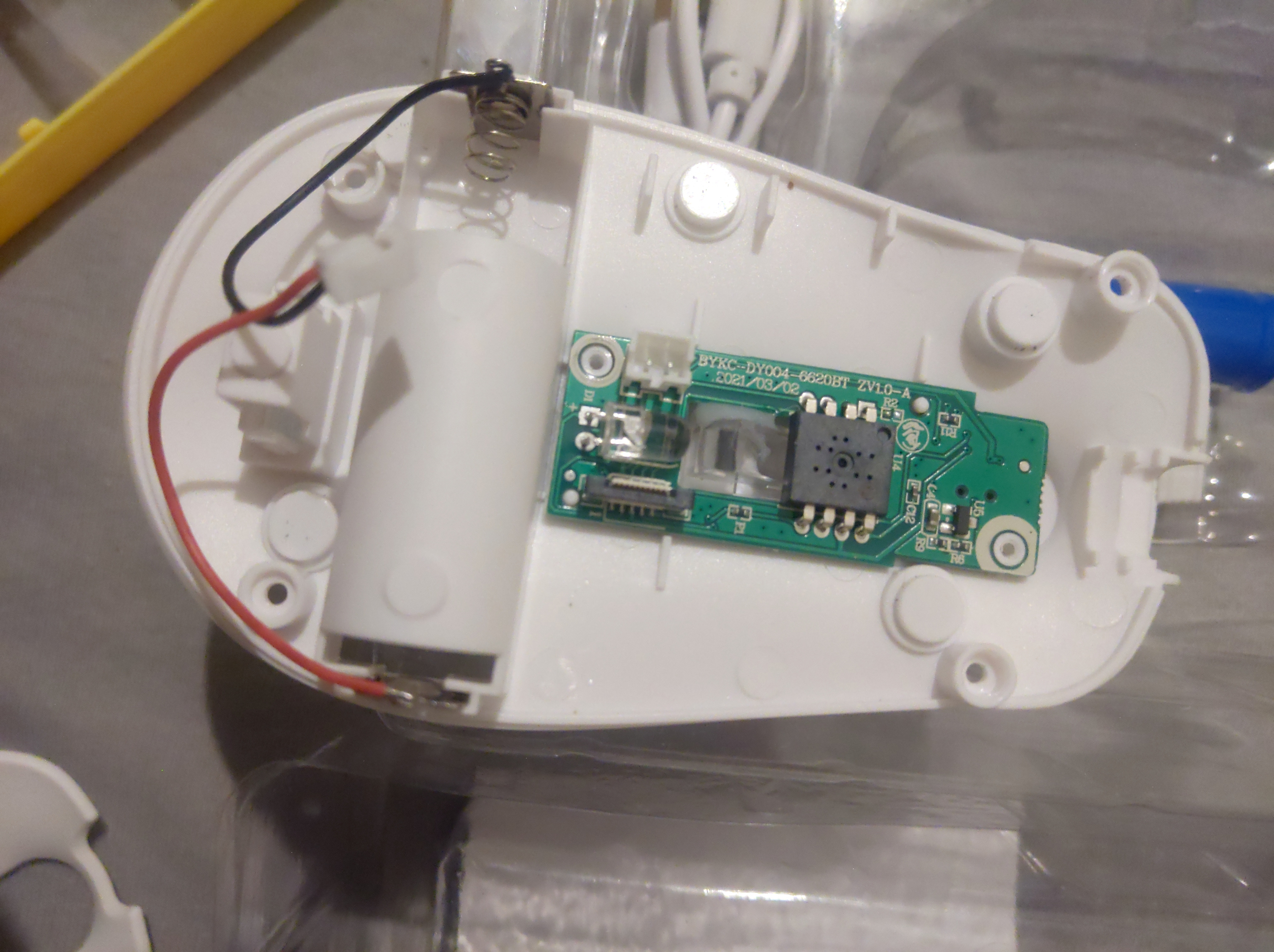
Interestingly, it appears that at the factory one of the screws holding the power management PCB was almost stripped, apparently after gluing the plastic sensor enhancer prism thing (? I'm not sure what it is called), presumably to keep it from moving no matter what (this is a thing that could happen, although it shouldn't since the board is generally screwed down in place). Unfortunately, this also meant that I could not remove the power management PCB from the housing. I was about to give you 10/10 for repairability, Asus, however this drops it to 9/10, which is still respectable, but you can improve.
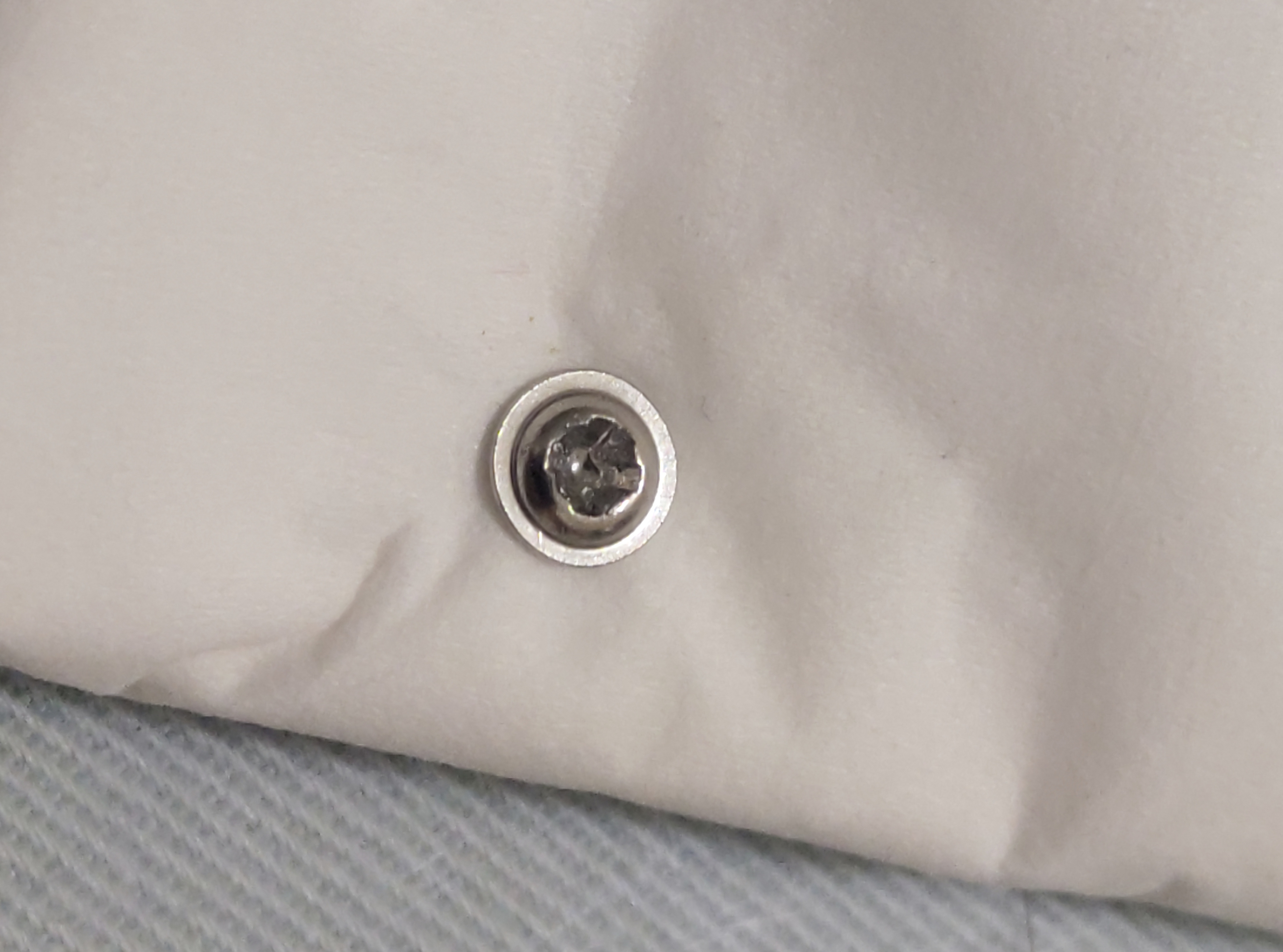
Moving on to the main PCB, here is where things start getting interesting. After removing the 4 screws, I initially had trouble removing the board, since it is also being held by 4 poles, which are so close in width to the dedicated holes in the PCB, that they are literally being hugged by the PCB.
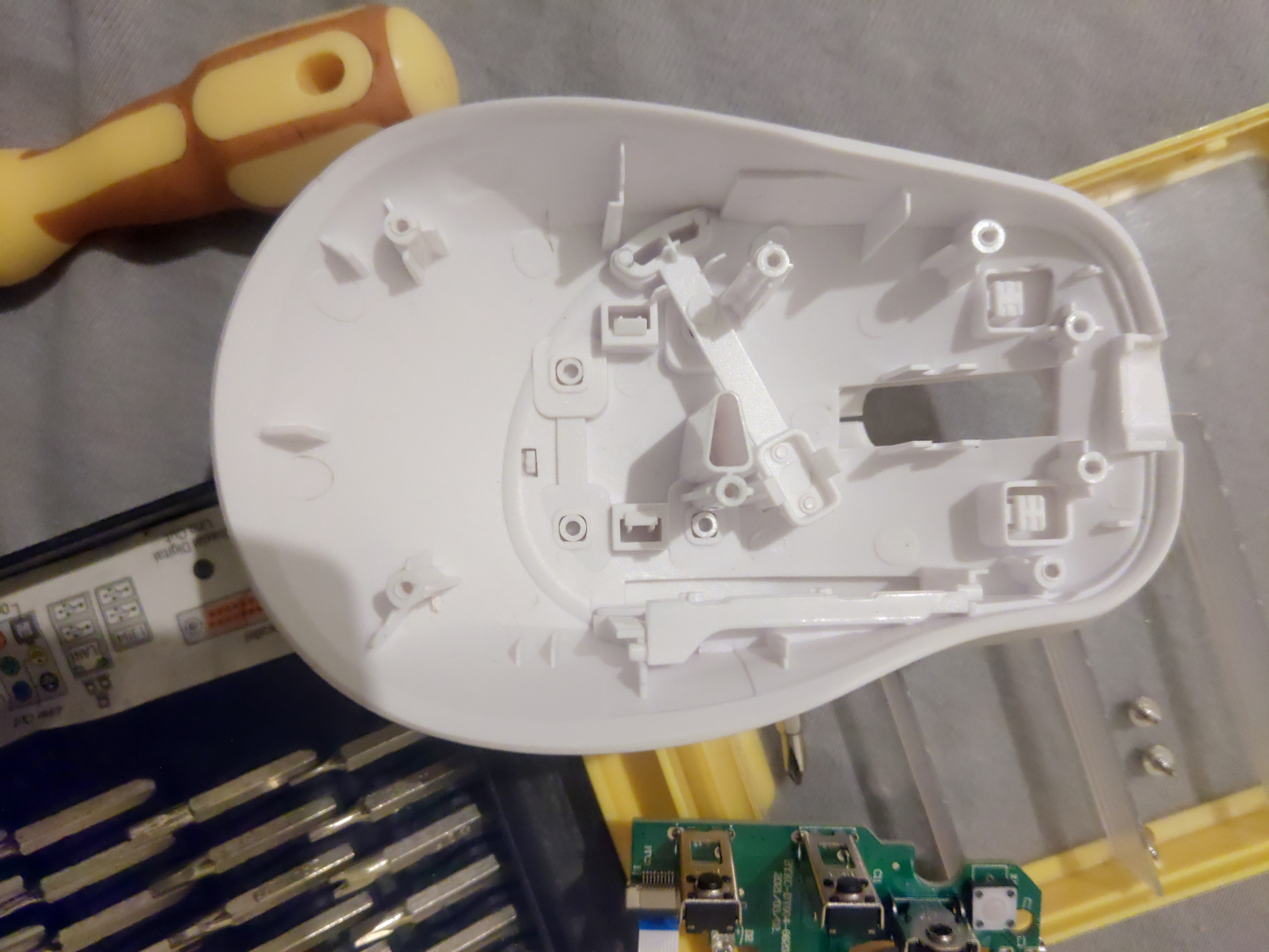
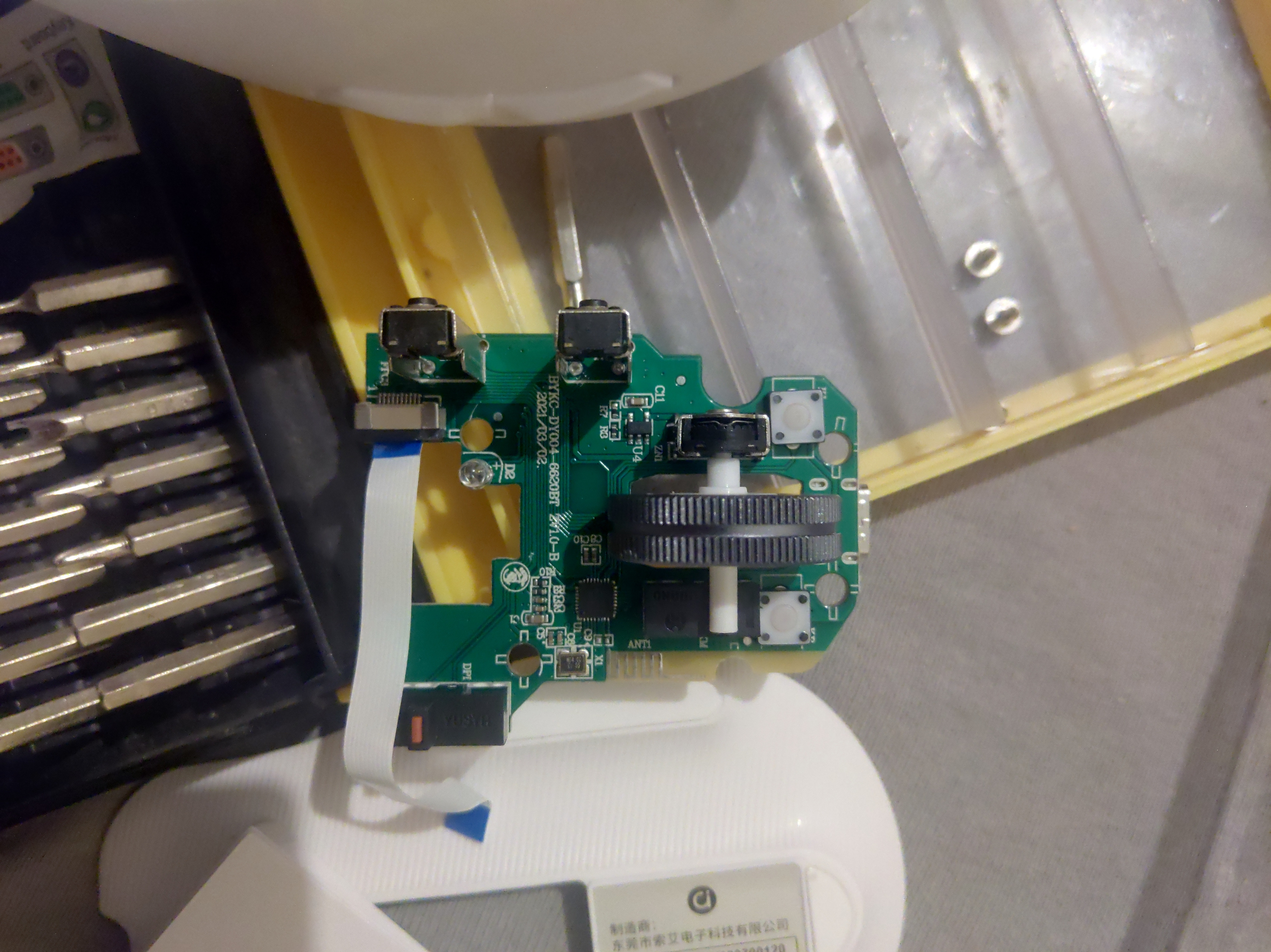
As can be seen, most of the buttons are connected as you would expect. Plastic buttons push on internal switches, with the side buttons at 90°. The DPI button, interestingly pushes down on a plastic lever, which in turn presses upon the corresponding switch. Interesting.
Also, it appears that the scroll wheel is actually made of metal, like on the Logitech MX Master 3⁽²²⁾ and 3S⁽²³⁾
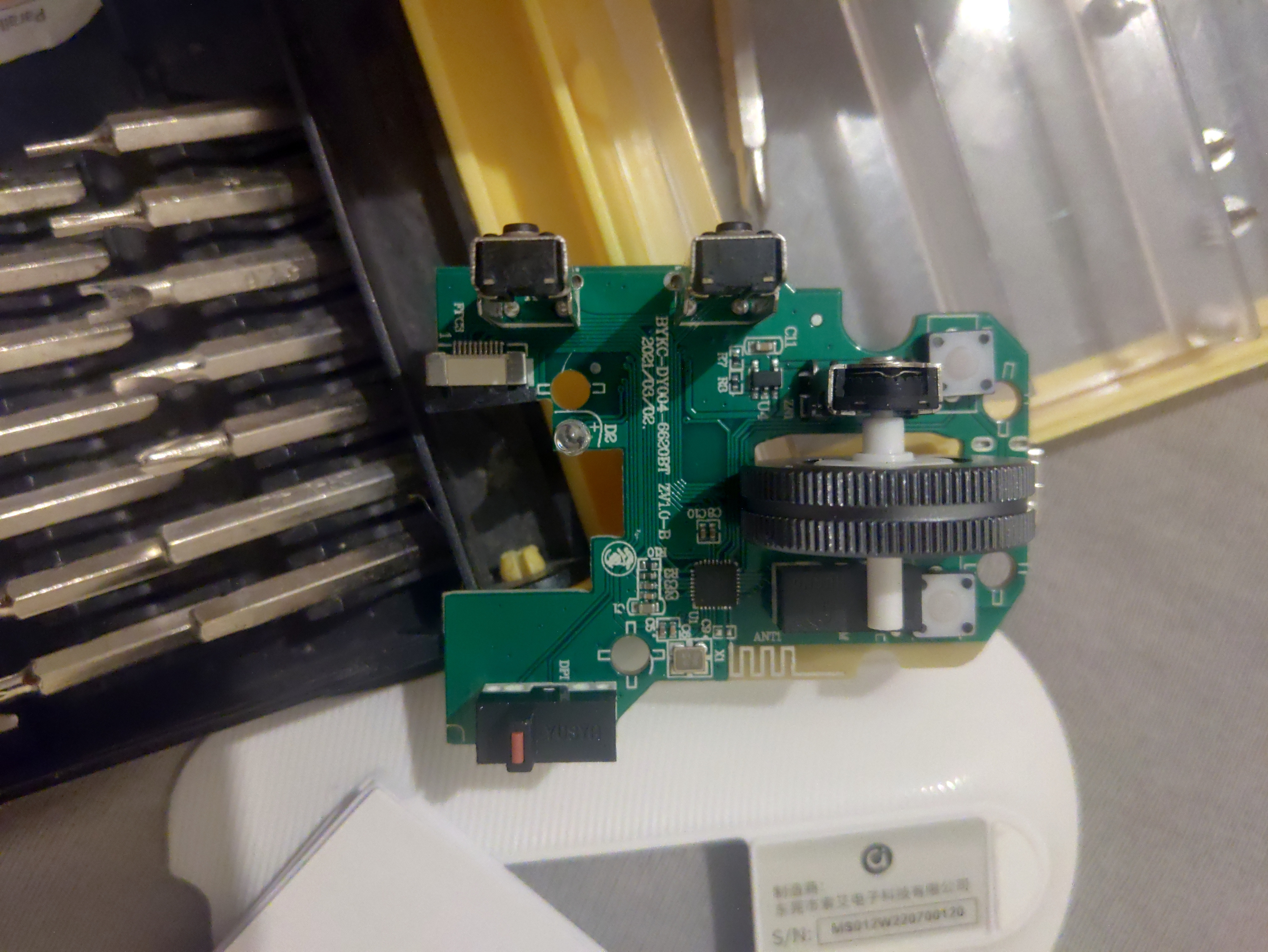
And now for the actual brains. Just one chip. That is correct. Just one chip.
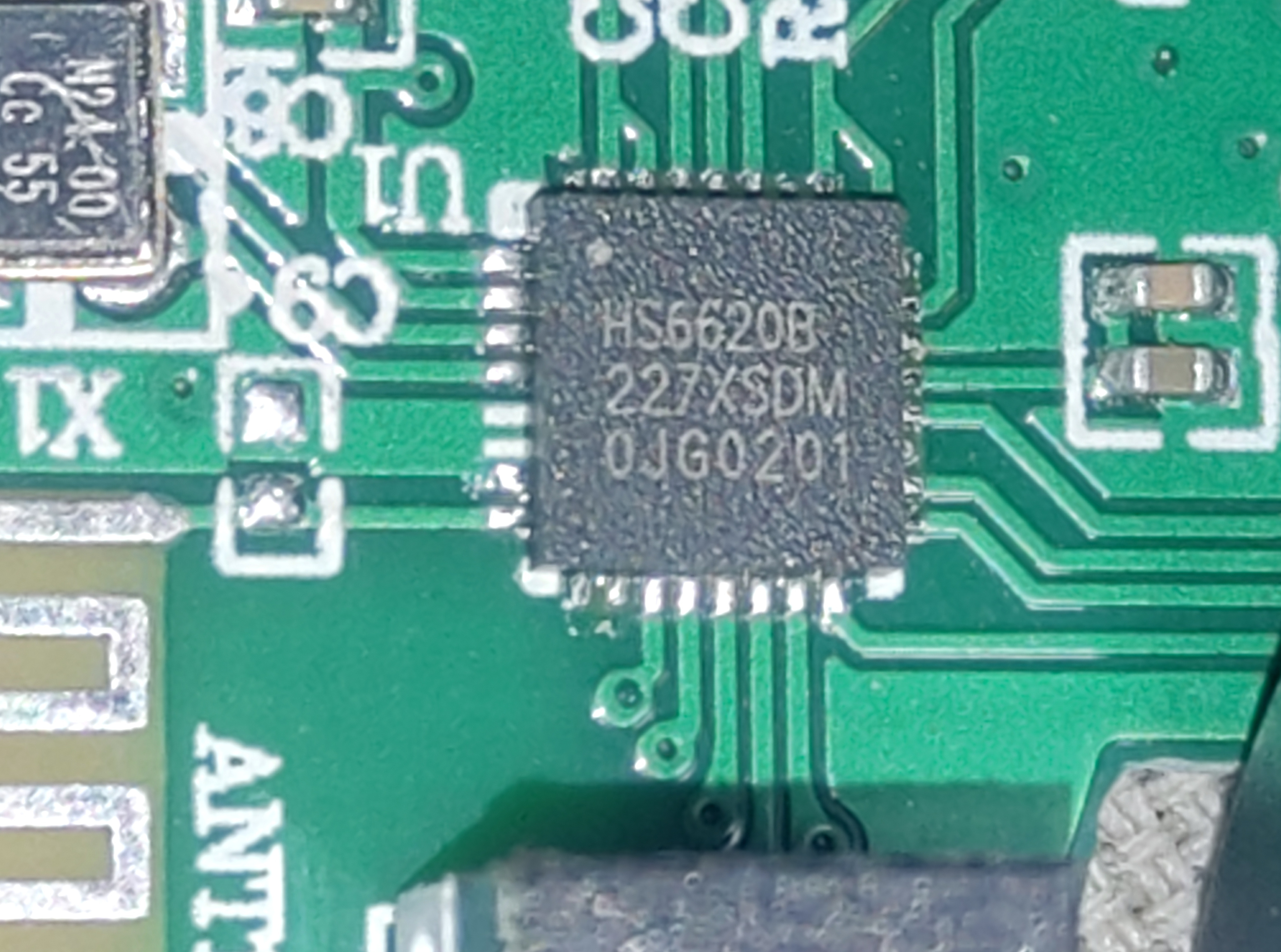
Meet, the HunterSun HS6620B⁽²⁴⁾, a complete SoC with support for both Bluetooth LE and standard 2.4Ghz wireless. This chip, which dates back to at least March of 2018, has an Arm Cortex M3 clocked at 48Mhz, with SWD connectivity (which can probably be utilized via any of it's GPIO contacts, since I could not find any discrete contact points for UART or SWD on the board, and the datasheet mentions that the GPIO contacts can be reconfigured to whatever is desired), 128KB of SRAM, 256KB of ROM storage and an entire Megabyte of SFLASH storage.
Not only that, but it also includes an integrated power manager for charging a battery (which can charge at up to 100mA at 5V, which makes the choice for 10mA charging odd, since this is far below the specifications of even the original USB maximum power output) with CC/CV charging termination.
Regarding the sleep modes, this pretty much confirms what Asus wrote in the manual.
Searching online, it appears that this SoC is commonly found in budget smartwatches and fitness bands and has already been reverse engineered⁽²⁵⁾, so this could have potential in the hands of any enthusiast hackers (I should mention this over at HackADay). Custom firmware anyone?
Back to the specs, HunterSun claimed 3 years ago that it supports Bluetooth 4.2, and given that Bluetooth is software-defined, and electrically has not changed much over the years, there is nothing stopping someone with the nohow to add support for even version 5.3, which is why I am not too worried about the supposed Bluetooth 5.1 support claim, as it is both plausible and falls in line with the competition.
Also, this SoC officially supports being used for keyboards.
So on a finishing note, I shall share some more pictures that failed to be included within the article:
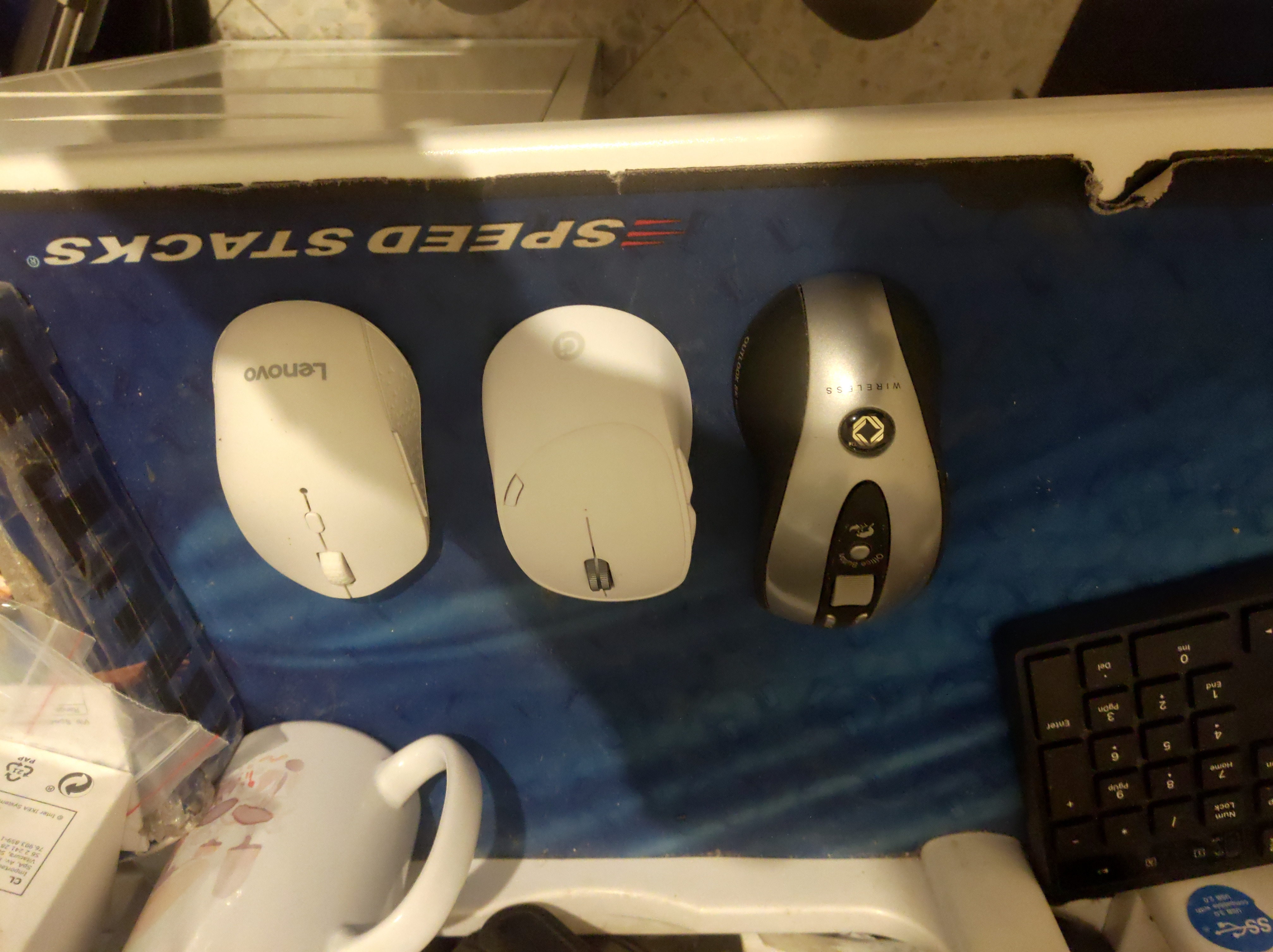
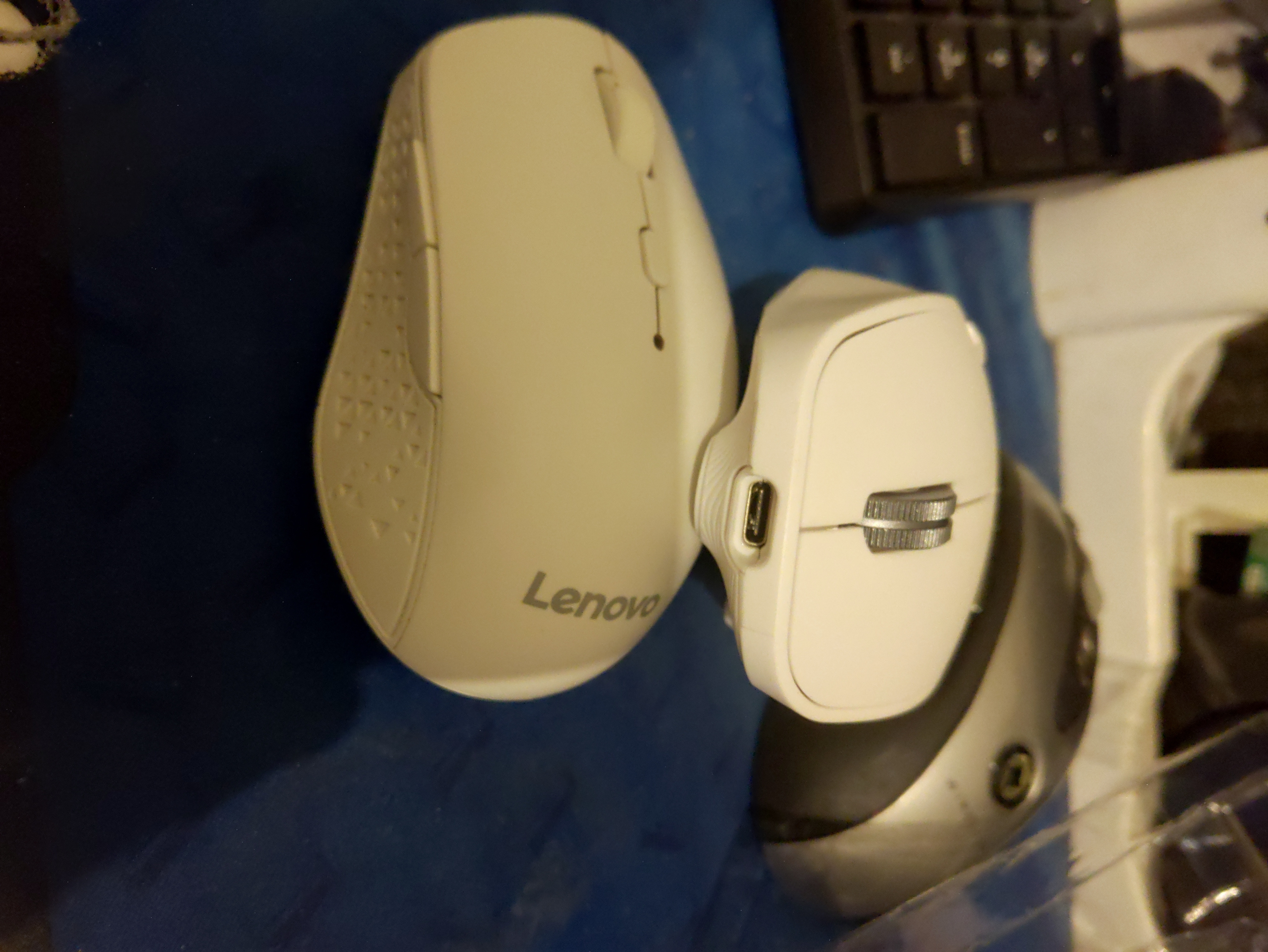
A size comparison between the Lenovo Howard (my current daily driver with my laptop), my Asus MS012 and my A4Tech RBW-5 (rebranded for Corporate Express as the CEG31548) (seriously, there is nothing on the market with a wheel like on A4Tech's defunct Big Wheel lineup, which is a huge shame).
An update to my archived BLF link: Just how desperate are they? Not only have all search results disappeared, but they even went out of their way to get the archived link removed from the Internet Archive!
Update: Here are the scans of the user manual (separated by language into two files) and warranty pamphlets that come with the mouse:
https://archive.org/details/Asus-Adol-MS012-Papers
Resources:
⁽¹⁾ https://en.wikipedia.org/wiki/Russian_roulette
⁽³⁾ https://www.thinkpad.com/device/109
⁽⁴⁾ https://vip.lenovo.com.cn/Campaign/ProductDetails/22981
⁽⁵⁾ https://post.smzdm.com/p/apzk8g89/
⁽⁶⁾ https://club.lenovo.com.cn/thread-7862697-1-1.html
⁽⁷⁾ https://club.lenovo.com.cn/thread-5854100-1-1.html
⁽⁸⁾ https://ujoy.net/topics/6506166
⁽¹⁰⁾ https://www.bilibili.com/video/BV1Uh411n7p2/
⁽¹¹⁾ https://www.bilibili.com/video/BV1Yq4y1P7o2/
⁽¹²⁾ https://www.bilibili.com/video/BV1AL4y1G7xy/
⁽¹³⁾ https://youtu.be/PQhPOe_z5qw
⁽¹⁴⁾ https://reddit.com/r/AAMasterRace/comments/z3o0x7/wireless_mouse_with_removable_aa_battery/
⁽¹⁵⁾ https://www.bilibili.com/read/cv6000535
⁽¹⁶⁾ ~4.33(L) * ~2.76(W) * ~1.65(H) ± ~0.01 Inches
⁽¹⁷⁾ ~3.65 Ounces
⁽¹⁸⁾ https://web.archive.org/web/20111130053057/http://a4tech.com/product.asp?cid=142&scid=5&id=237
⁽¹⁹⁾ https://github.com/darkhz/bluetuith
⁽²⁰⁾ https://learn.microsoft.com/en-us/windows-hardware/design/component-guidelines/bluetooth-swift-pair
⁽²¹⁾ https://en.wikipedia.org/wiki/Bluetooth_Low_Energy
⁽²²⁾ https://support.logi.com/hc/en-us/articles/360035271133-Getting-Started-MX-Master-3
⁽²³⁾ https://support.logi.com/hc/en-us/articles/5218056588311-Getting-Started-MX-Master-3S
⁽²⁴⁾ https://raw.githubusercontent.com/fbiego/dt78/master/datasheets/HS6620D_data_sheet_V3.0.pdf