Arcane ROB RUN — features, prices and requirements
ROB RUNArcane for ROB RUN combines an aimbot with player, NPC, vehicle, camera and item ESP. Configure the radar, off-screen indicators, recoil settings and Battle Mode, then save your settings in profiles.
Checkout · Requirements · Features · Media
Plans and checkout
Select your subscription term in checkout.
System requirements
- CPU: Intel / AMD
- GPU: All
- Operating system: Windows 10 / Windows 11
- Display mode: Windowed / borderless
- Client: Steam
- Launcher: Steam
- Spoofer: Not included
- USB drive: No
Screenshots and video
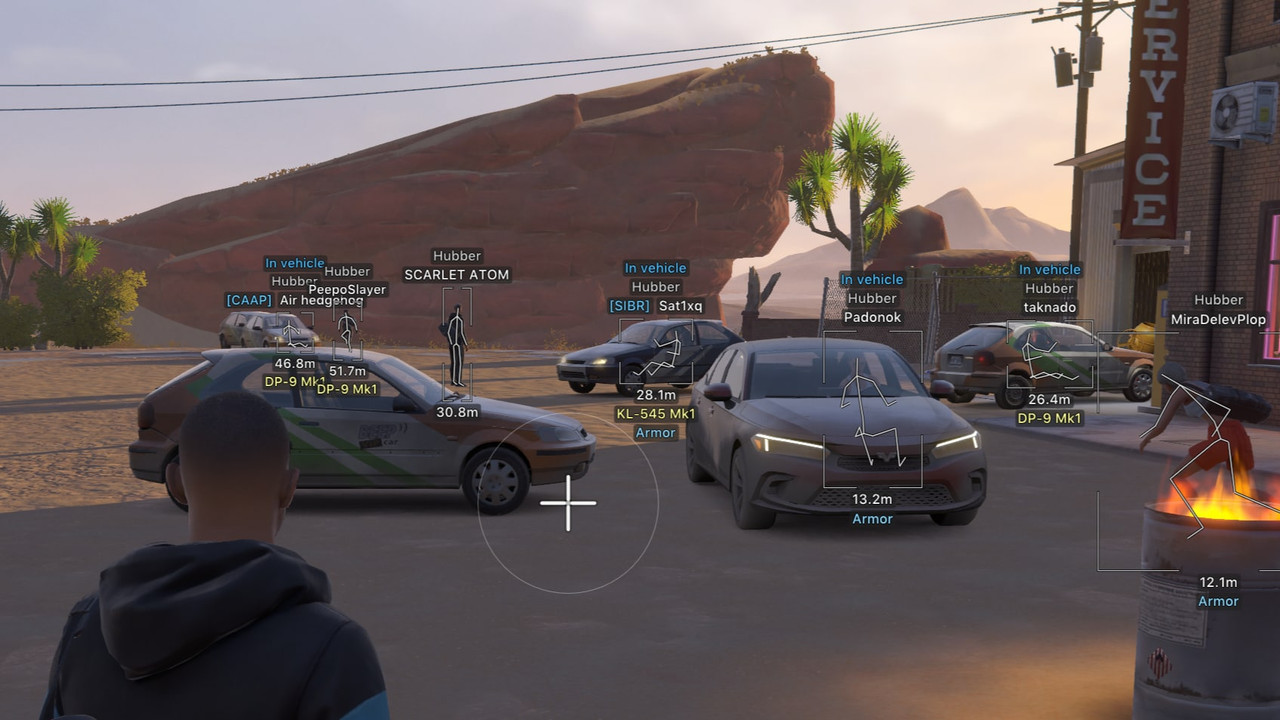
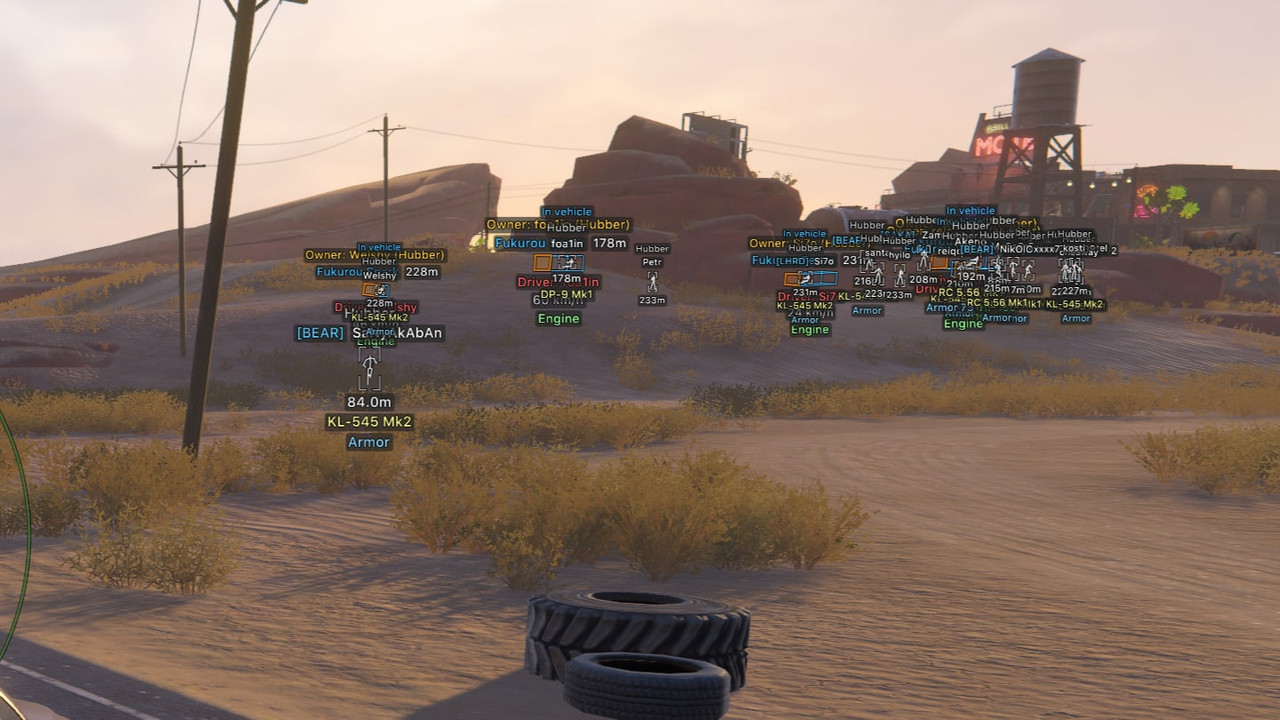
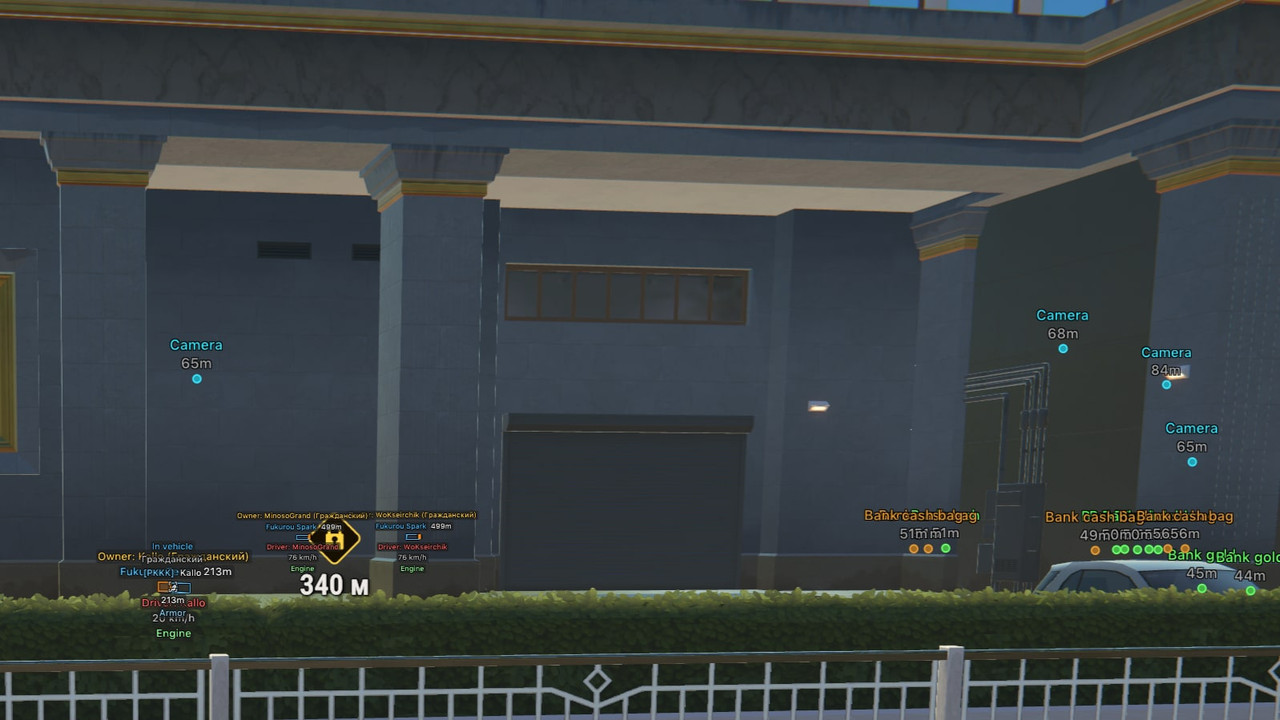
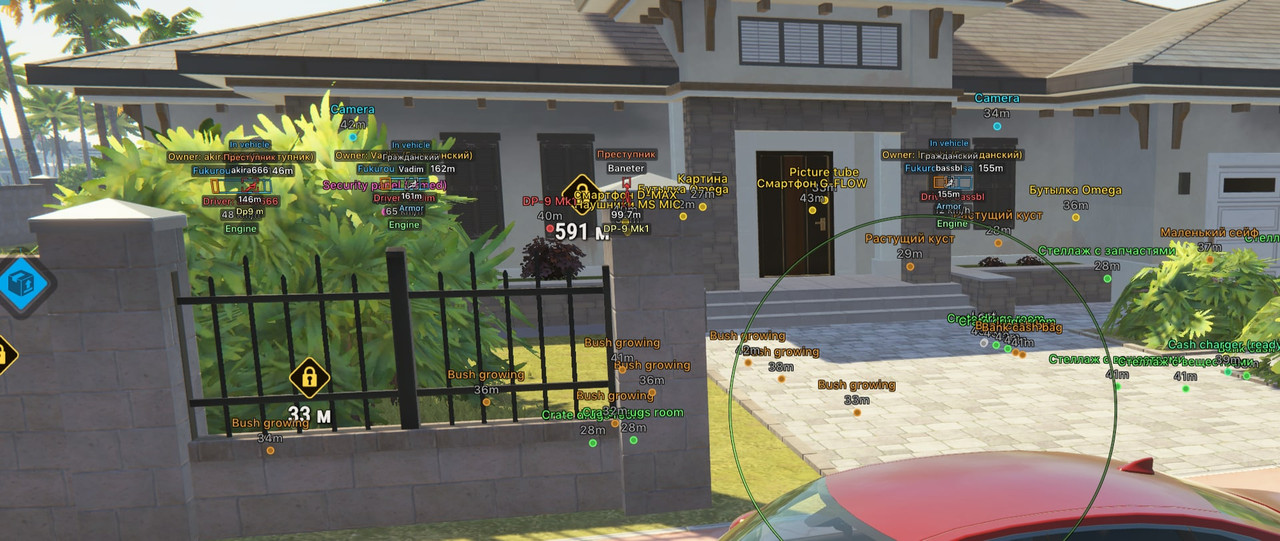
Full feature list
Aimbot
- Weapon profiles: Global, Pistol, Automatic and Other; enable, activation key, force aim key, scoped aiming, target lock and Shift to head
- Maximum distance, target switch delay, humanization strength; ignore dead, knocked or vehicle occupants; select cops, robbers, civilians and NPCs
- Selected or closest bones: head, neck, body, pelvis; hold or always-on activation
- Adaptive FOV, border thickness and background, locked-target indicator, FOV size and smoothing
- Silent Aimbot, spread compensation for Silent, and server hitboxes for Silent
- Hide the aim FOV circle in Battle mode
Triggerbot
- Triggerbot tab: fires automatically when the crosshair is on a target
- Separate settings for Global, Pistol, Automatic and Other weapons
- Activation key and activation mode
- Targets: cops, robbers, civilians and teammates
- Hitboxes: head, body and legs
- Reaction delay, click hold duration and hitbox scale
- Visible only, maximum distance, and ignoring dead, knocked, in-vehicle and clan players
Player ESP
- Cops, robbers and civilians; enable, preview, background style and maximum distance
- 2D, 3D, regular or corner boxes, height and width, solid or gradient fill; skeleton thickness, head circle and distance fading; enemy line color and position
- Hide dead, teammates and knocked players; teammate, knocked and vehicle-occupant box/skeleton colors
- Name, clan tag, role, held item, armor, state, health, vehicle occupancy, distance and ID
- Aiming at you: a blinking tag above a player aiming at you, movable in the ESP preview
NPC ESP
- Enable, preview, background style, maximum distance, hide dead; 2D, 3D, regular or corner boxes; name, state and distance
- Cops call timer: seconds until police arrive while a guard is calling
Vehicle ESP
- Enable, background style, maximum distance, occupied vehicles only, hide owned or current vehicle; 2D, 3D, regular or corner boxes
- Front face and fill, solid or gradient box fill, vehicle line color and position; name, distance, owner, driver, speed and status
- Owners filter: show vehicles belonging to cops, robbers, civilians or no owner; all enabled by default
- The vehicle owner filter also applies to Radar and Game map
Camera ESP
- Enable, maximum distance and distance labels; hide broken cameras; normal, broken and alarm colors; view zone and zone fill
Item ESP
- Enable, maximum distance, distance labels and hide empty; loot and weapon, ammunition, armor and equipment categories
- Switch loot display between categories and rarity, with separate colors and checkboxes for each rarity (Common, Uncommon, Rare, Epic, Legendary, Exotic)
- Hide emptied shelves; partially looted shelves show the number of takes remaining (x2, x3)
Objects ESP
- Loot nodes, cargo, cash chargers and player bags moved from Items ESP to Objects ESP
- Cash nodes, bag contents and vehicle trunks
- Security panel alarm state, doors, safe doors, containers and hide spots
Projectiles ESP
- Dedicated Projectiles tab: grenades, grenade paths and bullet tracers
Radar
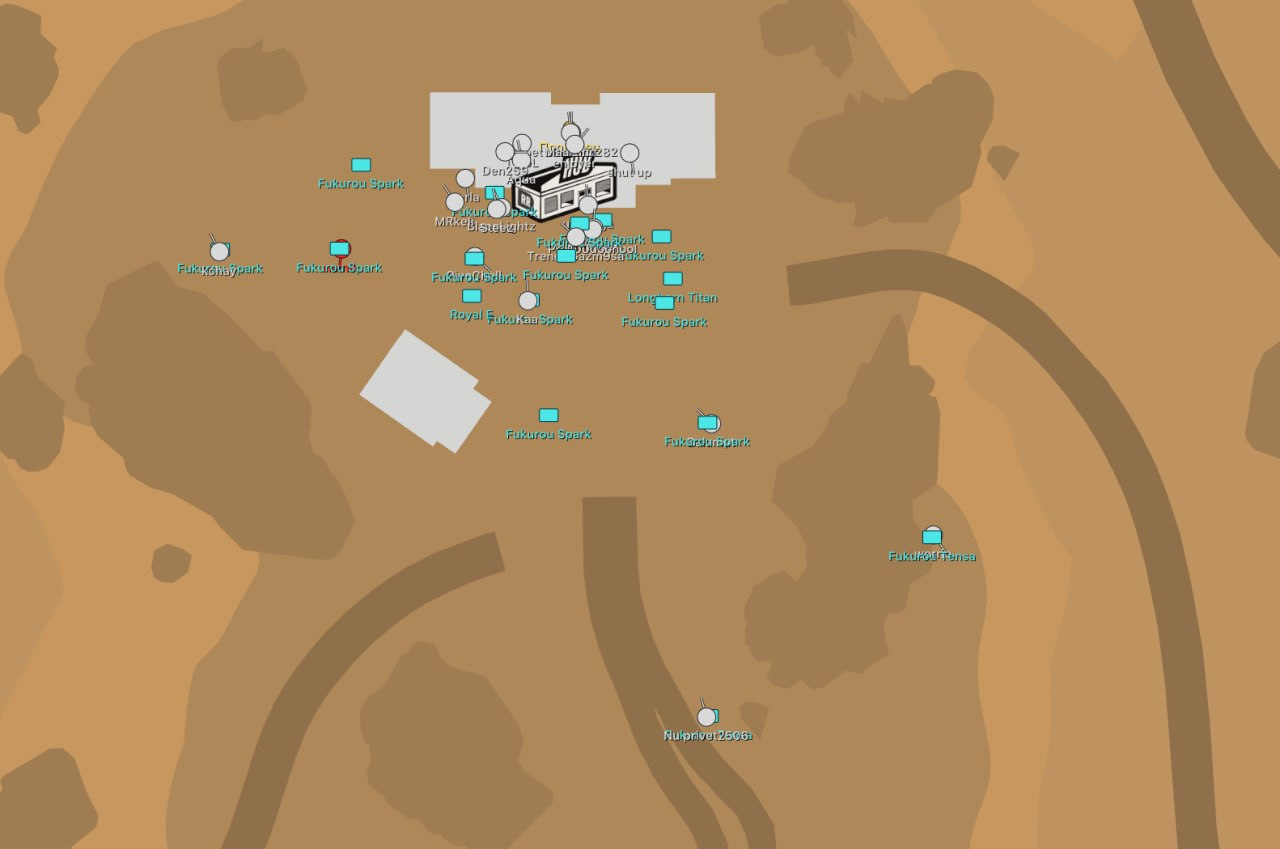
- Enable, distance rings, FOV cone, distance-scaled markers, zoom, size and transparency; cops, robbers, civilians and NPCs; maximum distance and rim markers
Game map
- Game map tab: markers on the game's own minimap
- Markers on the big map (M) follow its zoom and drag
- Show cops, robbers, civilians, NPCs, vehicles and cameras on the game map
- Look direction, names, outline, marker size and markers on the minimap edge
- Teammate color; players aiming at you turn red on the map
HUD
- Dedicated HUD tab
- Police approaching: warning with count, distance and direction arrow
- Aiming at you: warning with the player's name and distance
- Pop-up notifications for approaching police and players aiming at you
- HUD position, offset, scale and background settings
Player list
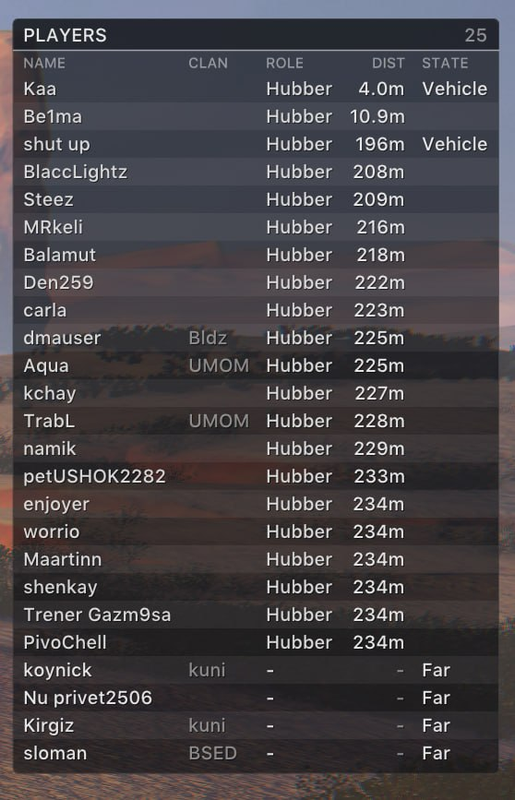
- Table of all players on the server: name, clan, role, distance, held item, state and ID
- Players farther than 220 m are listed by name
- Sort by distance, name or role; set maximum rows and choose columns
- Role colors and red highlighting for players aiming at you
- Drag the table with the mouse while the menu is open
Off-screen indicators
- Enable, range, size and maximum distance
Miscellaneous
- No recoil, no sway and no spread
- No Flash and No Smoke
- Auto pistol: automatic pistol fire while the button is held
Battle mode
- Activation key, indicator, compact information; hide dead, radar, off-screen indicators, cops, robbers, other entities and vehicles
- Hold activation alongside Toggle
- Auto enable when someone aims at you or police approach; automatic deactivation after a configured time
- Skeleton only, visible only and distance limit for players
- Hide knocked players and teammates
- Hide Game map, HUD, Player list, Glow and Aim FOV
Settings
- Menu and unload keys, DPI 100% / 125% / 150%, VSync and FPS limit; Murky or Sunny theme, watermark, one or two columns; English, Russian and Chinese interface
- Menu and watermark open in the corner of the game window on any monitor
Configurations
- Create, load, save, rename and remove configurations
Setup
Help choosing
Feature information: 14 November 2026. This description is not a current operational test. Status and compatibility may change.