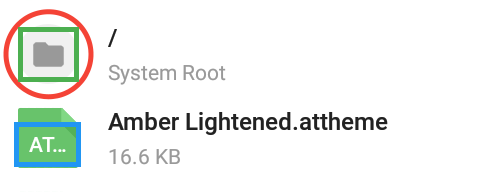
files_folderIconBackground sets the circle background below the folder icon.
files_iconText sets the file icon extension text.
The red area shows “files_folderIconBackground”, the green area shows “files_folderIcon”, and the blue area shows ”files_iconText”
Location
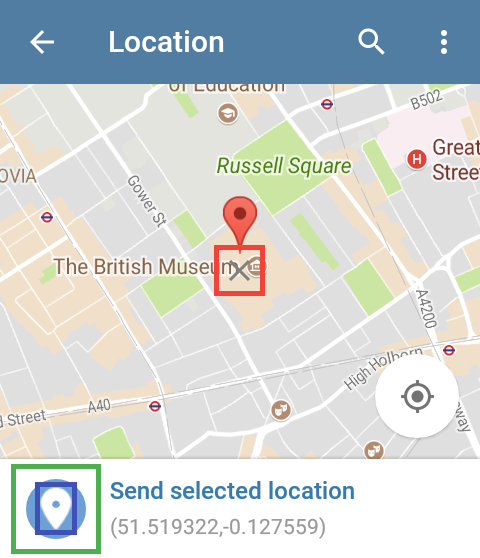
location_markerX sets the color of the × below the red location icon when you move it across the map.
location_sendLocationBackground sets the background of the button beside the “Send selected/your current location”. Important note: you must re-enter the screen to see the actual color of the button if you change the variable with the in-app editor.
location_sendLocationIcon set the icon on the button.
The red area shows “location_markerX”, the green area shows “location_sendLocationBackground”, the blue area shows “location_sendLocationIcon”
Music
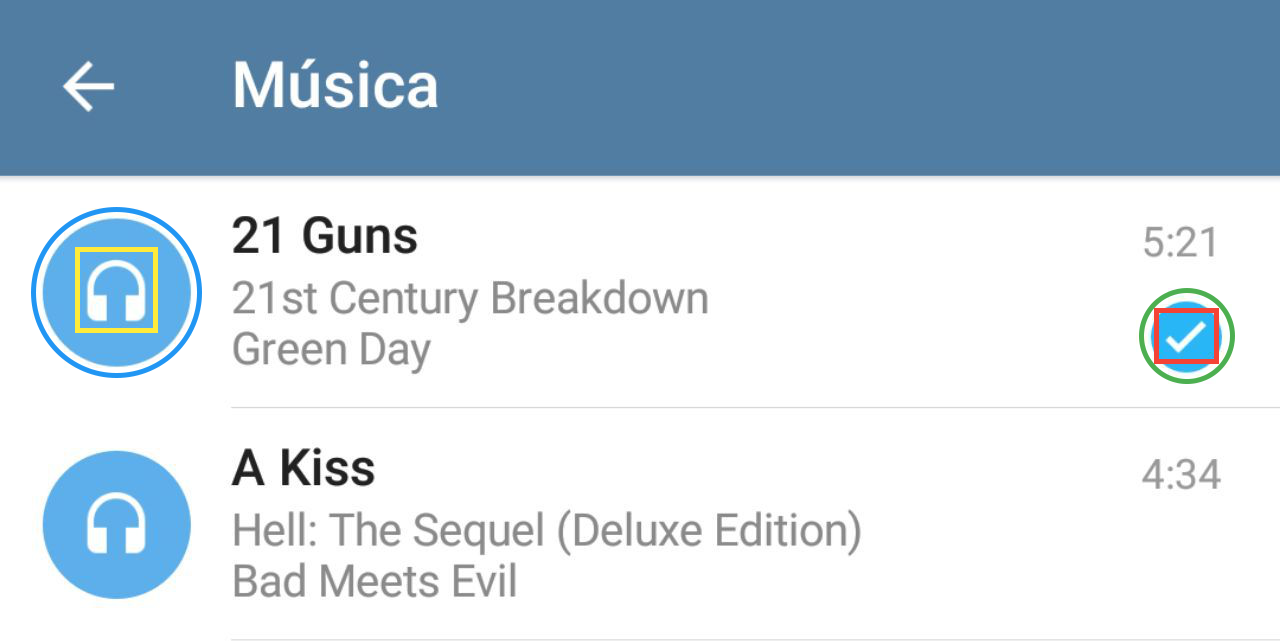
musicPicker_buttonBackground is the background of the icon from your music gallery.
musicPicker_buttonIcon is the icon music inside musicPicker_buttonBackground.
musicPicker_checkbox is the background of the check on the selected music.
musicPicker_checkboxCheck is the check icon inside musicPicker_checkbox.
The blue circle is “musicPicker_buttonBackground”, the yellow area is “musicPicker_buttonIcon”, the green circle is “musicPicker_checkbox” and the red area is “musicPicker_checkboxCheck”
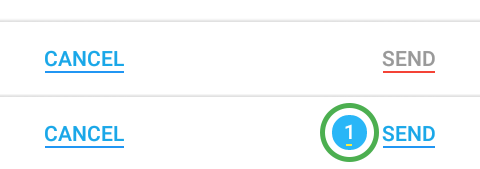
picker_badge is the background of the send counter.
picker_badgeText is the number inside the circle.
picker_disabledButton is the color of the “send” button when you haven't picked anything yet.
picker_enabledButton is the color of the “send” button when you have picked items.
The blue underline is “picker_enabledButton”, the red underline is “picker_disabledButton”, the yellow underline is “picker_badgeText” and the green circle is “picker_badge”