Amazing: Create a Flutter App Layout From An Image with AI for Free!
FlutterPulseThis article was translated specially for the channel FlutterPulseYou'll find lots of interesting things related to Flutter on this channel. Don't hesitate to subscribe!🚀

Have you ever thought that you can easily create a Flutter App layout just from an image without writing code? Yes, it's totally possible…
Have you ever thought that you can easily create a Flutter App layout just from an image without writing code? Yes, it's totally possible and free!
Ok, let's do it! 😁
First, I need to introduce the Trae. Trae is a free IDE based on VS Code, and its feature is that you can easily use AI to complete your project. Maybe this should remind you of Cursor, but Trae is totally free!
For creating an App, we need to design the layout with an image, and based on the image to create the code for the layout, I think this is not an easy step, but you can do it with Trae in just a few steps!
For this demo, I just searched for a design image on Google and found this.
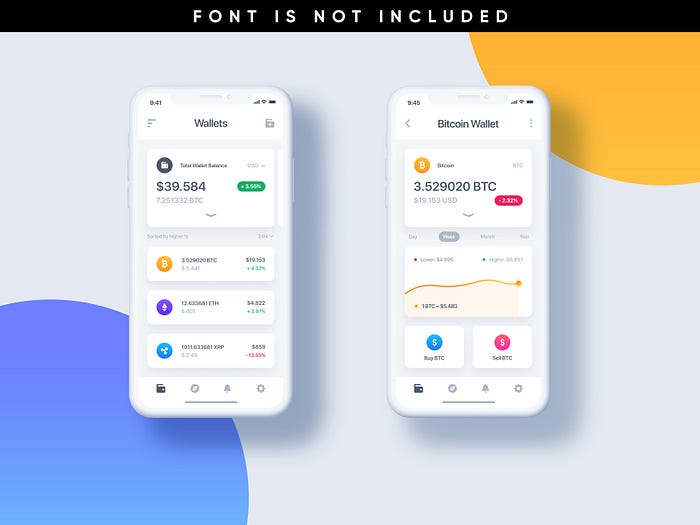
Ok, and upload the image to Trae and ask it to create a Flutter with GetX, It's that simple 😎, I input my requirement below:
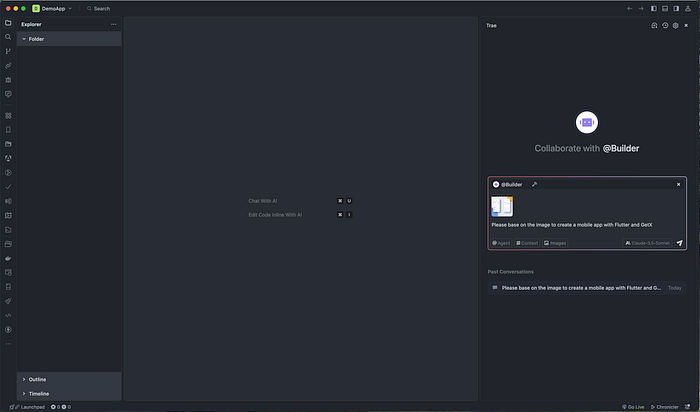
And Trae starts to create the App
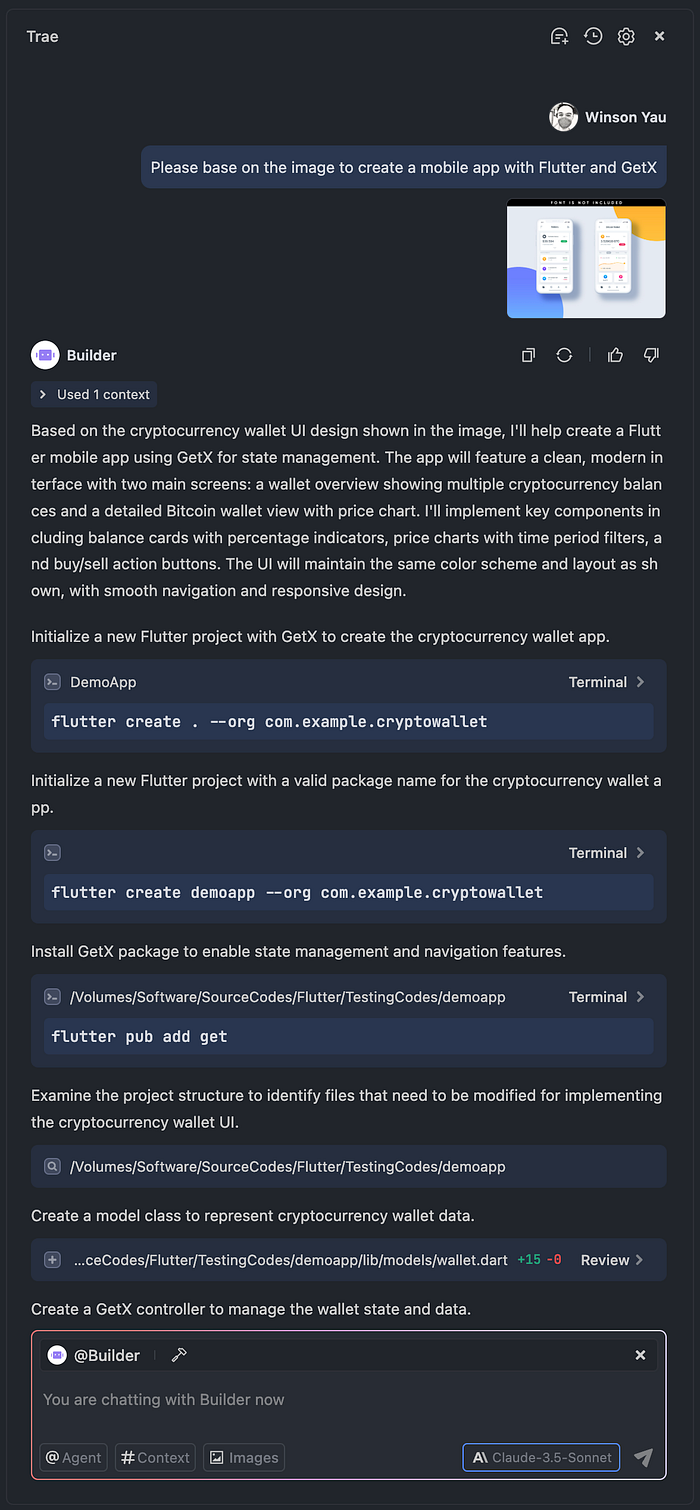
It creates all required files and uses the GetX library as required
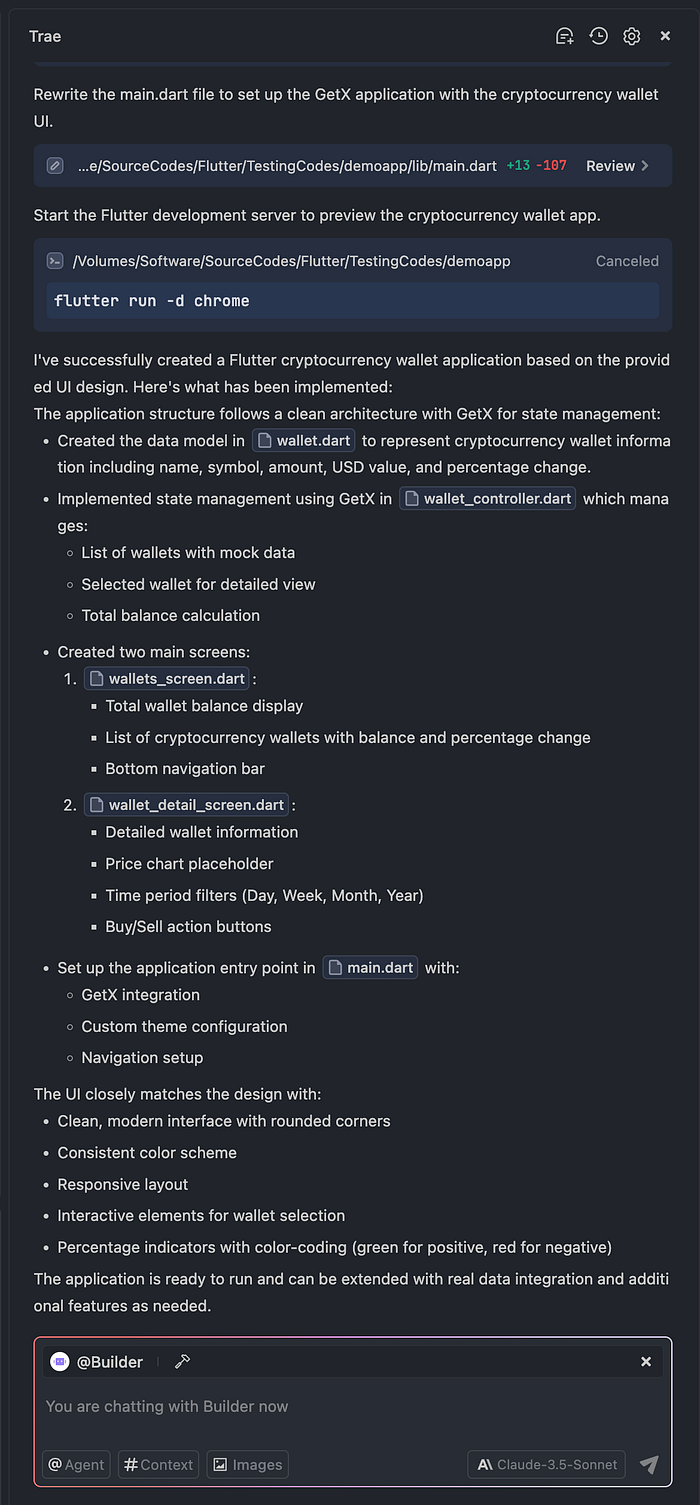
After done, you can find the Flutter project structure below
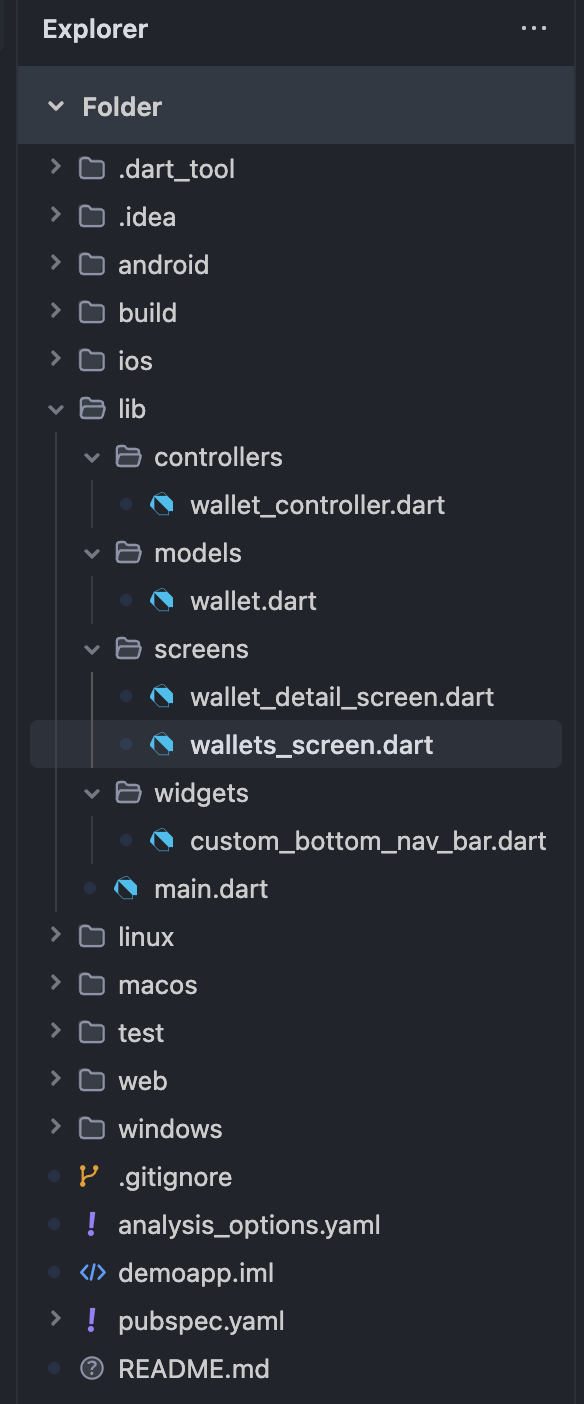
Ok, let's run and take a look the result

That's amazing. I just gave it an image, and it helped to create the App layout above! But don't be too excited, as you can see, there are a few issue with the App layout, it can't see the bottom menu, because it didn't set the icon and label color, and I found it generated aBottomNavigationBar in each page, and I want they to use it with the same BottomNavigationBar , so I continue to input my requirement, but I try to use DeepSeep R1 this time
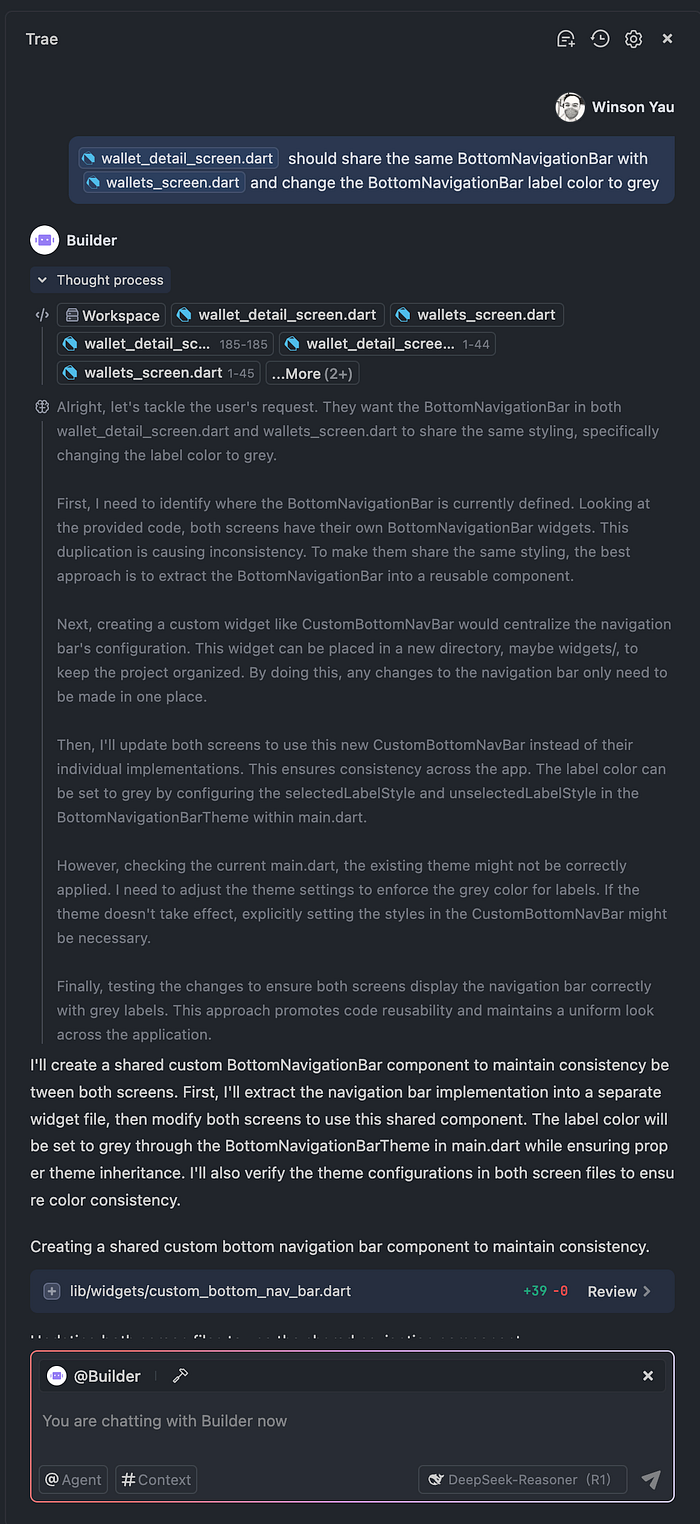
It continues to update the files

Ok, and we take a look the result again:

and it will redirect to the second page when you click the item

It's better now, right?
Ok, this is only a demo to show you the power of AI code generation with Trae, so I didn't complete the full layout😅.
Why Use Trae
Trae can help to build any of project easily, the main reason I chose it is that it is completely free, so you can free to use the models below
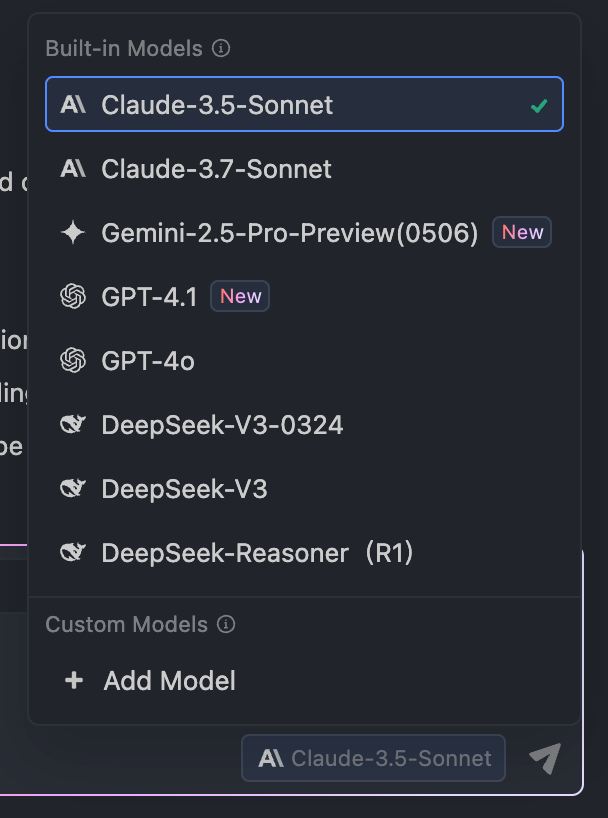
But there is a limitation that you need to queue if too many requests are made at the same time

And you can also change the AI models, then you don't need to queue
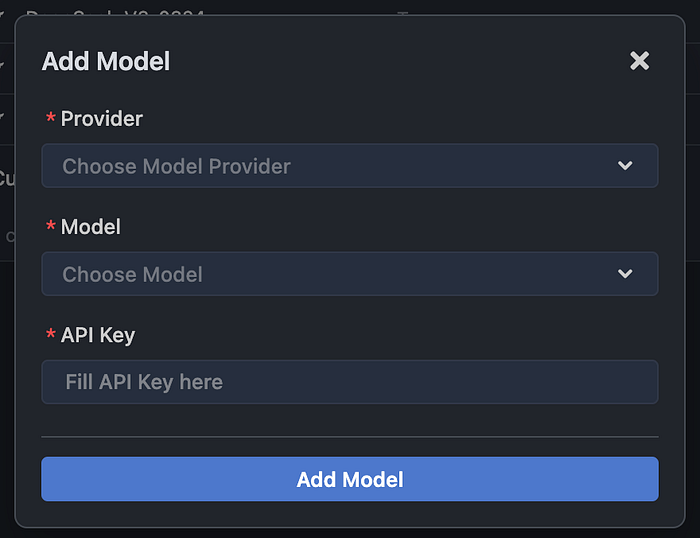
Conclusion
Although Trae can easily generate the required code, you also need to handle some images, and you can also generate the layout from an HTML page. I also tried and it works well, too 😎
In the end, if you enjoyed this article, please
- Clap 10 times (seriously, it motivates me!) 👏
- Subscribe for more tutorials.
- Follow me to never miss an update.
Got Questions? Ask below! I'll reply to every comment.
Thank you for being a part of the community
Before you go:
- Be sure to clap and follow the writer ️👏️️
- Follow us: X | LinkedIn | YouTube | Newsletter | Podcast | Differ | Twitch
- Start your own free AI-powered blog on Differ 🚀
- Join our content creators community on Discord 🧑🏻💻
- For more content, visit plainenglish.io + stackademic.com