Aff1.com affiliate program Statistics page
Aff1.com Support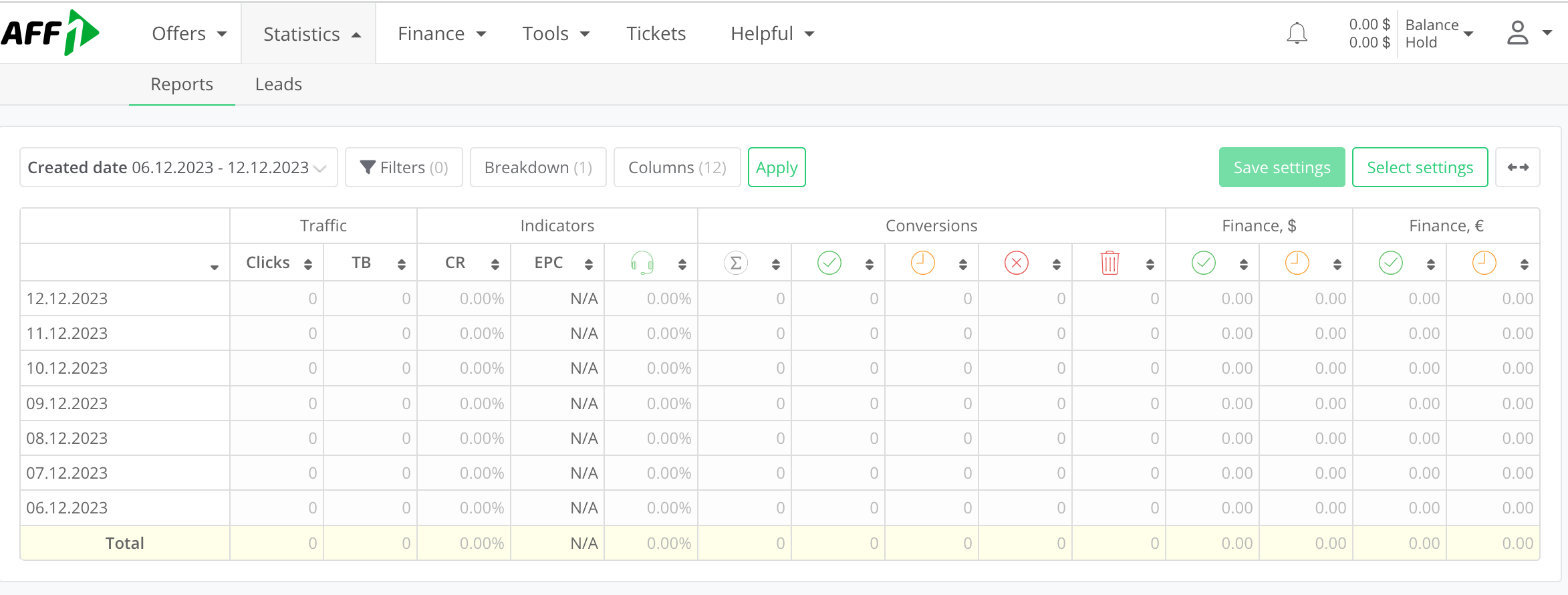
We continue our step-by-step review of the Aff1.com platform. We will introduce you in detail to all the functions so that working with the affiliate network becomes as easy, understandable and convenient as possible. In this article, let`s look at the statistics page.
The Statistics section is located in the main horizontal menu of the Aff1.com website and is always visible in the header of each page.
The Statistics section contains 2 additional tabs:
- Reports
- Leads
Let's look at each of them.
Reports
This is information about the quantity and quality of traffic received by the affiliate network. Monitor these metrics and use them to optimize your campaigns and improve their effectiveness.
For ease of viewing, set the advertising campaign period that interests you (Created date cell).
For additional filters, use the Filters cell:

Here you can set the required streams, offers, GEO and conversion types.
After selecting your options, don't forget to click the green Apply button at the bottom.
The next cell is Breakdown. Set by date, offer, targeting, conversion type and other parameters.
The Columns cell allows you to customize the table view and display only the columns you need.
We have set up an example table with the following columns:
- Traffic: clicks, TB.
- Indicators: CR, EPC, call center.
- Conversions
- Finance in $and €.
The bottom line - Total - shows the total for all dates indicated in the leftmost column.
Here is an example from the Aff1.com buying team (the offer is Prostan capsules).

Leads
This tab shows statistics on leads. All the necessary settings (Filtres) are in front of you:
- ID
- Offers
- GEO
- Status, etc.

Use filters to help you quickly find the information you need.
All data provided by traffic statistics is needed for analysis. The interface of the Aff1.com platform is convenient and visual, so you can compare data for different periods of time and identify trends. For example, you can compare the current month's data with the previous month's data to see how traffic has changed.
You can also compare data from different sources, GEO or devices. This will help you understand which traffic sources are most effective and also determine where your target market is.
Analyzing your traffic statistics should lead to concrete conclusions about how you can improve your campaigns. By analyzing this information, you can improve the effectiveness of your campaigns and increase your income.
By the way, we recently tested this offer and can show the statistical results. There is the article with a detailed description of the test and conclusions from the Aff1.com buying team.
The offers page is one of the key ones for a publisher. We hope that the Aff1.com platform is convenient for you and provides maximum functions for comfortable cooperation and earnings.