Access to Free Brocade Education
Brocade CIS SANText: Brocade CIS SAN Telegram channel
Important: This section of the document details how to register for a Customer Support Portal (CSP) account as of December 2022. In February 2023, updates to the CSP will be taking place. No changes are required for existing CSP users, you’ll simply have a better user interface with personalized dashboards for easier navigation. With the improved CSP, the registration process for new users will be greatly streamlined. Also, note that in February a new video will be made available detailing the updated CSP and registration process.
Accessing Brocade education requires a one-time registration via the Customer Support Portal (CSP). Once registered, users with an Enterprise Profile immediately have access to the following areas:
• Education – no charge education
• Licensing Portal – utilized to transact transaction keys to generate licenses
• SAN Health Reports – access to generated SAN Health Reports
The above Enterprise Profile is for customers who do not have Brocade direct support of their products. This access level, which does not require you to enter in product serial numbers, does not allow you to download FOS or SANnav, open support cases, or access BSL.
For customers who have Brocade direct support of their products, beyond the Enterprise Profile, there is also a Customer Profile which includes the following additional capabilities:
• Downloading & Documentation – access to Brocade FOS, SANnav, and software documentation including advisories
• Case Management System – open, update, track progress, and resolve cases
• Brocade Support Link – to access BSL
Note: The updated CSP, debuting in February 2023, has been greatly enhanced for Brocade direct-support customers. The updated CSP amongst other things, will make it much easier to download FOS, open and track cases, and to monitor your support entitlements.
Registering an Account
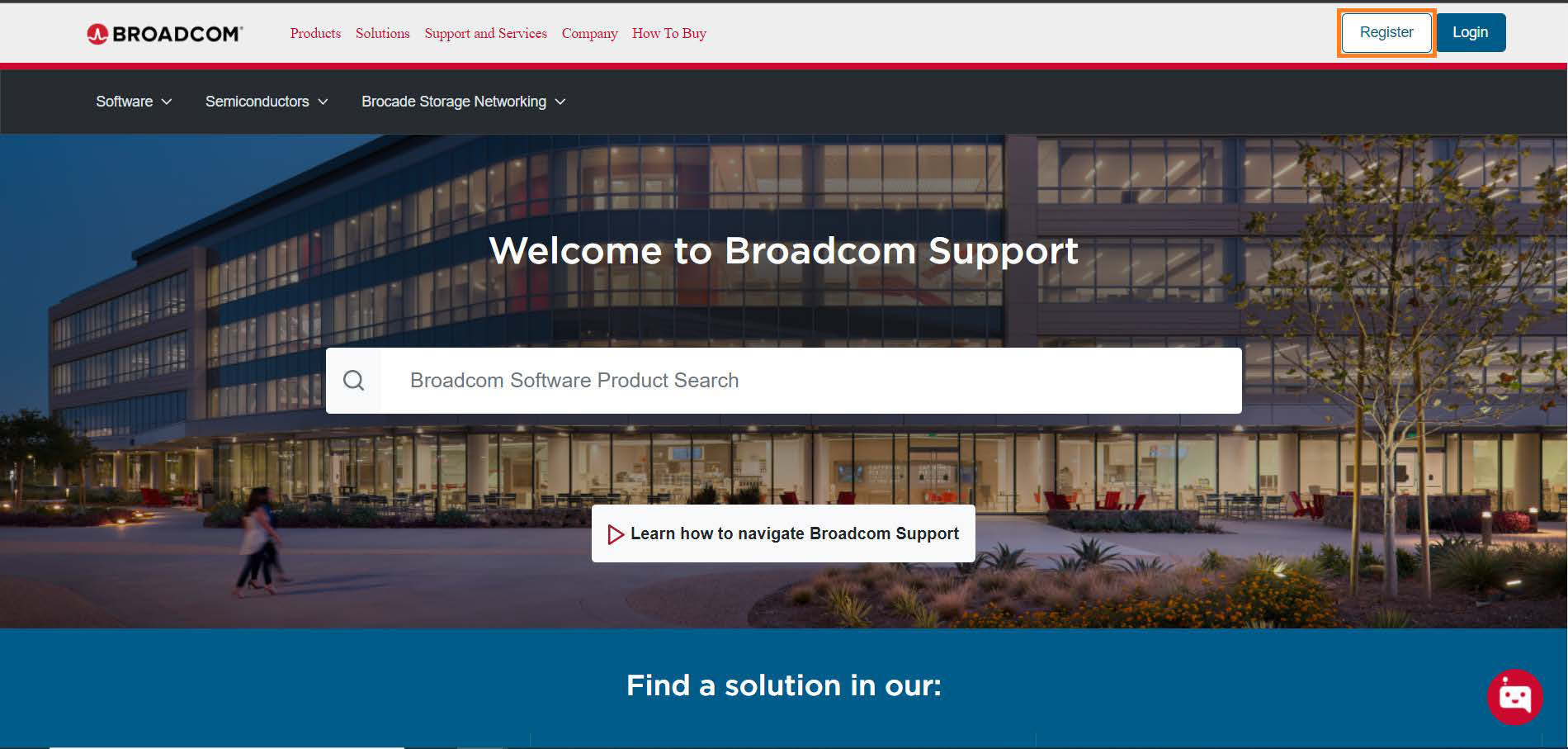
The Brocade Registration User Guide https://docs.broadcom.com/docs/12398566 contains detailed instructions on how to register a new account. If you’d prefer, the following is link to a six-minute video stepping you through the registration process:
https://www.youtube.com/watch?v=2orhiiagTcA
To register for a new account:
• Navigate to www.broadcom.com and from the top left-hand side of screen, select Login and then Register
• You’ll be prompted to Create an Account by entering your email address and text from a displayed image – then select Next
• Note: Your email address must be a valid corporate email address – email accounts with public domains such as Gmail, Hotmail, and yahoo will not be accepted
• You will then receive an email from customer support at broadcom.com containing a verification code
• Enter the verification code and then select Verify. Upon verification, you’ll be prompted for your first name, last name, country, and then a password. Upon selecting Create Account, your myBroadcom account will be created
• Upgrade your account by building out a profile. To do this, at the bottom of the screen, select Yes, I want to build my profile
• Then select Brocade Storage Networking to expand the selection
• For customers:
• With Brocade direct support to get Customer Profile access:
• Under the Serial Number dialog box, enter in the serial number of one of your entitled/supported switching products and then select Verify
• You can obtain the serial number(s) from SANnav->Inventory->Switches or by issuing the wwn -sn CLI command which will display the switch WWN and serial number – you could also use the switch chassisshow command output as well
• This level of access provides:
• Education
• Licensing Portal
• SAN Health Reports
• Brocade FOS & SANnav downloads and software documentation
• Case Management (to open, update, track progress)
• Brocade Support Link
• With OEM support to get Enterprise Profile access:
• Under the Serial Number dialog box, enter in 123 as the serial number, but, do not select Verify to verify it
• This level of access provides:
• Education
• Licensing Portal
• SAN Health Reports
• Enter in the remaining information such as your company, phone number, and address, and then select Submit
• Verify the information is correct and then select Confirm and Continue
• You have now created your account and are ready to go, you’ll receive an emailing confirming your account upgrade!
• Login by entering your username (the email you used to sign up) and password and by selecting Sign In
• The first time you login you’ll have to set up at least one form of multifactor authentication such as Okta Verify, SMS, Symantec VIP, or email authentication
Education Area of the Customer Support Portal (CSP)
The following is a direct link to the Brocade education landing page: https://www.broadcom.com/brocade-education.
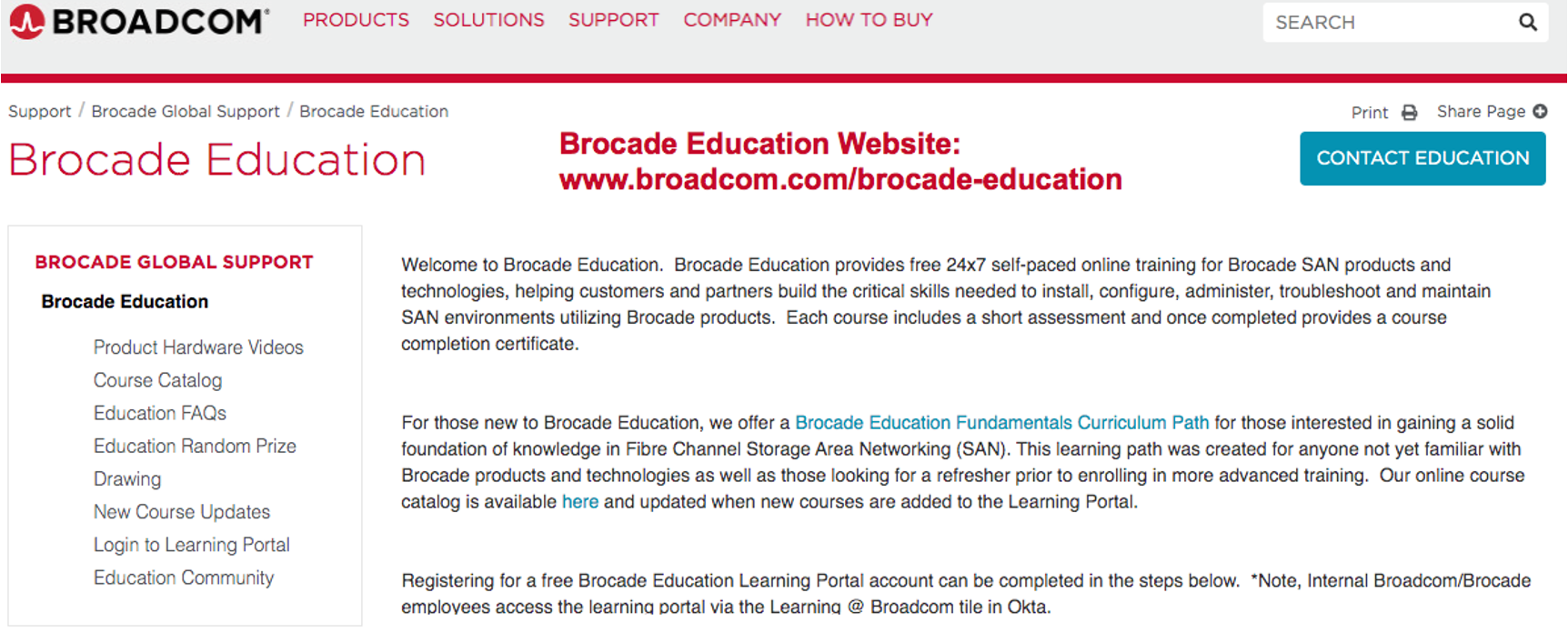
On the left-hand side of the page, you’ll find a menu of options under Brocade Education such as a Course Catalog, Education FAQs, and Login to Learning Portal.
The Course Catalog breaks down courses into the following categories:
• Exam Tracks
• Hardware and Core Features
• SANnav Management Applications
• Technologies
• Troubleshooting
• Brocade Support Link
Each of the above course categories contains sub-category playlists. For example, under SANnav Management Applications, you’ll find a Brocade SANnav Fundamentals playlist which includes 16 courses and their associated course numbers. In total, Brocade’s courseware is comprised of over 80 classes including assessment exams – all free of charge.
To access Brocade courseware, once you’ve initially registered for a CSP account (see above Registering an Account), navigate as shown above to Login to Learning Portal or directly to the CSP via www.broadcom.com. Then navigate to Brocade Storage Networking->Training & Education.
Once logged in, you can simply search for the topic you’re interested in – the search bar will look similar to the following:
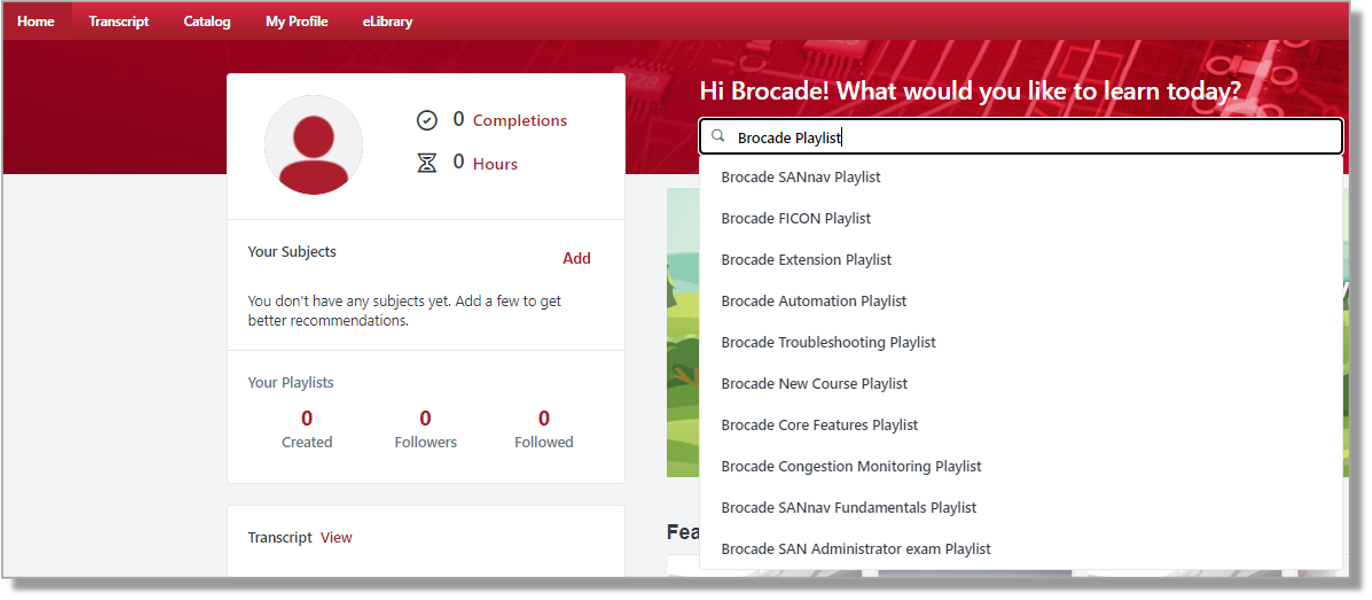
One small trick is to search for Brocade Playlist which will display all major course classifications (playlists) available. At the time of this writing, there were eighteen playlists to choose from including Brocade Security and SANnav.
Playlists are logical collections of Brocade courses found within the learning portal. Playlists make it easier to search for and find classes. Playlists also allow you to track which classes within the listing you’ve already taken. If you’d prefer, you can type in any keyword such as SANnav which as of December 2022 yields around 50 results.
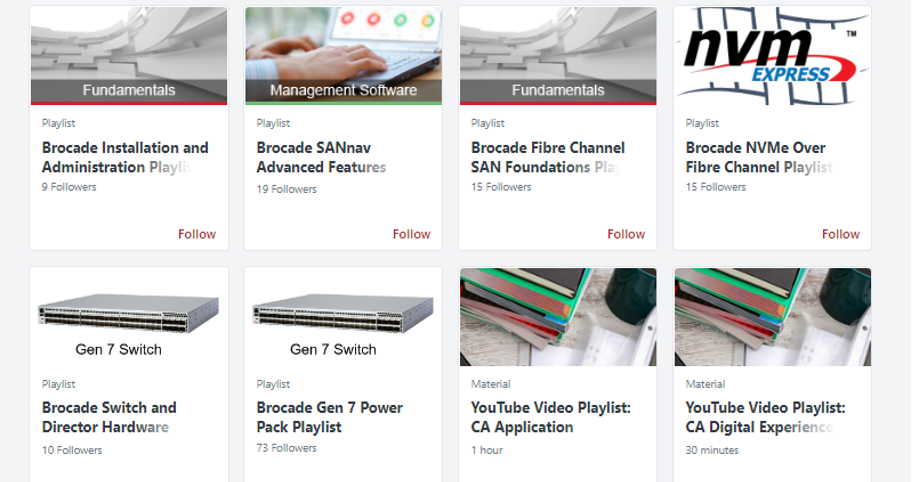
Here are a few SANnav and Gen 7-based courses you might find of interest:
• Introduction to Brocade Gen 7 Switch Hardware (HWG7S-120) – 28m
• Introduction to Brocade Gen 7 Director Hardware (HWG7D-120) – 11m
• Quick Hit Solution: Brocade SFP-DD Double Density Transceiver (QHS-004) – 9m
• SANnav Installation Linux Essentials (GVOV-220) – 2hr 10m
• SANnav Management Portal v2.2x Installation & Migration (MPIN-220) – 2hr 9m
• SANnav Management Portal Overview (MPOV-120) – 36m
• SANnav Management Portal Zoning (MPZO-221) – 2hr 20m
• Traffic Optimizer Fundamentals (TO-121) – 29m
• Introduction to Mainframe FICON (FICON-101) – 44m
• FICON Fundamentals (FICON-120) – 1hr 3m
• SANnav Management Portal FICON (MPFICON-220) – 22m
Brocade Webinars, Videos, White Papers, and Solution Briefs
Check out: https://www.broadcom.com/solutions/data-center/storage-fabrics-technology as a great starting point for finding all manner of Brocade SAN Technology content. At the time of writing, the website included the following topic areas:
• Fibre Channel
• Gen 7
• Why Upgrade
• Security
• SAN Management
• NVMe
• Mainframe SAN
• Storage Modernization
• Resources
• Webinars
• Products and SAN Technology
A large volume of content has been consolidated to the following website: https://www.brocade-event.com/gen7 - here is a sampling of the site contents:
• Links to several relevant webinars
• For example:
• Safeguard Your SAN
• Security Strategies for the SAN
• What’s new with NVMe?
• Autonomous Self-Healing SAN
• Modern SAN Management
• Brocade Gen 7
• Links to several White Papers discussing all things FC
• For example:
• The Benefits of Gen 7 Fibre Channel
• Brocade Gen 7 Congestion Guide
• The Must-have capabilities of the SAN
• Tolly’s Test report on Broadcom 64G
• Links to Product Briefs and Solution Briefs
• For example:
• New Brocade SANnav v2.2.1
• Gen 5 Has Reached EOL
• Brocade Transceiver Support Matrix
• Brocade 64G ELWL (25m) SFP+ Transceiver
• Emulex SAN Manager product brief
• Links to Gen 7 Training, FAQs, and Exams Information
• For example:
• Gen 7 Training
• Brocade Education
• Brocade’s Gen 7 SAN Specialist Exam
In addition, there remains a webinar landing page https://storagenetworking.broadcom.com/webinars providing a one-stop shop for all things Brocade webinars. The landing page provides easy access to register for upcoming Americas webinars, and importantly, easy access to view on-demand any of the Americas webinars hosted this past year.
Here is a listing of webinars available as of December 2022:
• Simplify FICON Management with Brocade Gen 7 – (44m – Howard Johnson)
• Brocade Fibre Channel Technology
• Safeguard Your SAN with Brocade Gen 7 Switches (49m – Truls Myklebust)
• Safeguard the SAN with Brocade Gen 7 (1hr – Scott Shimomura, AJ Casamento)
• NVMe Over Fibre Channel – Unleash the Power of NVMe (59m – AJ Casamento)
• Realize an Autonomous SAN with Brocade Gen 7 Fibre Channel (1hr - Scott Shimomura, AJ Casamento)
• Transforming Storage Networking with Gen 7 (1hr – AJ Casamento)
• How to Autonomously Mitigate Application Bottlenecks in Your SAN Environment (46m – Adrian Verdin, AJ Casamento)
• SAN Management Tools
• Take Control of Your SAN with Brocade SANnav Management Portal (54m – Salim Galou)
• Double Your Database Workload Performance and Simplify SAN Management with Gen 7 Fibre Channel (1hr – AJ Casamento, Dale Kaisner, Mark Jones)
• Top 4 Pro Tips and Tricks for SANnav Management Portal (1hr – Salim Galou, Bill Bentley)
• Brocade Support Link Identifies Issues Before They Become Problems (56m – Sean Meagher)
• Brocade Training Webinars
• Get ready for the new Brocade SANnav Administrator Exam (47m – Brocade Education)
• Are You Ready to Be a Brocade SAN Professional? (47m – Brocade Education)
• Helping You Pass the Brocade SAN Exams (53m – Brocade Education)
• How to Become a SAN Administrator (55m – Brocade Education)
• Ready for the Next Brocade Exam Challenge? (41m – Brocade Education)
In addition, all manner of Brocade videos have been produced and recorded throughout the years. The most convenient place to find the entire collection is on the official Brocade YouTube Channel which can be located here: https://www.youtube.com/channel/UC42yfEDgSbHZm0EKYsb0oIg
Once on the Brocade YouTube channel, you’ll default to the HOME area – please note there is also a VIDEOS area which allows you to locate all video content recorded throughout the years. There is far too much content to adequately describe here, but to get you started, here is a sampling of videos produced throughout 2022:
• BSS-101 Brocade Basic Switch Setup - (9:32 – Brocade Education Services)
• Accessing Free Brocade Training and Exams - (5:51 – Brocade Education Services)
• FICON Expert Series – 5 short videos featuring Howard Johnson and Jon Fonseca
• Brocade SAN Professional Exam - (6:38 – Brocade Education Services)
• Getting started with Brocade SANnav for FICON environments - (3:15 – Adrian Verdin)
• Brocade Gen 7 Congestion Signal Demonstration (8:28 – Adrian Verdin)
LinkedIn: Brocade Education Group
New training announcements, Education & product updates, webinars, whitepapers
Automation, NVMe, Ansible, SANnav, Use-cases
https://www.linkedin.com/groups/3752161/
Brocade Education Knowledge Assessment Exams
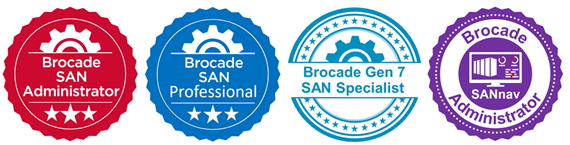
https://docs.broadcom.com/doc/bsn-san-admin-exam-faq
https://docs.broadcom.com/doc/bsn-gen7-san-specialist-exam-faq
https://docs.broadcom.com/docs/bsn-san-professional-exam-faq
https://docs.broadcom.com/docs/bsn-san-admin-exam-faq