Аbout CryptusPrice

Introduction
Welcome to CryptusPrice. Our mission is to provide a simple and comfortable tool for your work with the price of crypto currency.
let's start
Interaction with the bot occurs by pressing the menu buttons and by sending interactive messages.
Description of the menu and buttons
Main Menu
Access to the main sections.
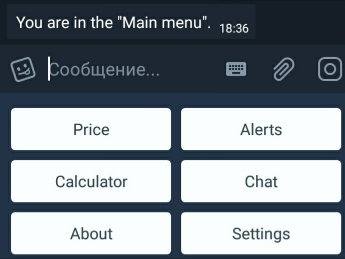
Buttons:
Price - triggers a dialogue reporting the current value of the crypto currency. Has an additional "More infrmacion" function, which has the form of a button in the called dialog. ""More infrmacion" gives more detailed information about the price.
Alerts - this is the section in which there are functions for setting and managing notifications:
Calculator is a section in which the Profit and Conversion functions are located.
Chat - opens a dialog with the "Chat" button, which allows you to go to our group. In the group it is possible to ask questions, report failures of the bot, just communicate.
About - causes a dialogue with information about the bot, contacts, etc.
Settings - this is the section in which there are functions Language, Exchanges, Currency, Time zone.
Alerts menu
Section with the tools for notifications: Set percent, Set sum, Set price, Set time.
Set percent
Great for continuous monitoring of the price, helps to monitor the direction of its movement. To activate this function, you need to go to the "Alerts" menu, click on the "set percentage" button and enter the percentage you want.
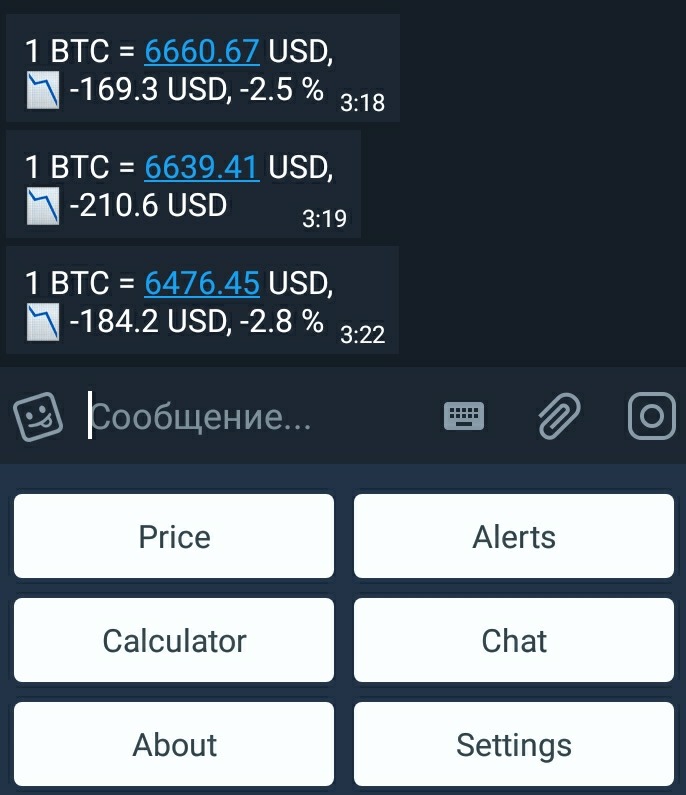
In the event of a deviation of the bitcoin cost to the user specified percentage, the bot will send a notification with the current price and continue to track the deviation from the new, changed price
Example:
The current price is 10000 USD, you set 0.5% tracking and as soon as the price changes by the set percentage, in our case it is the levels 10050 up or 9950 down, the bot sends you a notification. Next, the bot continues to track the price from its new level and the next notification you will receive when the cost changes by 1% of the price in 10050 USD (or, if down, 9950 USD), to levels 10100.25 UDS (or 9900.25 USD if down). The function will continue to work until you turn it off.
Set sum
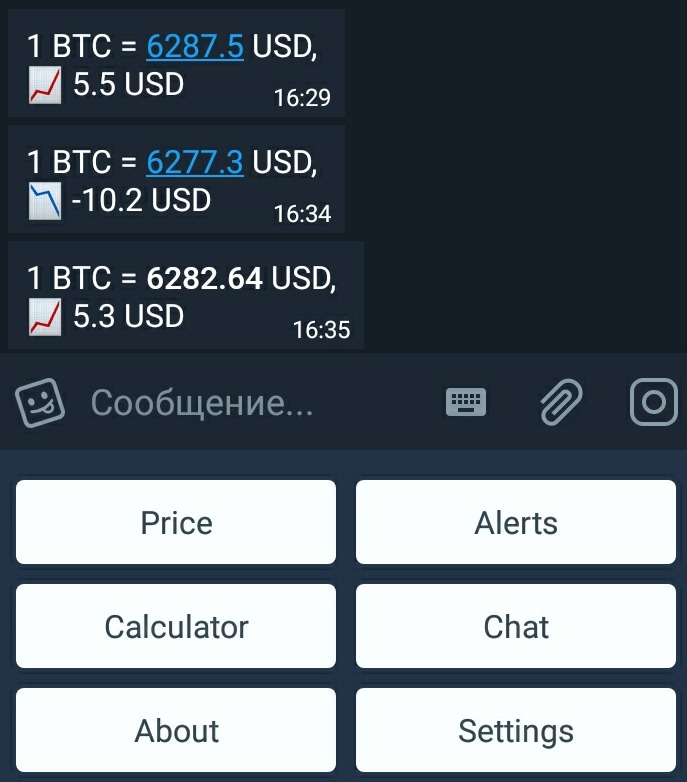
It also works like "Set interest", with the difference that the change will be tracked at a fixed amount. To activate this function, you need to go to the "Alerts" menu, click on the "set interest" button and enter the amount you need.
Example:
The current price is 10000 USD, you set 100 USD for tracking and as soon as the price changes by a fixed amount, in our case it is 10100 up or 9900 down, the bot sends you a notification. Next, the bot continues to track the price from its new level and the next notification you will receive when the cost changes by 100 USD from the price of 10100 USD (or, if down, 9900 USD), to 10,200 UDS (or 9800 USD if down). The function will continue to work until you turn it off.
Set price
Ideal if you do not want to miss a certain price level. To activate this function, you need to go to the "Alerts" menu, click on the "set price" button and enter the desired level of bitcoin price.
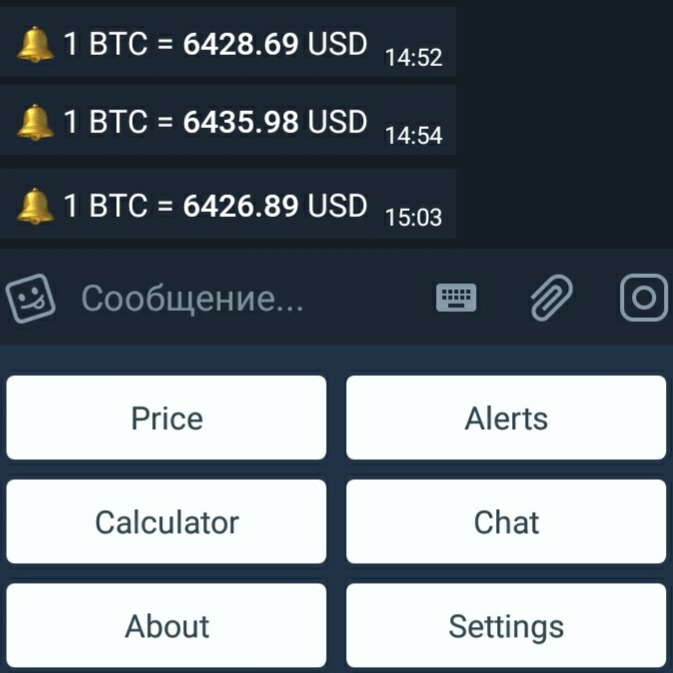
Whenever the price crosses the specified price point, the bot will send you a notification. Delete a mark by clicking on the "My Alerts" command and selecting the desired elevation. For example, if you enter a price of 6500 USD, and the bitcoine price at the time of input is 6400 USD, then when the price rises above the specified level you will receive a notice about it. Next time you will receive a notification when the price drops below 6500.
Set time
Bot will tell you the price of bitcoin when you ask him about it. The bot can tell you the price every morning or evening, once a week, or any other time. To activate this function, you need to go to the "Alerts" menu, click on the "set time" button and enter the time you are interested in.
Examples of time:
Every day at 10:00
Every 2 hours
The day after tomorrow at 7 pm
On 1 January at nine
tomorrow at this time
The function is in test mode and will improve with time.
Calculator
This section contains the functions Profit and Conversion.
Profit
It allows you to calculate the return on investment in bitcoin. The user enters the date and amount of money, and the bot calculates the amount of bitcoin purchased for the specified amount at a price that was relevant on the specified date, and shows the value of these investments to date. To activate this function, you need to go to the "Calculator" menu, click on the "Income" button, enter the amount of investment in the currency selected in the settings (for example 1000) and then enter the date in the format YYYY-MM-DD (2014-10-24 ).
Conversion
Converts the specified amount in the selected direction. To activate this function, you need to go to the "Calculator" menu, click on the "Convert" button, select the exchange direction and enter the amount intriguing you.
Settings
"Language" - here you can change the language.
"Exchange" - here you can change the exchange.
"Currency" - here you can change the currency.
"Time zone" - here you can change the Time zone.