How to use AML checks via bot
Today, in the digital age, ensuring the security of your financial transactions is essential. AML is your trusted ally in protecting you from unauthorized actions.
What is AML?
AML (Anti-Money Laundering) procedures are measures to prevent and detect financial crimes such as money laundering, fraud, and participation in prohibited activities.
Why are there separate checks? 🤔
AML is a general term describing efforts to combat financial crime, while AML checks include analyzing transactions, verifying customer information, and monitoring and reporting suspicious activity. They help ensure the security and transparency of financial transactions, mitigating the risks associated with illicit financial activities.
Now, let's move on to step-by-step instructions for AML checks.
Step 1. Enter the bot, open the Menu → "Additional features" → "AML"
.png)
In a new message from the bot, you will see general information about your account: balance, number of available checks, tokens, check cost, and a description of what AML service is.
Below the post, there are two buttons that you can click on:
📍 Checks: perform a transaction or address check and review your check history.
📍 Special offers: select the appropriate number of checks to meet your requirements.
Let's talk more about checks. Here, you have access to transaction and address checks, as well as the history of previously performed checks.
Step 2.1.1 Click on the "Transaction check" button → "Transaction check"
.png)
Next, enter the appropriate transaction and confirm it.
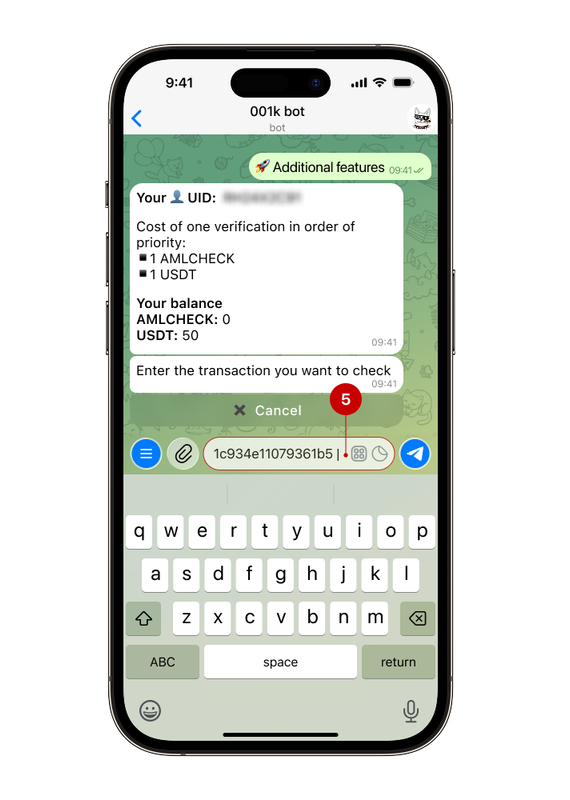
Step 2.1.2 Select the check side
After entering the transaction at this step, you will have two choices: recipient or sender. Since we are checking the transaction on the recipient's side, select “Recipient” (6), then select the address the bot suggests (7). If the suggested address is not suitable, enter the required one manually.
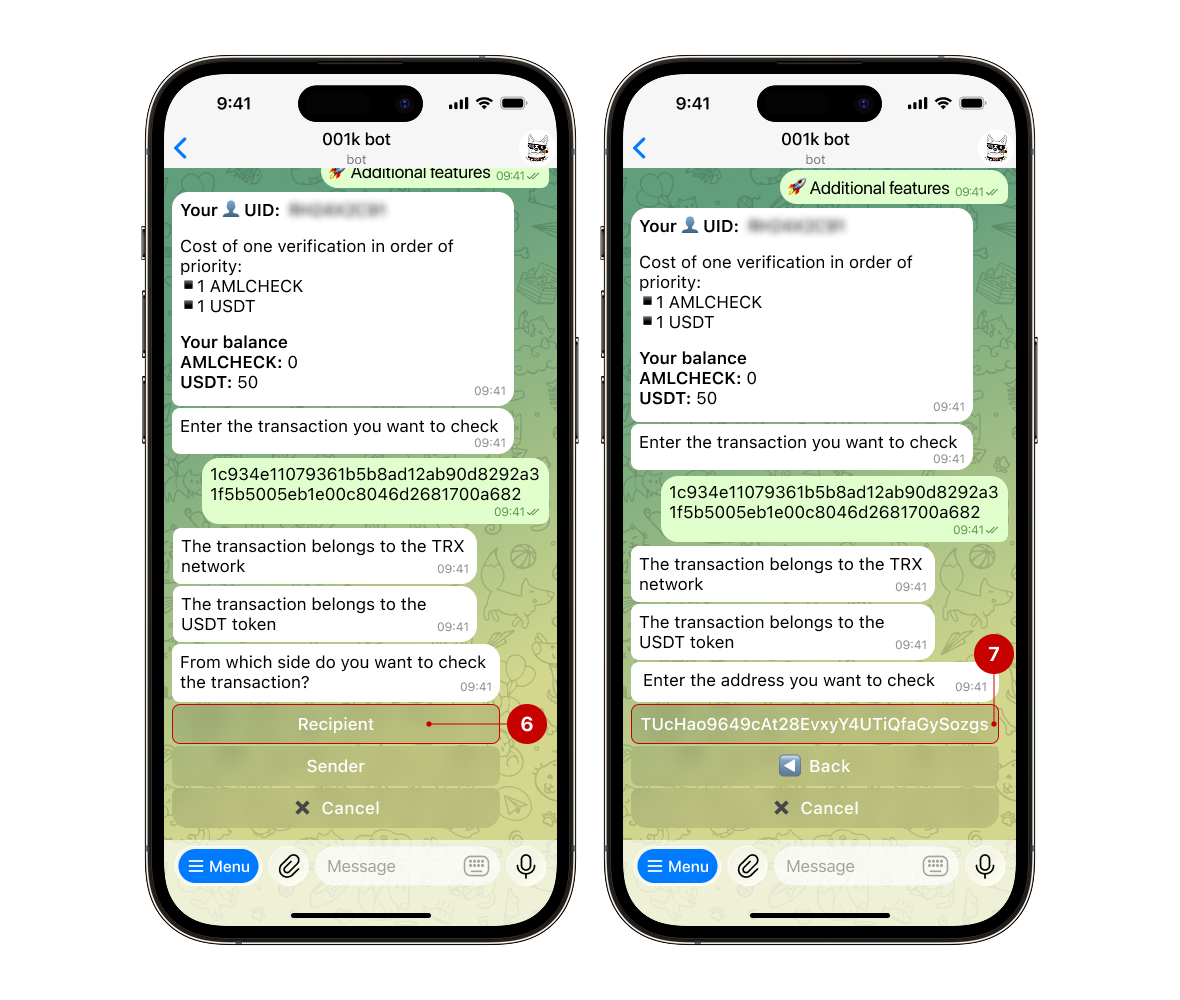
Step 2.1.3 Confirming and waiting for results
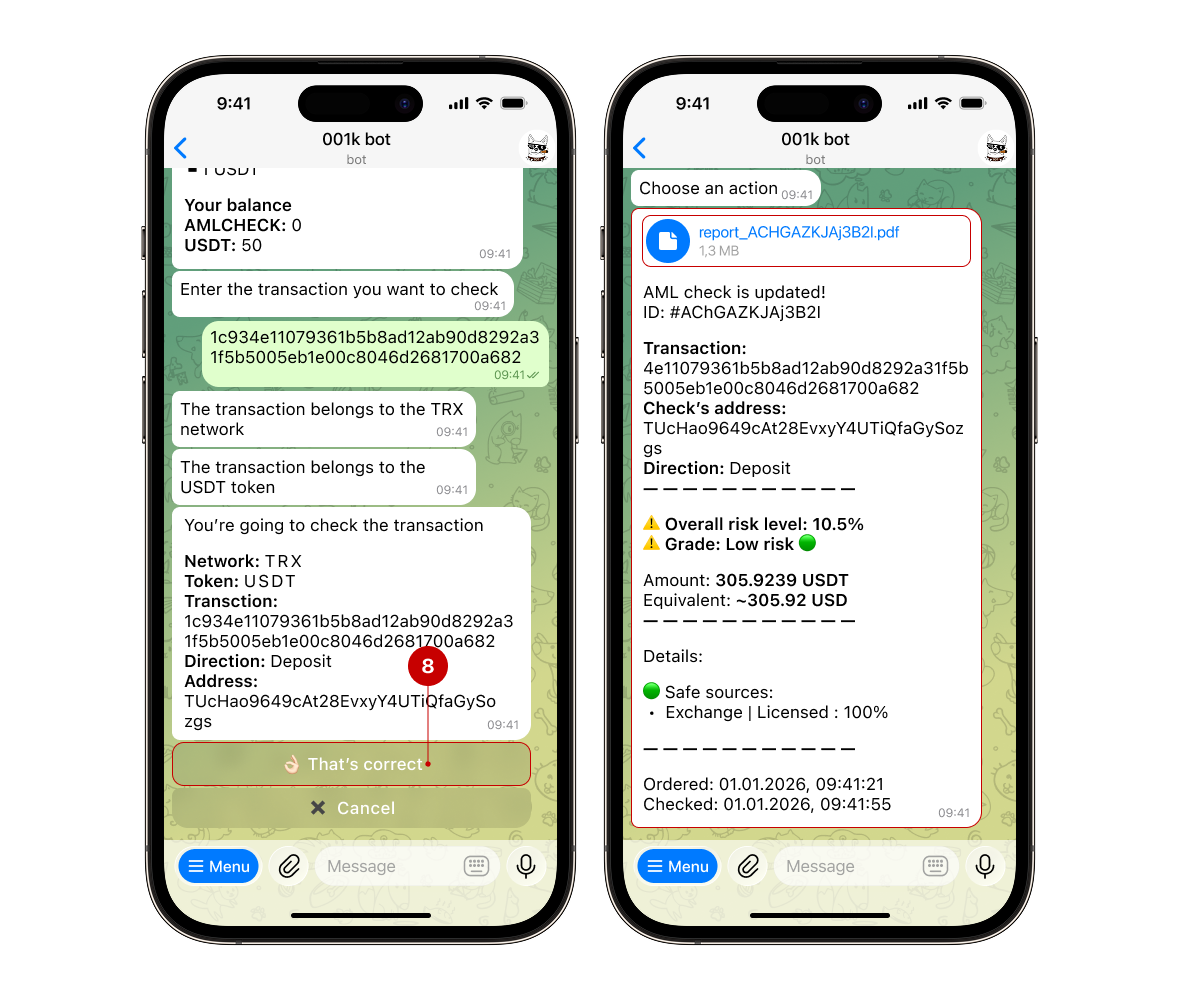
When the bot asks for confirmation, click “That's correct” (8).
The checking will take some time, after which you will receive a message containing a report and a PDF.
Step 2.2.1 Click on the "Address check" button → "Address check"
.png)
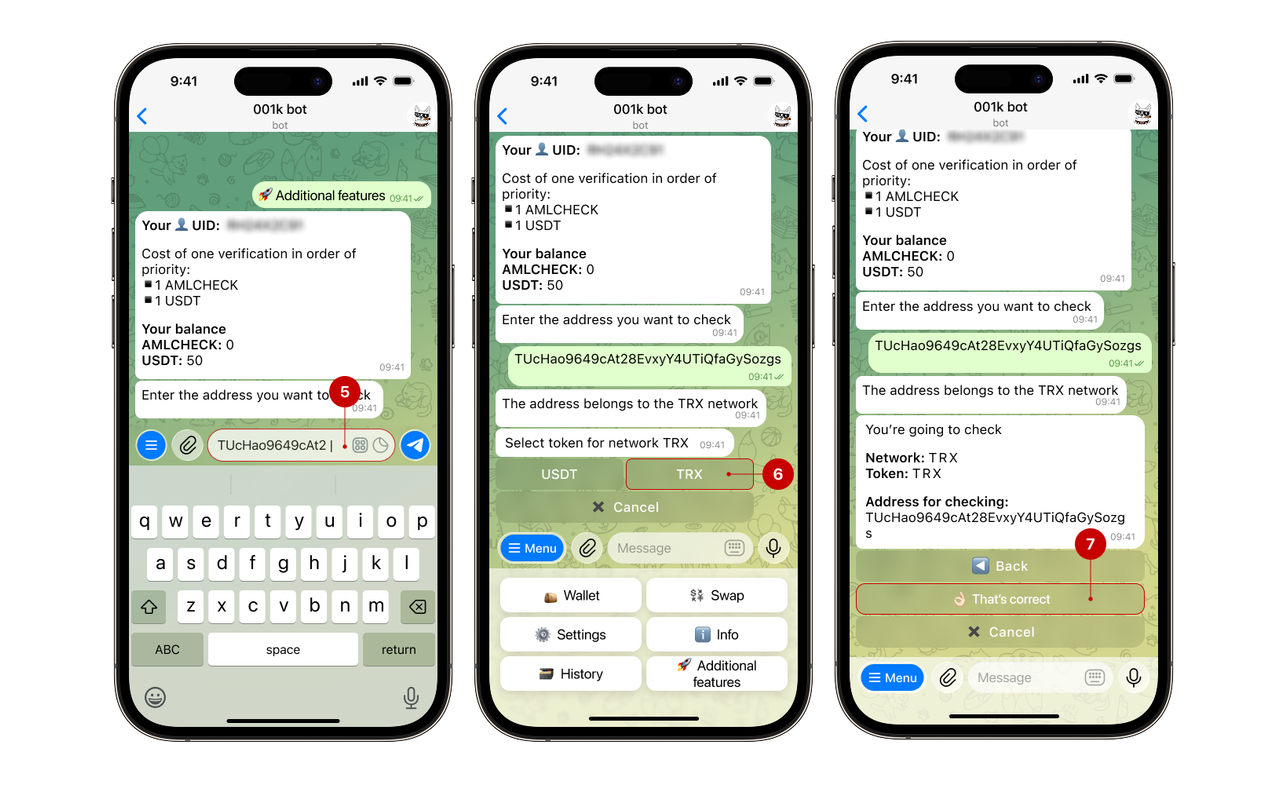
Step 2.2.2 Enter the address and choose the token
Enter the address you want to check (5). If the address is correct, the bot will ask you to confirm it. Then select the token (6) and confirm the action to start the check (7).
Step 2.2.3 Confirming and waiting for results
.png)
To save time on each purchase, we recommend buying AML check packages: it's convenient and fast. To do this, you need to:
1. Open the Menu, then "Additional features" → "AML"
2. Click the "Special offers" button
3. Select the desired quantity: 100 / 500 / 1500 AMLCHECK
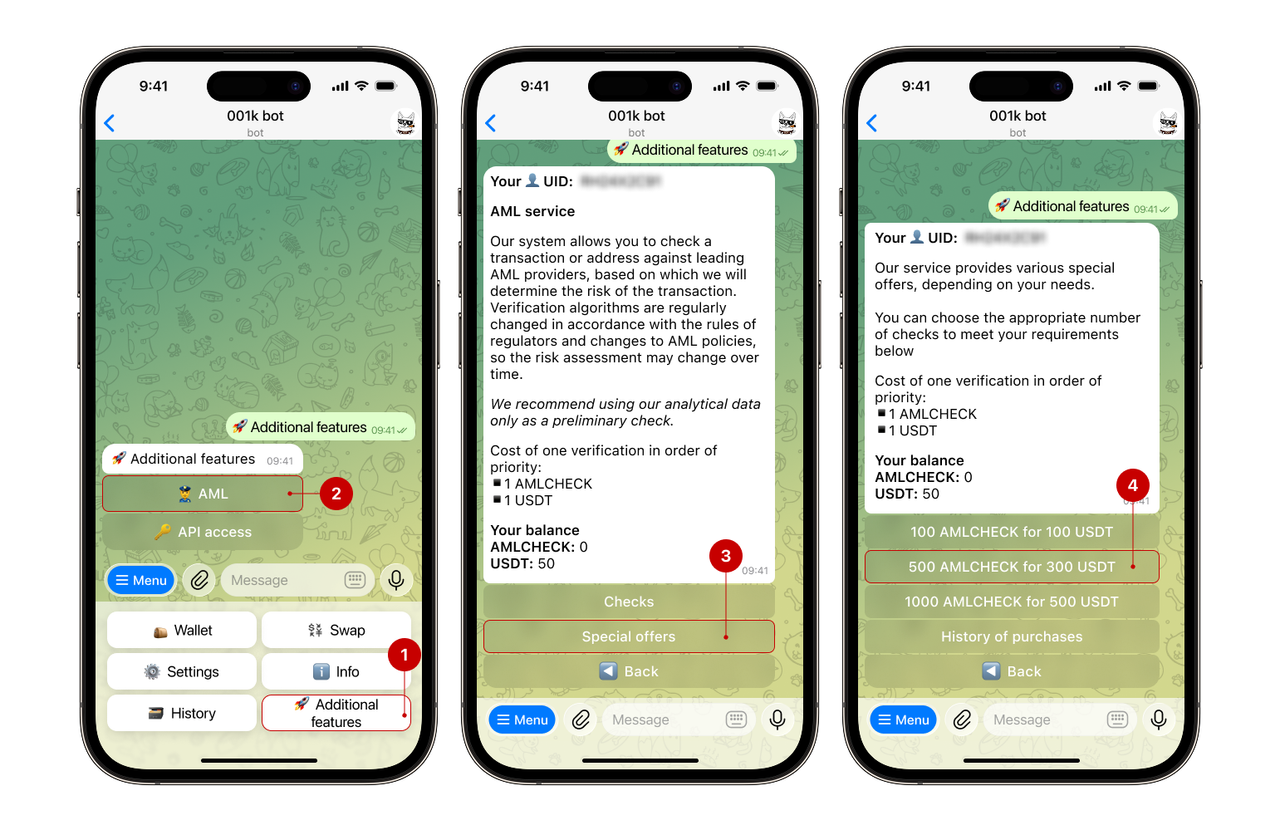
4. After confirmation, the selected package will be credited to your balance.
✅ Done!