(7.0) Parrot043 Installation & Settings
EnzoGCam version used for this guide : Stable V7
Installation
NOTE : Repeat the first 3 steps below everytime you installing a new version of GCam 7 to avoid any possible functionality issues
1) Uninstall previous gcam
2) Install new gcam
3) Clear data of new gcam
4) Set up gcam settings
How to apply XML Configs
XML Configs by ryam : DOWNLOAD
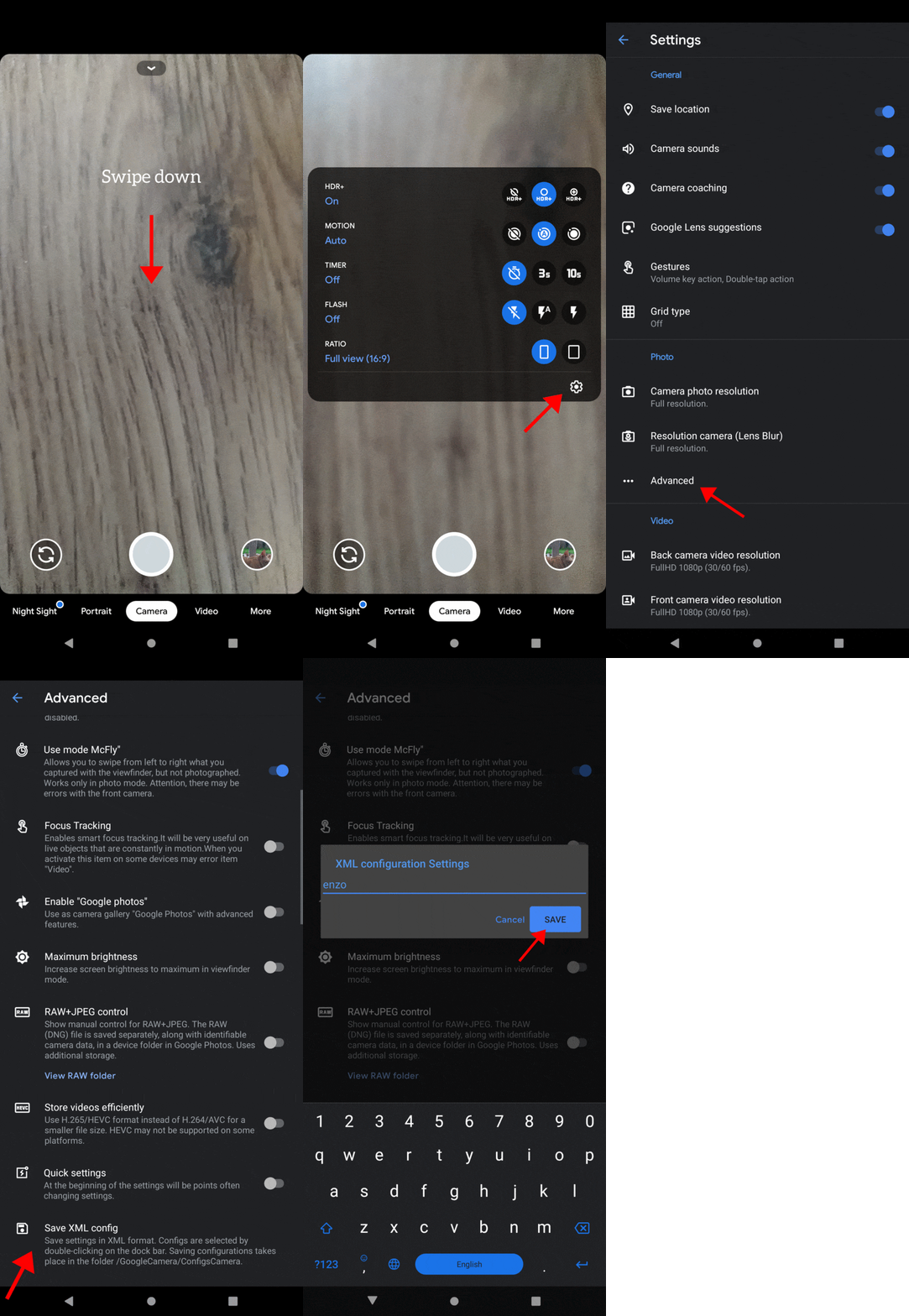
1) Open Gcam, from the camera’s main UI, swipe down to get settings menu and tap on the settings icon
2) From settings section go to "Advanced" and click on "Save XML Config", save the profile with any name and it will automatically create a config folder so you can store the xml configs later
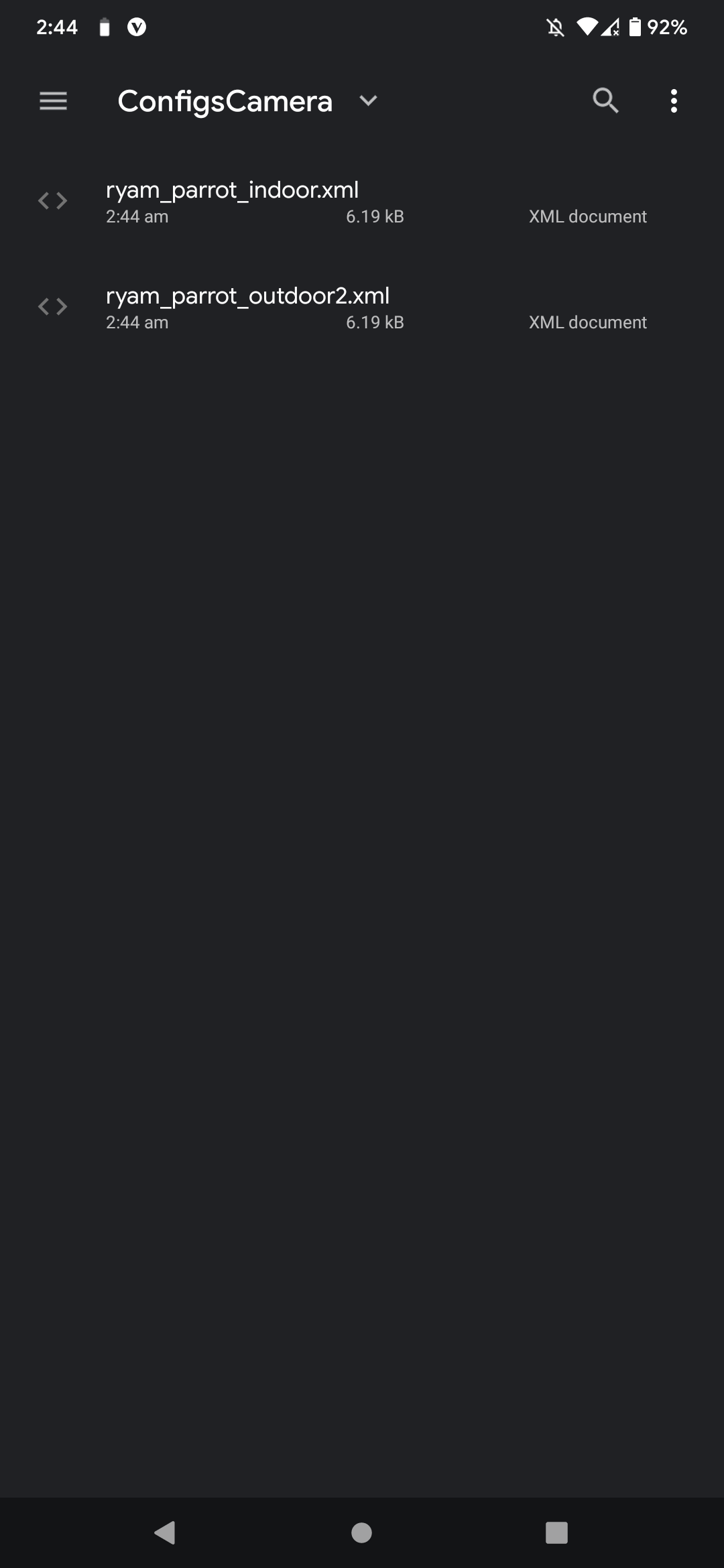
3) Go to file manager and copy the downloaded xml configs to /GoogleCamera/ConfigsCamera folder
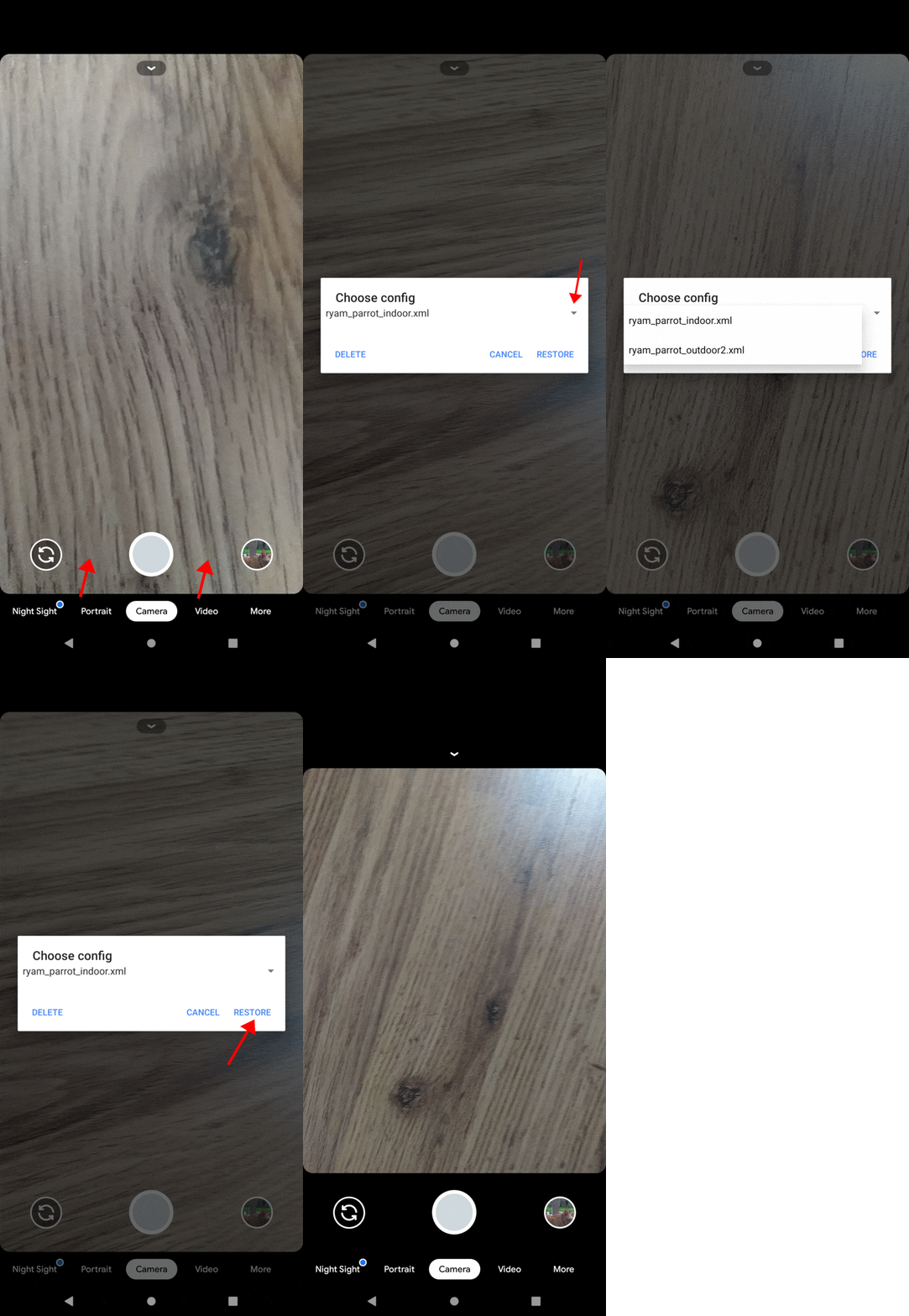
4) Open Gcam again, from the camera's main UI, double click on right or left of caption button, select the config, and then click on "restore". If GCam restarts, it means that the config file has been loaded.
Which config am i using
• You need to remember which config you loaded as the loading window only displays the available configs, not which one is "active".
Join @redminote7photography for camera ports, mods and more mobile photography stuffs for Redmi Note 7