7+ Best Calendar Apps for Mac: Top Picks for 2024
A calendar app is an essential tool for managing your time effectively, organizing your tasks, and staying on top of commitment…MacOS offers a built-in Calendar app, but many third-party options provide enhanced functionality, better integration, and more intuitive designs.
Whether you need advanced scheduling features, task management, or seamless collaboration, this guide covers the best calendar apps for Mac to help you find the perfect fit for your needs.
Download Best Google Calendar App for Mac from Here: https://calendarformac.com/
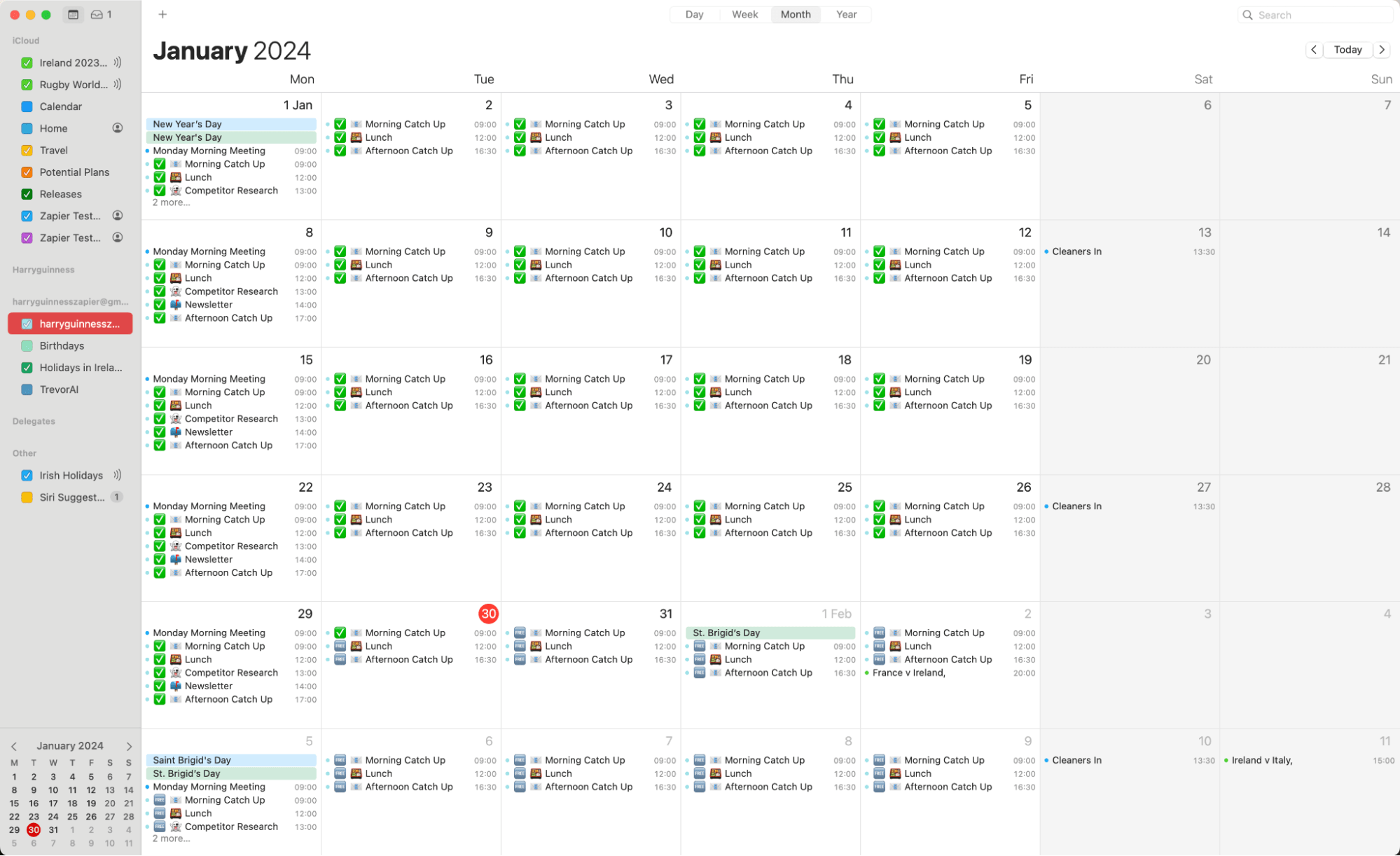
Best Calendar Apps for Mac
1. Fantastical
Fantastical has long been a favourite among Mac users, thanks to its sleek interface, natural language input, and seamless integration with macOS.
Key Features
- Natural Language Parsing: Create events by typing phrases like "Lunch with Sarah tomorrow at 1 PM."
- Unified View: Combine calendars, tasks, and weather in one interface.
- Cross-Platform Support: Works across Mac, iPhone, iPad, and Apple Watch.
- Collaboration Tools: Schedule meetings by checking invitee availability and sending meeting proposals.
Why It Stands Out
Fantastical excels in its design and usability. Its robust features, like time zone support, calendar sets, and integration with services like Google Calendar, iCloud, and Exchange, make it a top-tier choice for professionals and power users.
Pricing
- Free version available with basic features.
- Premium subscription starts at $4.99/month.
2. BusyCal

BusyCal is a powerful alternative for users who need a highly customizable calendar app with advanced features.
Key Features
- Customizable Views: Adjust calendar views by day, week, month, or year.
- Task Management: Integrates tasks directly into your calendar.
- Smart Filters: Filter events based on specific criteria like tags or time frames.
- Integration: Syncs with iCloud, Google Calendar, Exchange, and other CalDAV services.
Why It Stands Out
BusyCal is ideal for users who want granular control over their calendar. Its focus on customization and task management makes it perfect for professionals who handle complex schedules.
Pricing
- One-time purchase fee of $49.99.
Also Read: What Are The Calendar Apps For Mac
3. Microsoft Outlook
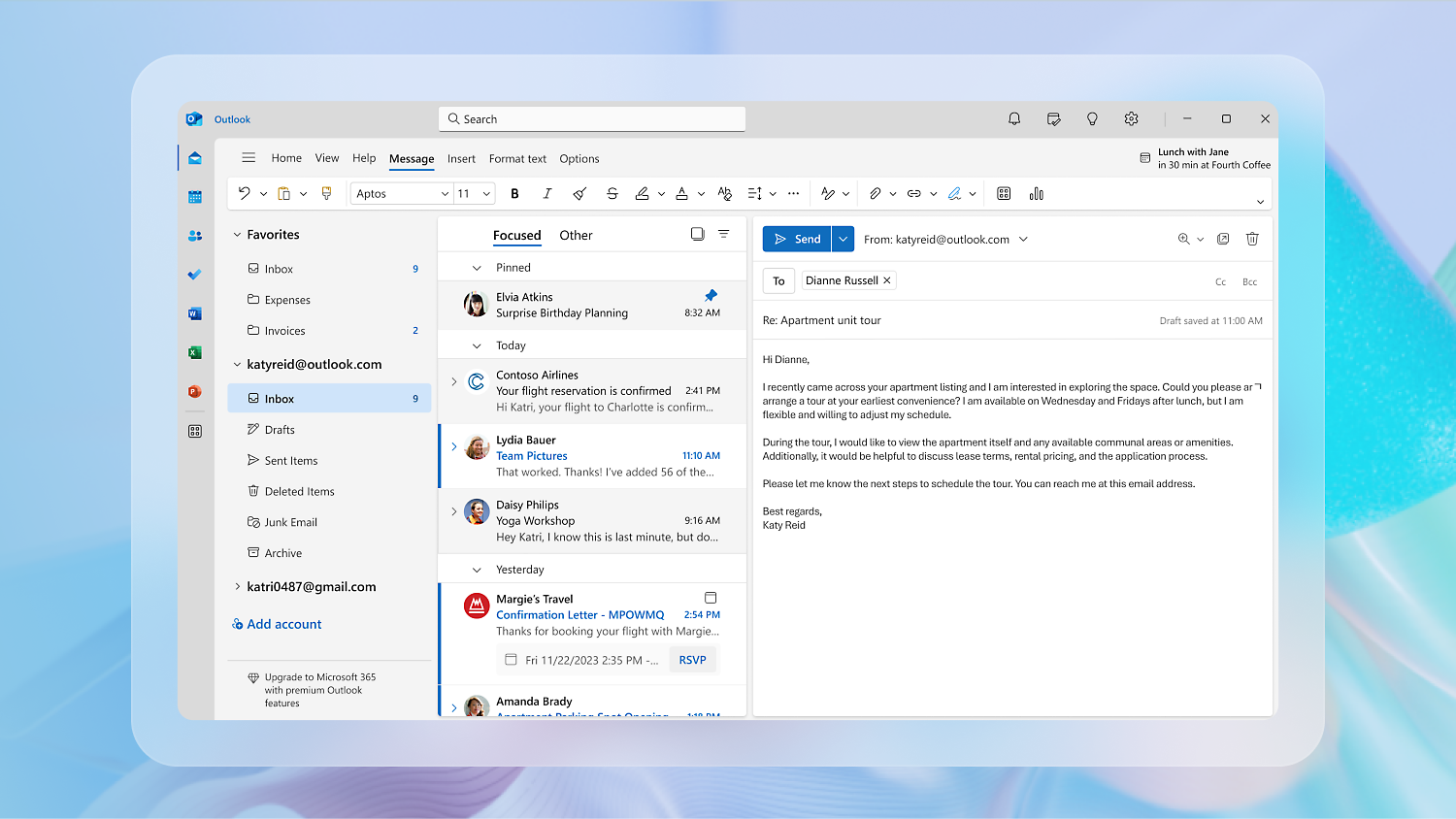
Microsoft Outlook offers a robust calendar feature integrated with email, making it a powerful tool for managing work schedules.
Key Features
- Unified Email and Calendar: Manage emails and schedules in a single interface.
- Shared Calendars: Collaborate with teams by sharing calendars and viewing availability.
- Cross-Platform Access: Works across macOS, Windows, and mobile devices.
- Integration: Syncs with Google Calendar, iCloud, and Microsoft 365.
Why It Stands Out
Outlook is a great choice for users already using Microsoft 365 or those who need advanced collaboration features. Its seamless integration with email and task management tools makes it a productivity powerhouse.
Pricing
- Included with a Microsoft 365 subscription ($6.99/month for personal use).
4. Google Calendar (Web and Integrations)
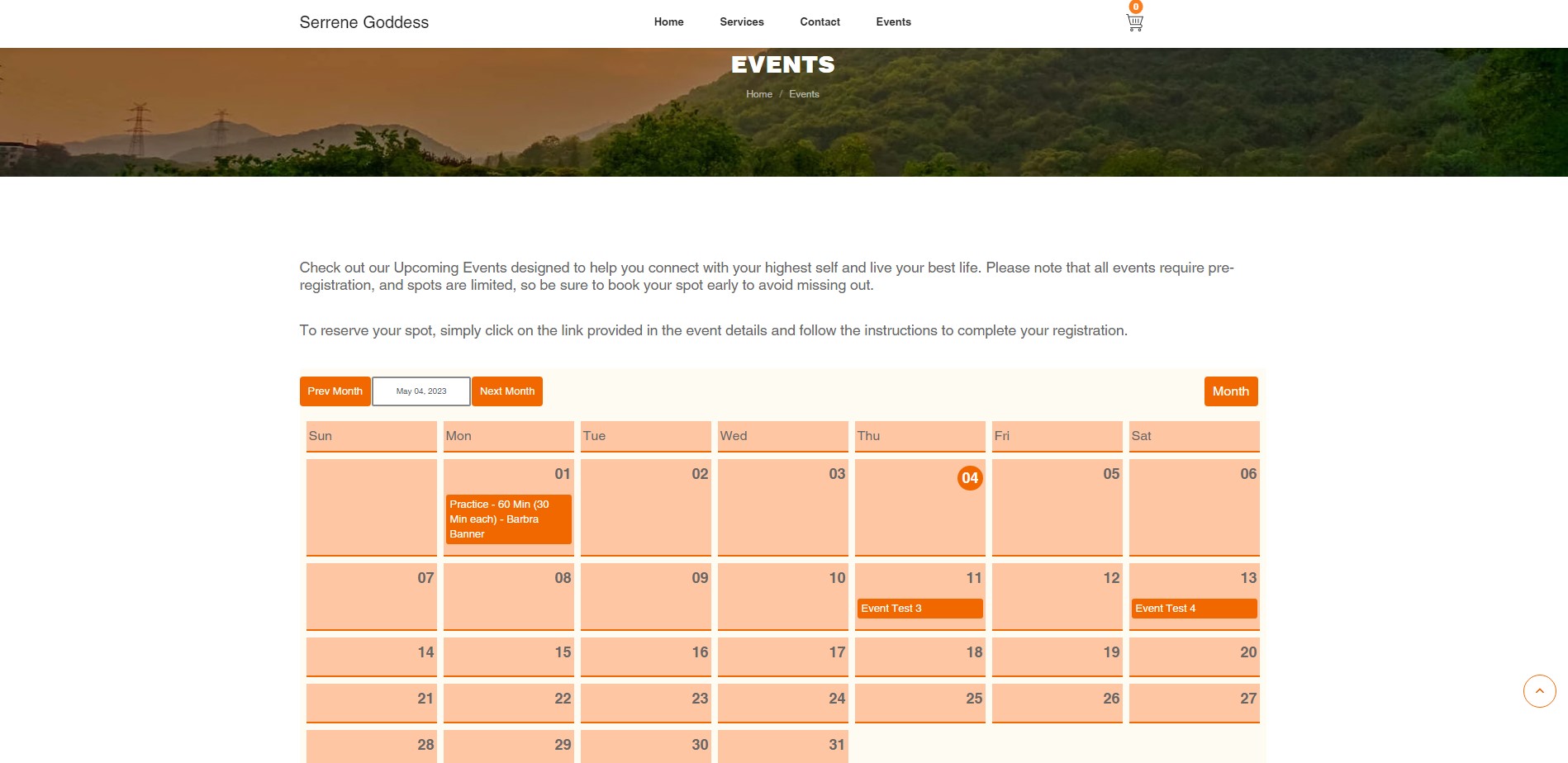
Although there’s no standalone Google Calendar app for Mac, its web version and integrations make it a reliable option.
Key Features
- Web Access: Full-featured browser-based interface.
- Sharing and Collaboration: Share calendars and set permissions for teams or family members.
- Integration: Works with Apple Calendar, Fantastical, and other apps.
- Cross-Platform: Seamlessly syncs across all devices.
Why It Stands Out
Google Calendar’s simplicity, robust sharing capabilities, and deep integration with other Google services make it an excellent choice for personal and professional use.
Pricing
- Free with a Google account.
Also Read: Gcalendar For mac
5. Calendar 366 II

Calendar 366 II is a lightweight yet powerful calendar app designed for users who need quick access to events and tasks.
Key Features
- Menu Bar Integration: Access events and tasks directly from the macOS menu bar.
- Customization: Highly customizable themes, fonts, and colors.
- Natural Language Input: Quickly add events using simple phrases.
- Multiple Views: Switch between list, day, week, month, and year views.
Why It Stands Out
Calendar 366 II is ideal for users who want a compact, no-frills calendar app with a focus on convenience and usability.
Pricing
- One-time purchase fee of $14.99.
6. Apple Calendar (Built-In)

Apple Calendar comes pre-installed on macOS and offers basic yet reliable functionality for managing schedules.
Key Features
- Native Integration: Works seamlessly with macOS features like Siri, widgets, and notifications.
- Sync Across Devices: Syncs with iCloud for access on iPhone, iPad, and Mac.
- Third-Party Support: Integrates with Google Calendar, Microsoft Exchange, and other CalDAV services.
- Event Alerts: Get reminders and notifications for upcoming events.
Why It Stands Out
For users who need a simple, free, and reliable calendar app, Apple Calendar gets the job done. It’s a great choice for those already immersed in Apple’s ecosystem.
Pricing
- Free with macOS.
7. TimeTree
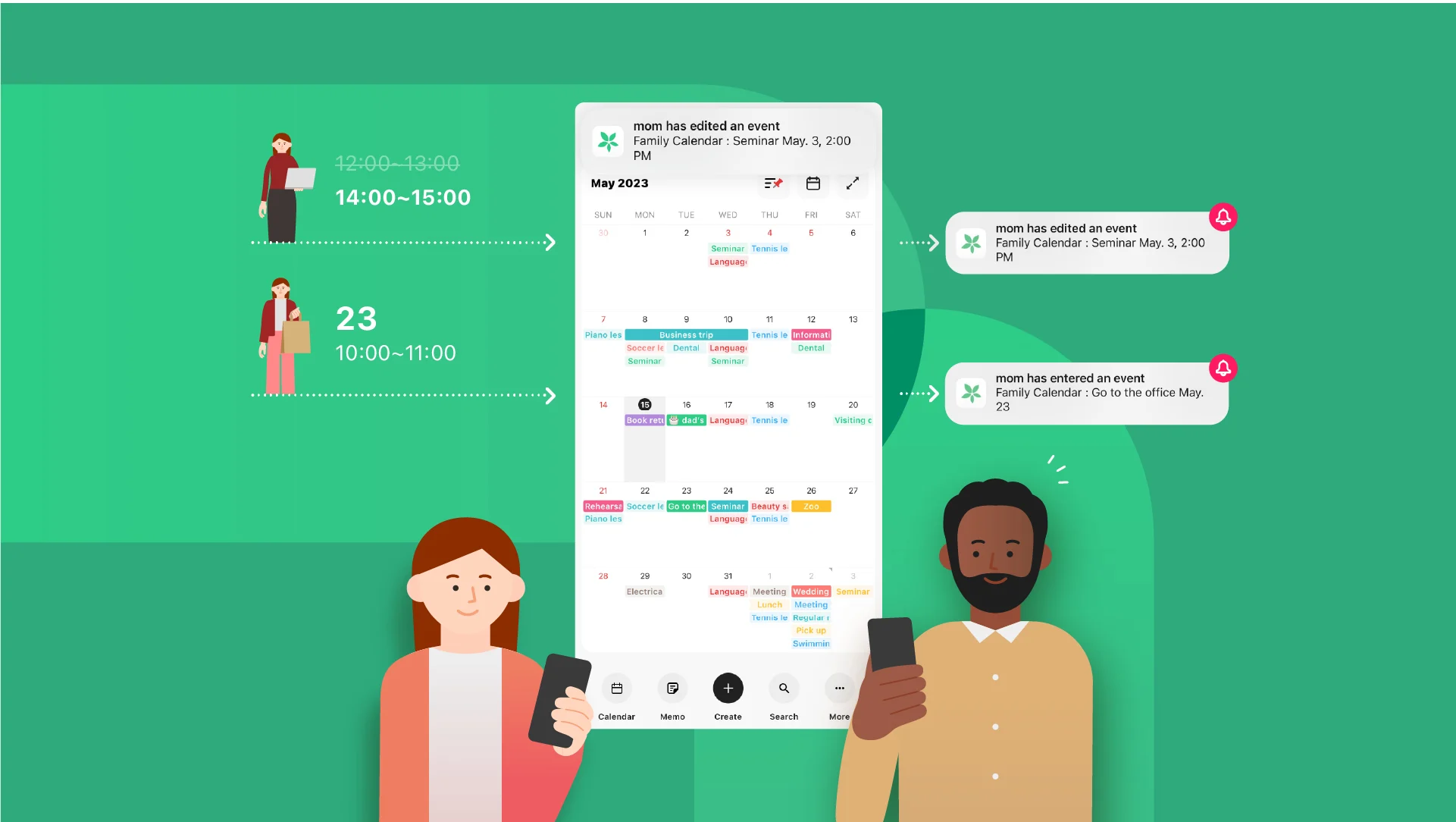
TimeTree is a shared calendar app designed for families, teams, and groups.
Key Features
- Shared Calendars: Collaborate with others by sharing schedules and events.
- Event Comments: Add notes and comments to events for better communication.
- Cross-Device Sync: Access shared calendars on Mac, iOS, and Android.
- Color-Coded Events: Easily distinguish between personal and group activities.
Why It Stands Out
TimeTree is perfect for group scheduling, making it an excellent choice for families or small teams. Its focus on collaboration sets it apart from other calendar apps.
Pricing
- Free with optional in-app purchases.
Also Read: Gcal For Mac
8. Morgen
Morgen is a relatively new entrant that combines calendar management and task tracking.
Key Features
- Multi-Calendar Support: Connects to Google Calendar, Outlook, iCloud, and more.
- Task Management: Integrates tasks directly into your calendar view.
- Focus Time: Schedule dedicated focus blocks to improve productivity.
- Unified Dashboard: Manage all your calendars and tasks in one place.
Why It Stands Out
Morgen is ideal for users who want a single app for managing both their schedules and tasks. Its productivity-focused design makes it a strong contender for professionals.
Pricing
- Free version available; premium plans start at $9/month.
How to Choose the Best Calendar App for Mac
When selecting a calendar app for Mac, consider the following factors:
- Features: Do you need basic scheduling or advanced tools like task management and collaboration?
- Integration: Check if the app works with your preferred services like Google Calendar, iCloud, or Microsoft 365.
- Ease of Use: Look for an intuitive interface and features like natural language input.
- Price: Decide between free options and premium apps based on your budget and requirements.
- Customization: If you want control over appearance and functionality, prioritize apps with customization options.
Conclusion
From powerful options like Fantastical and BusyCal to simpler solutions like Apple Calendar and Google Calendar, there’s a calendar app for every Mac user.
Whether you’re a professional juggling complex schedules or someone looking to streamline personal tasks, the right calendar app can significantly enhance your productivity and organization.
Evaluate your needs, test a few options, and choose the app that best aligns with your workflow. With the right calendar app, staying organized on your Mac has never been easier.