4GB Patch
Richter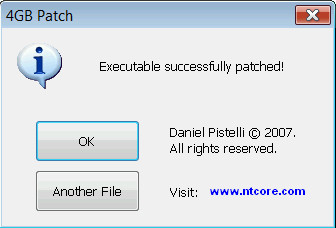
I originally wrote this tool for a friend of mine who needed it. This very little tool patches x86 executables in order to let them have 4GB (instead of only 2) of virtual memory on x64 platforms. This tool comes very handy for applications which need a great amount of virtual memory like games, 3D renderization, multimedia etc. To gain these 2GB, you just have to use this tool to patch the executable (*.exe file) of the software you want to have these additional GBs of virtual memory. It can be used by clicking on it and choosing the file or through command line (e.g.: “4gb_patch file.exe”). It automatically creates a backup copy of the original executable. Why things are this way on x64 is easy to explain. On x86 applications have 2GB of virtual memory out of 4GB (the other 2GB are reserved for the system). On x64 these two other GB can now be accessed by 32bit applications. In order to achieve this, a flag has to be set in the file’s internal format. This is, of course, very easy for insiders who do it every day with the CFF Explorer. This tool was written because not everybody is an insider, and most probably a lot of people don’t even know that this can be achieved. Even I wouldn’t have written this tool if someone didn’t explicitly ask me to.
Изначально я написал эту утилиту для друга, которому она была нужна. Эта небольшая утилита патчит исполняемые файлы x86, чтобы они могли использовать 4 ГБ виртуальной памяти (вместо 2) на платформах x64. Эта утилита очень удобна для приложений, которым требуется большой объём виртуальной памяти, таких как игры, 3D-рендеринг, мультимедиа и т. д. Чтобы получить эти 2 ГБ, вам просто нужно использовать эту утилиту для патча исполняемого файла (*.exe) программы, которой вы хотите добавить эти дополнительные ГБ виртуальной памяти. Её можно использовать, щёлкнув по ней и выбрав файл, или через командную строку (например, «4gb_patch file.exe»). Она автоматически создаёт резервную копию исходного исполняемого файла. Почему это происходит на x64, легко объяснить. На x86 приложения используют 2 ГБ виртуальной памяти из 4 ГБ (остальные 2 ГБ зарезервированы для системы). На x64 эти два оставшихся ГБ теперь доступны 32-битным приложениям. Для этого необходимо установить флаг во внутреннем формате файла. Это, конечно, очень просто для тех, кто работает с CFF Explorer каждый день. Этот инструмент был написан, потому что не все являются инсайдерами, и, скорее всего, многие даже не знают, что это возможно. Даже я бы не написал этот инструмент, если бы меня об этом не попросили.
Наш канал - https://t.me/+X_pll5u1jjY4MTgy
Бот с играми - https://t.me/NitokinFileBot
Our channel - https://t.me/+X_pll5u1jjY4MTgy
Game Bot - https://t.me/NitokinFileEnBot