2040World: How to make a purchase on the website
2040World
The 2040World website features a store where you can buy special offers and AUR currency for auctions or Battle Pass purchases. Follow this guide to purchase any product in the store using USDT.
Step 1
Log in to the website or go directly to the Store page.
Step 2
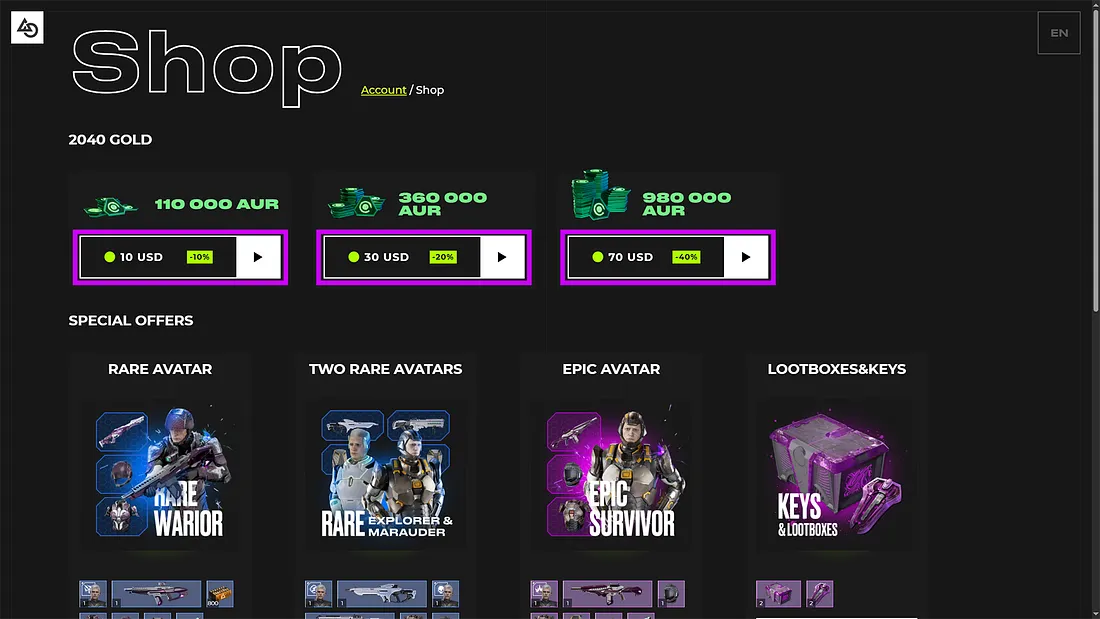
Select the product you want and click the button below to proceed to checkout.
Step 3
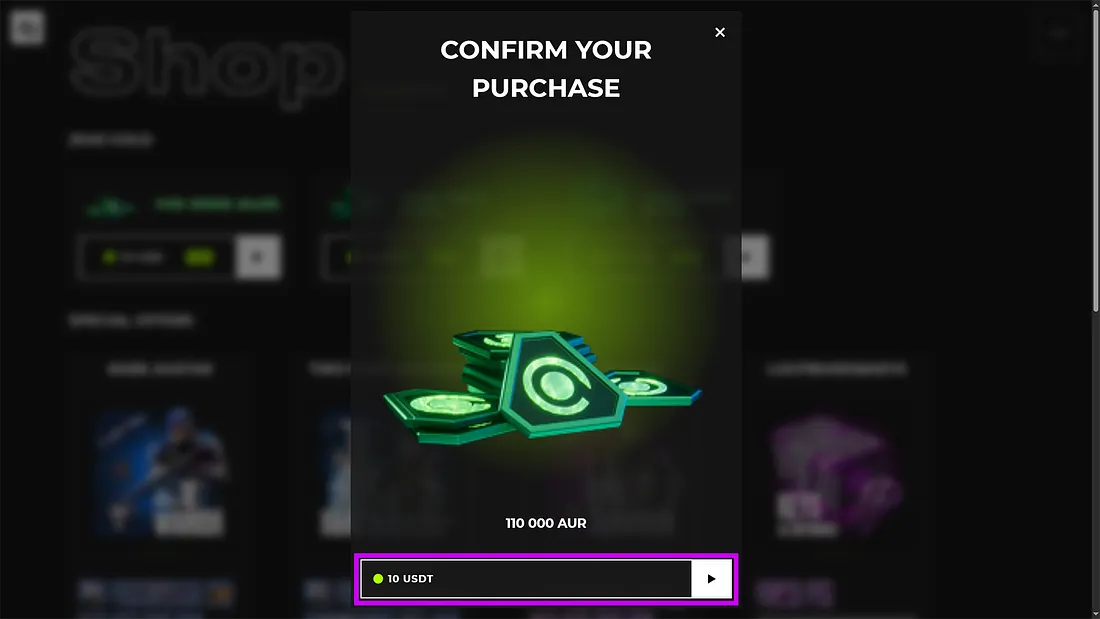
Verify that the correct product is selected and click the purchase confirmation button.
Step 4
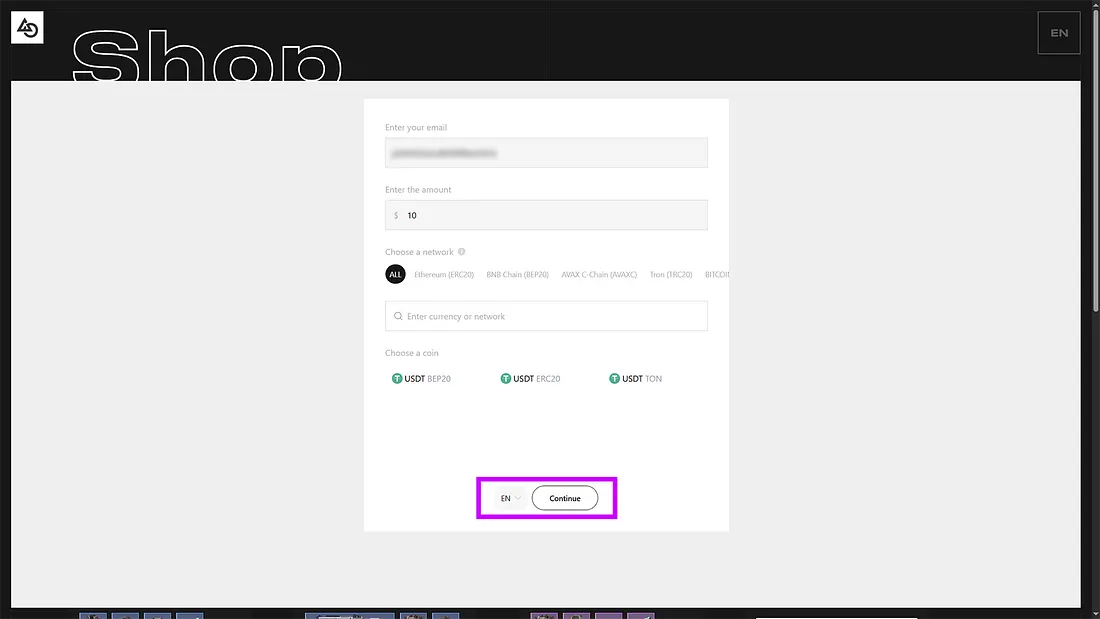
Choose the blockchain network and cryptocurrency, then click “Continue.” The selected blockchain must support the cryptocurrency you’re using for payment.
Step 5
On the payment processing page, you can pay in three ways:
- Copy the wallet address and manually transfer the funds.
- Scan the QR code to make the payment.
- Pay via a Web3 wallet.
Important:
- The payment address is only valid until the timer expires (30 minutes).
- You must send the exact amount for a successful transaction.

Step 6
After payment, wait for 3 blockchain confirmations — your purchase will only be credited to your account after this step.
Purchased items will appear in-game after relogging to the lobby. You don’t need to fully close the game client — just return to the main menu.
Done! Thank you for your purchase. Enjoy your time in 2040World!
If you encounter any issues, please contact our support team via Telegram chat or the comments section in our Telegram channel.
Helpful Notes:
- Purchased items are sent to Storage. If Storage is full, they will go to Depot.
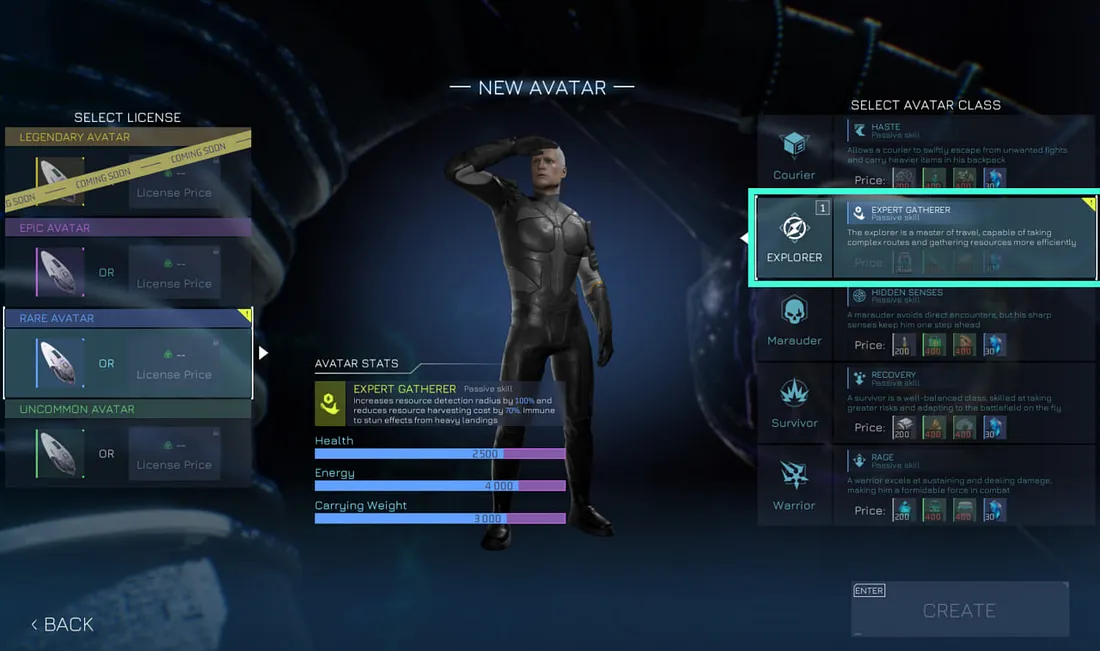
- Avatar Creation Certificates from the store do not appear in your inventory. They can be used on the avatar creation screen (see interface screenshot below).