10 Unique VS code extensions- Boost Your Productivity😎
dev.to
1. Todo Tree

This extension is very useful if you have a habit of writing to-do lists while coding/code reviewing, etc. This extension quickly searches (using ripgrep your workspace for comment tags like TODO and FIXME, and displays them in a tree view in the explorer pane. Clicking a TODO within the tree will open the file and put the cursor on the line containing the TODO.
2. code time
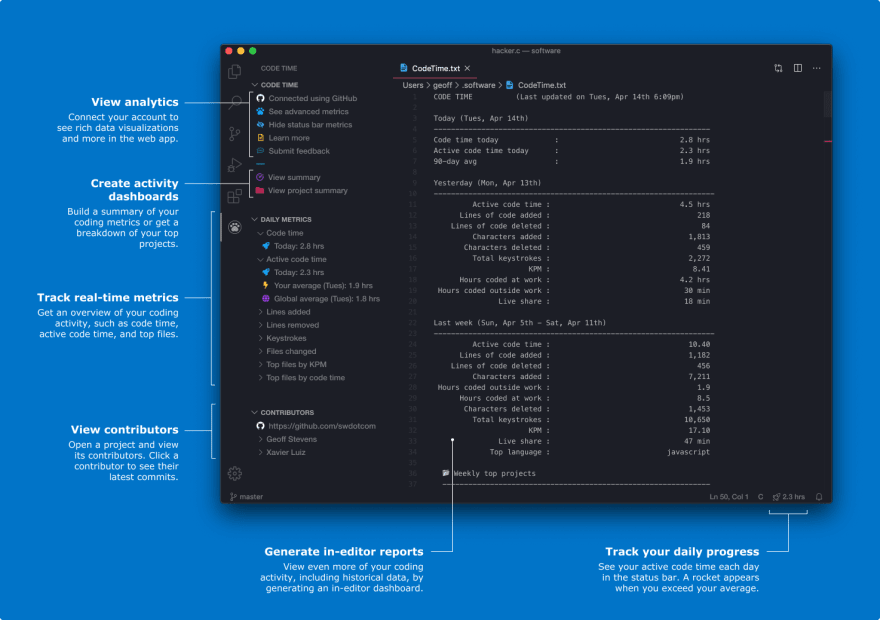
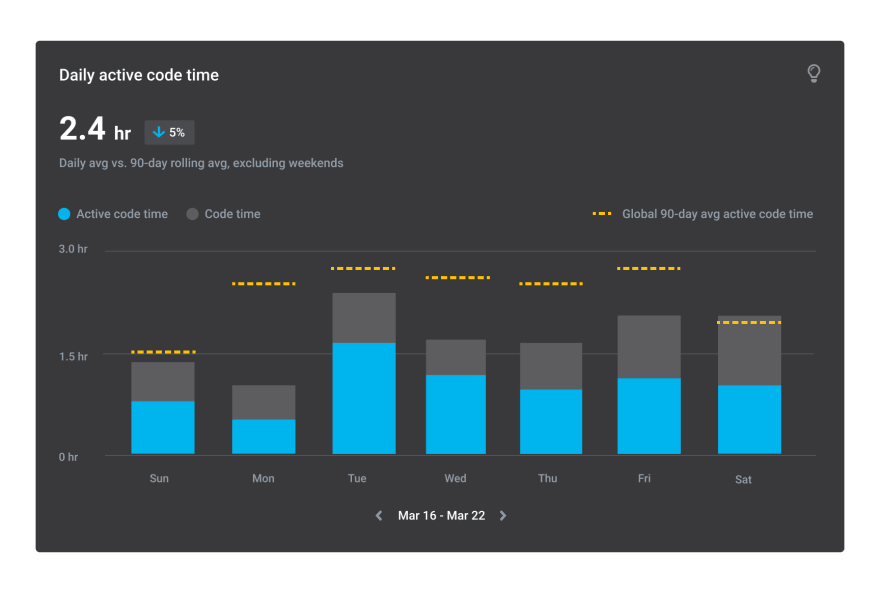
Code Time is an open-source plugin for automatic programming metrics and time tracking. Get the most advanced time tracker for Visual Studio Code that will save you time, so you can focus more on what matters. An awesome extension to keep track of your work-life balance. One interesting thing about this extension is that you get a personalized dashboard for your coding activity.
3. faker
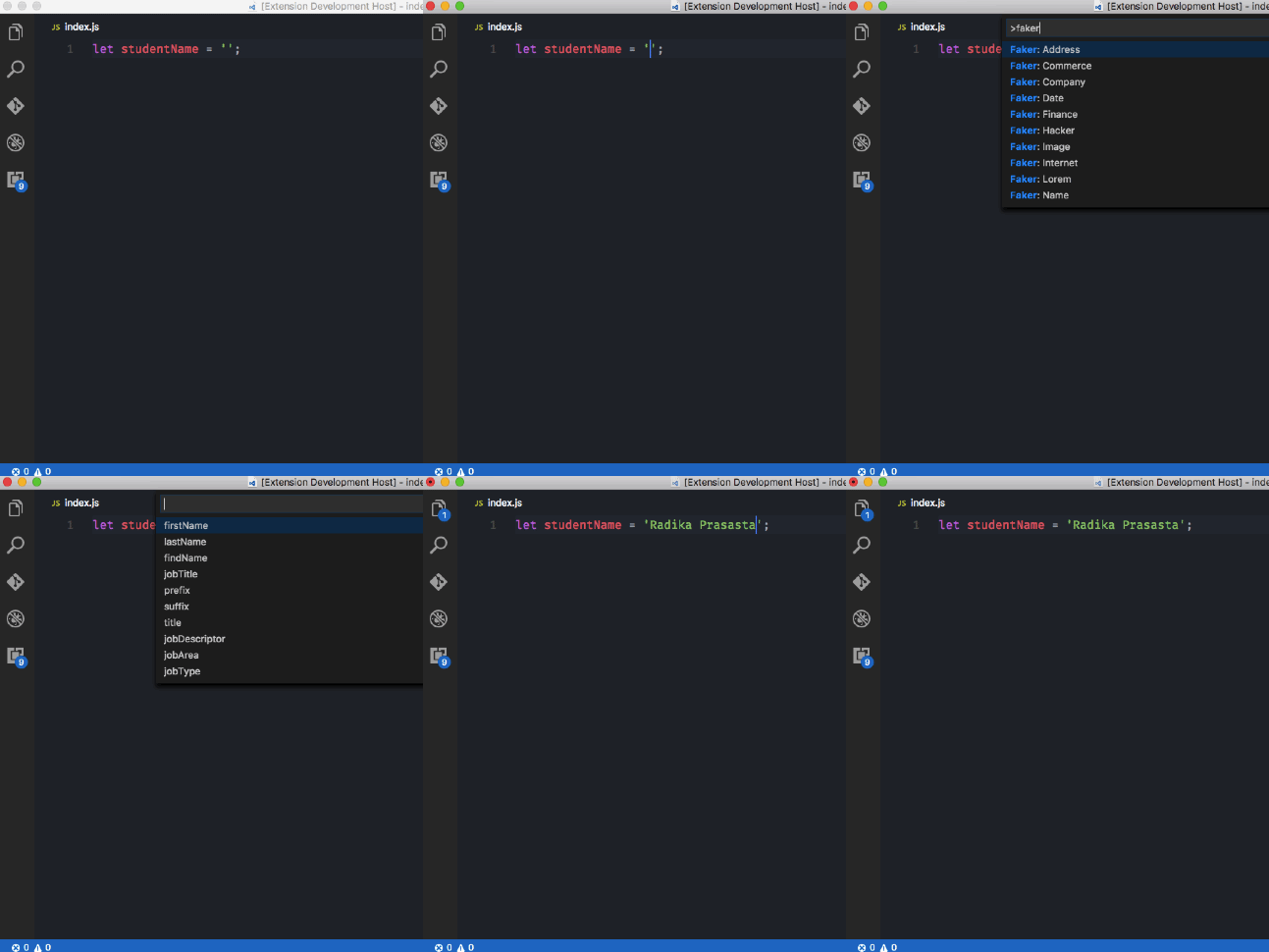
This extension can be used to generate fake data inside Visual Studio Code. This comes in handy when you are creating webpages with dummy data for client presentation.
Here is the list of fake data you can generate:
-address
-commerce
-company
-database
-date
-finance
-hacker
-image
-internet
-lorem
-name
-phone
-random
-system
Type cmd+shift+p to launch command palette and choose Extensions
4. Quokka.js

Quokka.js is a developer productivity tool for rapid JavaScript / TypeScript prototyping. Runtime values are updated and displayed in your IDE next to your code, as you type. This will make prototyping, learning, and testing JavaScript / TypeScript blazingly fast.
5. Regex Previewer

Shows the current regular expression's matches in a side-by-side document. This can be turned on/off with Ctrl+Alt+M (⌥⌘M).
Global and multiline options can be added for evaluation with a side-by-side document through a status bar entry. This can be useful when the side-by-side document has multiple examples to match.
6. Bracket Pair Colorizer

This extension allows matching brackets to be identified with colors. The user can define which characters to match, and which colors to use.
7. Auto Rename Tag

When you rename one HTML/XML tag, this extension will automatically rename the paired HTML/XML tag
8. GitLens — Git supercharged

Gittens simply helps you better understand code. Quickly glimpse into whom, why, and when a line or code block was changed. Jump back through history to gain further insights as to how and why the code evolved. Effortlessly explore the history and evolution of a codebase.
9. Turbo Console Log

This extension makes debugging much easier by automating the operation of writing a meaningful log message.
It requires only two steps
Selecting the variable which is the subject of the debugging
Pressing ctrl + alt + L
10. Bookmarks

It helps you to navigate in your code, moving between important positions easily and quickly. No more need to search for code. It also supports a set of selection commands, which allows you to select bookmarked lines and regions between bookmarked lines. It's really useful for log file analysis.
Here are some of the features that Bookmarks provide:
-Mark/unmark positions in your code
-Mark positions in your code and give it a name
-Jump forward and backward between bookmarks
-Icons in gutter and overview ruler
-See a list of all Bookmarks in one file and project
-Select lines and regions with bookmarks
-A dedicated Side Bar
That's all for this post folks.
Don't forget to ❤ or 📑 this article if you enjoyed it.
Have a great day.
Happy Coding!!
Source dev.to