Level Design: Tips and Tricks
https://t.me/game_developmentToday, there are a lot of indie developers, some of them have to some extent to engage in level-design. Over the past few months, I've worked steadily on about half a hundred different game levels, and I'd like to share my experience. This article contains effective Tips and Tricks, which you can use to improve the overall quality of your game.
Level design and Narrative
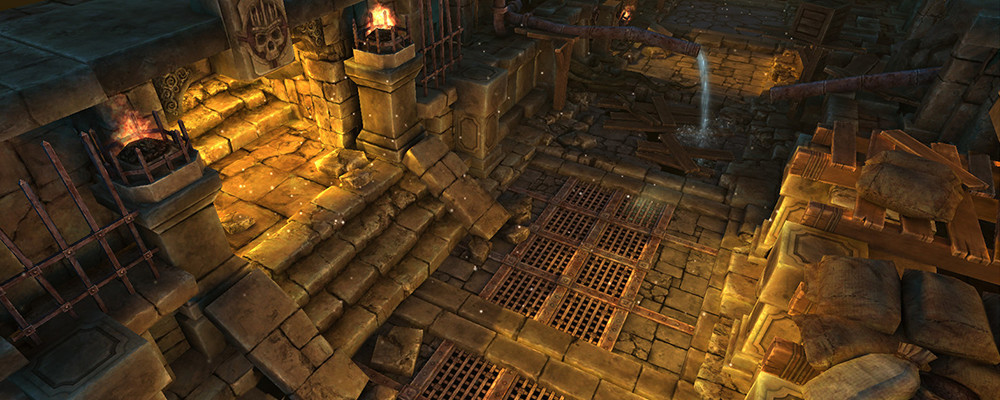
A little lyric, before we turn to purely practical material. The creation of levels is closely related to the narrative. In other words, almost everything you do tells a story. If a ray of light breaks into a dark dungeon through the cracks in the stones, by this you are hinting at the existence of a world outside the cave. If under the dome of the gloomy hall there is a massive statue of the Lovecraft god, do you create a depressing atmosphere, raise questions about what is embodied in the stone for the creature? Who and why worships for him?
By this I want to say that even while in tech mode and performing purely technical tasks, the level designer should strive for his goal - the best way to tell the player the story and immerse him in the world of the game. Someone might say that this is not important for PvP levels, but remember the classic "Warsong Gulch" map from "World of Warcraft" where the whole fight revolves around the confrontation between Orcs and Elves for resources and territory. Nevertheless, even working with something completely down-to-earth such as setting up colliders, you have to be convinced that the user will get exactly the game experience that you want to create for him.
Visual diversity
A good level supports the player's interest, periodically changing the emotions of player by the surrounding space. We have a number of tools, including:
- Visual series. If in the beginning you had a dry dead dungeon, and in the end - underground rivers, waterfalls and bioluminescent plants, the player will be carried away by visual novelty and atmosphere change.
- Closure of space. A typical trick in Lara Croft: you with difficulty squeezed through the crack in the rock; when you get up, you look up and find yourself at the base of the temple, from whose colossal size it catches your breath.
- The form. Any space is subject to certain forms. Details and color are secondary. In the picture below only on one silhouette you can determine what is on the horizon.

How to use forms in the level design? An excellent example can be found in the spaceship Dreadnaught in "Destiny", where the diagonal elements of the architecture create from a very peculiar sensation the interior to the subtle discomfort that is hardly discernible in the subconscious.
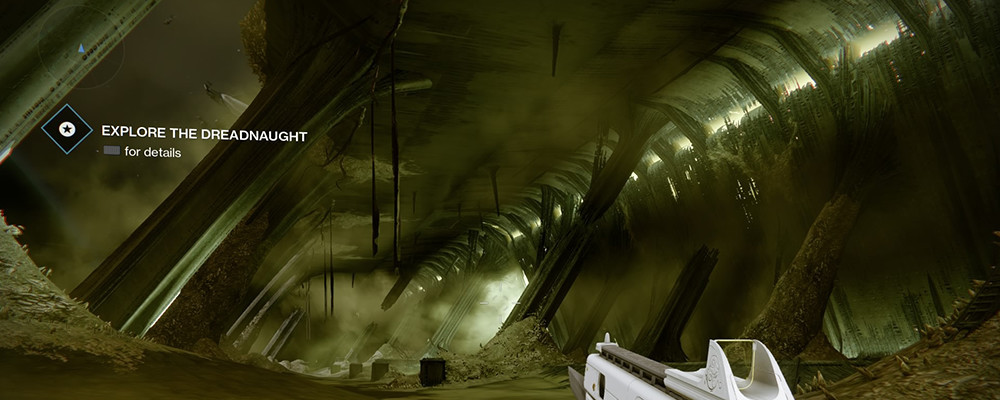
Without the colors, text, movement, sounds, etc. only one change of forms as the level goes through can reveal new facets of history. Look: at the beginning of the level you are surrounded by pure smooth forms, and then irregularities appear. Even by the abstraction of the following picture, you can roughly understand what happened! Probably, in your imagination a fragment of a story has already flashed.

By the way, a lot of interesting ideas can be gleaned by studying the post-modernism striving for originality in architecture. Highly recommend. Modern art does not have a very good reputation, but architecture, as a rule, is too expensive thing to be played by the total losers.
Unique frames
"Vista" - view that is breathtaking . In games with the open world "vista" most often is the highest point on some tower or mountain, from where you look around. We all remember the well-known process of "synchronization" in "Assassin's Creed". For other games, epic views are created specifically, and not just let us look from the top down.
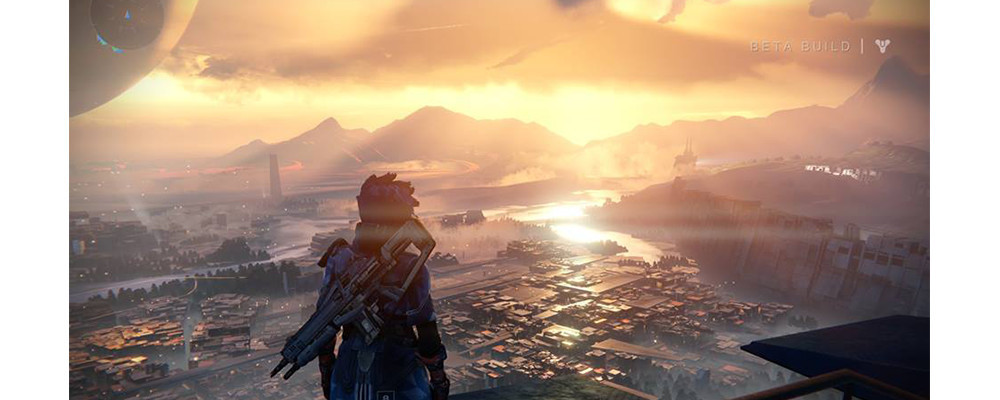
A separate subspecies of "vista" can be considered as "hero assets". As a rule, these are especially noteworthy environment objects, often used only once for the whole game. They pay attention, they are remembered, they are landmark, while running on the level. In principle, a good example could be the famous Citadel towering over City-17.
"Vista" and "hero assets" can help you make more memorable levels, add a highlight to them, but you have to know measure. You can fall into the trap and give them too much attention instead of those assets that will be used hundreds or thousands times. Here is relevant picture from the article of guys from Bethesda, working on the levels for Skyrim:
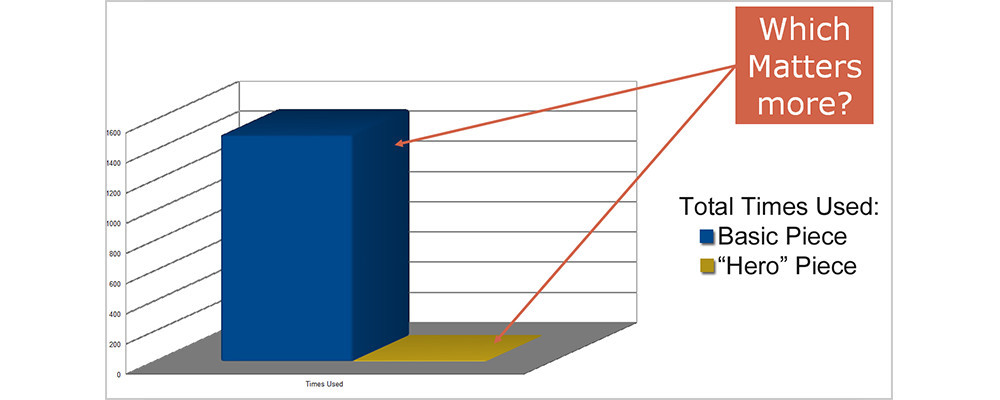
Ten times think, do you really need this unique content, and do you have the strength to create it ? It is especially important to soberly assess your strengths as the indie developer who have extremely limited production resources.
Interactive and dynamics
Unlike the previous paragraph, this - relatively easy to creation and applying. Whatever moves you have on the location - it's cool! Simply, any dynamic objects breathe life into the game. Try to add burning torches, fluttering flags in the wind, water pouring from the pipes, waterfalls, rocking creepers, flocks of birds and so on. It's hard to describe in words - it's necessary to feel it when you add dynamics to a static level, and watchs like it changes on your eyes.
You can also add interactive objects with which the user can interact. They become an important part of the gaming experience. The door can be opened, the lever can be pressed, the wall broken, the barrel exploded, and the column dropped. In "Diablo III" it was used quite often. For example, a classic example with a lever that allows a massive chandelier to be knocked over the head of the enemies. Or a stone wall that collapses when the hero passes by and accidentally touches it.
Unlike the previous paragraph, this - relatively easy to creation and applying. Whatever moves you have on the location - it's cool! Simply, any dynamic objects breathe life into the game. Try to add burning torches, fluttering flags in the wind, water pouring from the pipes, waterfalls, rocking creepers, flocks of birds and so on. It's hard to describe in words - it's necessary to feel it when you add dynamics to a static level, and watchs like it changes on your eyes.
You can also add interactive objects with which the user can interact. They become an important part of the gaming experience. The door can be opened, the lever can be pressed, the wall broken, the barrel exploded, and the column dropped. In "Diablo III" it was used quite often. For example, a classic example with a lever that allows a massive chandelier to be knocked over the head of the enemies. Or a stone wall that collapses when the hero passes by and accidentally touches it.
You can add NPCs. In the "White Garden", a small village at the very beginning of the Witcher, life is boiling - women are washing clothes, children are playing with each other, old people are smoking pipes on a bench, men are beating their muzzles in a tavern. This, of course, is already a completely different level of dynamic environment, requiring a significant investment of forces.
Fog as color correction
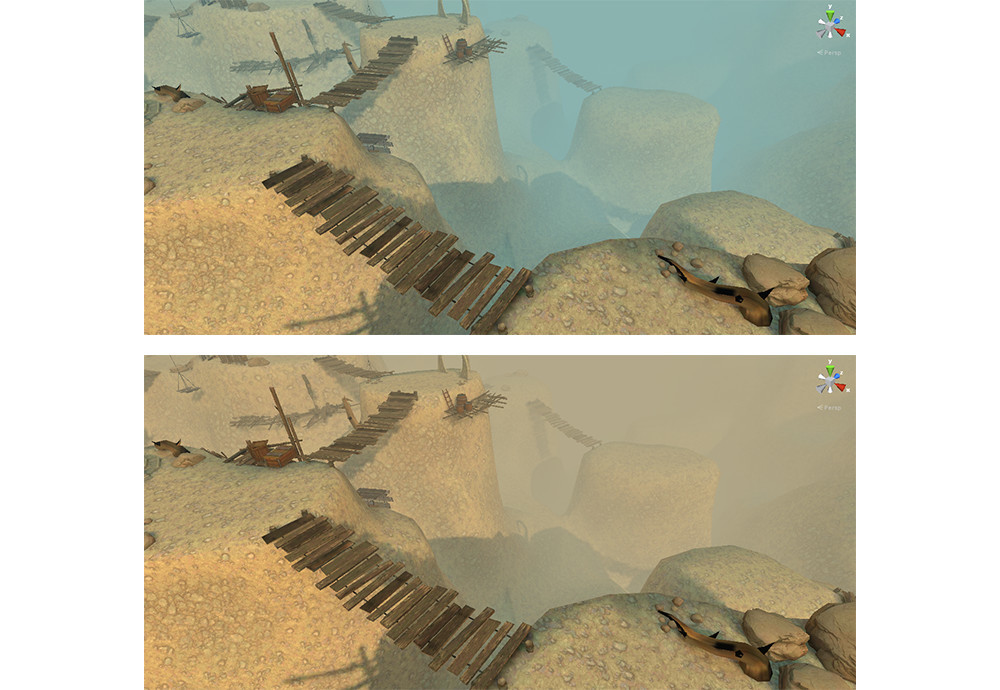
A very interesting trick: fog not only has a significant impact on the atmosphere and the plausibility of the level, but is also an excellent tool for color correction. Moreover, on mobile devices this is the cheapest method of color correction ("weighs" about 3-5 fps).
To finally convince you of the power of this tool, compare the screenshots of the indie game. Because of the fog, the first looks like a slightly cloudy day, and the second looks like a sandstorm.
On the next two screenshots you can see a very light fog, barely noticeable. But even with this approach, the difference in hue is obvious.
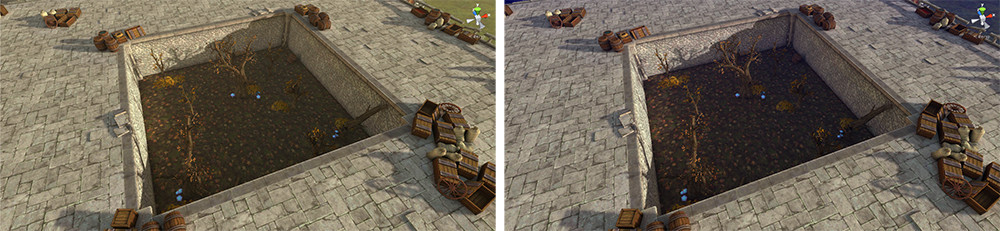
There is an underwater rock: you need to choose the type of fog (for example, exponentional squared in Unity for this task usually fits best) and density so that the fog does did not blur the textures, and they did not lose contrast.
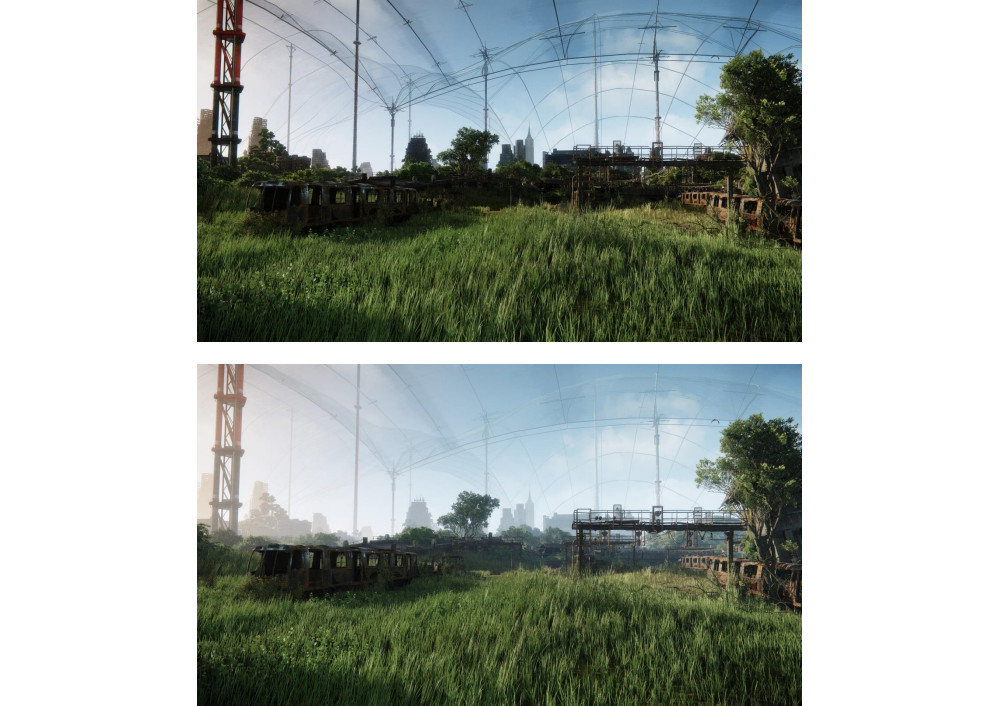
Next are the screenshots from Crysis 3. As you can see, the upper space is compressed. It seems that the houses are very close to the player. On the bottom picture, neatly selected fog visually expands the space, pushing the house back to the depth.
Lighting is love, lighting is life
Lighting is one of the most powerful tools at your disposal. I strongly recommend you give for it enough time and energy. Instead of a thousand words:
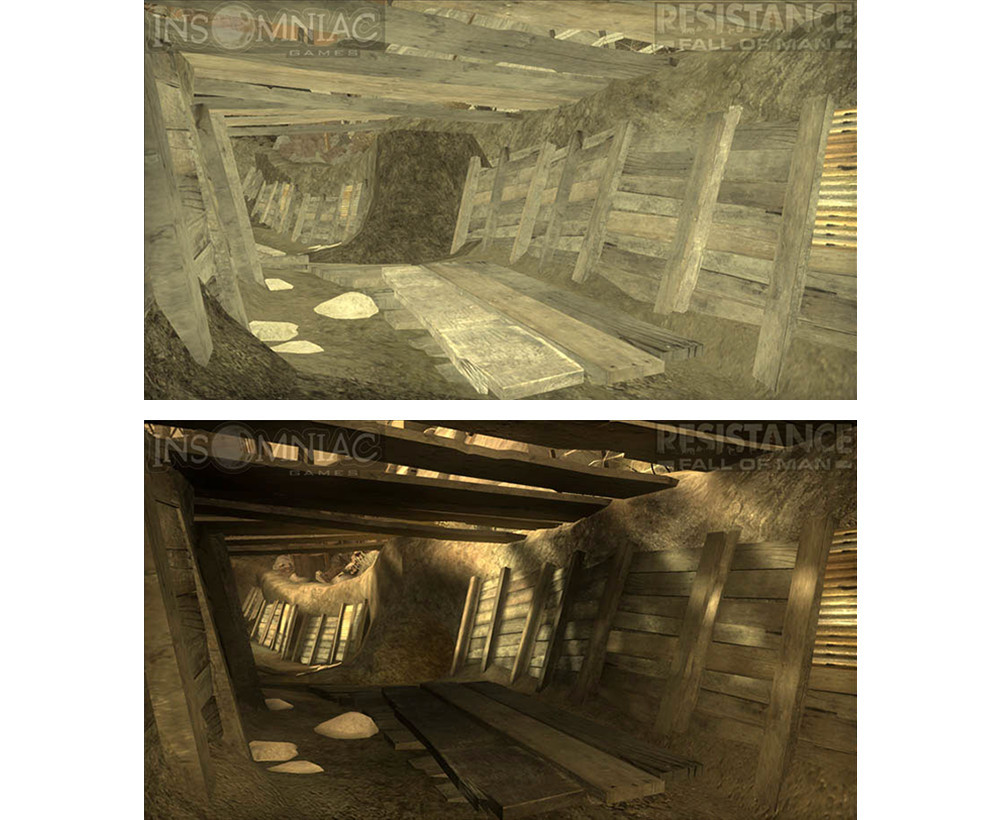
Even simple geometry with the simplest textures takes on an adequate appearance when lighting comes into play. Through the light we transmit not just technical information such as time of day and weather, but also mood. Accurate work with light allows you to fine tune the atmosphere. Imagine: bright sunlight. At one end of the spectrum you will have a tough, merciless sun of a dead desert. At the other end is a happy soft summer sun, as in the anime about the first love of the Tokyo schoolchildren
How to achieve the desired effect of lighting? Art and experience, of course. I do not have a ready-made recipe. But it's lyrics, I want to share another practical trick: it's critically important to have variations in the color of lighting. Follow the logic, but do not forget about the creative. If you put light sources only where the lamps stand, the result will be stale and boring. At the same time, even a small color diversity from the light makes the level visually more attractive.
One of the interesting tricks: first, only logical lighting is put (that is, where the lamp is located, there will be a light source), but a somewhat subdued, not final brightness. After that additional color light sources are added. They raise the overall illumination, while expanding the color palette.
There are exceptions, of course. For example, a level with bright sunlight can mostly consist only of it, and it will look great. In this case, you will be helped by a verified ambient light, making colored shadows, as well as various post-effects on the camera, to maintain the brightness of the sun (bloom, for example).
Blending light with the environment
When creating lighting, you initially have only a light source and an environment that takes light. They are as if separated from each other. But in reality there would be air, dust, atmosphere between them.
Here are a few methods that help to simulate the effect of light on "empty" space:
- Special effects: are flying specks of dust or a light fog are swirling near a light source.
- Light shafts, god rays, sun rays. The effect of visible light rays. Stylization generally does not allow using this in realistic games, except by means of a very fine tuning.
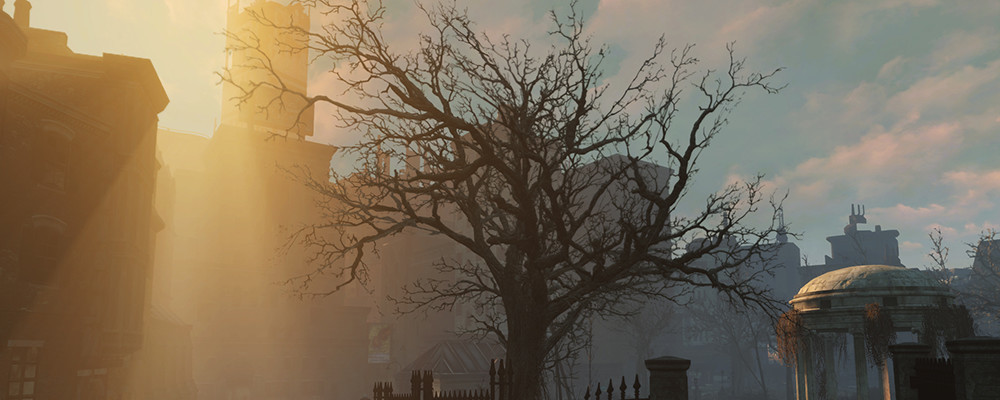
- Volumetric light. Quite expensive in terms of performance effect, but damn beautiful and believable. The picture below shows a volumetric light from "Fallout 4".
- Post-effects. First of all, bloom, of course. With it, the lightning spreads around the bright elements on the scene.
- Fake glow. To some extent imitates a bloom around a bright light source. It is made by a simple quad with a texture, on which is a translucent circle with blurred edges.
Conclusion
I hope this tips compilation will give you a couple of new ideas for your projects. I plan to write another article on the same topic. In it, I'll talk about prototyping, the scale of the hero and the environment, the speed of the character's run, colliders, pleating and much more. It should be even more mundane, with fewer pictures, but well packed with my experience.